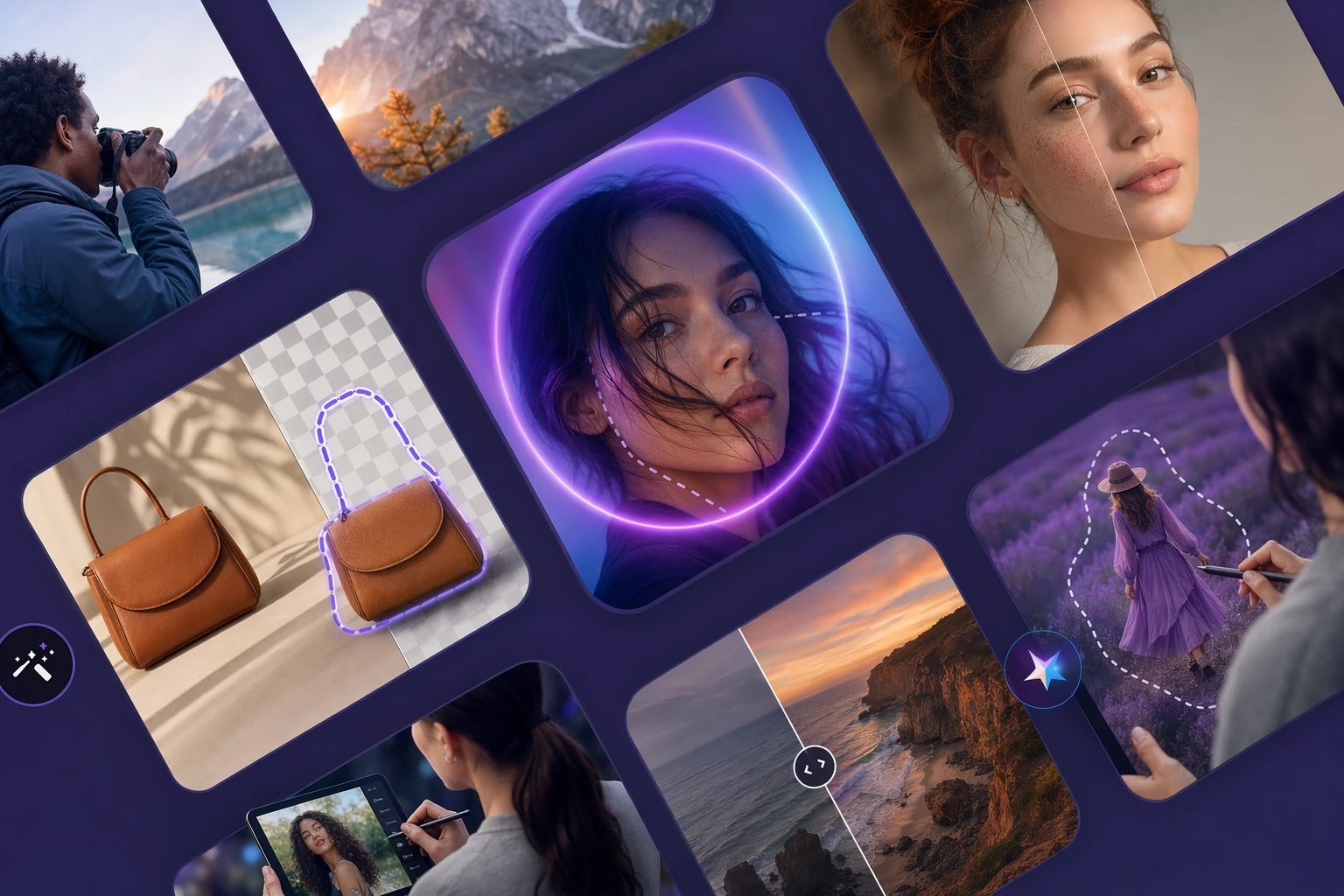
The best free graphic design software to create social media posts
LlamaGen logoLlamaGen brand
Mag-log InSubscribe Now20% Off
  1. Home
  2. Articles
  3. The best free graphic design software to create social media posts
Best apps11 min read
All posts

The best free graphic design software to create social media posts
Ni LlamaGen Team · April 24th, 2026
In this article
  1. Start creating in LlamaGen
  2. The best free graphic design software at a glance
  3. How to choose the right tool
  4. Where LlamaGen changes the workflow
  5. Canva
  6. Adobe Express
  7. Snappa
  8. VistaCreate
  9. Desygner
  10. Where the classic design tools still win
  11. Which tool should you use?

We independently review every app we recommend.

The best free graphic design software to create social media posts

If you just need a clean post, banner, or promo tile, there are plenty of free design tools that can get you there. But if your social visuals need to become a repeatable character series, a comic-style campaign, or a story-led launch system, the question changes. You are no longer choosing only for templates. You are choosing for what happens after the first export.

That is where LlamaGen fits into this category. Tools like Canva, Adobe Express, Snappa, VistaCreate, and Desygner are useful for single posts and fast brand assets. LlamaGen becomes the layer that turns those assets into a visual system with consistent characters, reusable scenes, and story-first campaign outputs.

If your job ends at one polished post, a classic design tool is enough. If that post is the first frame of a larger campaign world, LlamaGen is the more relevant workflow.

Start creating in LlamaGen

  • Create a new comic
  • Create a new animation
  • Start a manga project
  • Generate AI images
  • Build AI characters
  • Plan a storyboard

The best free graphic design software at a glance

  • Canva for flexible template-based design
  • Adobe Express for growing a side hustle or creator brand
  • Snappa for occasional social graphics
  • VistaCreate for social plus print designs
  • Desygner for quick branded image production

How to choose the right tool

The source article gets the core decision logic right: a useful free design app needs enough templates, enough editing control, and enough export flexibility that it actually helps you ship.

For LlamaGen readers, there are a few extra questions worth asking:

  • Do you need one post or a whole campaign system?
  • Are you protecting a brand kit, a recurring cast of characters, or both?
  • Will your assets stay as flat graphics, or become comics, storyboards, and narrative sequences?
  • Do you need speed for one-off social posts, or consistency across repeated episodes?
Where LlamaGen changes the workflow

Tags
DesignSocial MediaMarketing
Mentioned Apps
CanvaAdobe ExpressVistaCreateSnappaLlamaGen.AI

Most design apps in this category are great at layout, resizing, and lightweight image editing. They are less helpful when the campaign needs continuity.

LlamaGen is strongest when you want to:

  • keep the same character design stable across multiple posts
  • turn a campaign brief into a sequence instead of isolated graphics
  • move from marketing assets into comic panels, teaser scenes, and episode-style visuals
  • build recurring creative formats that are more narrative than template-driven

That makes LlamaGen less of a direct replacement for every design tool on this list, and more of a better end point for creators who need a story-first output.

Canva

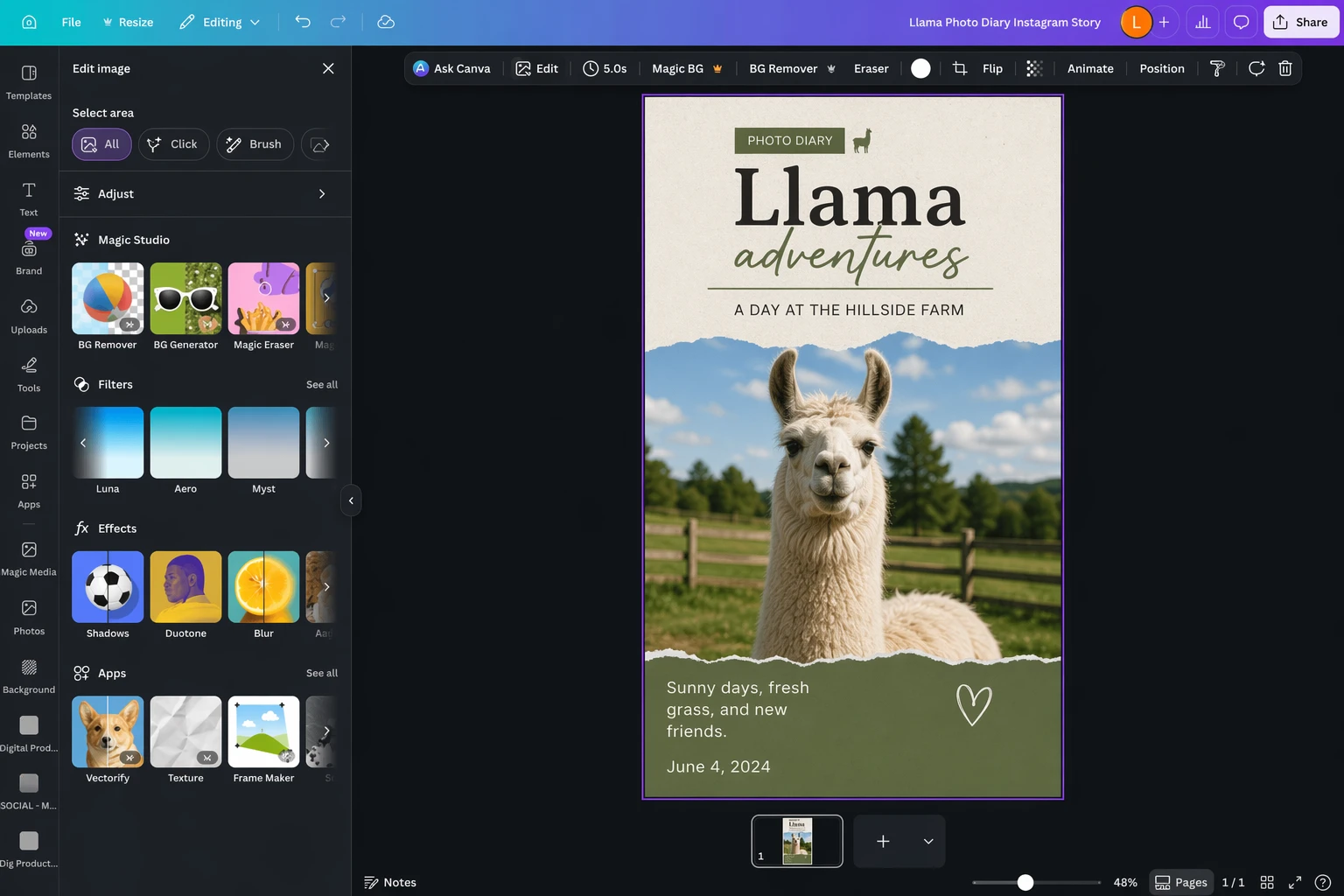
Edited Canva social design screenshot

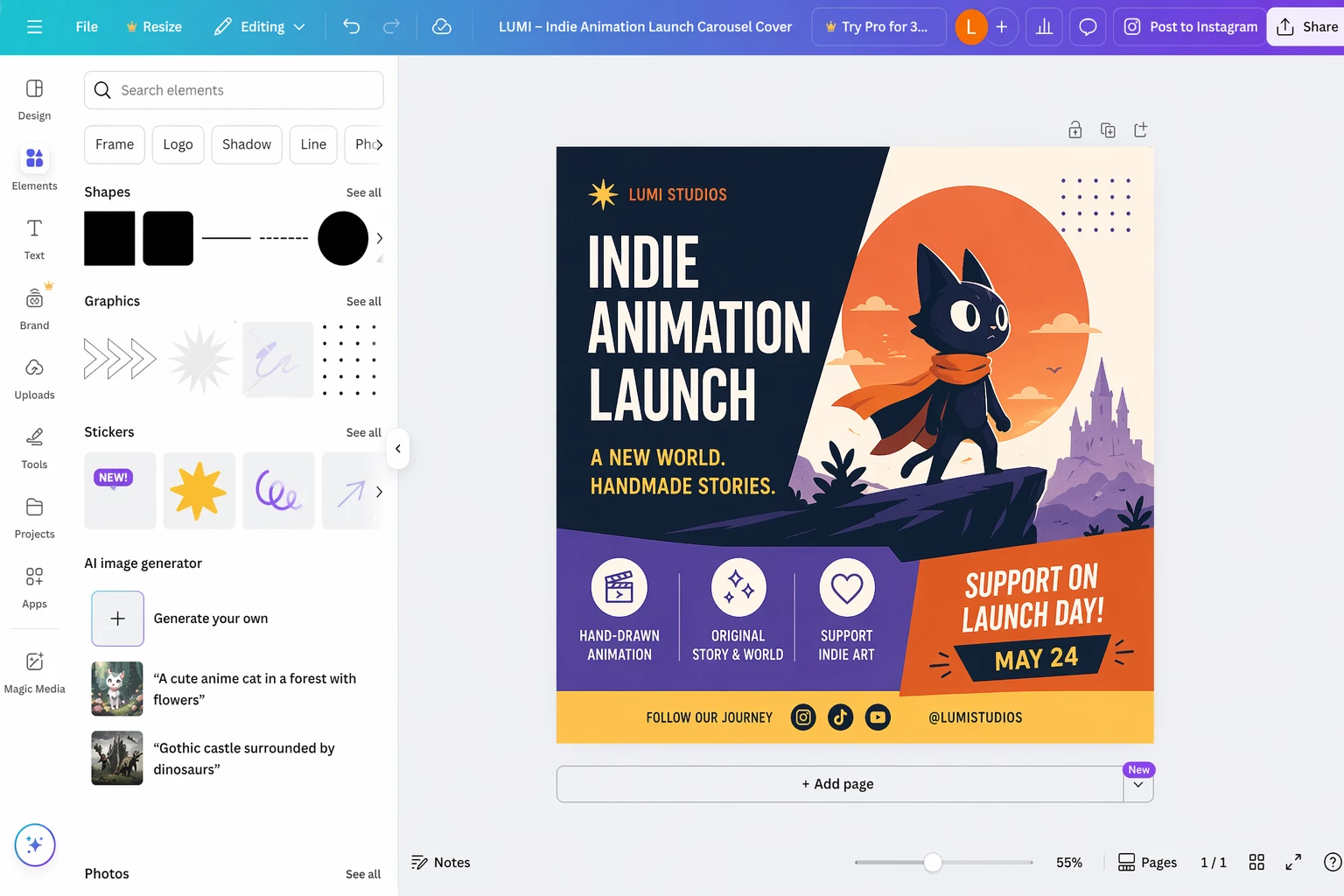
Canva is still the easiest all-round recommendation for most people. It has the widest template culture, a broad free plan, and enough AI-assisted features that beginners can make something useful quickly. If your work is mostly social posts, announcements, decks, or simple promos, Canva remains a very strong default.

Where it starts to feel limited is when your creative system depends on continuity. Canva can help you design the post. It is less opinionated about keeping a cast, scene logic, or serialized visual structure coherent over time.

Adobe Express

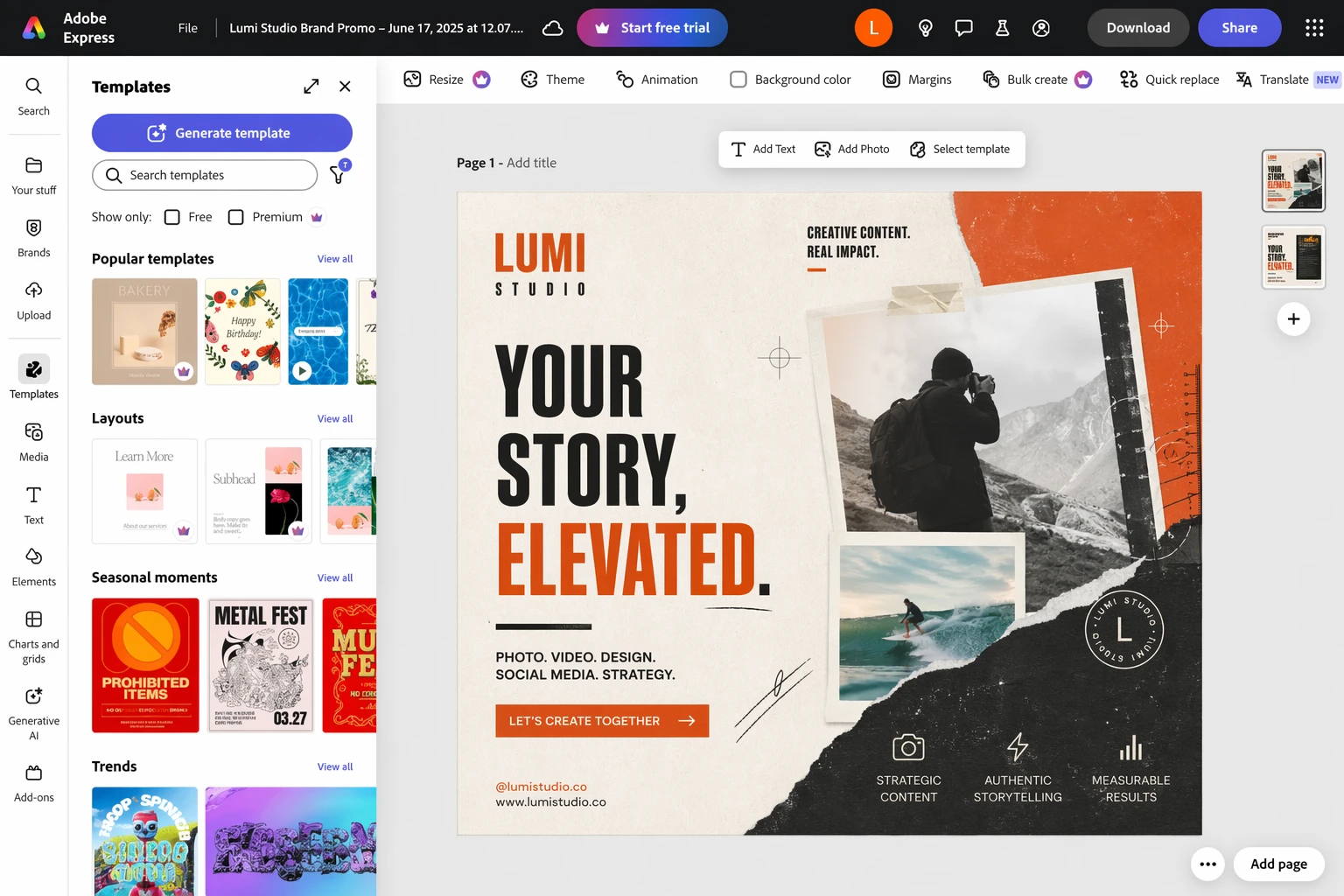
Edited Adobe Express social design screenshot

Adobe Express is a strong choice when the social post is part of a broader creator or brand workflow. It is especially useful if you already live inside Adobe tools and want a lighter, faster layer for templates and quick marketing assets.

Compared with Canva, it can feel more connected to a professional design stack. Compared with LlamaGen, it still lives much more in the world of single assets than narrative production.

Snappa

Edited Snappa social design screenshot

Snappa is appealing because it keeps the free experience simple. If you only make occasional graphics, it is one of the easiest ways to avoid constant upsell friction. That tradeoff is worth it for light usage.

Its ceiling is lower than Canva or Adobe Express, which is exactly why it works best for occasional creators instead of teams building a larger visual system.

VistaCreate

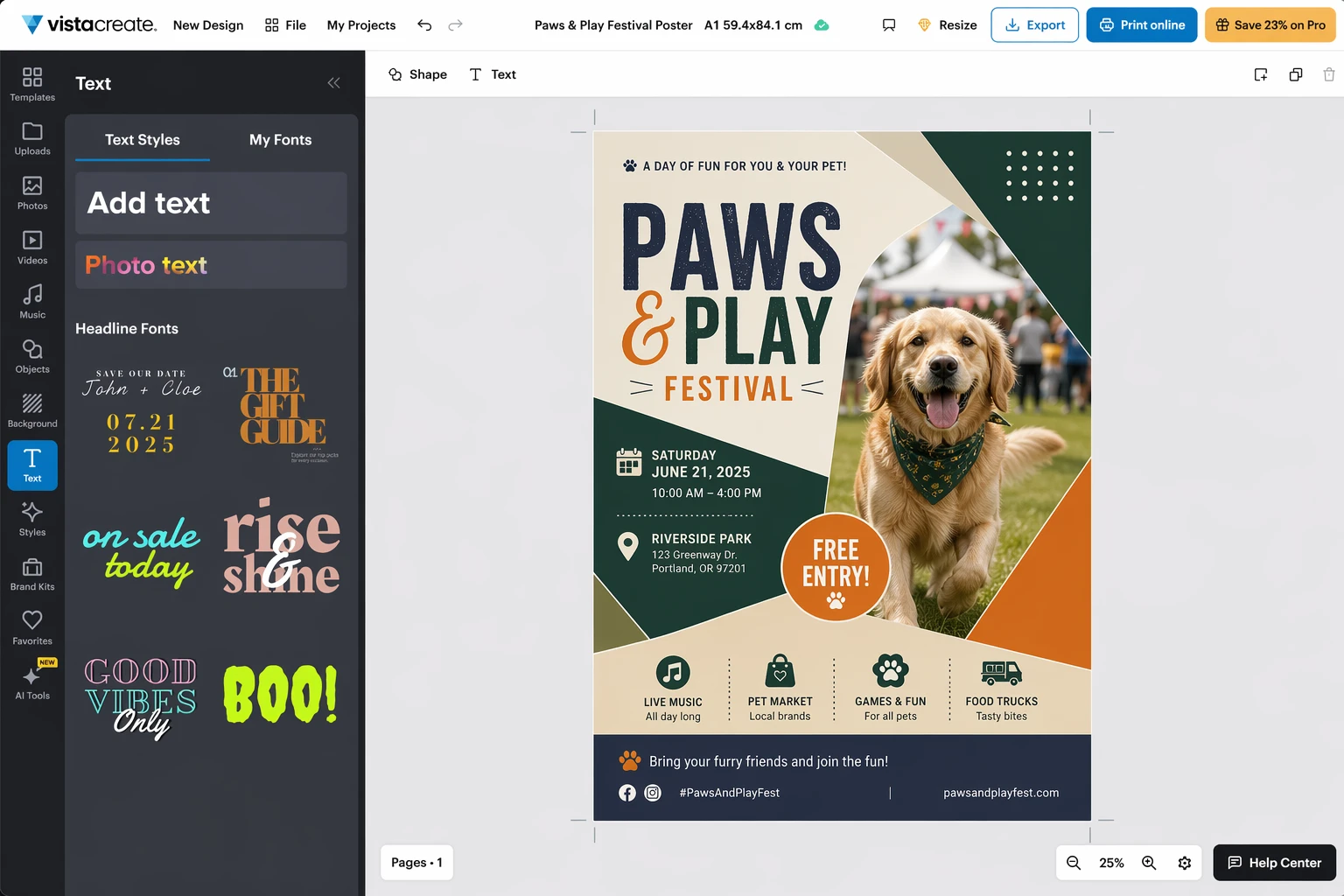
Edited VistaCreate social design screenshot

VistaCreate becomes more interesting if your work crosses between social content and printed materials. That print angle is what makes it stand out from the other free tools in this group.

If your workflow includes posters, flyers, menus, or event collateral alongside social graphics, VistaCreate can be the more practical choice. It still works best as a design tool first, not a continuity engine.

Desygner

Edited Desygner social design screenshot

Desygner is useful when you want something fast, team-friendly, and template-oriented without paying enterprise prices. It is easier to recommend for small businesses that need steady branded output but do not need a deep professional design stack.

That makes it a practical production tool, even if it is not the most exciting one creatively.

Where the classic design tools still win

It is worth being direct about this:

  • If you mostly need standard social posts, Canva is still the most convenient answer.
  • If you already use Adobe heavily, Adobe Express can slot into your workflow more naturally.
  • If you only publish occasionally, Snappa may be all you need.

LlamaGen wins when the output needs narrative cohesion, recurring visual identity, and a stronger sense of worldbuilding than template tools usually provide.

Which tool should you use?

If you want the broadest mainstream option, start with Canva.

If you want a more Adobe-shaped workflow, try Adobe Express.

If you just need occasional graphics for free, Snappa is still worth a look.

If print matters, VistaCreate has a clearer advantage.

If you need a small-team template engine, Desygner is practical.

If your campaign needs to look like a series instead of a stack of disconnected posts, use one of those tools for layout, then move the assets into LlamaGen to create comics, storyboard sequences, character-led promos, and repeatable visual narratives.

This article was rewritten for LlamaGen readers with a stronger story-first workflow lens.

LlamaGen logo

Nangunguna sa Hinaharap ng AI Comic Generation

  • 24/7 na suporta
  • Lingguhang pag-update
  • Segurado at sumusunod sa regulasyon
  • 99.9% natutuluyan

Download LlamaGen for free

iOSDesktop

Magtanong sa AI tungkol sa LlamaGen

Produkto
  • Latest launches
  • Mga Tampok
  • Comic strip maker
  • Manga StudioBago
  • Gawing Komiks ang Larawan
  • Komiks Sa Video
  • AI Comic Factory
  • Comic Agent
  • iOS & Android
  • Mac at Windows
  • I-download
  • Comic ZapBago
  • AI Comic Generator
  • AI Cartoon Generator
  • AI Webtoon Generator
  • Comic Strip Maker
  • Gawing Komiks ang Larawan
  • AI Manga Generator
  • Tagasalin ng Manga
  • Photo to Anime
  • Anime to Real Life
  • Manga Colorizer
  • Anime Character Generator
  • Pixel game asset tools
  • AI sprite sheet generator
  • Best pixel game tools 2026
  • Tagagawa ng Larawang Komiks
  • Alternatibo sa Comic Life
Plans
  • Pricing
  • Starter
  • Pro
  • Enterprise
  • Education
  • Comic API
Kompanya
  • Talk to Our Founder
  • Tungkol
  • Roadmap ng Produkto
  • Karera
  • I-email kami
  • Ang Aming Mascot World
Sister products
  • Pamilya ng LlamaGen
  • CineoBoardBago
  • Comics API
  • Comic Zap
Komunidad
  • Mga Tagalikha
  • Affiliates
  • Kasosyo
  • Mga Testimonial
Mga Resources
  • Talaan ng mga pagbabago
  • Blog
  • Guides
  • Personalized Comics
  • Mga Tampok
  • Alternatibo
Help
  • Help Center
  • Trust
  • Safe AI
  • Professional Services
  • FAQ
Mga Kasangkapan
  • AI Logo Generator
  • Grokbot Style Character Generator
  • PNG to Comic
  • Teksto sa Komiks
  • PDF to Comic
  • Script to Comic
AI Tools
  • AI Outfit Extractor
  • AI Hairstyle Changer
  • AI Manga Hairstyle Changer
  • AI Wind Effect Generator
  • AI Depth Map Generator

Produkto

  • Latest launches
  • Mga Tampok
  • Comic strip maker
  • Manga Studio
English (Australia)English (Canada)English (United Kingdom)English (India)SpanishFrench (Standard)Italian (Standard)JapaneseKoreanGerman (Standard)Chinese TraditionalChinese Traditional (Hong Kong)Chinese SimplifiedPortugueseTurkishPolishDutch (Standard)DanishThaiIndonesianNorwegian BokmålRussian
LinkedInX (Twitter)
  • Home
  • Articles
  • Blog
  • Gumawa
  • Pricing
  • API

Related articles

Best AI Tools for Screenwriters in 2026: 12 Writing Apps Compared, Plus LlamaGen.AI for Visual Story Development
AI Screenwriting Tools
Best AI Tools for Screenwriters in 2026: 12 Writing Apps Compared, Plus LlamaGen.AI for Visual Story Development
The 8 best Canva alternatives
Best apps
The 8 best Canva alternatives
Photoshop alternatives: 8 best free photo editors
Best apps
Photoshop alternatives: 8 best free photo editors
The best AI photo editors
Best apps
The best AI photo editors
Makipag-ugnayan sa Sales
  • Education Plans
  • Mga Guro
  • Mga Estudyante
  • Mga Guro at Mag-aaral
  • Startups
  • Edukasyonal na Diskuwento
  • Media Kit
  • KOL Partnership
  • Nilalaman
  • Velika
  • Pader ng Pagmamahal
  • LlamaGen MCPBago
  • LlamaGen Developer
  • Best AI Apps
  • GPT-6 Manga Coloring Guide
  • Claude Comic Book Skill
  • Gemini AI Comic Guide
  • Comic That
  • Edukasyonal na Diskuwento
  • Diskuwento para sa estudyante
  • Seguridad
  • Accessibility
  • Video Tutorial
  • Makipag-ugnayan sa amin
  • Sitemap
  • Book to Comic
  • Gawing Komiks ang Larawan
  • AI Pixel Art Generator
  • Educational Comics
  • AI Video Generator
  • Gemini AI Video Generator
  • Libreng Faceless AI Video Generator
  • Komiks Sa Video
  • Make Storyboard Software
  • AI Storyboard Generator
  • Screenwriting Software
  • Screenplay Editor
  • Story AI
  • AI Story Generator
  • Storybook Generator
  • AI Image Generator
  • AI Layer Splitter
  • AI Camera Angle Control
  • AI Pixel Art Generator
  • Pixel game asset tools
  • AI sprite sheet generator
  • Sprite sheet slicer
  • Best pixel game tools 2026
  • Animation API
  • ChatGPT/Codex Plugin
  • ChatGPT Install Guide
  • Claude Code Plugin
  • Claude Code Install Guide
  • AI White Background
  • AI Object Remover
  • AI Virtual Try-On
  • AI Unblur Images
  • AI Denoise
  • AI Photo Restoration
  • AI Product Shadows
  • AI Background Generator
  • AI Headshot Generator
  • AI Emoji Maker
  • AI Background Changer
  • AI Open Eyes
  • AI Beauty
  • AI Product Photography
  • Bago
  • Gawing Komiks ang Larawan
  • Komiks Sa Video
  • AI Comic Factory
  • Comic Agent
  • iOS & Android
  • Mac at Windows
  • I-download
  • Comic ZapBago
  • AI Comic Generator
  • AI Cartoon Generator
  • AI Webtoon Generator
  • Comic Strip Maker
  • Gawing Komiks ang Larawan
  • AI Manga Generator
  • Tagasalin ng Manga
  • Photo to Anime
  • Anime to Real Life
  • Manga Colorizer
  • Anime Character Generator
  • Pixel game asset tools
  • AI sprite sheet generator
  • Best pixel game tools 2026
  • Tagagawa ng Larawang Komiks
  • Alternatibo sa Comic Life
  • Sister products

    • Pamilya ng LlamaGen
    • CineoBoardBago
    • Comics API
    • Comic Zap
    • Velika

    Plans

    • Pricing
    • Starter
    • Pro
    • Enterprise
    • Education
    • Comic API
    • Makipag-ugnayan sa Sales
    • Education Plans
    • Mga Guro
    • Mga Estudyante
    • Mga Guro at Mag-aaral
    • Startups
    • Edukasyonal na Diskuwento

    Kompanya

    • Talk to Our Founder
    • Tungkol
    • Roadmap ng Produkto
    • Karera

    Help

    • Help Center
    • Trust
    • Safe AI

    Komunidad

    • Mga Tagalikha
    • Affiliates
    • Kasosyo
    • Mga Testimonial
    • Pader ng Pagmamahal
    • LlamaGen MCPBago
    • LlamaGen Developer

    Mga Resources

    • Talaan ng mga pagbabago
    • Blog
    • Guides
    • Personalized Comics

    Mga Kasangkapan

    • AI Logo Generator
    • Grokbot Style Character Generator
    • PNG to Comic
    • Teksto sa Komiks

    AI Tools

    • AI Outfit Extractor
    • AI Hairstyle Changer
    • AI Manga Hairstyle Changer
    • AI Wind Effect Generator
    • AI Depth Map Generator
    • AI White Background
    • AI Object Remover
    • AI Virtual Try-On
    • AI Unblur Images
    • AI Denoise
    • AI Photo Restoration
    • AI Product Shadows
    • AI Background Generator
    • AI Headshot Generator
    • AI Emoji Maker
    • AI Background Changer
    • AI Open Eyes
    • AI Beauty
    • AI Product Photography
    Instagram
    YouTube
    Facebook group
    Reddit
    Discord
    Email support
    PrivacyMga termino

    © 2026 LlamaGen.Ai Lahat ng karapatan ay nakalaan

    LinkedInX (Twitter)InstagramYouTubeFacebook groupRedditDiscordEmail support
    PrivacyMga terminoI-download ang Brand Assets© 2026 LlamaGen.Ai Lahat ng karapatan ay nakalaanLahat ng serbisyo ay online
    I-email kami
  • Ang Aming Mascot World
  • Media Kit
  • KOL Partnership
  • Nilalaman
  • Professional Services
  • FAQ
  • Seguridad
  • Accessibility
  • Video Tutorial
  • Makipag-ugnayan sa amin
  • Sitemap
  • Mga Tampok
  • Alternatibo
  • Best AI Apps
  • GPT-6 Manga Coloring Guide
  • Claude Comic Book Skill
  • Gemini AI Comic Guide
  • Comic That
  • Edukasyonal na Diskuwento
  • Diskuwento para sa estudyante
  • PDF to Comic
  • Script to Comic
  • Book to Comic
  • Gawing Komiks ang Larawan
  • AI Pixel Art Generator
  • Educational Comics
  • AI Video Generator
  • Gemini AI Video Generator
  • Libreng Faceless AI Video Generator
  • Komiks Sa Video
  • Make Storyboard Software
  • AI Storyboard Generator
  • Screenwriting Software
  • Screenplay Editor
  • Story AI
  • AI Story Generator
  • Storybook Generator
  • AI Image Generator
  • AI Layer Splitter
  • AI Camera Angle Control
  • AI Pixel Art Generator
  • Pixel game asset tools
  • AI sprite sheet generator
  • Sprite sheet slicer
  • Best pixel game tools 2026
  • Animation API
  • ChatGPT/Codex Plugin
  • ChatGPT Install Guide
  • Claude Code Plugin
  • Claude Code Install Guide