

Логотип LlamaGenБренд LlamaGen
ПочатиПідпишіться заразЗнижка 20%
  1. Головна
User Story: Understanding the Basics of Character Editing
Всі пости

User Story: Understanding the Basics of Character Editing

Jay
Jay
27-е лютого 2026 р.
Скопіювати посилання
  • What is Character Editing in LlamaGen?
  • Why Do Beginners Struggle With Character Editing?
  • User Journey: From Confusion to Confidence
  • Initial User Experience
  • Collaborative Creation and Iterative Improvements
  • Achieving 100% Style Stability
  • Step-by-Step Guide: Simplifying Character Editing
  • Prerequisites
  • Step 1: Navigating the Prompts Area
  • Step 2: Using Intuitive Editing Entries
  • Step 3: Achieving Style Stability in Long Texts
  • Step 4: Collaborative Creation Workflow
  • Best Practices and Common Mistakes to Avoid
  • Best Practices
  • Common Mistakes
  • Real-World Scenarios: How Users Benefit
  • Scenario 1: New Author Creating First Comic
  • Scenario 2: Collaborative Team Project
  • Scenario 3: Maintaining Style in Long Series
  • Actionable Tips for Mastering Character Editing
  • Internal Linking: Explore Related Topics
  • FAQ: Quick Answers to Common Questions
  • Conclusion
elevate-your-comics.png
Підніміть свої комікси з LlamaGen

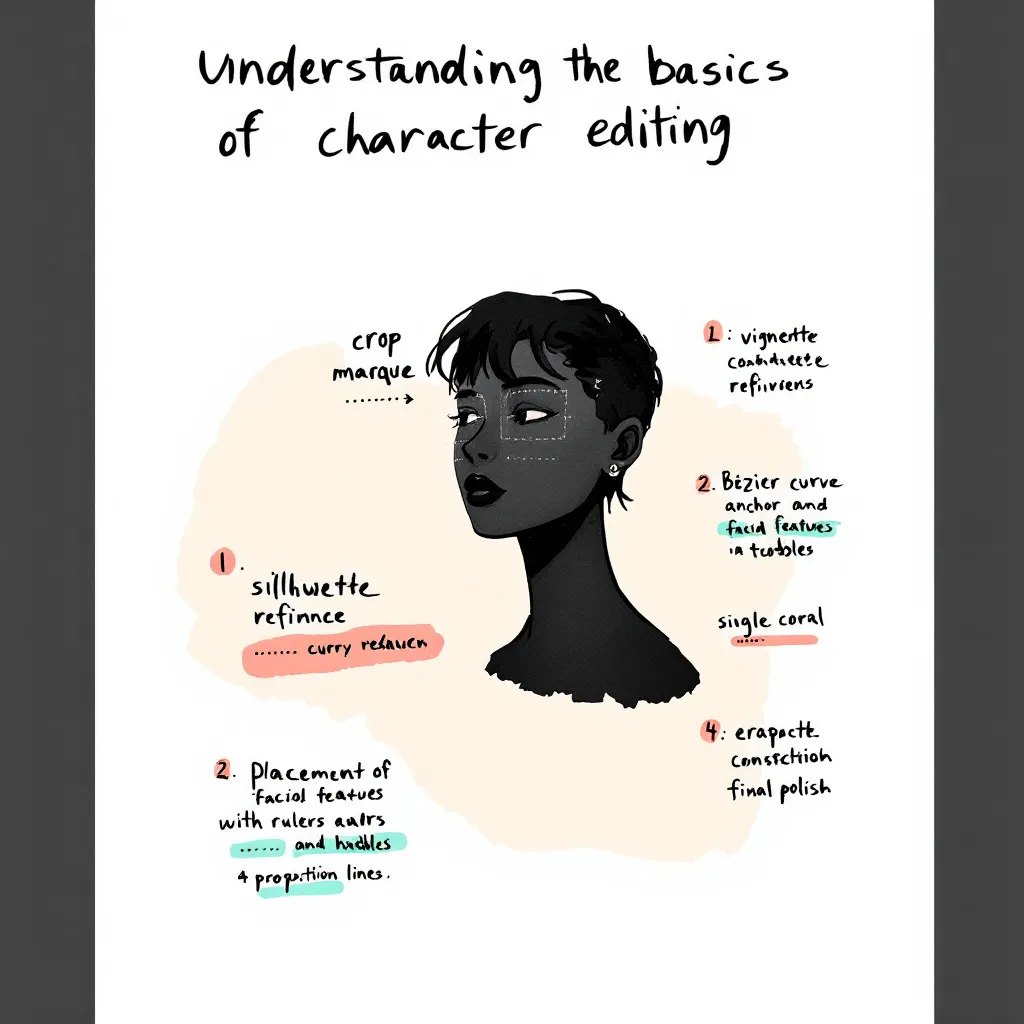
Editing comic characters can feel overwhelming, especially when you're just starting out. I remember working with a German author who faced this exact challenge. She had never edited characters before and felt lost looking at the interface. Her experience mirrors what many newcomers face. That's why we set out to simplify the character editing process and create an easy, beginner-friendly guide. In this post, I’ll share our journey, the practical solutions we implemented, and actionable tips you can use. Whether you’re a writer, artist, or developer, this tutorial will help you achieve 100% style stability and master intuitive editing with LlamaGen. Let’s dive into real user stories, best practices, and step-by-step instructions so you can confidently edit comic characters and elevate your creative workflow.

Before jumping into advanced features, it’s crucial to grasp the basics of character editing. Many authors—especially those new to digital comic creation—find this step confusing.

What is Character Editing in LlamaGen?

Character editing lets you define, customize, and refine the traits, style, and backstory of your comic characters. With LlamaGen, you can:

  • Adjust visual styles
  • Set personality traits
  • Fine-tune dialogue prompts
  • Memorize long text details for consistency

Why Do Beginners Struggle With Character Editing?

Common pain points include:

  • Unclear interface and editing entries
  • Overwhelming options and jargon
  • Difficulty maintaining style stability
  • Lack of actionable guidance

Our German author, for example, initially had no idea where to start. She struggled to find editing options and worried about losing her character’s unique style. These issues are typical for new users.

User Journey: From Confusion to Confidence

To address these challenges, we mapped out the user journey and focused on real-world application.

Initial User Experience

Our German author’s feedback was clear: she felt lost and frustrated. She needed a beginner’s guide that explained every step. Her story is common among creators exploring LlamaGen for the first time.

Collaborative Creation and Iterative Improvements

Over one week, we worked closely with the author, gathering feedback and testing solutions. This collaborative approach allowed us to:

  • Identify pain points (e.g., confusing prompts area, hidden editing entries)
Журнал змін

Запалюйте мрії молодих
Де оживають мільйони історій

Огляд останніх релізів функцій LlamaGen, покращень продукту, оновлень дизайну та важливих виправлень помилок.


✦
✧
✦
✧

Новий формат для Сторітелінг

Створюйте безліч історій, коміксів, анімацій, ігор та іншого за лічені секунди — для сучасної аудиторії

User Story: Understanding the Basics of Character Editing - LlamaGen.AI Blog
  • Test solutions in real time
  • Refine features based on actual user needs
  • Achieving 100% Style Stability

    One major goal was to maintain consistent character style across long texts and multiple edits. We optimized memorization algorithms and improved prompt interactions, ensuring that style stability reached 100%.

    Step-by-Step Guide: Simplifying Character Editing

    Here’s a practical tutorial based on our experience. Follow these steps to make character editing easy and reliable.

    Prerequisites

    • Access to LlamaGen (latest version)
    • Basic understanding of comic creation
    • A character profile to edit

    Step 1: Navigating the Prompts Area

    We redesigned the prompts area for clarity. Now, when you open a character profile, you’ll see:

    • Clearly labeled prompt fields
    • Quick tips on how to use each field
    • Example inputs to guide you

    Actionable Tip: Hover over information icons for instant explanations.

    Step 2: Using Intuitive Editing Entries

    Editing entries are now visible and easy to find. Just look for the “Edit” button next to each character trait or dialogue option.

    1. Click “Edit” next to the trait you want to change.
    2. Input your new value or description.
    3. Save changes instantly—no need to navigate away.

    Example: Want to change your character’s hairstyle? Click “Edit” next to “Appearance,” select a style, and hit “Save.”

    Step 3: Achieving Style Stability in Long Texts

    Consistency matters, especially in comics. We optimized how LlamaGen memorizes character traits in long text sequences.

    • Each edit updates the memory matrix
    • Style cues are reinforced after every save
    • System checks for drift and suggests corrections

    Actionable Tip: After making several edits, review the character’s preview panel for any inconsistencies.

    Step 4: Collaborative Creation Workflow

    Working with another creator? Use the “Share & Collaborate” feature.

    1. Invite collaborators to your project
    2. Assign editing permissions
    3. Track changes with version history

    Our German author loved this feature, saying, “I finally felt confident editing and sharing my characters—no more confusion!”

    Best Practices and Common Mistakes to Avoid

    Learning from real user stories, these best practices will help you master character editing.

    Best Practices

    • Start Simple: Edit basic traits first. Build complexity over time.
    • Use Examples: Refer to sample prompts and style guides.
    • Review Regularly: Check for style consistency after each major edit.
    • Collaborate: Share feedback and work with others to spot issues.
    • Leverage Tutorials: Watch the official guide video for hands-on walkthroughs.

    Common Mistakes

    • Editing Too Many Traits at Once: This leads to style drift.
    • Ignoring Prompt Tips: Missed cues can result in inconsistent dialogue.
    • Not Saving Frequently: Unsaved edits may be lost.
    • Skipping Version History: Hard to track changes without this feature.

    Real-World Scenarios: How Users Benefit

    Here are specific use cases that highlight the value of our improvements.

    Scenario 1: New Author Creating First Comic

    Anna, a first-time comic creator, used our beginner’s guide and quickly mastered editing. She said, “The step-by-step instructions made it so easy. I was able to keep my characters consistent from start to finish.”

    Scenario 2: Collaborative Team Project

    A German author and her illustrator collaborated using the new workflow. They commented, “Editing entries are finally visible! We saved hours and avoided confusion.”

    Scenario 3: Maintaining Style in Long Series

    A webcomic team used style stability features to keep characters consistent across 50+ episodes. Their feedback: “Memorization updates and prompts checks are a game-changer for long-form storytelling.”

    Actionable Tips for Mastering Character Editing

    • Always start with a clear character profile.
    • Use the prompts area to test dialogue and personality.
    • Edit traits one at a time to avoid confusion.
    • Collaborate with others for feedback.
    • Use version history to revert unwanted changes.
    • Watch tutorials and read guides for extra help.

    Internal Linking: Explore Related Topics

    For deeper insights, check out related topics like:

    • How to Build Character Arcs in Comics
    • Improving Dialogue with AI Prompts
    • Optimizing Your Comic Creation Workflow

    These guides expand on narrative design and editing principles.

    FAQ: Quick Answers to Common Questions

    How do I access editing entries in LlamaGen?

    Click the “Edit” button next to each character trait. All entries are now visible and labeled.

    Can I collaborate with other authors?

    Yes! Use the “Share & Collaborate” feature to invite others and track edits.

    How do I keep character style consistent?

    Edit traits gradually, use prompt tips, and review the preview panel after each change.

    Where can I find more tutorials?

    Check the official YouTube guide or our help center.

    Conclusion

    Simplifying the character editing experience in LlamaGen was a journey driven by real user stories and collaborative solutions. By listening to feedback—especially from our German author—we improved the prompts area, made editing entries intuitive, and achieved unmatched style stability. Whether you’re a beginner or an experienced creator, these best practices, step-by-step instructions, and actionable tips will help you edit with confidence. Ready to create memorable comic characters? Start with our beginner’s guide, collaborate with others, and unlock the full potential of LlamaGen today.

    For more tutorials, tips, and solutions, explore our related guides or reach out for personalized support. Your next great comic character is just a few edits away!

    Related hot tags

    UserStory

    Популярні інструменти для творців

    Перетворіть натхнення на свою нову історію

    Створюйте комікси, сторіборди та стилізовані фото з LlamaGen.

    01

    Генератор AI-коміксів

    Створіть відполіровану комікс-смугу за кілька хвилин з ідеї.

    Створювати комікси
    02

    AI-генератор манґи

    Створюйте виразне манга-мистецтво й історії з декількох панелей.

    Створюйте мангу з AI
    03

    Генератор розкадровок на базі ШІ

    Візуалізуйте кожну сцену до початку продакшену.

    Створюйте сторіборди з AI
    04

    Зробити з фото комікс

    Перетворіть будь-яке фото на комікс-ілюстрацію.

    Створюйте комікси з фотографій
    05

    Створювач AI-коміксів

    Збирайте цілісні смужки з послідовними персонажами.

    Створюйте комікс-смуги з AI

    LlamaGen community

    checkmark

    Get hands-on help with your comics

    checkmark

    Showcase your comics to fellow LlamaGen creators

    checkmark

    Participate in special events to win gifts

    LlamaGen.Ai
    • United States
    • Español
    • Français (France)
    • 日本語
    • 한국어
    • Deutsch
    • 繁體中文 (台灣)
    • 繁體中文 (香港)
    • 简体中文
    • Português
    • Italiano
    • Español (México)
    • العربية
    • Русский
    • Português (Brasil)
    • Tiếng Việt
    • Українська

    Лідер майбутнього AI-генерування коміксів

    • Підтримка 24/7
    • Щотижневі оновлення
    • Безпечно та відповідно до вимог
    • 99,9% часу безперебійної роботи

    Завантажте LlamaGen безкоштовно

    AndroidiOSНастільна версія

    Продукт

    • Останні запуски
    • Функції
    • Створення коміксів
    • Comic StoresНовий
    • Студія манґиНовий
    • Перетворити малюнок на комікс
    • Комікс у відео
    • Фабрика коміксів на базі ШІ
    • Агент коміксів
    • iOS та Android
    • Mac та Windows
    • Завантажити
    • Comic ZapНовий
    • Генератор AI-коміксів
    • Генератор мультфільмів з AI
    • AI-генератор вебтунів
    • Створювач комікс-смужок
    • Перетворити малюнок на комікс
    • AI-генератор манґи
    • Перекладач манґи
    • Фото в аніме
    • Зображення у підказку
    • Аніме в реальному житті
    • Розфарбовувач манґи
    • Генератор персонажів аніме
    • Інструменти для піксельних ігрових асетів
    • AI-генератор спрайтшитів
    • Найкращі інструменти для піксельних ігор у 2026 році
    • Створення коміксів із фотографій
    • Альтернатива Comic Life

    Супутні продукти

    • сімейство LlamaGen
    • CineoBoardНовий
    • Comics API

    Плани

    • Ціноутворення
    • Стартовий
    • Професійний

    Спільнота

    • Творці
    • Партнери
    • Партнер

    Моделі ШІ

    • GPT Image 2.6 Flare
    • GPT Image 2.6 Sunburst
    • Grok Imagine Image 2.0
    • Wan 3.0
    LinkedInX (Twitter)
    • Головна
    • Статті
    • Блог
    • Створити
    • Ціноутворення
    • API
    • Affiliate ProgramNEW

    Запитайте AI про LlamaGen

  • Comic Zap
  • Velika
  • Підприємство
  • Освіта
  • Комікс API
  • Зв'язатися з відділом продажу
  • Освітні плани
  • Вчителі
  • Студенти
  • Викладачі та учні
  • Стартапи
  • Освітні знижки
  • Компанія

    • Зв'язатися із засновником
    • Про нас
    • Дорожня карта продукту

    Допомога

    • Центр допомоги
    • Довіра
    • Безпечний AI
    Відгуки
  • Стіна любові
  • LlamaGen MCPНовий
  • Розробникам LlamaGen
  • Ресурси

    • Журнал змін
    • Блог
    • Гайди

    Інструменти

    • AI-генератор логотипів
    • Генератор персонажів у стилі Grokbot
    • PNG у комікс
  • Wan 3.0 Prime
  • Seedance 2.5
  • MiniMax H3
  • Nano Banana 2.1
  • Nano Banana 2 Lite
  • Seedream 5.0 Flash
  • Seedream 5.0 Pro
  • Seedance 2.0 Mini
  • Kling 3.0 Turbo
  • Nano Banana 2
  • GPT Image 2
  • Gemini Omni Flash
  • All AI Models
  • Інструменти ШІ

    • AI Витягач образу
    • AI Зміна зачіски
    • AI Зміна зачіски манга-персонажа
    Instagram
    YouTube
    Група у Facebook
    Reddit
    Discord
    Підтримка електронною поштою
    КонфіденційністьУмовиКарта сайту
    Завантажити бренд-матеріали
    © 2026 LlamaGen.Ai Всі права захищеніВсі сервіси працюють онлайн

    Попередні блоги

    Human-Led AI Game Cutscenes: Keep the Script, Storyboards, and Timing Under Your Control

    Human-Led AI Game Cutscenes: Keep the Script, Storyboards, and Timing Under Your Control

    A practical, creator-led AI game cutscene workflow for selecting storyboard candidates, rejecting we

    Jay
    Jay
    23-є листопада 2026 р.
    Make an AI Film Feel Real: Blocking, Reactions, and Continuity in a Quiet Scene

    Make an AI Film Feel Real: Blocking, Reactions, and Continuity in a Quiet Scene

    A worked quiet-scene repair case: room geography, prop behavior, reactions, and edit choices that im

    Jay
    Jay
    23-є листопада 2026 р.
    How to Make an AI Drama: A Six-Shot Pilot and Series Continuity Plan

    How to Make an AI Drama: A Six-Shot Pilot and Series Continuity Plan

    Create a 30-second illustrated AI drama pilot, review real motion failures, and package continuity n

    Jay
    Jay
    23-є листопада 2026 р.
    Two OCs in One Comic Panel: Keep Identities and Speakers Clear

    Two OCs in One Comic Panel: Keep Identities and Speakers Clear

    A six-panel Maya and Theo dialogue case showing separate references, a handoff repair, a reverse-sho

    Jay
    Jay
    20-е листопада 2026 р.
    Кар'єра
  • Напишіть нам
  • Світ наших маскотів
  • Медійний набір
  • Партнерство з KOL
  • Контент
  • Професійні послуги
  • Часті запитання
  • Безпека
  • Доступність
  • Відео-інструкція
  • Зв'яжіться з нами
  • Карта сайту
  • Персоналізовані комікси
  • Функції
  • Альтернативи
  • Кращі додатки ШІ
  • Гайд із розфарбування манґи GPT-6
  • Навичка Claude для коміксів
  • Гайд з коміксів у Gemini AI
  • Цей Комікс
  • Освітні знижки
  • Знижка для студентів
  • Текст у комікс
  • PDF у комікс
  • Сценарій у комікс
  • Книга в комікс
  • Перетворити малюнок на комікс
  • AI Генератор піксель-арту
  • Освітні комікси
  • Генератор AI-відео
  • Генератор відео Gemini AI
  • Безкоштовний відеогенератор AI без обличь
  • Комікс у відео
  • Створення софту для раскадровок
  • Генератор розкадровок на базі ШІ
  • Софт для написання сценаріїв
  • Редактор сценаріїв
  • ШІ для історій
  • AI-генератор історій
  • Генератор сторібуків
  • Генератор AI-зображень
  • Інтелектуальний роздільник шарів
  • Керування ракурсом камери за допомогою AI
  • AI Генератор піксель-арту
  • Інструменти для піксельних ігрових асетів
  • AI-генератор спрайтшитів
  • Обрізання спрайтшитів
  • Найкращі інструменти для піксельних ігор у 2026 році
  • API анімації
  • Плагін ChatGPT/Codex
  • Гайд з встановлення ChatGPT
  • Плагін Claude Code
  • Гайд з встановлення Claude Code
  • Генератор AI ефекту вітру
  • Генератор AI-карти глибини
  • AI Білий фон
  • AI Видалення об'єктів
  • AI Віртуальна примірка
  • AI-підвищення чіткості зображень
  • AI-приглушення шуму
  • Відновлення фото за допомогою AI
  • AI-тіні для товарів
  • Генератор AI-фонів
  • AI-генератор портретів
  • AI-генератор емодзі
  • Зміна фону за допомогою AI
  • AI-розплющення очей
  • AI-краса
  • AI-фотозйомка товарів
  • Переглянути всі блоги


