


LlamaGen 標誌LlamaGen 品牌
登入立即訂閱八折優惠
  1. 首頁
User Story: How a UK Mother Transformed Her Son’s Hand-Drawn Art Into Published Comics in 48 Hours
所有文章

User Story: How a UK Mother Transformed Her Son’s Hand-Drawn Art Into Published Comics in 48 Hours

Monica
Monica
2026年2月27日
複製連結
  • Identifying the Real Pain Points in Children’s Comic Creation
  • Step-by-Step Guide: Turning Kids’ Art Into Professional Comics With LlamaGen.AI
  • 1. Upload and Refine Children’s Drawings
  • 2. Maintain Character Consistency Across Panels
  • 3. Add and Edit Speech Bubbles—Now Even Easier
  • 4. Export, Print, and Share Comics Instantly
  • Real-World Impact: Metrics, Community Feedback, and Replicable Strategies
  • Addressing Common Concerns: Simplicity, Printing, and Kid-Friendly Editing
  • Best Practices: Maximizing Quality and Fun With LlamaGen.AI
  • From Personal Feedback to Global Innovation: The Launch of COMIC Playground
  • Practical Framework: Replicate Emma’s Success With Your Own Child’s Comics
  • Conclusion
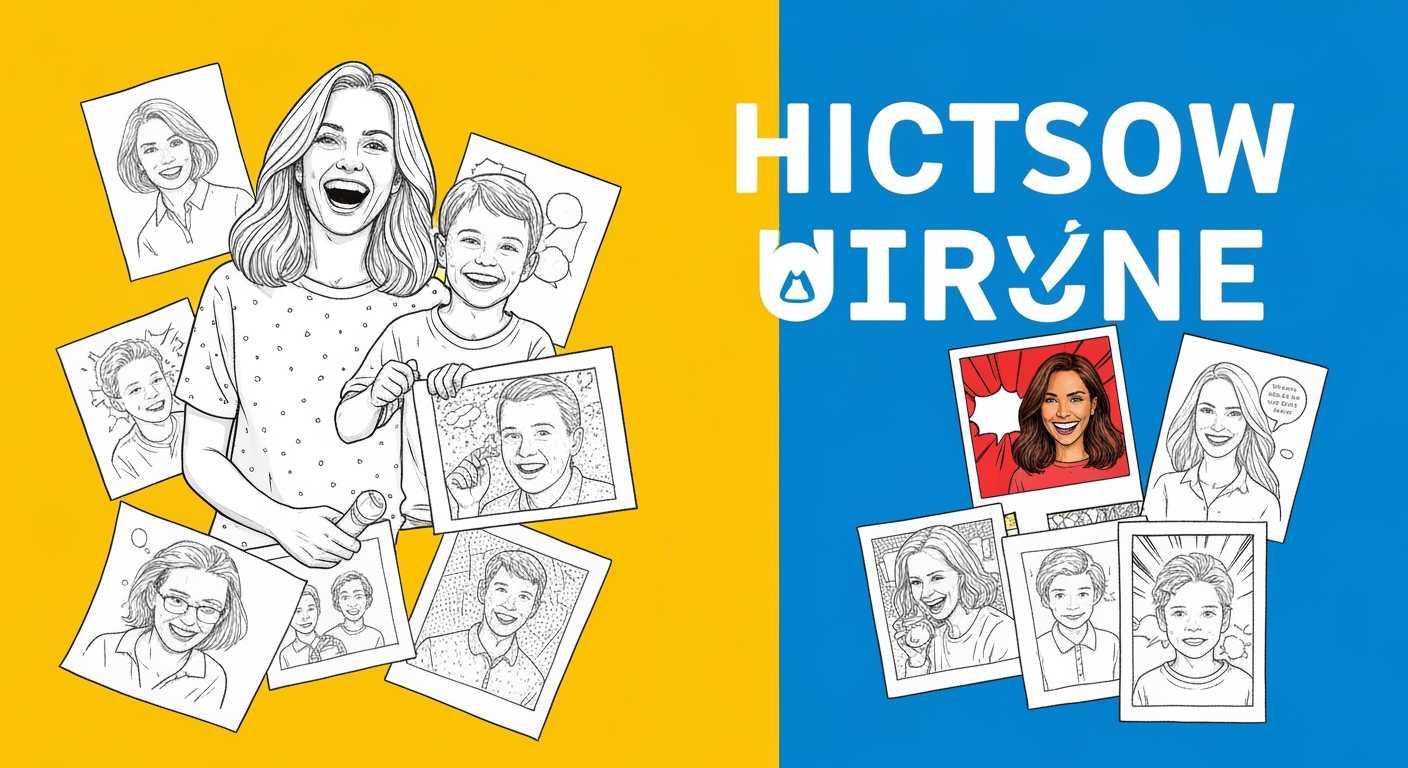
elevate-your-comics.png
用 LlamaGen 提升你的漫畫質素

It’s every parent’s dream to nurture their child’s creativity, but for many, the technical barriers to sharing that imagination with the world can feel insurmountable. If you’re a mother, father, or teacher who has ever watched a child’s hand-drawn stories pile up—wondering how you could transform those sketches into vibrant, professional comics they can truly be proud of—this journey is for you. Today, I want to share how one UK mother solved the “paper-to-comic” challenge for her son in just 48 hours using LlamaGen.AI. Not only did she master digital comic creation without prior design experience, but her feedback helped shape new features for the entire global community—like easy bubble editing and seamless print exports. If you’re searching for practical, replicable steps to turn children’s illustrations into high-quality manga or comics, and want to empower your young artist to edit panels on iPad or PC, you’re in the right place.

Let’s start with a real story that may sound exactly like your own. Emma, a mother based in England, had watched her son, Oliver, fill notebook after notebook with imaginative characters and comic strips. But every time they tried to digitize these drawings, Emma faced a wall—complex software, inconsistent results, and the daunting prospect of redrawing everything herself. After months of frustration, she stumbled onto LlamaGen.AI, the leading AI comic and manga generator designed for non-artists and professionals alike.

Within two days, Emma and Oliver were able to:

  • Upload scanned sketches directly into LlamaGen.AI
  • Use the AI-powered character consistency engine to keep Oliver’s hero looking the same across 6+ comic panels
  • Add dialogue with intuitive speech bubble controls
  • Export the finished comic in print-ready 4K resolution
  • Share the final product with family and friends—sparking joy and pride in Oliver’s creativity

Emma’s heartfelt feedback didn’t stop there. She asked for even simpler comic bubble editing and easy print options—a request that inspired the LlamaGen.AI team to accelerate development of “COMIC Playground,” a new feature launching after New Year’s to help kids edit panels and bubbles on iPad or desktop with just a few taps.

Identifying the Real Pain Points in Children’s Comic Creation

If you’re reading this, you probably recognize these struggles:

  • Children’s hand-drawn comics are difficult to digitize without losing their spirit
  • Most comic software is too complex for kids (and often for parents, too!)
  • Maintaining character consistency across panels is frustratingly manual
  • Speech bubbles are hard to position or edit
  • Printing finished comics for sharing or school projects is rarely straightforward
更新日誌

點燃年輕人的夢想
讓數百萬個故事活靈活現

彙整最新的 LlamaGen 功能發布、產品強化、設計更新與重要錯誤修正。

✦
✧
✦
✧

全新的媒介,為了 故事創作

用靈感在幾秒內創作無限的故事、漫畫、動畫、遊戲等內容,打動現代觀眾

User Story: How a UK Mother Transformed Her Son’s Hand-Drawn Art Into Published Comics in 48 Hours - LlamaGen.AI Blog

Emma summed it up perfectly: “I wanted Oliver to feel proud of his stories, but the technology kept getting in the way. LlamaGen.AI finally made it possible—and fun.”

Step-by-Step Guide: Turning Kids’ Art Into Professional Comics With LlamaGen.AI

Ready for actionable solutions you can implement today? Here’s how Emma did it, and how you can replicate her success in just three simple steps.

1. Upload and Refine Children’s Drawings

  • Scan or photograph your child’s artwork (mobile camera works fine).
  • Log in to LlamaGen.AI and select “Import Reference Art.”
  • Use the AI’s redraw and panel-level editing features to clean up lines, add colors, or match manga/anime styles—even if your original is in crayon or pencil.

Pro Tip: The multi-panel generator lets you create up to 64 storyboards per session, so you can transform an entire notebook in one afternoon.

2. Maintain Character Consistency Across Panels

  • Use LlamaGen.AI’s “Character Focus” prompts to lock in your hero’s look.
  • Reference previous panels or imported images to ensure outfits, hair, and facial features remain true. This is critical for children’s stories, where seeing their unique character remain “the same” is a huge source of pride.
  • For episodic comics, save character templates for automatic reuse—no need to redraw from scratch.

Metric: Emma achieved 6-character consistency across all her son’s strips, matching professional standards in less than 48 hours.

3. Add and Edit Speech Bubbles—Now Even Easier

  • Use the built-in speech bubble toggles to add, move, or hide captions.
  • Emma requested a more kid-friendly interface for bubbles, which inspired the upcoming “COMIC Playground” tool. Soon, your child will be able to drag, resize, and edit bubbles directly on any panel via iPad or PC.
  • For custom lettering, turn off AI bubbles and add your own text overlays.

Result: Oliver was able to write his own jokes and stories, with Mom helping only for spelling!

4. Export, Print, and Share Comics Instantly

  • Choose “Export as PDF” or “4K Image” to get a print-ready file.
  • Print at home or send to a professional printer—no formatting headaches.
  • Share digitally via Facebook, YouTube, or school email with a single click.

Outcome: Emma printed Oliver’s first comic for a school project and received glowing feedback from teachers and classmates.

Real-World Impact: Metrics, Community Feedback, and Replicable Strategies

Emma’s story isn’t unique. Over 100,000 creators worldwide use LlamaGen.AI to:

  • Save 85% of time compared to manual comic creation
  • Achieve “Hollywood-grade” visual planning for storyboards and manga
  • Maintain visual consistency for up to 6+ characters in episodic series
  • Create comics in 50+ languages, making it accessible for global classrooms
  • Instantly print or share stories—critical for education, marketing, and family keepsakes

Here’s what other users say:

“It can really turn your imagination into reality. It opens up a new era of comics!” – @juaner0211589
“LlamaGen.Ai is a world-class product that is revolutionizing the anime world.” – @RealFeatBit
“Not only breaks limits but shatters them, offering endless possibilities for my projects.” – @jake-m

Addressing Common Concerns: Simplicity, Printing, and Kid-Friendly Editing

You might be wondering:

  • Is it really that easy?
    Yes. LlamaGen.AI was built for non-artists and children, with one-click tools and video tutorials for every feature. Try Create Your First Comic for a step-by-step walkthrough.

  • What if I want to customize everything?
    Advanced users can dive into panel redraws, negative prompts, artistic modes, and direct script imports. But you’re never forced to use complex features—start simple, scale up as you learn.

  • How do I print comics for school or gifts?
    Use the “Export as PDF” or “4K HD Image” options. New features launching in COMIC Playground will make layout and print prep even simpler—especially for iPad and desktop users.

  • Can my child edit bubbles and panels alone?
    Absolutely. The upcoming COMIC Playground tool (launching post-New Year) will allow kids worldwide to edit panels/bubbles with simple drag-and-drop, making independent creation a reality.

Best Practices: Maximizing Quality and Fun With LlamaGen.AI

To get the most out of LlamaGen.AI, follow these advanced tips:

  • Keep Prompts Clear and Consistent: Describe your scene, character, and dialogue in simple language. Use “Character Focus” tags for multi-panel stories.
  • Leverage Redraw and Panel Tools: If a panel isn’t perfect, use the redraw tool or negative prompts to instantly fix colors or poses.
  • Save Character References: For recurring heroes, store their look in your account. This guarantees consistency and saves hours of editing.
  • Use Multimodal Features: Convert comics into videos or visual novels for even deeper engagement. Try the Comic to Video Animation tutorial for social media-ready content.
  • Join the Community: Share your child’s comics in the LlamaGen.AI gallery, get feedback, and connect with other families and teachers worldwide.

From Personal Feedback to Global Innovation: The Launch of COMIC Playground

Emma’s request for simple bubble editing and printing didn’t go unnoticed. LlamaGen.AI’s CTO Jasper and designer Velika listened—and committed to launching COMIC Playground just after New Year’s. Here’s what you’ll be able to do:

  • Edit speech bubbles and panels on iPad or computer with intuitive, touch-friendly controls
  • Drag, resize, and type directly onto comics—no training required
  • Export print-ready layouts in seconds
  • Enable children globally to participate in comic creation, fostering creativity and digital literacy

Thank you, Emma and Oliver, for inspiring these improvements. Your user story has helped the entire LlamaGen.AI community progress.

Practical Framework: Replicate Emma’s Success With Your Own Child’s Comics

Ready to start your own journey? Here’s a practical, replicable framework for transforming hand-drawn art into published comics with LlamaGen.AI:

  1. Scan or photograph your child’s drawings
  2. Sign up for a free LlamaGen.AI account
  3. Import artwork and select your comic style
  4. Apply Character Focus and consistency tools
  5. Add/edit speech bubbles and captions
  6. Export as PDF or image for printing
  7. Share with friends, teachers, or online communities

For more advanced workflows and tutorials, explore:

  • LlamaGen 101: Panel Control
  • Comic Cover Design Best Practices
  • Academy Series Guides
  • Discord Community for live support

Conclusion

Emma’s story shows how a single user’s challenge can spur innovation for thousands—making comic creation more accessible, joyful, and impactful for families everywhere. Whether you want to help your child publish their first comic, teach visual storytelling in the classroom, or simply preserve creative memories, LlamaGen.AI offers a proven, easy-to-use toolkit. In just 48 hours, you can transform hand-drawn art into professional comics, maintain character consistency, and print or share your child’s work—all without advanced design skills.

The upcoming COMIC Playground feature, inspired by real parental feedback, will make bubble and panel editing smoother than ever—right on iPad or desktop. Your journey starts with one scan, one login, and one story. Let LlamaGen.AI help you master comic creation, celebrate your child’s imagination, and join a global movement of creativity.

Ready to begin? Sign up free, explore our video tutorials, and connect with a community transforming storytelling—one panel at a time.


For more guides, tips, and best practices on comic creation, visit LlamaGen.AI Resources and join our community for real-time support and inspiration.

Related hot tags

UserStory

熱門創作工具

將靈感變成下一個故事

使用 LlamaGen 創作漫畫、分鏡同風格化相片。

01

AI漫畫生成器

幾分鐘內將構思變成精美條漫。

製作漫畫
02

AI漫畫生成器

創作生動漫畫畫面同多格故事。

用 AI 創作日漫
03

AI 故事板生成器

製作前預覽每個場景。

用 AI 製作分鏡
04

相片轉漫畫

將相片轉成漫畫風格插畫。

將相片轉成漫畫
05

AI漫畫製造器

保持角色一致性,製作方便分享嘅條漫。

用 AI 創作條漫

LlamaGen community

checkmark

Get hands-on help with your comics

checkmark

Showcase your comics to fellow LlamaGen creators

checkmark

Participate in special events to win gifts

LlamaGen 標誌
  • United States
  • Español
  • Français (France)
  • 日本語
  • 한국어
  • Deutsch
  • 繁體中文 (台灣)
  • 繁體中文 (香港)
  • 简体中文
  • Português
  • Italiano
  • Español (México)
  • العربية
  • Русский
  • Português (Brasil)
  • Tiếng Việt

引領 AI 漫畫生成的未來

  • 全天候支援
  • 每週更新
  • 安全且符合規定
  • 99.9%的運行時間

免費下載 LlamaGen

iOS桌面版

向 AI 詢問 LlamaGen 相關問題

產品
  • 最新推出
  • 特性
  • 漫畫條製作器
  • 日漫工作室新
  • 圖片轉漫畫
  • 漫畫轉視頻
計劃
  • 價格
  • 入門
  • 專業版
  • 企業
  • 教育
公司
  • 與創辦人傾偈
  • 關於
  • 產品路線圖
  • 職業
  • 電郵我們
相關產品
  • LlamaGen 系列
  • CineoBoard新
  • Comics API
  • Comic Zap
社區
  • 創作者
  • 聯盟
  • 合作夥伴
  • 推薦
資源
  • 更新日誌
  • 博客
  • 指南
  • 個人化漫畫
  • 特性
幫助
  • 幫助中心
  • 信賴
  • 安全 AI
  • 專業服務
  • 常見問題
工具
  • AI 標誌生成器
  • Grokbot 風格角色生成器
  • PNG 轉漫畫
  • Text 轉漫畫
  • PDF 轉漫畫
AI工具
  • AI 服裝擷取工具
  • AI 髮型更換工具
  • AI 漫畫髮型更換工具
  • AI 風效生成器
  • AI 深度圖生成器

產品

  • 最新推出
  • 特性
  • 漫畫條製作器
LinkedInX (Twitter)
  • 首頁
  • 文章
  • 博客
  • 建立
  • 價格
  • API

先前的網誌

Bible Comic Accuracy Checklist: Scripture, Context, Art, and Review

Bible Comic Accuracy Checklist: Scripture, Context, Art, and Review

A practical checklist for tracing every Bible comic panel to Scripture, reviewing context and visual

Jay
Jay
2026年10月16日
How to Turn a Bible Lesson into a 6-Panel Sunday School Comic

How to Turn a Bible Lesson into a 6-Panel Sunday School Comic

A practical workflow for turning one Bible lesson into a six-panel comic, discussion prompts, and a

Jay
Jay
2026年10月15日
Claude Code + Comic MCP: Turn a Youth Sports Lesson into Editable Comic Panels

Claude Code + Comic MCP: Turn a Youth Sports Lesson into Editable Comic Panels

A practical Claude Code and LlamaGen.AI Comic MCP workflow for turning a coach-approved youth basket

Monica
Monica
2026年10月13日
How to Turn Couple Photos Into a Personalized Comic

How to Turn Couple Photos Into a Personalized Comic

Use two adults' photos and shared memories to create a personalized couple comic with stronger liken

Jay
Jay
2026年10月13日
查看所有網誌
AI漫畫工廠
  • 漫畫代理
  • iOS和Android
  • Mac和Windows
  • 下載
  • Comic Zap新
  • AI漫畫生成器
  • AI卡通生成器
  • AI 網絡漫畫生成器
  • 條漫製作工具
  • 圖片轉漫畫
  • AI漫畫生成器
  • 日漫翻譯器
  • 照片轉動漫
  • 動漫角色真實化
  • 漫畫上色工具
  • 動漫角色產生器
  • 像素遊戲素材工具
  • AI 精靈圖表生成器
  • 2026 年最佳像素遊戲工具
  • 相片漫畫製作器
  • Comic Life 替代方案
  • 漫畫 API
  • 聯絡銷售
  • 教育方案
  • 教師
  • 學生
  • 教師和學生
  • 新創企業
  • 教育折扣
  • 我們的吉祥物世界
  • 媒體套件
  • KOL 合作
  • 內容
  • Velika
  • 愛之牆
  • LlamaGen MCP新
  • LlamaGen 開發者
  • 替代方案
  • 最佳 AI 應用
  • GPT-6 漫畫上色指南
  • Claude 漫畫創作技能
  • Gemini AI 漫畫指南
  • 漫畫作品
  • 教育折扣
  • 學生優惠
  • 安全
  • 無障礙
  • 視頻教程
  • 聯繫我們
  • 網站地圖
  • 劇本轉漫畫
  • 書本轉漫畫
  • 圖片轉漫畫
  • AI 像素藝術生成器
  • 教育漫畫
  • AI 影片產生器
  • Gemini AI 影片生成器
  • 免費無臉AI影片生成器
  • 漫畫轉視頻
  • 分鏡製作軟件
  • AI 故事板生成器
  • 劇本寫作軟件
  • 劇本編輯器
  • 故事 AI
  • AI故事生成器
  • 繪本生成器
  • AI圖像生成器
  • AI圖層分離器
  • AI 鏡頭角度控制
  • AI 像素藝術生成器
  • 像素遊戲素材工具
  • AI 精靈圖表生成器
  • 精靈圖表切分工具
  • 2026 年最佳像素遊戲工具
  • 動畫 API
  • ChatGPT/Codex 插件
  • ChatGPT 安裝指南
  • Claude Code 插件
  • Claude Code 安裝指南
  • AI 白色背景生成器
  • AI 物件移除工具
  • AI 虛擬試穿
  • AI 圖片去模糊
  • AI 圖片降噪
  • AI 相片修復
  • AI 商品陰影生成
  • AI背景生成器
  • AI 專業頭像生成器
  • AI 表情符號生成器
  • AI 背景更換工具
  • AI 睜眼修復
  • AI 美顏工具
  • AI 商品攝影
  • 日漫工作室
    新
  • 圖片轉漫畫
  • 漫畫轉視頻
  • AI漫畫工廠
  • 漫畫代理
  • iOS和Android
  • Mac和Windows
  • 下載
  • Comic Zap新
  • AI漫畫生成器
  • AI卡通生成器
  • AI 網絡漫畫生成器
  • 條漫製作工具
  • 圖片轉漫畫
  • AI漫畫生成器
  • 日漫翻譯器
  • 照片轉動漫
  • 動漫角色真實化
  • 漫畫上色工具
  • 動漫角色產生器
  • 像素遊戲素材工具
  • AI 精靈圖表生成器
  • 2026 年最佳像素遊戲工具
  • 相片漫畫製作器
  • Comic Life 替代方案
  • 相關產品

    • LlamaGen 系列
    • CineoBoard新
    • Comics API
    • Comic Zap
    • Velika

    計劃

    • 價格
    • 入門
    • 專業版
    • 企業
    • 教育
    • 漫畫 API
    • 聯絡銷售
    • 教育方案
    • 教師
    • 學生
    • 教師和學生
    • 新創企業
    • 教育折扣

    公司

    • 與創辦人傾偈
    • 關於
    • 產品路線圖
    • 職業

    幫助

    • 幫助中心
    • 信賴
    • 安全 AI

    社區

    • 創作者
    • 聯盟
    • 合作夥伴
    • 推薦
    • 愛之牆
    • LlamaGen MCP新
    • LlamaGen 開發者

    資源

    • 更新日誌
    • 博客
    • 指南
    • 個人化漫畫

    工具

    • AI 標誌生成器
    • Grokbot 風格角色生成器
    • PNG 轉漫畫

    AI工具

    • AI 服裝擷取工具
    • AI 髮型更換工具
    • AI 漫畫髮型更換工具
    • AI 風效生成器
    • AI 深度圖生成器
    • AI 白色背景生成器
    • AI 物件移除工具
    • AI 虛擬試穿
    • AI 圖片去模糊
    • AI 圖片降噪
    • AI 相片修復
    • AI 商品陰影生成
    • AI背景生成器
    • AI 專業頭像生成器
    • AI 表情符號生成器
    • AI 背景更換工具
    • AI 睜眼修復
    • AI 美顏工具
    • AI 商品攝影
    Instagram
    YouTube
    Facebook 群組
    Reddit
    Discord
    電郵支持
    隱私條款

    © 2026 LlamaGen.Ai 版權所有

    LinkedInX (Twitter)InstagramYouTubeFacebook 群組RedditDiscord電郵支持
    隱私條款下載品牌資產© 2026 LlamaGen.Ai 版權所有所有服務均在線
  • 電郵我們
  • 我們的吉祥物世界
  • 媒體套件
  • KOL 合作
  • 內容
  • 專業服務
  • 常見問題
  • 安全
  • 無障礙
  • 視頻教程
  • 聯繫我們
  • 網站地圖
  • 特性
  • 替代方案
  • 最佳 AI 應用
  • GPT-6 漫畫上色指南
  • Claude 漫畫創作技能
  • Gemini AI 漫畫指南
  • 漫畫作品
  • 教育折扣
  • 學生優惠
  • Text 轉漫畫
  • PDF 轉漫畫
  • 劇本轉漫畫
  • 書本轉漫畫
  • 圖片轉漫畫
  • AI 像素藝術生成器
  • 教育漫畫
  • AI 影片產生器
  • Gemini AI 影片生成器
  • 免費無臉AI影片生成器
  • 漫畫轉視頻
  • 分鏡製作軟件
  • AI 故事板生成器
  • 劇本寫作軟件
  • 劇本編輯器
  • 故事 AI
  • AI故事生成器
  • 繪本生成器
  • AI圖像生成器
  • AI圖層分離器
  • AI 鏡頭角度控制
  • AI 像素藝術生成器
  • 像素遊戲素材工具
  • AI 精靈圖表生成器
  • 精靈圖表切分工具
  • 2026 年最佳像素遊戲工具
  • 動畫 API
  • ChatGPT/Codex 插件
  • ChatGPT 安裝指南
  • Claude Code 插件
  • Claude Code 安裝指南




