Single-photo outfit edits
Change a jacket, dress, shirt, trousers, uniform, or styling direction from one source image using a focused prompt.


AI Clothes Changer
Start from one authorized photo and describe the clothing you want to change. Use LlamaGen's general AI image editor when you want a prompt-led wardrobe edit without supplying a separate garment reference.
This page owns the single-photo, prompt-led clothes-changing intent. Virtual Try-On remains the separate two-input workflow for a model photo plus a specific garment reference.
Product evidence
LlamaGen already has garment-aware image editing and a published virtual try-on workflow. The generic Clothes Changer page routes single-photo edits to the broader image editor instead of pretending the two-input try-on flow is the same task.
The pictured example comes from the existing Virtual Try-On workflow and illustrates adjacent wardrobe-editing capability; it is not represented as a one-click result from this SEO page.
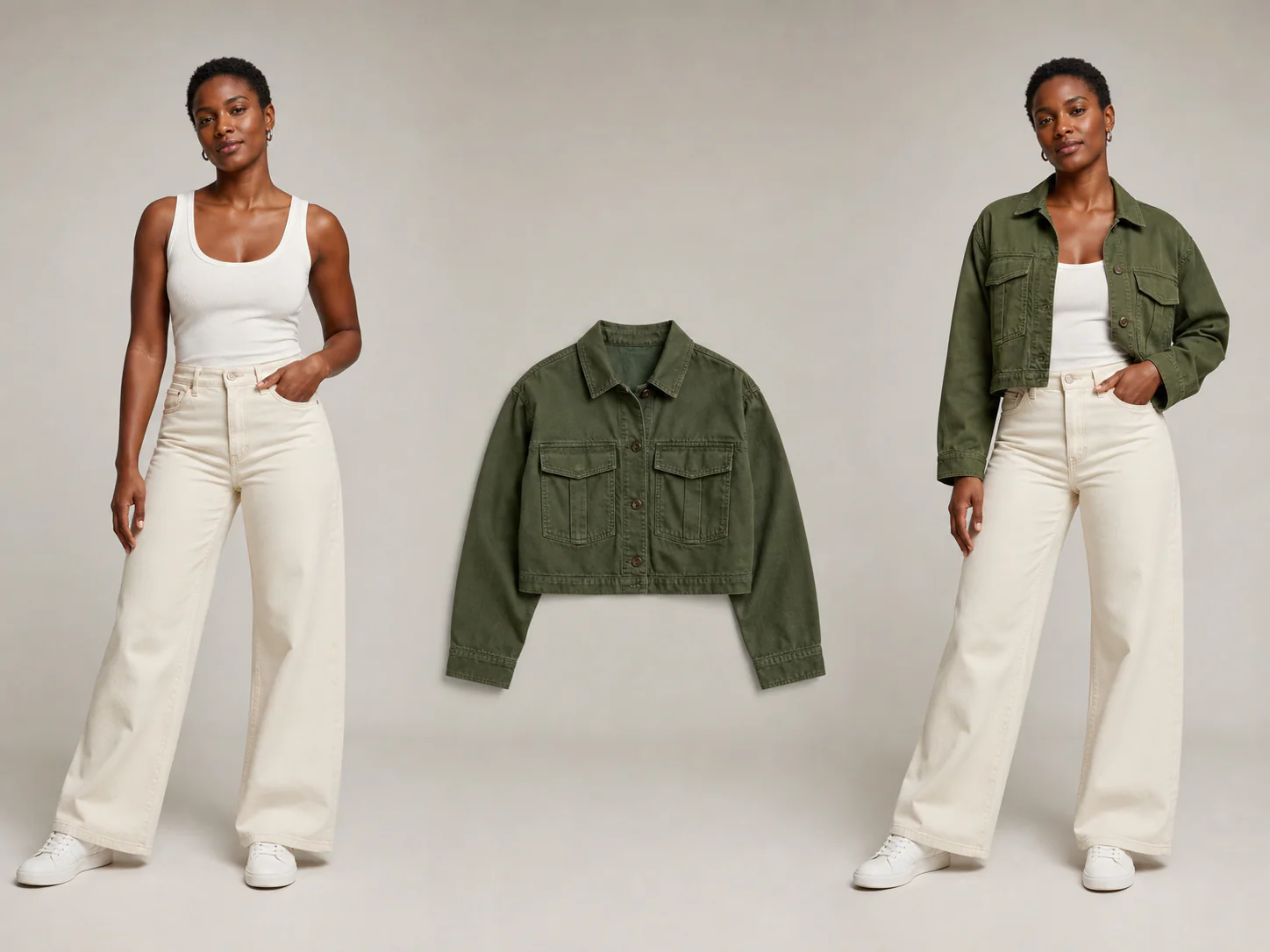
Change a jacket, dress, shirt, trousers, uniform, or styling direction from one source image using a focused prompt.
Explore alternate wardrobe directions while keeping the same subject, pose, crop, and setting as stable as possible.
Test clothing ideas for portraits, creator visuals, original characters, and presentation concepts before a final production pass.
Choose an authorized image where the person and current clothing are visible without heavy occlusion.
Name the new clothing and explicitly preserve face, hair, expression, pose, body proportions, hands, lighting, and background.
Review identity, person count, hands, garment edges, seams, prints, logos, body shape, and any unrelated scene changes.
Clothes Changer starts from one photo and a text instruction. Virtual Try-On uses a model photo plus a separate garment image when a specific garment reference matters.
The prompt can ask the model to preserve them, but generative edits can drift. Compare the result with the source before publishing.
Only use images you own or are authorized to edit, and keep the workflow to ordinary fully clothed wardrobe changes.
Related workflows