

Sketch to Video AI

Upload a sketch or draw a first frame, tell it how to move, and generate a five-second video you can preview and download. Start with one small action to keep your lines and character recognizable.

Create your video

Bring one drawing to life with a single, controlled movement.

1. First frame

PNG, JPG or WebP
Use artwork you own or can license.
Or draw a first frame here

Draw the opening pose, not every animation frame. You can upload an existing PNG or JPG instead.

0 / 2000
Seedance 2.5 · 480P5s480pPRO model

Free: plan your motion and draw a frame. PRO: generate a video using credits.

Estimated 4,115 credits per accepted attempt; the server confirms the final charge.

Submitted jobs cannot be cancelled here. Check History before retrying an uncertain request.

History

Original case · 2026-11-13 · The Observatory Note

From a pencil frame to an actual video

An original graphite storyboard and its generated motion study. Inspect the input, play the clip, and compare three frame checkpoints.

Generated directly through Google Vertex AI. These are Veo examples; the creation tool uses Seedance 2.5 with different duration and resolution. This case does not verify LlamaGen account credits, billing or mobile-browser behavior.

sketch fast

veo-3.1-fast-generate-001 · 8s · 1920 × 1080 · 24 fps · Silent MP4 · 11.4 MB
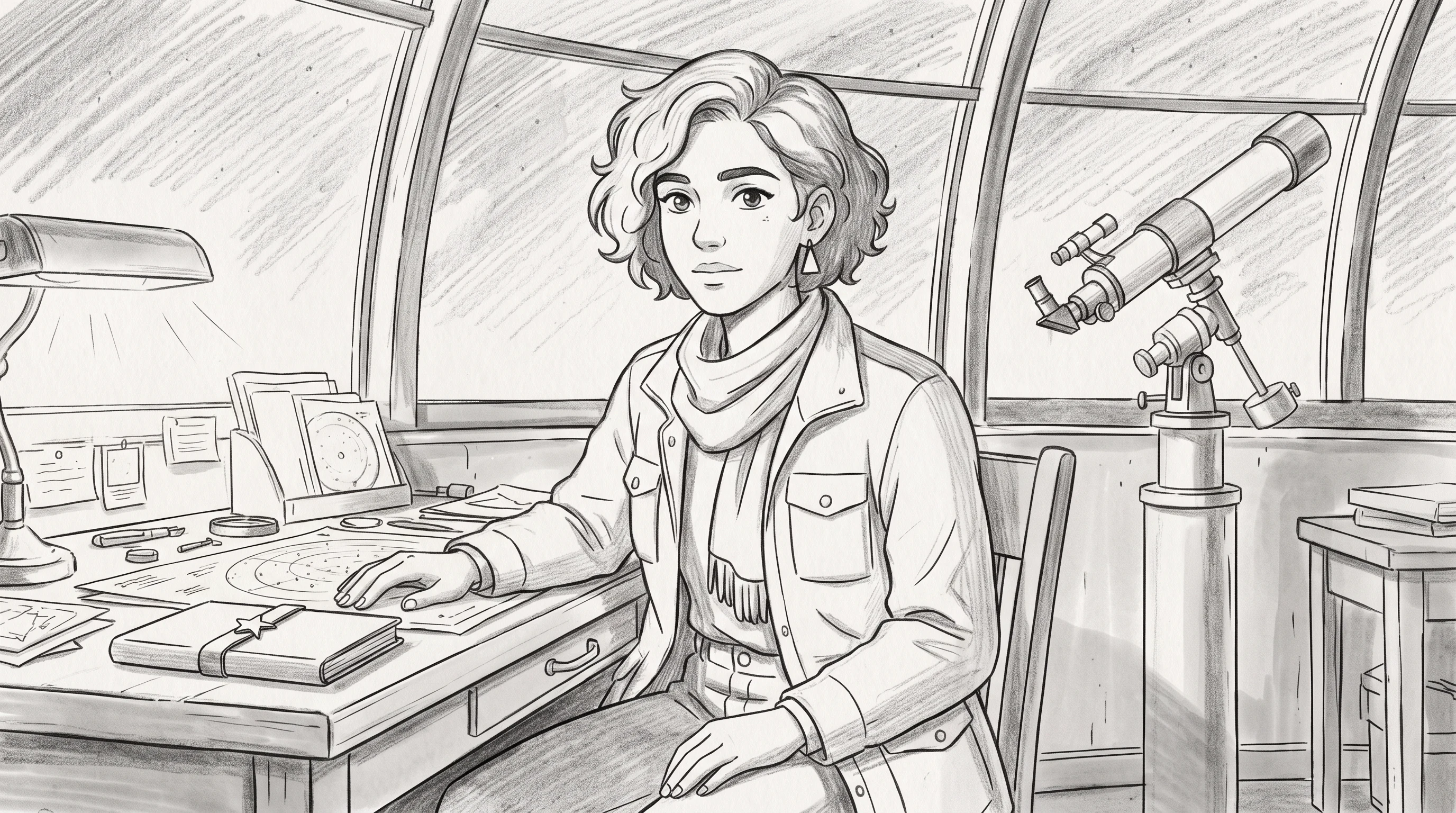
Original pencil storyboard for sketch fast
Source frame · AI-generated original artwork · 2K
Open the exact input PNG
Actual Vertex output · No autoplay · Silent audio track setting
Open MP4 to play or save

Frame review: The sampled frames retain the graphite treatment, outfit and telescope. A head turn is visible at the midpoint. Pencil contours are redrawn rather than held pixel-for-pixel.
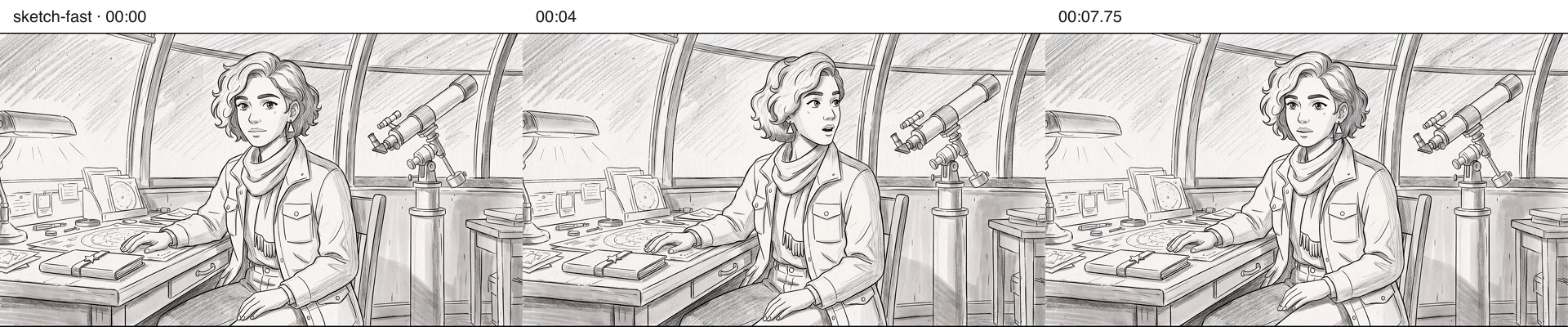
sketch fast at zero, four and 7.75 seconds
Actual decoded frames at 00:00, 00:04 and 00:07.75. Open at full size to inspect; three checkpoints cannot prove perfect continuity throughout a clip.
Read the exact motion prompt and provenance

Animate the supplied graphite storyboard as the exact first frame. One continuous eight-second shot: the adult woman gently turns her head toward the telescope and blinks once. Both hands remain in their original positions, one on the table and one in her lap; the closed notebook remains stationary on the table. Keep white paper, black pencil contours and gray shading throughout, no colorization, no photorealistic transition, no added people or text. Locked camera, no cuts, no speech or music.

Generated 2026-11-13T08:49:41.596Z. Exact input PNG SHA-256: da7805d67ce9a2e16edb50a5a9880fed24c842615bbf3586afa7156320eb6253. One request for this listed take; the two-character retake is separately labeled. Invoice cost is unavailable from the generation response, so no exact spend or cost-per-approved-shot is claimed.

One original scene and cast, with explicit failures and a revised request. No private user photos, competitor footage or customer results were used. Videos were fully decoded and checkpoint images inspected locally; browser interaction review is separate.

From pencil lines to motion, one shot at a time

A first-frame image helps guide the model, but cannot guarantee frame-by-frame consistency. Keep the first experiment small enough to evaluate.

  1. 01

    Draw or upload the first frame

    Make a simple drawing in the sketch canvas, or upload a sketch, doodle, manga panel or storyboard frame you have permission to use. One clear subject works best for a first attempt.

  2. 02

    Describe one action and one camera move

    Use the image as the composition anchor. State which lines, face details and background should remain. Start with a blink, head turn, wave or slow push-in instead of a long multi-scene prompt.

  3. 03

    Check the paid credit quote

    The embedded video tool uses LlamaGen's existing account, paid-plan and credit checks. Its starter model is a five-second, 480p Seedance 2.5 preview; the credit count appears before you submit.

  4. 04

    Review the result and revise

    Watch the generated clip and check line stability, subject identity and camera motion. If anything drifts, simplify the action or improve the source drawing before another charged generation.

Which input should you use?

A quick doodle

Test a head turn, blink or simple walk on a clean background. Use the drawing canvas in the generator.

A storyboard frame

Upload a single composed shot to explore pacing and camera movement before committing to a sequence.

A comic panel

Use a single panel as the starting image. For ordered multi-panel animation, continue to Animated Comic Maker.

Questions before your first render

Can I animate a sketch without making a new illustration first?

Yes. Upload your own sketch or draw one in the canvas above; it becomes the starting image for the video model. The model synthesizes motion from that frame, rather than hand-animating every individual line.

Will the AI preserve every line of my original drawing?

Not necessarily. A starting image guides composition, but line weight, faces and small details can drift between frames. Ask for a single restrained action, then inspect the output before reusing it in a longer scene.

Can I animate a full comic page here?

This tool is for one sketch or frame at a time. For a multi-panel comic, use LlamaGen Comic to Video to manage reading order and the broader sequence.

Is sketch-to-video generation free?

You can prepare the drawing in your browser, but AI video generation uses LlamaGen's existing paid-plan and credit requirements. The selected model and the estimated credits are shown in the generator; no payment is collected by this page itself.

Use original or properly licensed artwork. Each AI video generation is a separate paid task; results and identity consistency vary by source image and model.