Panel readability
The motion should preserve the original frame's storytelling purpose.


Start with finished comic artwork. Set the panel order, direct one camera move and one subject action, then review the complete clip before publishing.
Animated comic prompt
Prompt to result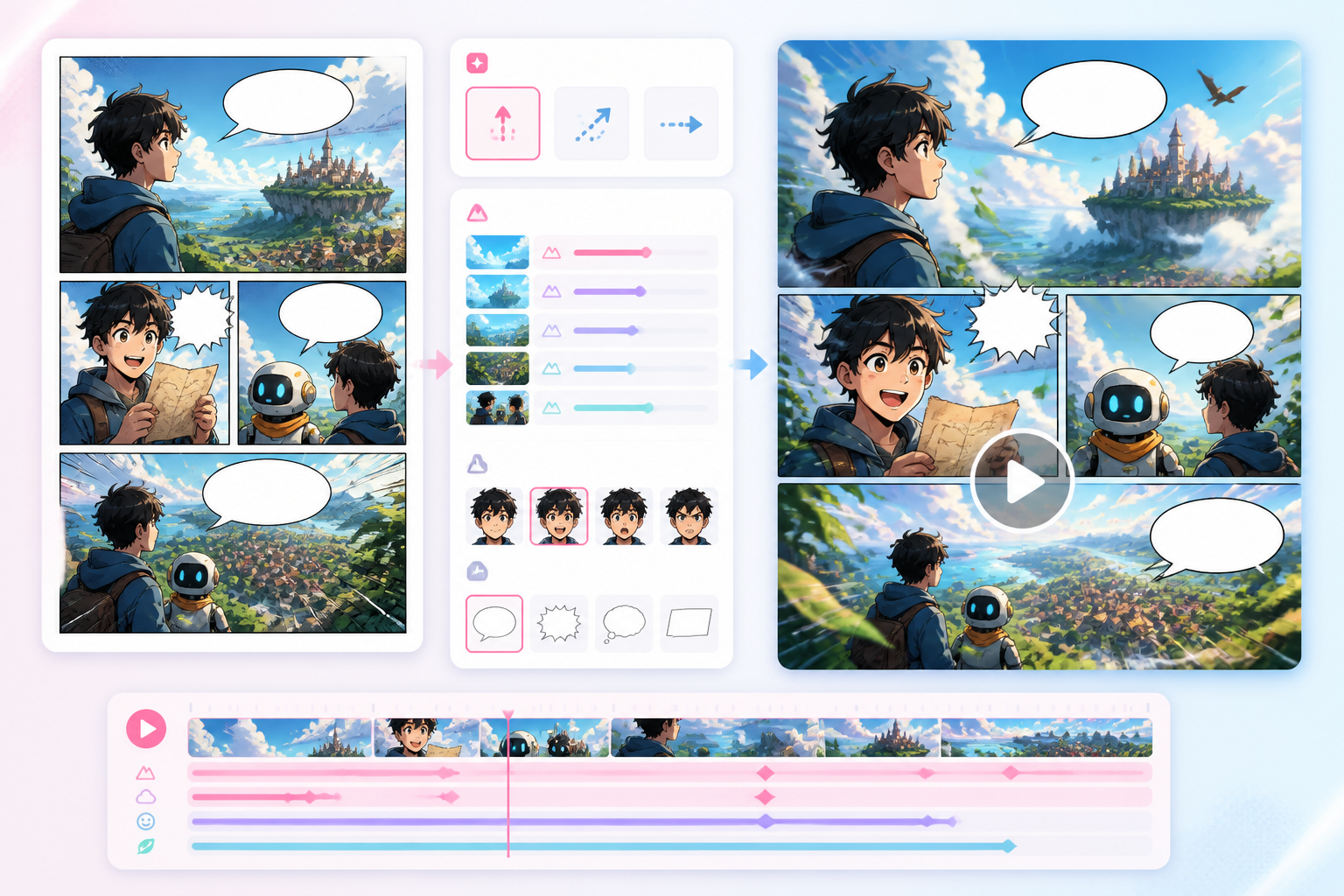
Motion storyboard
Panels
to motion notes
Parallax
ready for video
Choose comic panels or storyboard frames you have permission to animate. Write down their intended reading order and keep faces, dialogue and story-critical props visible.
Name the subject, one visible action, one camera intention and the details that must remain recognizable. Keep the first direction simple enough to review.
Open Comic to Video in Animation Studio, check the active mode and displayed credit cost, then inspect the complete clip for identity changes, lettering, transitions and pacing.
Prepare a motion brief from existing comic artwork, then open Animation Studio directly in comic-to-video mode. Review the result rather than assuming character continuity or readable lettering is automatic.
Start with source artwork, its intended panel order and a clear story beat.
Review the complete clip for camera movement, subject action, continuity and readable story beats.
Creators need a bridge that respects comic composition while adding motion direction.
The motion should preserve the original frame's storytelling purpose.
Parallax, camera moves, and effects can make panels feel alive.
Animation notes turn static comic art into better video prompts.
Motion
Choose a finished panel or storyboard frame, then direct one camera move and one subject action before reviewing the video.

Panels
Generate readable panels first, then animate the moments that deserve motion.
Workflow guide
Move from readable source panels to a short clip with deliberate camera direction, subject action, timing and a full-clip review.
Choose comic panels or storyboard frames you have permission to animate. Write down their intended reading order and keep faces, dialogue and story-critical props visible.
Name the subject, one visible action, one camera intention and the details that must remain recognizable. Keep the first direction simple enough to review.
Open Comic to Video in Animation Studio, check the active mode and displayed credit cost, then inspect the complete clip for identity changes, lettering, transitions and pacing.
Mention the original panel, motion, camera, and duration.
Related writing workflow
Use the AI Screenplay Editor when a script, fiction draft, storyboard brief, video idea, or canvas note needs proper scene headings, action, dialogue, parentheticals, cover pages, outlines, beats, and collaboration-ready revisions.
INT. COMMUNITY CENTER - NIGHT
Folded chairs. A storm outside. MAYA stands at the microphone with a page of notes she no longer needs.
MAYA
If the city will not read the record, we will read it out loud.
Start with finished comic artwork, decide the panel order, describe one subject action and one camera intention, then generate and inspect the complete clip in Comic to Video.
Do not assume a complete book will become a coherent film in one step. Plan a short sequence, review each shot and assemble the scenes in the intended story order.
No. A prompt does not guarantee identity or exact lettering. Compare faces, clothing, props and text against the source artwork throughout the clip.
Open Comic to Video in Animation Studio. The available modes, plan requirements and credit cost are shown in the active workspace before generation.
Start from approved comic artwork, direct a readable motion beat and inspect the full clip in Animation Studio.