

Animated series production

Keep the same character across an AI animated series

This is a production guide for creators who already have a character design. The challenge is supervising that same design across a sequence: what stays fixed, what may change for the story, and which takes must be rejected. If you just want to generate your first consistent-character video, use the dedicated generator linked below.

For independent animators and episode editors maintaining one cast across several scenes. The separate consistent-character video generator owns the task of making a new clip; this guide owns the continuity review after each take.

Original case · 2026-11-13 · The Observatory Note

Check one character across two takes

Mira's bob, triangular earring, mustard jacket and red scarf are the identity anchors. Both shots reuse the exact same source image; the review records motion drift as well as recognizable traits.

Generated directly through Google Vertex AI. These are Veo examples; the creation tool uses Seedance 2.5 with different duration and resolution. This case does not verify LlamaGen account credits, billing or mobile-browser behavior.

continuity fast

veo-3.1-fast-generate-001 · 8s · 1920 × 1080 · 24 fps · Silent MP4 · 14.5 MB
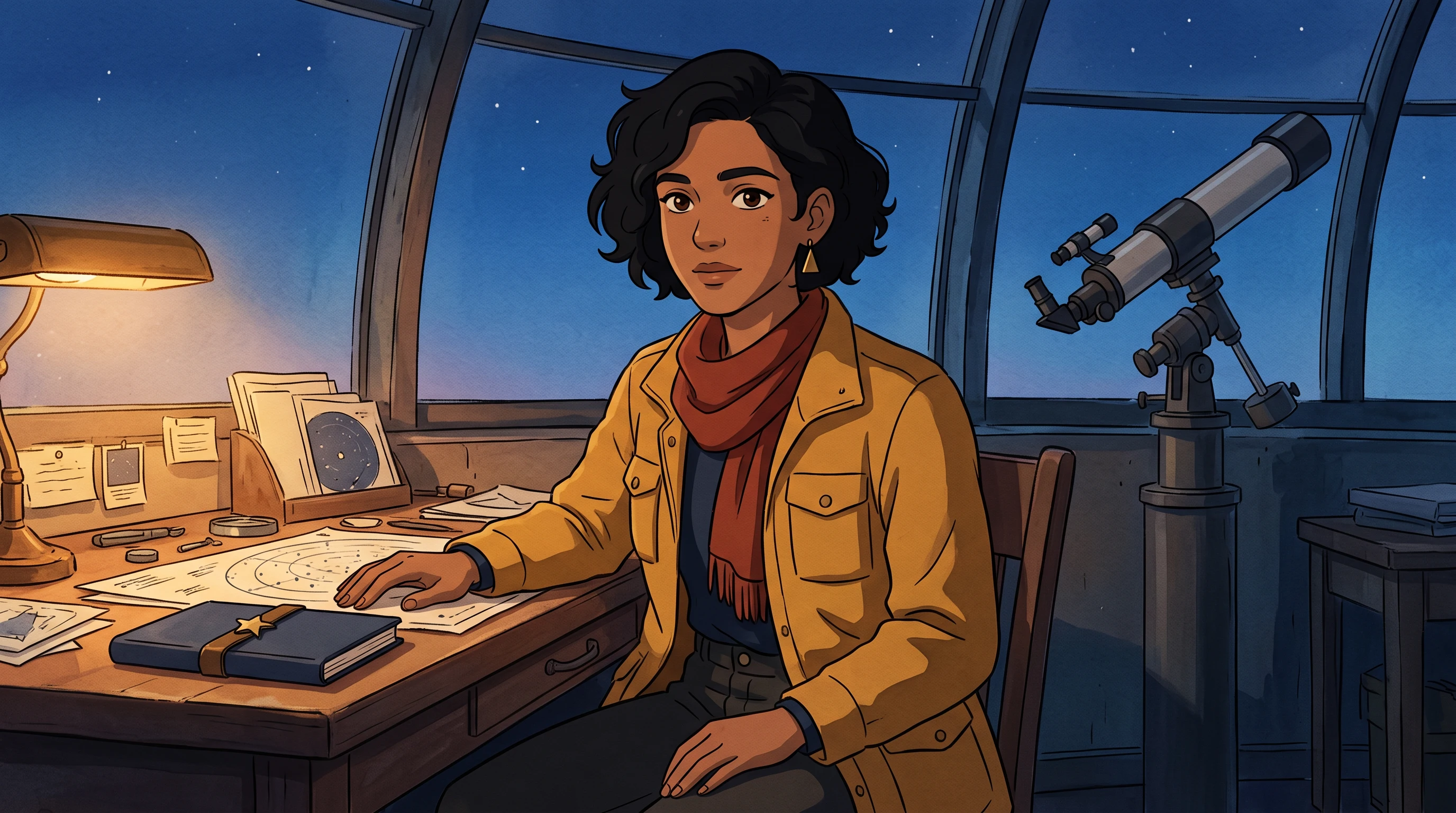
Original color reference for continuity fast
Source frame · AI-generated original artwork · 2K
Open the exact input PNG
Actual Vertex output · No autoplay · Silent audio track setting
Open MP4 to play or save

Frame review: The character palette and notebook remain recognizable. The hand moves toward the notebook near the end despite the stationary-hand instruction; the requested telescope look is not clear in the three checkpoints. Retake for that strict brief.
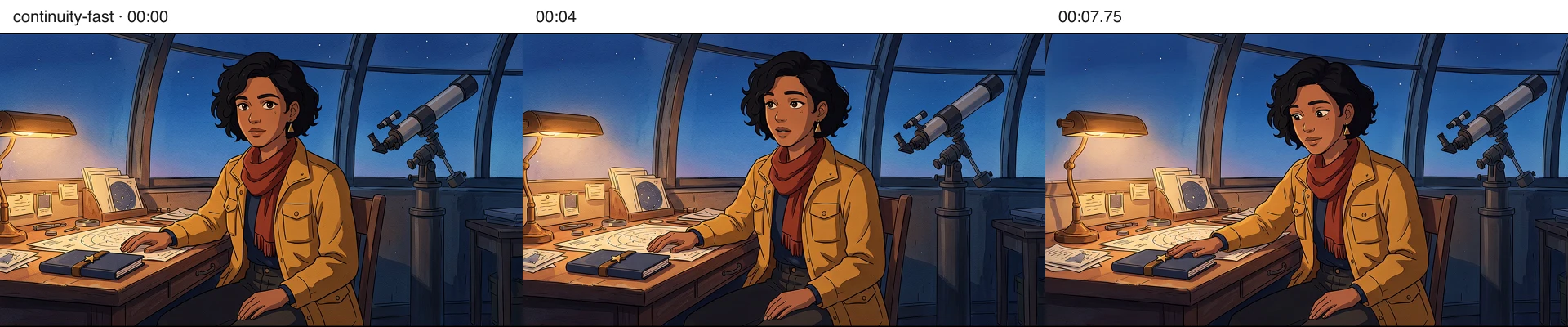
continuity fast at zero, four and 7.75 seconds
Actual decoded frames at 00:00, 00:04 and 00:07.75. Open at full size to inspect; three checkpoints cannot prove perfect continuity throughout a clip.
Read the exact motion prompt and provenance

One continuous eight-second hand-painted anime shot. The adult woman slowly turns her head toward the telescope, blinks once, then returns her gaze to the closed notebook. Both hands remain in their starting positions, one on the table and one in her lap; the notebook stays still on the table. Locked camera, no cut. Preserve the exact face, short curly bob, triangular earring, mustard jacket, red scarf and navy shirt from the first frame; maintain watercolor and ink style. No additional people, text or new props. No speech or music.

Generated 2026-11-13T08:49:46.057Z. Exact input PNG SHA-256: 095d0384b8186dd38bc65346bfd7f41f50ac6ca900442075d5d8197c5c1a7960. One request for this listed take; the two-character retake is separately labeled. Invoice cost is unavailable from the generation response, so no exact spend or cost-per-approved-shot is claimed.
continuity second shot

veo-3.1-fast-generate-001 · 8s · 1920 × 1080 · 24 fps · Silent MP4 · 17.7 MB

Original color reference for continuity second shot
Source frame · AI-generated original artwork · 2K
Open the exact input PNG
Actual Vertex output · No autoplay · Silent audio track setting
Open MP4 to play or save

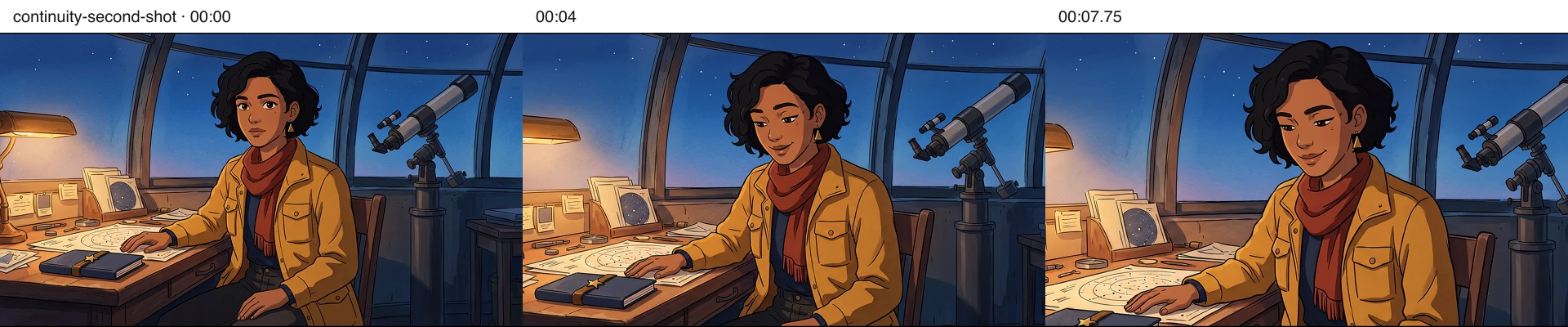
Frame review: The push-in and smile are visible. The table hand also moves, contrary to the fixed-hand instruction. Usable as an animatic study, not strict motion compliance.

continuity second shot at zero, four and 7.75 seconds
Actual decoded frames at 00:00, 00:04 and 00:07.75. Open at full size to inspect; three checkpoints cannot prove perfect continuity throughout a clip.
Read the exact motion prompt and provenance

One continuous eight-second hand-painted anime shot. The adult woman looks down at the closed navy notebook and briefly smiles. Keep both hands stationary. Very slow, subtle camera push in. Preserve the exact original face, short curly bob, triangular earring, mustard jacket, red scarf and navy shirt, fixed notebook clasp and telescope placement. No cuts, no new people, no extra props or text, no speech or music.

Generated 2026-11-13T08:49:55.371Z. Exact input PNG SHA-256: 095d0384b8186dd38bc65346bfd7f41f50ac6ca900442075d5d8197c5c1a7960. One request for this listed take; the two-character retake is separately labeled. Invoice cost is unavailable from the generation response, so no exact spend or cost-per-approved-shot is claimed.

One original scene and cast, with explicit failures and a revised request. No private user photos, competitor footage or customer results were used. Videos were fully decoded and checkpoint images inspected locally; browser interaction review is separate.

Keep the same character across an AI animated series: authored workflow with a concrete deliverable at each stage
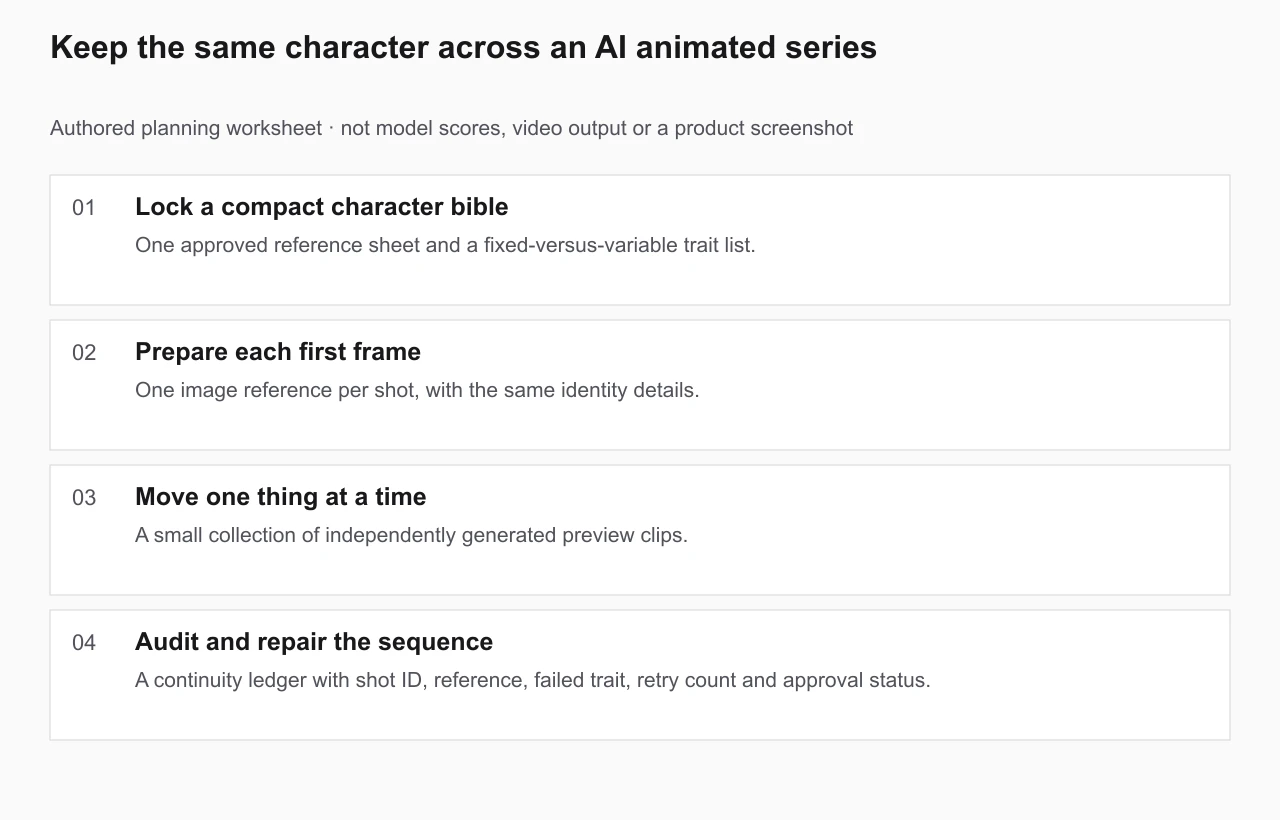
Original planning worksheet. This diagram illustrates the guide's method; it is not a generated video, measured model ranking or independently verified benchmark. Use the editable brief below to record your own outputs and failed takes.
Open the full-size worksheet ↗

The working process

  1. Step 1 of 4

    Lock a compact character bible

    Split the bible into immutable traits (facial structure, hair shape, signature outfit, colors) and story-controlled changes (expressions, poses and justified costume changes). Give every recurring prop an owner. Use original or licensed characters.

    You should have: One approved reference sheet and a fixed-versus-variable trait list.

  2. Step 2 of 4

    Prepare each first frame

    Start each new shot with a frame that already shows the approved character design. Frame the face or costume clearly enough to check it. Reuse the same reference where the selected model supports image input.

    You should have: One image reference per shot, with the same identity details.

  3. Step 3 of 4

    Move one thing at a time

    Ask for one action and one camera movement. Too many actions, costume changes and characters at once make identity drift harder to locate. Generate a short paid preview before committing to longer shots.

    You should have: A small collection of independently generated preview clips.

  4. Step 4 of 4

    Audit and repair the sequence

    Inspect the opening, midpoint and closing frame of every take. Record a pass or fail for facial anchors, outfit, prop ownership and shot-to-shot lighting. Mark the exact failed frame and reason so you can regenerate only the broken shot before editing the episode.

    You should have: A continuity ledger with shot ID, reference, failed trait, retry count and approval status.

Copy an original character continuity brief

This is an authored starting template, not an automatically generated result. Replace the square-bracket fields with your own story, characters and assets before running a paid AI generation.

EPISODE / SCENE: [Series, episode, shot ID]
CHARACTER: [Original character and approved reference ID]
FIXED TRAITS: [Face / hair / silhouette / outfit colors / prop owner]
ALLOWED CHANGES: [Expression / pose / story-approved costume change]
SHOT ACTION: [One action]  CAMERA: [One move or locked]
REFERENCE: [Approved first-frame image, where supported]
CHECK 00:00: Face __ / Outfit __ / Prop __ / Light __
CHECK MID: Face __ / Outfit __ / Prop __ / Light __
CHECK END: Face __ / Outfit __ / Prop __ / Light __
DECISION: [Approve / Retake]  RETAKE REASON: [Exact frame and trait]
EPISODE LEDGER: [Shot ID / source / retry count / final status].

Review before spending more credits

  • Judge continuity against a fixed reference sheet, not against the last generated take.
  • Inspect three checkpoints in each clip and record the exact failed frame.
  • Preserve a shot ledger for the episode; a reference reduces drift but never guarantees identity.

Frequently asked questions

Does a consistent character generator guarantee identity across videos?

No. It can help you prepare reference images, but each AI video generation may still alter facial features, clothing or small props. Review every clip.

Should I animate one long clip or separate shots?

Begin with separate short shots. They are easier to compare against your reference and selectively regenerate; each generation has its own credit cost.

What if the face changes during the motion?

Reduce camera movement, ask for a smaller action, strengthen the first-frame reference or try another supported model. Do not treat an identity-lock claim as a guarantee.

Production note: AI video results vary by model, starting frame, motion and prompt. Generating each take may require a paid plan and credits. Reuse only characters, art and audio you have the right to use.