

Logo LlamaGenLlamaGen brend
ZapočnitePretplati se sada20% popusta
  1. Početna
Storyboard-to-Video Handoff Checklist: Shots, Timing, Audio, and Continuity
Svi postovi

Storyboard-to-Video Handoff Checklist: Shots, Timing, Audio, and Continuity

Jay
Jay
1. studenog 2026.
Kopiraj poveznicu
  • What changes between a storyboard and a video brief?
  • Step 1: Freeze a reviewable sequence
  • Step 2: Specify the timebase and duration
  • Step 3: Describe what moves and what stays fixed
  • Step 4: Include references and audio decisions
  • Step 5: Check continuity at the cuts
  • Step 6: Send a package another person can open
  • Step 7: Approve a short motion test before scaling
  • Final handoff checklist
  • FAQ
  • Is an animatic the final video?
  • Should every storyboard frame become one video clip?
  • What should I do if a generated shot changes the character?
elevate-your-comics.png
Unaprijedite svoje stripove uz LlamaGen

A storyboard is ready for video when the next person can identify the approved shots, understand timing and motion, find the correct assets, and see which decisions still need approval.

Build the handoff around shot IDs, frame files, a timing sheet, motion notes, audio cues, and a revision log. You can start with LlamaGen.AI Storyboard to plan the sequence, then prepare a production package that can be reviewed independently of the creation tool.

What changes between a storyboard and a video brief?

A storyboard frame captures a moment. A video brief also needs duration, transitions, opening and closing states, and instructions for what moves.

A filmmaking discussion about prep methods shows how boards and animatics can help test staging and pacing. Different projects need different levels of detail. A quiet interview and an animated chase should not use the same handoff template without adjustment.

The Storyboard overview describes a workflow from story and scene breakdown through shots, revisions, and animatic export. Use the options available in your workspace. A planning export does not automatically guarantee compatibility with every video editor or generation model.
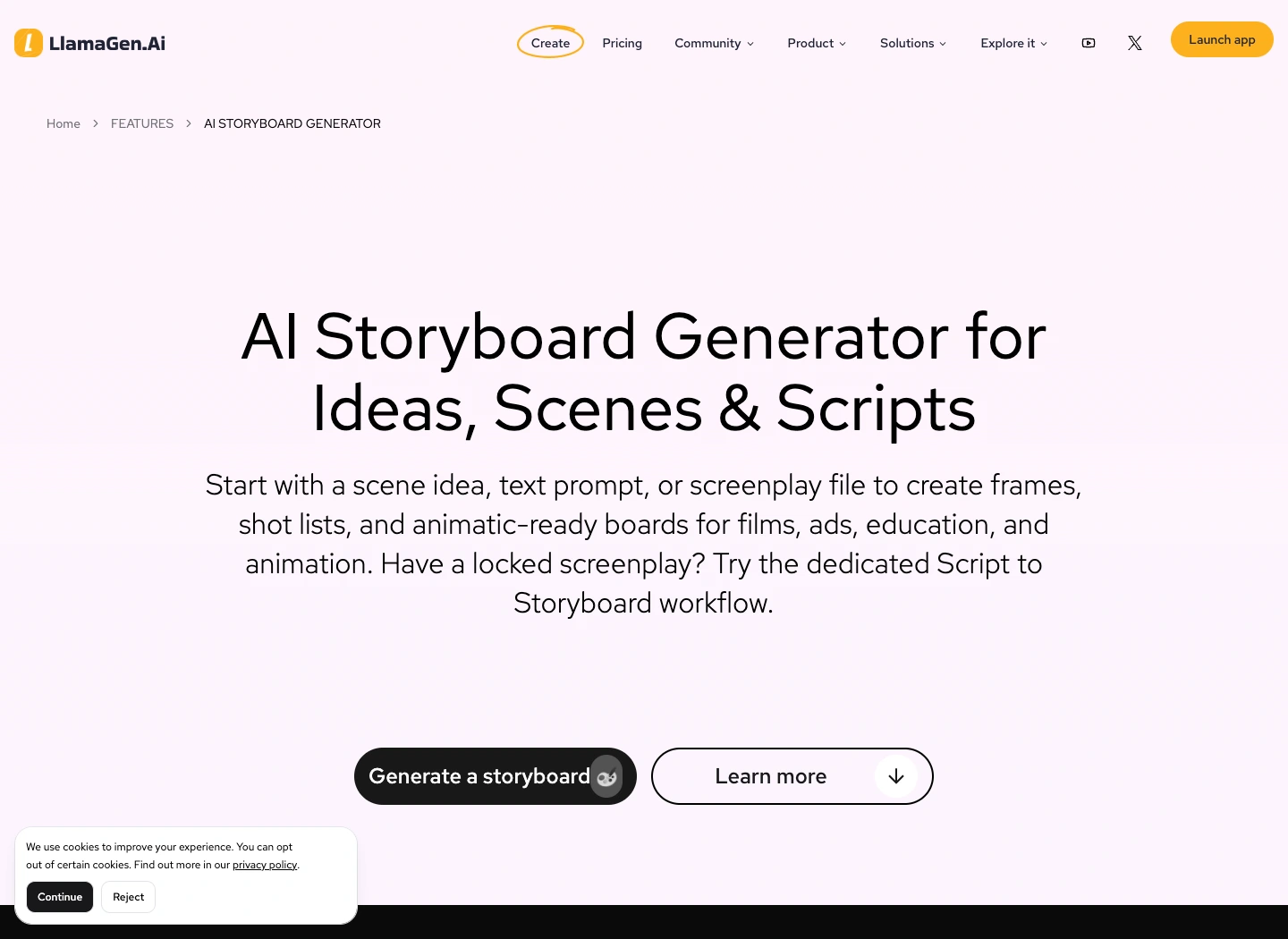
The public LlamaGen.AI storyboard feature page captured during preparation

Public product page captured November 2, 2026. The following production illustrations are conceptual examples, not screenshots of a completed video job.

Step 1: Freeze a reviewable sequence

Read the storyboard in order before preparing individual video requests. Check what the viewer knows at each point, where the scene changes, and whether each reaction has enough context.

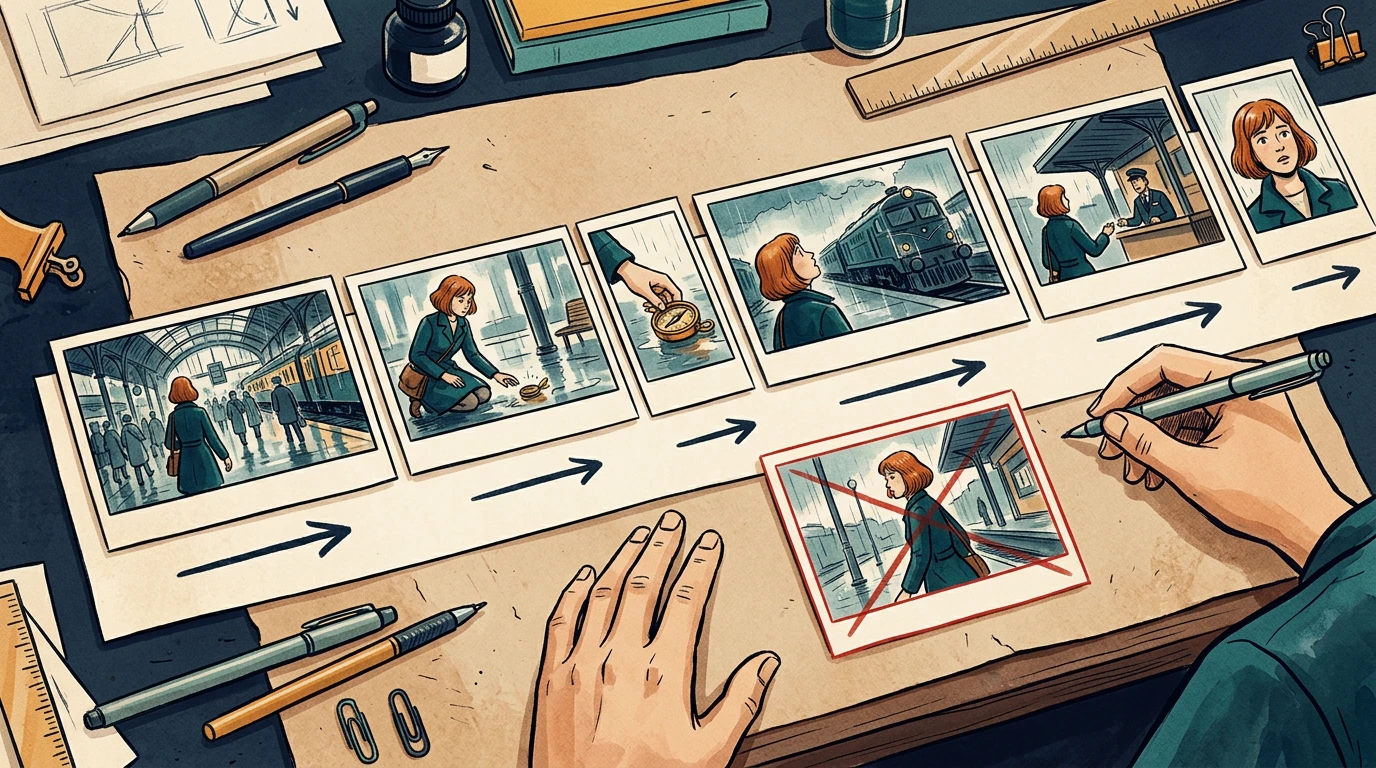
The running example is a 24-second station sequence. Mira enters, sees a compass, picks it up, notices a train, approaches an attendant, and reacts to a new clue. Her copper bob, teal coat, and brass compass remain consistent throughout.

Assign stable shot IDs such as ST01-S010. Keep those IDs when inserting or revising shots. Do not rename every later shot just because one image was added.

Step 2: Specify the timebase and duration

Confirm the delivery aspect ratio, frame dimensions, and frame rate with the editor before production starts. The example below uses 24 fps and six shots totaling 24 seconds. It is a planning example, not a claim about any model's supported clip length.

Related hot tags

Storyboard

Produkcija videa

Production Checklist

Popularni alati za stvaranje

Pretvorite inspiraciju u svoju sljedeću priču

Izradite stripove, storyboarde i stilizirane fotografije uz LlamaGen.

01

Generator AI stripova

Pretvorite ideju u dotjerane stripove u nekoliko minuta.

Izradi stripove
02

Generator AI manga

Izradite izražajnu manga umjetnost i priče u više panela.

Izradite mangu s pomoću AI-a
03

AI generator storyboarda

Vizualizirajte svaku scenu prije početka produkcije.

Izradite storyboarde s pomoću AI-a
04

Pretvori sliku u strip

Pretvorite bilo koju fotografiju u strip stil ilustracije.

Izradite stripove od slika
05

Alat za izradu AI stripova

Izradite podijeljene stripove s dosljednim likovima koji se mogu dijeliti.

Izradite stripove s pomoću AI-a

LlamaGen community

checkmark

Get hands-on help with your comics

checkmark

Showcase your comics to fellow LlamaGen creators

checkmark

Participate in special events to win gifts

Dnevnik promjena

Potaknite snove mladih
Gdje milijuni priča oživljavaju

Pregled najnovijih izdanja značajki LlamaGen, poboljšanja proizvoda, ažuriranja dizajna i važnih ispravaka grešaka.
✦
✧
✦
✧

Novi medij za pripovijedanje

Stvarajte neograničene priče, stripove, animacije, igre i više — u sekundi, za modernu publiku

Storyboard-to-Video Handoff Checklist: Shots, Timing, Audio, and Continuity - LlamaGen.AI Blog
ShotStory beatSecondsFrames at 24 fps
S010Mira enters the station372
S020She notices the compass496
S030She picks it up372
S040A train catches her attention5120
S050She approaches the attendant496
S060She recognizes a clue5120
TotalComplete sequence24576

Use one explicit convention in the timing sheet. For example, start frames can be inclusive and end frames exclusive: S010 occupies frames 0 through 71, with an end boundary of 72.

Do not mix that convention with an editor's inclusive In/Out interpretation without converting the numbers first. Adobe's timecode documentation is a useful reference when aligning frame counts and display choices with the receiving editor.

A conceptual six-shot sequence with varied timeline widths and continuity directions

The card widths illustrate pacing. Use the timing sheet, not visual card width, as the numeric source of truth.

Step 3: Describe what moves and what stays fixed

Separate subject motion from camera motion. Phrases like "make it cinematic" leave too many decisions unresolved.

For each shot, write:

Shot: ST01-S030
Start: Mira crouches; compass rests on the wet floor.
Action: her right hand lifts the compass toward her face.
Camera: low medium shot, restrained push-in.
End: compass is held still at chest height.
Preserve: face, copper bob, teal coat, compass shape, station lighting.
Avoid: added people, extra hands, changing train direction.

A clear start and end state helps the next shot connect. If your selected video tool cannot deliver the requested camera behavior, simplify the shot or replace it with an editorial move instead of repeatedly regenerating without a clear diagnosis.

Step 4: Include references and audio decisions

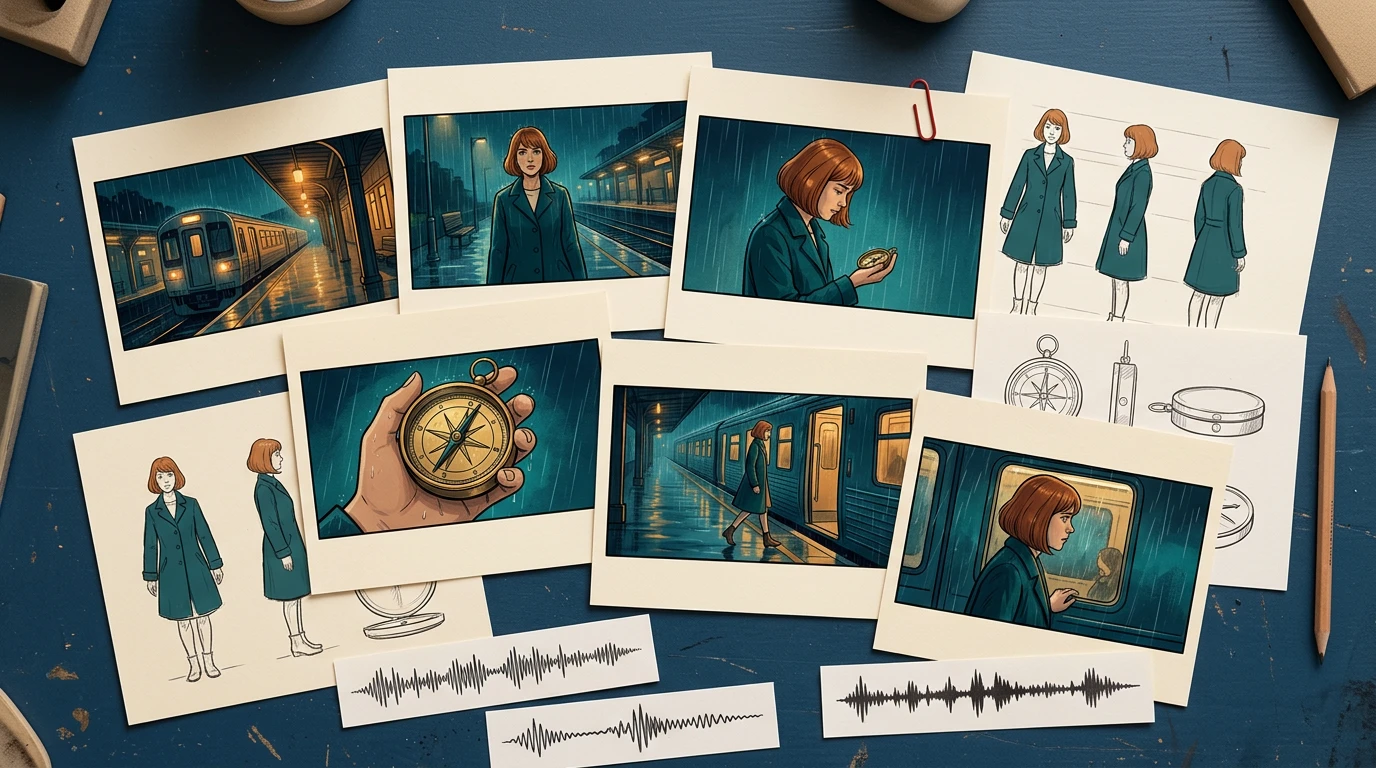
Provide the approved character reference, recurring prop reference, and location reference alongside the frames. Include only the versions the recipient should use.

For audio, distinguish final dialogue, temporary voice, sound effects, ambience, and music. Record cue positions and whether an audio file is approved for publication. Do not let a temporary track become the final soundtrack just because it was attached to the animatic.

A conceptual handoff kit with storyboard cards, character and prop references, and audio cue strips

The package should explain the scene even if the recipient has not watched earlier iterations.

Step 5: Check continuity at the cuts

Review the last useful frame of each shot beside the first useful frame of the next. Watch for changes in hand position, prop scale, screen direction, eyeline, lighting, and background geography.

In the local timing-sheet exercise, an intentionally missing S040 entry creates a 120-frame gap. The corrected sheet restores the six-shot sequence to 576 continuous frames. That validates the schedule structure; it does not validate motion quality or editorial pacing.

For visual continuity, run a separate review. A repaired timing row cannot fix a character suddenly holding the compass in the other hand.

Step 6: Send a package another person can open

A simple handoff structure is easier to inspect than a folder full of filenames containing "final."

station-sequence/
  brief-and-delivery-spec.txt
  shot-list.csv
  frames/
    ST01-S010-v03.png
    ST01-S020-v02.png
  references/
    mira-approved-v02.png
    compass-approved-v01.png
  audio/
  animatic-review-v04.mp4
  revision-log.csv

List every expected file in a manifest, including version and approval state. Use relative paths inside the package when practical. Open it from a clean folder or a second machine to catch missing references.

When exporting XML or another interchange format, test it in the receiving application before promising a seamless transfer. For a small production, a frame sequence plus CSV may be a more predictable fallback.

Step 7: Approve a short motion test before scaling

Choose one difficult representative shot: a face, a hand interacting with the compass, or a camera move across overlapping layers. Review that test before converting every frame into video.

Track preparation time, generation wait, review, revision, and assembly separately. Record the actual credits or cost reported by the selected tool. Static storyboard generation time does not predict a finished video's production budget.

Use a specific rejection reason: hand changed, compass melted, direction reversed, timing too short, or dialogue obscured. Repair the affected shot and recheck its cuts while keeping the other approved material available.

Final handoff checklist

  • Shot IDs and intended order are unambiguous.
  • Every shot points to an approved frame and reference version.
  • Duration, frame rate, aspect ratio, and frame-count convention agree.
  • Subject motion, camera motion, and start/end states are separate.
  • Screen direction, eyelines, hands, and props match across cuts.
  • Dialogue and audio cues are versioned and cleared for their intended use.
  • The animatic and manifest match the same revision.
  • Another person can open the package without missing assets.
  • Outstanding decisions have an owner and approval deadline.

Prepare your next sequence in Storyboard, then use this checklist before motion production. If the sequence still changes substantially during review, return to the storyboard-first workflow before committing more shots.

FAQ

Is an animatic the final video?

No. An animatic mainly tests sequence and timing. The final video may still require motion generation, editing, sound work, and additional quality review.

Should every storyboard frame become one video clip?

No. Match clips to the intended shots and your tool's capabilities. Several storyboard drawings can describe one shot, and one drawing may still need added start and end planning.

What should I do if a generated shot changes the character?

Compare it with the approved references, simplify conflicting motion instructions, and retest that shot. Then recheck its neighboring cuts before accepting the replacement.

Product workflow reviewed November 2, 2026. The timing exercise is a local planning check; this article does not claim that the illustrative sequence was generated as a finished video.

Logo LlamaGen
  • United States
  • Español
  • Français (France)
  • 日本語
  • 한국어
  • Deutsch
  • 繁體中文 (台灣)
  • 繁體中文 (香港)
  • 简体中文
  • Português
  • Italiano
  • Español (México)
  • العربية
  • Русский
  • Português (Brasil)
  • Tiếng Việt
  • Hrvatski

Vodeći budućnost generiranja stripova pomoću AI-a

  • Podrška 24/7
  • Tjedna ažuriranja
  • Sigurno i usklađeno
  • 99,9% dostupnosti

Preuzmite LlamaGen besplatno

AndroidiOSRačunalo

Proizvod

  • Najnovija izdanja
  • Značajke
  • Izrada stripova
  • Comic StoresNovo
  • Studio za manguNovo
  • Pretvorite sliku u strip
  • Strip u video
  • AI tvornica stripova
  • Agent za stripove
  • iOS i Android
  • Mac i Windows
  • Preuzmi
  • Comic ZapNovo
  • Generator AI stripova
  • AI generator crtanih likova
  • Generator AI webtoona
  • Alat za izradu strip traka
  • Pretvorite sliku u strip
  • Generator AI manga
  • Prevoditelj za manga stripove
  • Fotografiju u anime
  • Slika u prompt
  • Anime u stvarnom životu
  • Bojanje mange
  • Generator anime likova
  • Alati za pikseliziranu igru
  • AI generator listova sa sličicama
  • Najbolji alati za pixel igre 2026.
  • Alat za stripove od fotografija
  • Alternativa za Comic Life

Povezani proizvodi

  • Obitelj LlamaGen
  • CineoBoardNovo
  • Comics API

Planovi

  • Cjenik
  • Početni
  • Pro

Zajednica

  • Stvaratelji
  • Partneri
  • Partner

AI modeli

  • GPT Image 2.6 Flare
  • GPT Image 2.6 Sunburst
  • Grok Imagine Image 2.0
LinkedInX (Twitter)
  • Početna
  • Članci
  • Blog
  • Izradi
  • Cjenik
  • API
  • Affiliate ProgramNEW

Prethodni blogovi

Human-Led AI Game Cutscenes: Keep the Script, Storyboards, and Timing Under Your Control

Human-Led AI Game Cutscenes: Keep the Script, Storyboards, and Timing Under Your Control

A practical, creator-led AI game cutscene workflow for selecting storyboard candidates, rejecting we

Jay
Jay
23. studenog 2026.
Make an AI Film Feel Real: Blocking, Reactions, and Continuity in a Quiet Scene

Make an AI Film Feel Real: Blocking, Reactions, and Continuity in a Quiet Scene

A worked quiet-scene repair case: room geography, prop behavior, reactions, and edit choices that im

Jay
Jay
23. studenog 2026.
How to Make an AI Drama: A Six-Shot Pilot and Series Continuity Plan

How to Make an AI Drama: A Six-Shot Pilot and Series Continuity Plan

Create a 30-second illustrated AI drama pilot, review real motion failures, and package continuity n

Jay
Jay
23. studenog 2026.
Two OCs in One Comic Panel: Keep Identities and Speakers Clear

Two OCs in One Comic Panel: Keep Identities and Speakers Clear

A six-panel Maya and Theo dialogue case showing separate references, a handoff repair, a reverse-sho

Jay
Jay
20. studenog 2026.
Vidi sve blogove

Pitaj AI o LlamaGen

  • Comic Zap
  • Velika
  • Za poduzeća
  • Obrazovanje
  • API za stripove
  • Kontaktirajte prodaju
  • Obrazovni planovi
  • Nastavnici
  • Studenti
  • Nastavnici i učenici
  • Startupi
  • Obrazovni popusti
  • Tvrtka

    • Razgovarajte s našim osnivačem
    • O nama
    • Putokaz proizvoda

    Pomoć

    • Centar za pomoć
    • Povjerenje
    • Sigurna umjetna inteligencija
    Iskustva korisnika
  • Zid ljubavi
  • LlamaGen MCPNovo
  • LlamaGen Programer
  • Resursi

    • Dnevnik promjena
    • Blog
    • Vodiči

    Alati

    • AI generator logotipa
    • Generator likova u stilu Grokbota
    • PNG u strip
    Wan 3.0
  • Wan 3.0 Prime
  • Seedance 2.5
  • MiniMax H3
  • Nano Banana 2.1
  • Nano Banana 2 Lite
  • Seedream 5.0 Flash
  • Seedream 5.0 Pro
  • Seedance 2.0 Mini
  • Kling 3.0 Turbo
  • Nano Banana 2
  • GPT Slika 2
  • Gemini Omni Flash
  • All AI Models
  • AI alati

    • AI Izdvajač odjeće
    • AI Mijenjač frizura
    • AI Mijenjač manga frizura
    Instagram
    YouTube
    Facebook grupa
    Reddit
    Discord
    Podrška putem e-maila
    PrivatnostUvjetiMapa stranice
    Preuzmi brendirane materijale
    © 2026 LlamaGen.Ai Sva prava pridržanaSve usluge su online
    Karijere
  • Pošaljite nam e-poštu
  • Naš svijet maskota
  • Medijski paket
  • KOL partnerstvo
  • Sadržaj
  • Profesionalne usluge
  • Česta pitanja
  • Sigurnost
  • Pristupačnost
  • Video vodič
  • Kontaktirajte nas
  • Mapa stranice
  • Personalizirani stripovi
  • Značajke
  • Alternative
  • Najbolje AI aplikacije
  • GPT-6 vodič za bojanje mange
  • Claude vještina za strip knjige
  • Gemini AI vodič za stripove
  • Taj strip
  • Obrazovni popusti
  • Popust za studente
  • Text u strip
  • PDF u strip
  • Scenarij u strip
  • Knjiga u strip
  • Pretvorite sliku u strip
  • AI generator piksel art-a
  • Obrazovni stripovi
  • Generator AI videa
  • Gemini AI generator videa
  • Besplatni AI generator videozapisa bez lica
  • Strip u video
  • Izrada softvera za storyboard
  • AI generator storyboarda
  • Softver za pisanje scenarija
  • Uređivač scenarija
  • Priča AI
  • Generator AI priča
  • Generator slikovnica
  • Generator AI slika
  • AI razdjeljivač slojeva
  • AI kontrola kuta kamere
  • AI generator piksel art-a
  • Alati za pikseliziranu igru
  • AI generator listova sa sličicama
  • Rezač sprite sheetova
  • Najbolji alati za pixel igre 2026.
  • API za Animaciju
  • ChatGPT/Codex dodatak
  • ChatGPT Vodič za instalaciju
  • Claude Code dodatak
  • Vodič za instalaciju Claude Code
  • AI Generator efekta vjetra
  • AI Generator dubinske karte
  • AI Bijela pozadina
  • AI Uklanjanje Objekata
  • AI Virtualno Isprobavanje
  • AI izoštravanje slika
  • AI uklanjanje šuma
  • AI obnova fotografija
  • AI sjene proizvoda
  • AI generator pozadina
  • AI generator portretnih fotografija
  • AI izrada emojija
  • AI izmjena pozadine
  • AI otvaranje očiju
  • AI uljepšavanje
  • AI fotografija proizvoda



