

Image creation
Generate an image with a clear creative brief
Plan an original image from a focused brief. Choose a subject, composition and visual direction, then inspect the result for its intended use.
Model
This creator generates a still image. Continue in the linked tools for comics and video; research strategies are not selectable production modes.
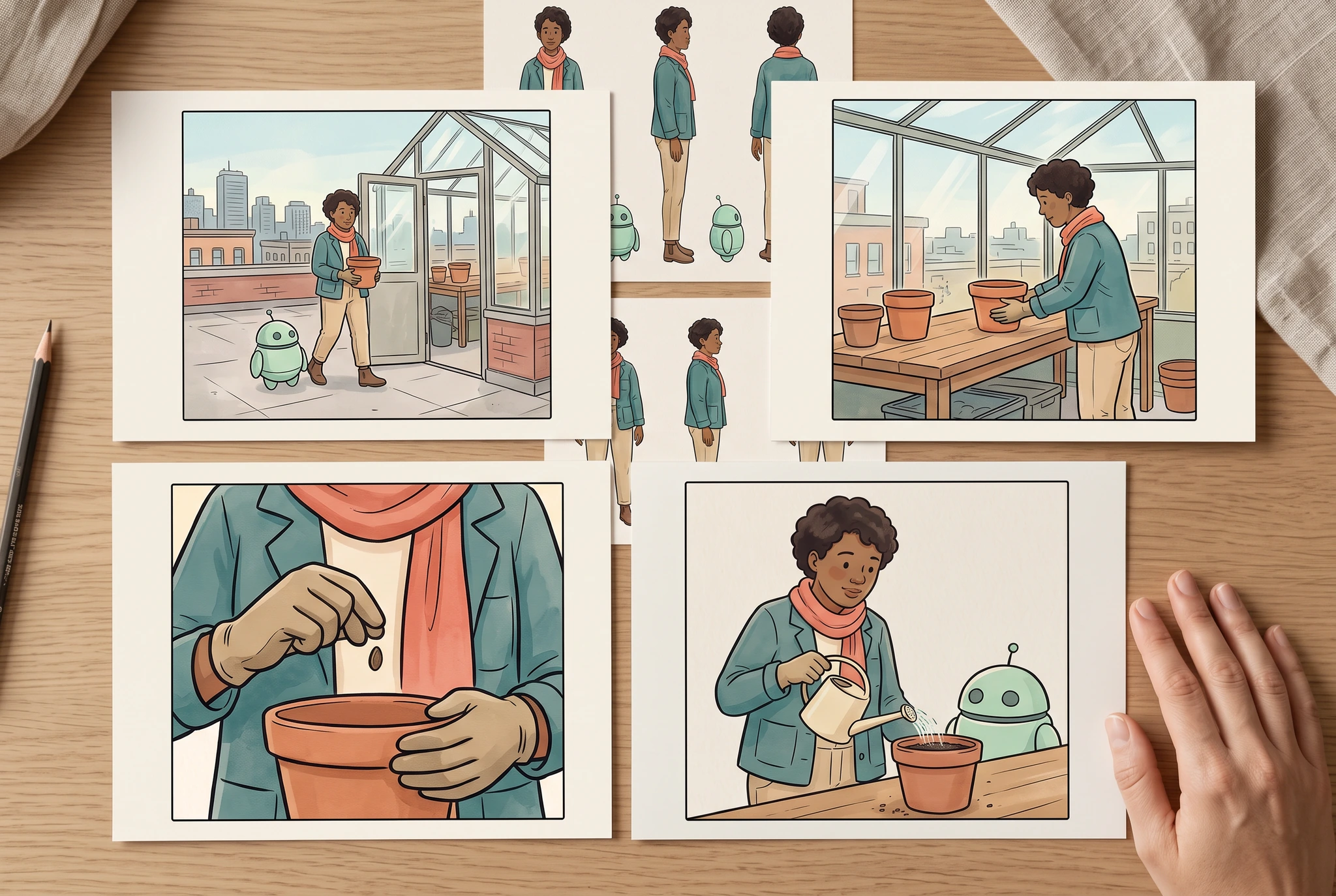
Image record
Google Vertex AI · gemini-3.1-flash-image · · 1280 × 859 px
Original generation prompt
Use case: photorealistic-natural / product-mockup. Convincing natural editorial PHOTOGRAPH at an adult artist's clean drawing table. Supplied image1 is the original character identity sheet; image2 is the original six-panel greenhouse story. Four separate medium matte landscape cards lie in a clean two-by-two arrangement on the table. Their artwork uses the SAME original adult botanist in teal jacket and coral scarf, same mint-green one-antenna robot, same greenhouse and terra-cotta pot. Show four distinct useful framings from the supplied story: wide greenhouse establishing view, medium pot-on-bench action, close-up seed-and-hands detail, and medium shared watering action. Cards have generous blank ivory borders; all four are fully inside frame and none overlap. A smaller character-reference sheet from image1 sits just behind the cards, partly visible. Exactly one relaxed realistic adult hand rests at the edge without covering the art. Natural ink/watercolor illustration stays on paper; room, wooden table and skin are photographic. No writing, numbers, arrows, logos, app UI or made-up test results. The finished framing alternatives dominate 80 percent of frame, subtle pencil and linen details only. Landscape 3:2, almost overhead.
View full artworkPlan a specific result
A greenhouse opening image
Plan an original wide image of an adult botanist entering a greenhouse. The composition should establish the setting while leaving the character readable.
What to prepare
- One intended use and display shape.
- A brief identifying the subject, action and important setting details.
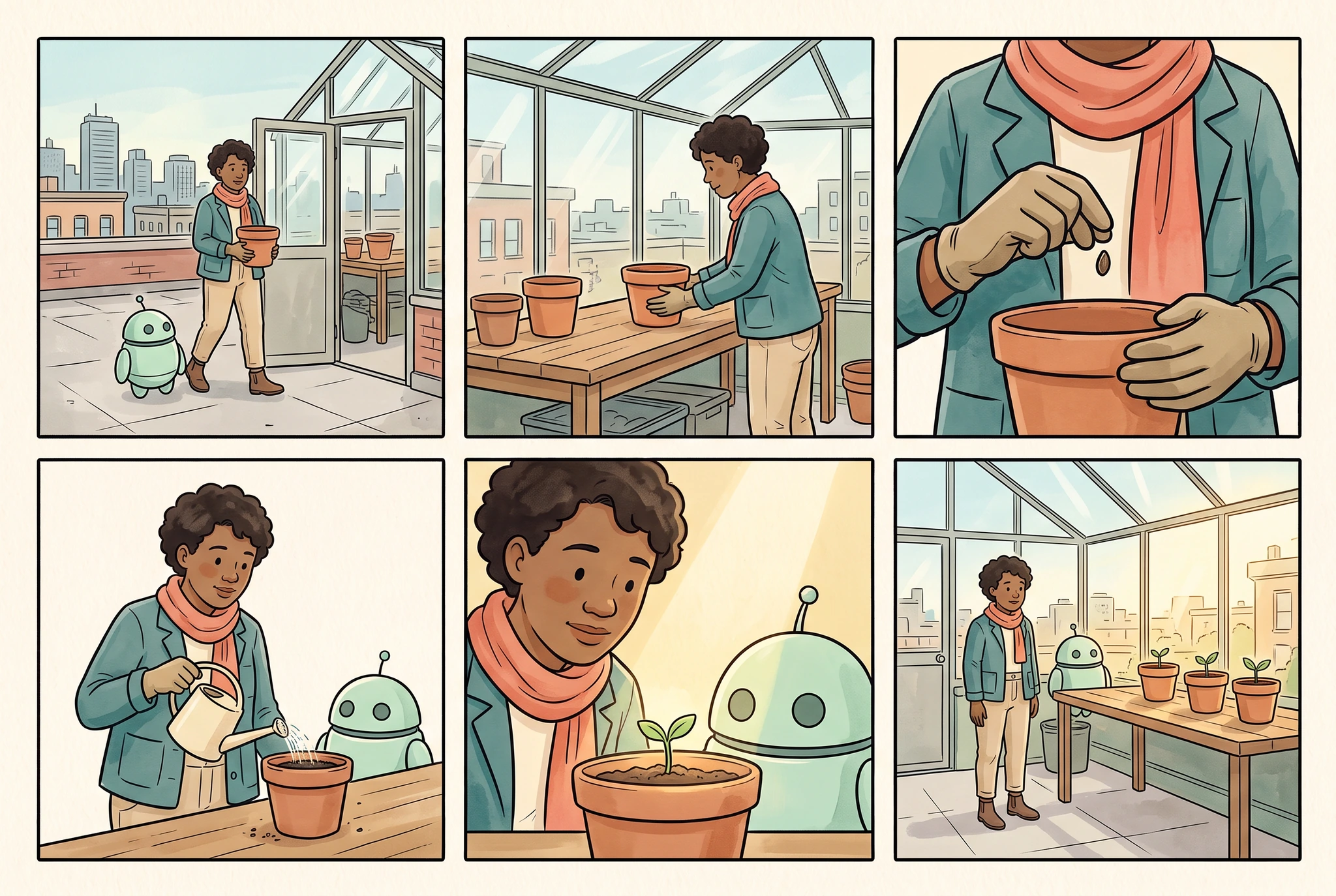
Image record
Google Vertex AI · gemini-3.1-flash-image · · 1280 × 859 px
Original generation prompt
Use case: illustration-story. Make ONE original finished comic page in a clean three-column by two-row grid, exactly SIX equally sized panels, narrow even ivory gutters and complete outer margins. The provided image is the character identity and wardrobe reference, not a page to copy. Preserve its adult botanist with warm brown skin, short dark curly hair, teal jacket, coral scarf, sand trousers, brown boots, and round mint helper robot with two dark eyes and exactly one short antenna. Quiet elegant ink-and-watercolor comic style, teal/coral/sage/ochre palette. Tell a very simple readable rooftop greenhouse planting story: panel1 wide view botanist and robot arrive at the greenhouse carrying a small terra-cotta pot; panel2 medium view the botanist places the pot on the wooden bench; panel3 close view gloved adult hands holding a seed above the pot; panel4 medium view botanist and robot water the pot with a small cream watering can; panel5 close view botanist and robot look at the tiny seedling; panel6 wide view both stand by the finished row of three potted seedlings in afternoon light. All people are adults; each scene has one botanist and one robot unless only hands are framed. The pot remains terra-cotta, the greenhouse stays structurally coherent, identity and outfit remain recognizable. No writing, numbers, logos, speech balloons, captions, lettering, illegible marks, third-party characters, UI, photorealistic environment or claims of tested consistency. Landscape 3:2.
View full artworkChoose the attention point
Decide whether the viewer should notice the character or the greenhouse first.
Keep the request visible
Describe one moment rather than several actions occurring in sequence.
Inspect the actual crop
Check that the chosen framing preserves the subject and useful scene information.
A focused brief makes review more specific: you can judge whether the image does the job you planned.
A practical starting point
Define one intended use
Choose whether the image is a story panel, a character concept or another visual draft. Identify the important subject and the final framing.
Write a focused brief
Describe the visible subject, action, setting and visual direction. Keep essential story details distinct from optional decoration.
Review the actual file
Check anatomy, objects, composition and downloaded dimensions. Inspect a copy at the size where you intend to use it.
What to inspect
Image record
Google Vertex AI · gemini-3.1-flash-image · · 1280 × 859 px
Original generation prompt
Use case: photorealistic-natural / product-mockup. Convincing natural editorial PHOTOGRAPH at an adult artist's clean drawing table. Supplied image1 is the original character identity sheet; image2 is the original six-panel greenhouse story. Four separate medium matte landscape cards lie in a clean two-by-two arrangement on the table. Their artwork uses the SAME original adult botanist in teal jacket and coral scarf, same mint-green one-antenna robot, same greenhouse and terra-cotta pot. Show four distinct useful framings from the supplied story: wide greenhouse establishing view, medium pot-on-bench action, close-up seed-and-hands detail, and medium shared watering action. Cards have generous blank ivory borders; all four are fully inside frame and none overlap. A smaller character-reference sheet from image1 sits just behind the cards, partly visible. Exactly one relaxed realistic adult hand rests at the edge without covering the art. Natural ink/watercolor illustration stays on paper; room, wooden table and skin are photographic. No writing, numbers, arrows, logos, app UI or made-up test results. The finished framing alternatives dominate 80 percent of frame, subtle pencil and linen details only. Landscape 3:2, almost overhead.
View full artworkPersonal Agent · Creative Intelligence research
From Personal Agent memory to better creative results
A Personal AI Agent uses permissioned, evolving context to help someone complete work over time. For comic creators, the challenge is not only remembering a character, but retrieving the right story state, controlling the next image and verifying a creator-approved result. CyaniModel explores the visual-workflow layer of this larger architecture; DeepStory, Agent Loop and Feedback Learning are distinct proposed responsibilities, not claims of a fully deployed personal agent.
Research direction
Research behind the workflow
Review the requested task
We are exploring how review can distinguish visual polish from whether an image follows the requested action and composition.
Compare accepted drafts
Model comparisons should count the time and cost of inspection and retries, rather than only the first image attempt.
Research direction
Quality and Cost Routing
Can a simpler shot use a less expensive allowed model while meeting the same review standard?
How we would evaluate it: Include generation, inspection, repair and retry costs when counting accepted panels.
Research direction
Visual Review Cascade
Which checks can catch an identity or story error early, and which need a closer look?
How we would evaluate it: Track missed serious errors and incorrectly rejected panels alongside review cost and latency.
Know the boundaries
- Available models, account requirements, image shapes and costs are shown in the creation tools.
- An image draft still needs review for rights, errors and the intended downstream use.
Primary research informs these questions; it does not establish results for CyaniModel.
Frequently asked questions
Does a detailed prompt guarantee an exact image?
No. A clear brief helps communicate the task, but the actual result still needs review and may require refinement.
Can I use my own character reference?
Check the reference options supported by the selected creation workflow and use images you have permission to share.
Is every image generated by a separate Cyani foundation model?
These pages do not make that claim. LlamaGen workflows may use multiple providers, while CyaniModel research explores how references, planning and review can help visual storytelling.
Continue your story
Give each AI comic panel a clear story purpose
Plan a single AI comic panel with a defined story beat, camera distance and character placement. Review the composition before building a complete sequence.
Use an image as the start of a new visual draft
Plan an image-to-image transformation with an authorized source. Decide which structure to preserve, what to change and how to review the resulting draft.
Describe the photo edit you actually need
Plan a photo edit in everyday language. Define the intended change, identify what should be preserved and compare the edited result with the original.
Describe the image you need before deciding how to refine it.
Continue in LlamaGen to check the available tools, model choices, account requirements and credits before generating.