

対話式画像編集
実際に必要な写真編集を説明する
日常的な言葉で写真編集を計画します。変更したい内容を明確にし、残すべき要素を指定し、編集後の結果を元画像と比較します。
モデル
このクリエイターは静止画を生成します。コミックや動画は、連携ツールで続けてください。研究上の戦略は、選択可能な制作モードではありません。
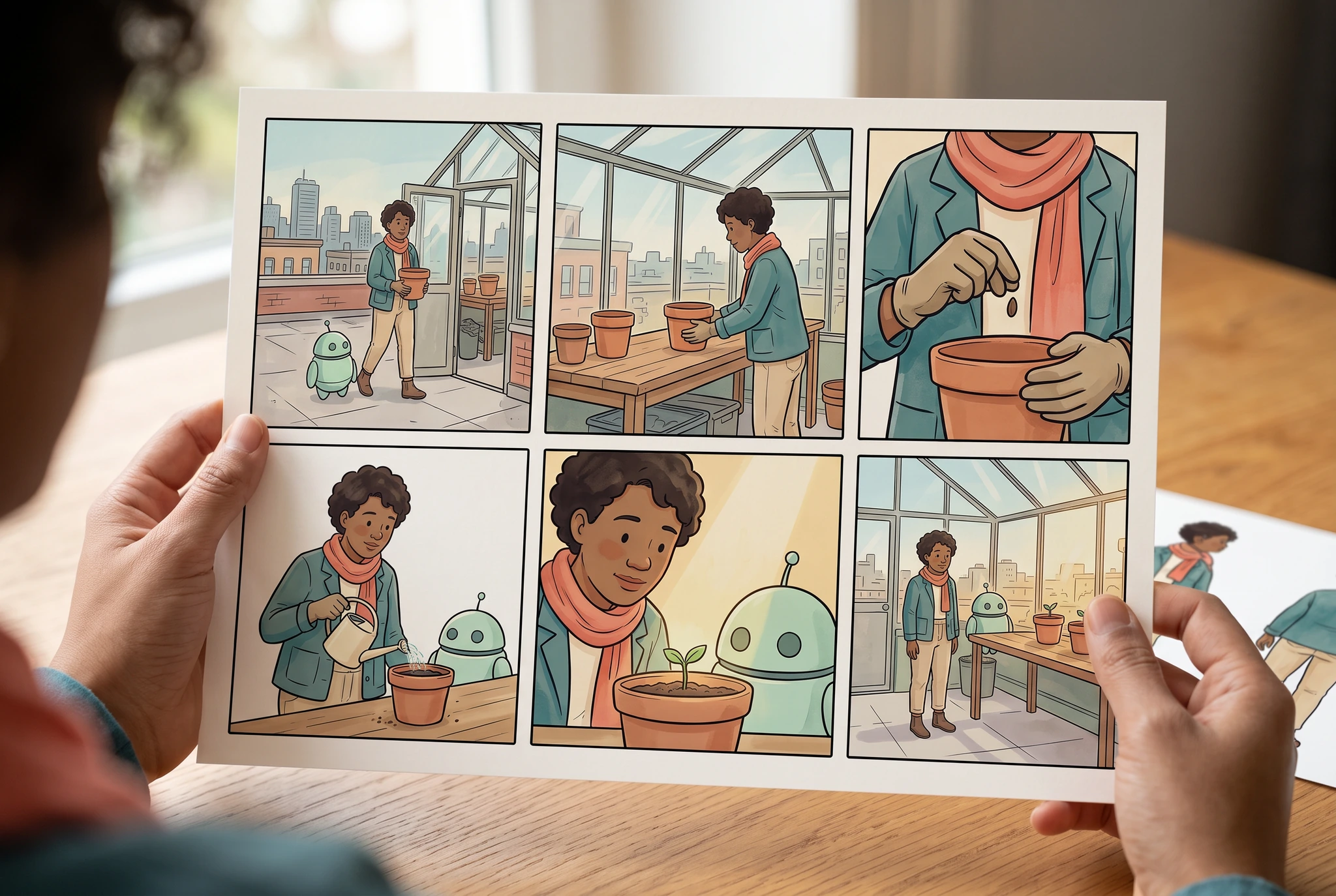
画像記録
Google Vertex AI · gemini-3.1-flash-image · · 1280 × 859 px
元の生成プロンプト
Use case: photorealistic-natural / product-mockup. Create a natural window-lit editorial PHOTOGRAPH of exactly TWO anatomically normal adult hands holding one landscape matte comic proof sheet above a real warm oak desk. Image1 supplied is the original adult botanist and mint robot reference sheet; image2 is the COMPLETE original SIX-PANEL greenhouse comic. The held paper must have landscape 3:2 proportions so Image2 fits WITHOUT rearrangement. Put the exact complete Image2 sequence on the held sheet as THREE columns by TWO rows, with a clean ivory outer margin: upper row arrival, pot on bench, gloved seed close-up; lower row watering, seedling reaction, final greenhouse view. Preserve all six distinct scenes in that order; DO NOT repeat watering, remove seed, reformat into two columns, add text or combine panels. Keep the original adult's teal jacket, coral scarf, dark curly hair, sand trousers and original mint round robot. Hold the paper by its two lower blank outside corners only; all artwork corners remain visible and hands cover no panels. The source character-reference sheet from Image1 rests flat farther back on the desk, partly visible beside the held print. Only the printed artwork is ink/watercolor illustration; hands, table, thin paper grain and room are a convincing photograph. No visible faces, booklet, screen, logos, titles, numbers, writing, fake UI, metrics or product packaging. Natural skin/five fingers, coherent optical perspective, subtle paper flex, quiet soft daylight. The completed hand-held story takes 75 percent of frame. Fictional lifestyle presentation only, never a customer photograph or research result. Landscape 3:2.
全体の作品を見る具体的な結果を計画
別のジャケット、同じオリジナルキャラクター
元の成人キャラクターの顔、ポーズ、スカーフを保ちながら、ジャケットの色だけを変える編集を計画します。明確な比較ができる管理しやすいタスクとして使えます。
準備するもの
- 権利のあるオリジナル画像。
- 短い編集要約と、変えずに保つべき要素の一覧。
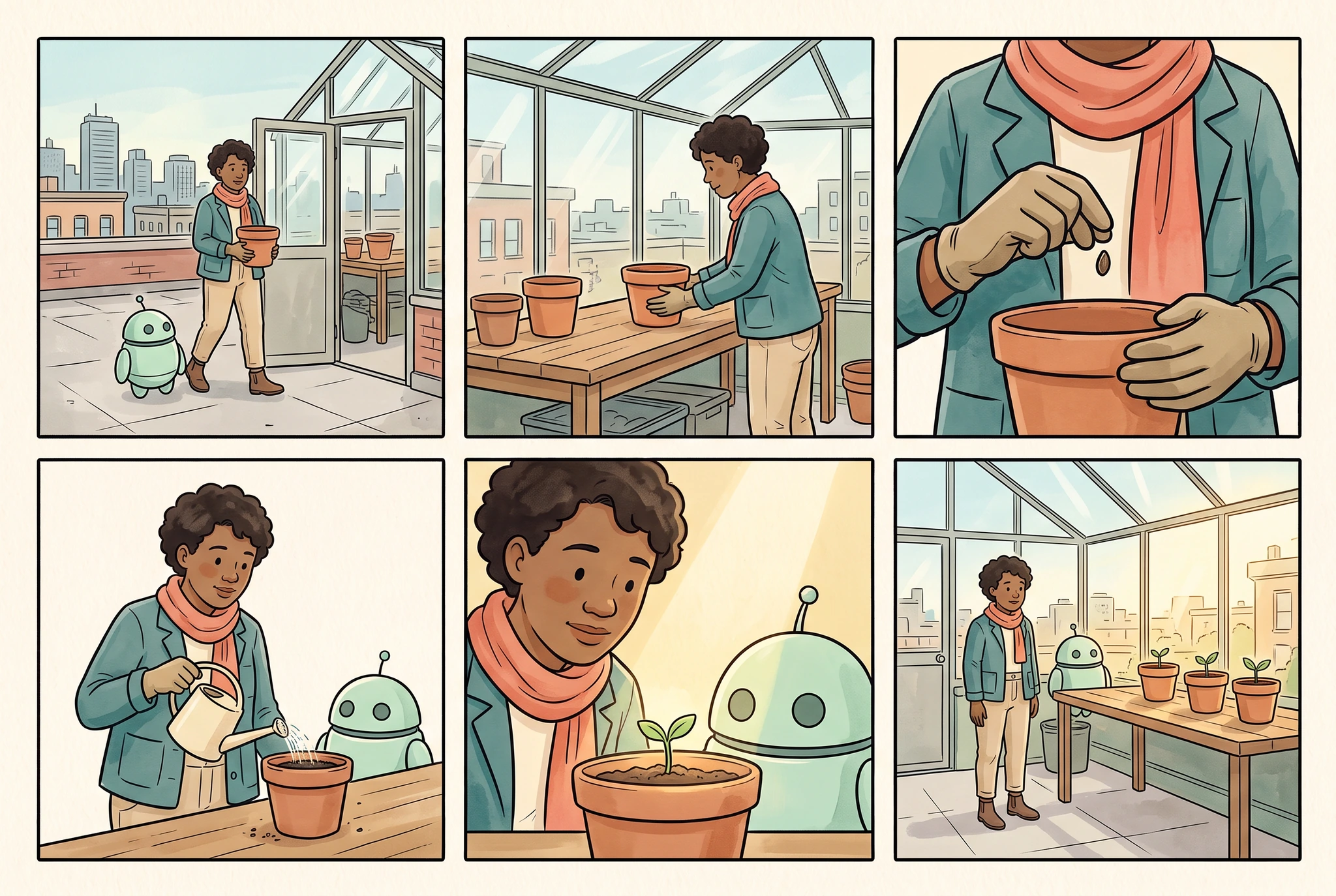
画像記録
Google Vertex AI · gemini-3.1-flash-image · · 1280 × 859 px
元の生成プロンプト
Use case: illustration-story. Make ONE original finished comic page in a clean three-column by two-row grid, exactly SIX equally sized panels, narrow even ivory gutters and complete outer margins. The provided image is the character identity and wardrobe reference, not a page to copy. Preserve its adult botanist with warm brown skin, short dark curly hair, teal jacket, coral scarf, sand trousers, brown boots, and round mint helper robot with two dark eyes and exactly one short antenna. Quiet elegant ink-and-watercolor comic style, teal/coral/sage/ochre palette. Tell a very simple readable rooftop greenhouse planting story: panel1 wide view botanist and robot arrive at the greenhouse carrying a small terra-cotta pot; panel2 medium view the botanist places the pot on the wooden bench; panel3 close view gloved adult hands holding a seed above the pot; panel4 medium view botanist and robot water the pot with a small cream watering can; panel5 close view botanist and robot look at the tiny seedling; panel6 wide view both stand by the finished row of three potted seedlings in afternoon light. All people are adults; each scene has one botanist and one robot unless only hands are framed. The pot remains terra-cotta, the greenhouse stays structurally coherent, identity and outfit remain recognizable. No writing, numbers, logos, speech balloons, captions, lettering, illegible marks, third-party characters, UI, photorealistic environment or claims of tested consistency. Landscape 3:2.
全体の作品を見る最初の変更は1つに絞る
1つの属性だけを変えて、指示が守られたか確認できるようにします。
人物の特徴と形状を保護
顔、手、シルエット、物体の形を元画像と比較してください。
画像全体を確認
ジャケットの色が合っていても、背景や人物が意図せず変わっていれば不十分です。
有用な編集かどうかは、依頼した変更と、残した重要な要素の両方で判断します。
実用的な出発点
権利のある元画像から始める
編集許可のある、はっきりした画像を選びましょう。比較できるように元画像も残しておきます。
制御する変化を1つ説明する
変えたい内容と、安定して残すべき要素を挙げてください。たとえば、人物のアイデンティティ、物体の形、フレーミングなどです。
編集内外を比較する
指定した範囲と周辺のディテールを確認してください。結果を採用する前に、光、輪郭、人体構造、意図しない変化をチェックしましょう。
確認するポイント
画像記録
Google Vertex AI · gemini-3.1-flash-image · · 1280 × 859 px
元の生成プロンプト
Use case: photorealistic-natural / product-mockup. Create a natural window-lit editorial PHOTOGRAPH of exactly TWO anatomically normal adult hands holding one landscape matte comic proof sheet above a real warm oak desk. Image1 supplied is the original adult botanist and mint robot reference sheet; image2 is the COMPLETE original SIX-PANEL greenhouse comic. The held paper must have landscape 3:2 proportions so Image2 fits WITHOUT rearrangement. Put the exact complete Image2 sequence on the held sheet as THREE columns by TWO rows, with a clean ivory outer margin: upper row arrival, pot on bench, gloved seed close-up; lower row watering, seedling reaction, final greenhouse view. Preserve all six distinct scenes in that order; DO NOT repeat watering, remove seed, reformat into two columns, add text or combine panels. Keep the original adult's teal jacket, coral scarf, dark curly hair, sand trousers and original mint round robot. Hold the paper by its two lower blank outside corners only; all artwork corners remain visible and hands cover no panels. The source character-reference sheet from Image1 rests flat farther back on the desk, partly visible beside the held print. Only the printed artwork is ink/watercolor illustration; hands, table, thin paper grain and room are a convincing photograph. No visible faces, booklet, screen, logos, titles, numbers, writing, fake UI, metrics or product packaging. Natural skin/five fingers, coherent optical perspective, subtle paper flex, quiet soft daylight. The completed hand-held story takes 75 percent of frame. Fictional lifestyle presentation only, never a customer photograph or research result. Landscape 3:2.
全体の作品を見る研究の方向性
ワークフローの背景にある調査
意図しない変化を測る
編集した領域と、その外側のシーンを明示的に確認するローカル修正手法を検討しています。
指示の遵守だけでなく、保持できているかも確認
編集は、ひとつの指示に従いながら、別の重要な要素を変えてしまうことがあります。確認では、その両方を記録する必要があります。
研究の方向性
ビジュアルレビュー・カスケード
アイデンティティや物語のミスを早く見つけられるチェックはどれで、より注意して見るべきなのはどれですか?
どう評価するか: 見逃した重大エラーや誤って却下されたコマを、レビューコストや遅延とあわせて追跡します。
研究の方向性
対象を絞ったキャラクター修正
承認済みのシーンを保ったまま、1つの誤ったキャラクター要素だけを修正できますか?
どう評価するか: 提案された修正ごとに、編集箇所、周囲のピクセル、そしてストーリーを確認してください。
範囲を把握する
- 正確な保持や範囲指定の制御は、選択した編集ツールに依存します。
- この計画例は、前後比較を測定した製品テストではありません。
これらの問いは一次調査をもとにしていますが、CyaniModelの結果を示すものではありません。
よくある質問
普段の言葉で編集できますか?
対応する画像編集ワークフローで、意図した変更を明確に伝えましょう。開始前に利用できる参照素材と編集オプションを確認してください。
写真の他の部分を変えないようにするにはどうすればいいですか?
残すべき要素を明示し、まずは制御された編集を行って、結果全体を比較します。テキスト指示だけで、ピクセル単位の完全保持は保証できません。
実在の人物の写真を編集できますか?
編集や共有の権限がある素材を使用してください。アイデンティティ、文脈、想定用途を慎重に確認してください。ここでの例は、オリジナルの架空キャラクターを使用しています。
ストーリーを続ける
変更したい内容と、守るべきディテールを明確にしましょう。
生成する前に、LlamaGenで利用可能なツール、モデル選択、アカウント要件、クレジットを確認してください。