

LlamaGen logoLlamaGen brand
Mag-log InSubscribe Now20% Off
  1. Home
Gumawa ng comics
User Story: How a Japanese Creator’s Feedback Sparked a Major Speech Bubble Breakthrough
All posts

User Story: How a Japanese Creator’s Feedback Sparked a Major Speech Bubble Breakthrough

Jay
Jay
February 27th, 2026
Kopyahin ang link
  • Pinpointing the Core Problem: Why Most Comic Bubble Tools Fall Short
  • The LlamaGen.AI Solution: Building a Next-Generation Speech Bubble Editor (In 48 Hours!)
  • What Sets the LlamaGen.AI Bubble Editor Apart?
  • Step-by-Step Guide: Unlocking Advanced Speech Bubbles in Your Next Comic
  • Step 1: Choose Your Bubble Shape and Preset
  • Step 2: Tune Your Bubble’s Hand-Drawn Wobble
  • Step 3: Master Tail Customization
  • Step 4: Supercharge Your Text
  • Step 5: Apply Finishing Touches
  • Real-World Results: Before & After Using LlamaGen.AI’s New Bubble Tools
  • Practical Strategies for Mastering Fine-Grained Bubble Control
  • What’s Next: Iterative Improvements Based on Community Feedback
  • Addressing Common Concerns: Will These Advanced Tools Slow Me Down?
  • The Replicable Framework: How to Drive Feature Innovation with Community Insight
  • Conclusion
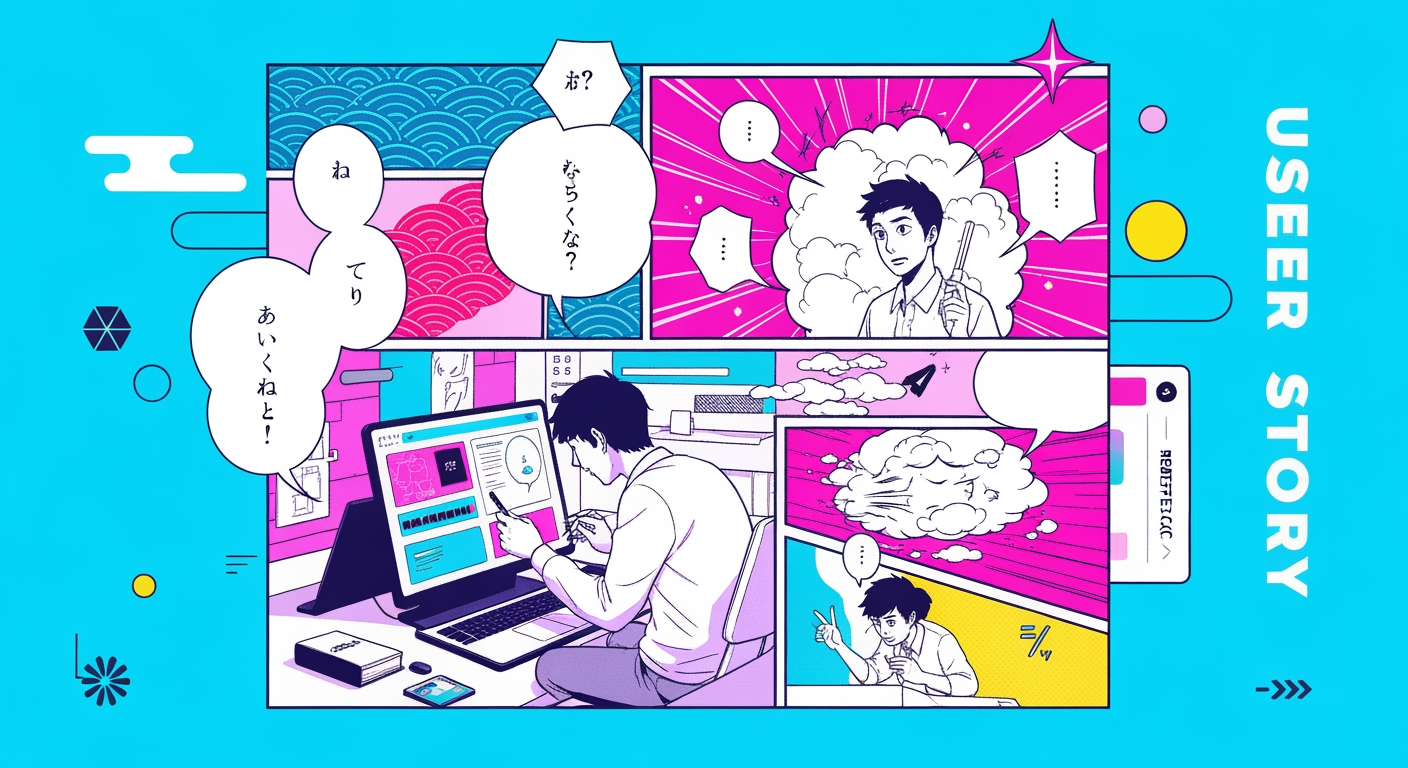
elevate-your-comics.png
Elevate your Comics with LlamaGen

If you’ve ever felt the frustration of trying to craft expressive, professional-quality speech bubbles in your comics—only to be let down by clunky, inflexible tools—you’re not alone. I remember the countless hours spent fiddling with “round rectangles” that never felt quite right, wishing for the same creative control I’d seen in top-tier Japanese manga. That pain point came up again when one of our power users in Japan reached out, highlighting the limitations of our existing speech bubble system and urging us to develop more advanced, fine-grained features. What followed was a rapid, community-driven breakthrough at LlamaGen.AI: within 48 hours, we designed and shipped a new, highly customizable comic bubble editor, rivaling even Clip Studio Paint’s best-in-class toolset. In this in-depth case study, I’ll walk you through exactly how user feedback drove this transformation, what advanced features you can now access, and how you can master these tools to elevate your own comics—starting today.

Let’s start with the real story. A few weeks ago, we received detailed feedback from a Japanese manga creator who’d been using LlamaGen.AI for episodic webtoons. Their challenge was clear and relatable: “Your bubbles are good, but I need more shapes, more control, and that hand-drawn wobble that gives manga its soul.”

As a creator myself, I felt that pain viscerally. Whether you’re storytelling for fun or business, those subtle bubble details—ellipse vs. cloud, tail direction, expressive line wobble—can make or break the emotional impact of a scene. Our Japanese user’s request boiled down to three urgent needs:

  • Greater variety in bubble shapes and styles
  • Finer control over tail direction, length, and effect
  • Hand-drawn, manga-style “wobble” for authentic, professional feel

This wasn’t just a technical request. It was about empowering creators to tell stories with the same nuance as the pros—without the friction of traditional design tools.

Pinpointing the Core Problem: Why Most Comic Bubble Tools Fall Short

If you’ve ever tried to create comics online, you’ve probably run into these common frustrations:

  • Limited Shape Options: Stuck with generic ovals or rectangles, your dialogue never quite fits the mood.
  • Clumsy Tail Control: Tails snap to the wrong place, look unnatural, or can’t be fine-tuned for dramatic scenes.
  • Lack of “Hand-Drawn” Feel: Bubbles feel sterile, missing the expressive, wobbly outline that defines authentic manga.
  • Rigid Editing: Scaling, rotating, or moving text and bubbles is cumbersome, breaking your creative flow.
  • : Missing features like vertical text, bold outlines, or manga-style highlights.
Talaan ng mga pagbabago

Sindihan ang mga pangarap ng kabataan
Kung saan nabubuhay ang milyun-milyong kuwento

Buod ng pinakabagong mga release ng feature ng LlamaGen, mga pagpapahusay ng produkto, mga update sa disenyo, at mahahalagang pag-aayos ng bug.

✦
✧
✦
✧

Isang bagong midyum para sa Pagkukuwento

Gumawa ng walang limitasyong mga kuwento, komiks, animasyon, laro, at higit pa—sa ilang segundo na tumatagos sa modernong audience

User Story: How a Japanese Creator’s Feedback Sparked a Major Speech Bubble Breakthrough - LlamaGen.AI Blog
No Professional Effects

Our Japanese user summed it up best: “I want to make my bubbles shout, whisper, or even tremble—just like in real manga.”

This feedback echoed what I’d heard from other creators worldwide. Even the most popular platforms (looking at you, Canva, Pixso) only offer surface-level comic features. If you’re aiming to launch a polished, episodic series—or simply want to impress your audience—these limitations can stall your progress and creative confidence.

The LlamaGen.AI Solution: Building a Next-Generation Speech Bubble Editor (In 48 Hours!)

Here’s where the story gets exciting: powered by this community insight, our development team went into sprint mode. Within two days, we had built and shipped a professional-grade speech bubble editor, directly inspired by the needs of manga creators and fine-tuned for real-world use.

What Sets the LlamaGen.AI Bubble Editor Apart?

  • True Elliptical Bubbles: Not just rounded rectangles—support for any width/height ratio for classic manga look.
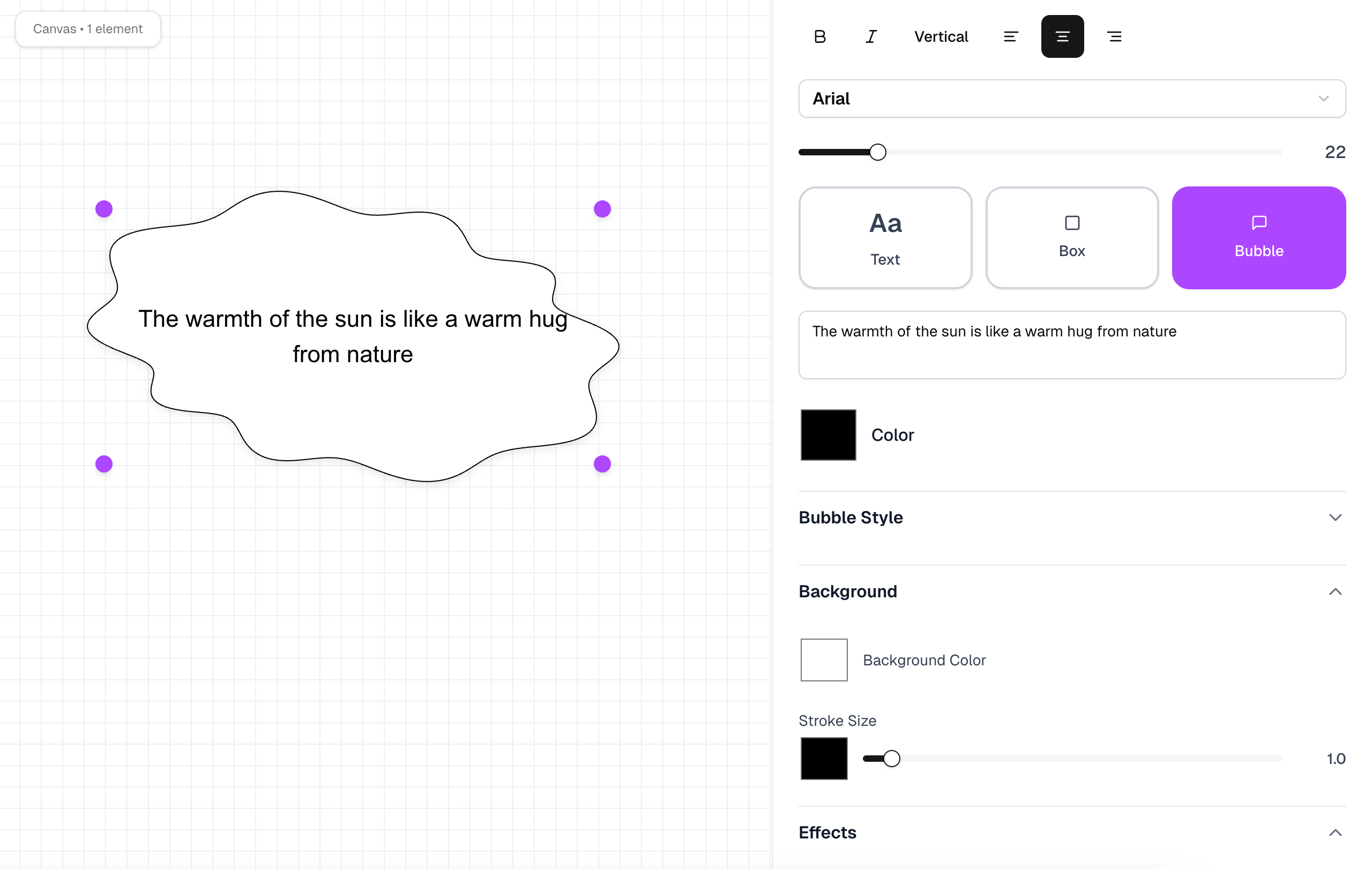
  • Hand-Drawn Wobble: Three fully adjustable parameters (Amplitude, Frequency, Phase) to control the expressive “wobble” of your bubble outlines.
  • Advanced Tail System: Fully customizable tails—angle, length, open width, and synchronized wobble for seamless, hand-drawn effects.
  • Vertical and Upright Text: Japanese-style vertical text (writing-mode: vertical-rl + upright), perfect for authentic manga panels.
  • Text Stroke Effects: Simulate bold, black-outlined manga lettering with -webkit-text-stroke.
  • Intuitive Drag, Scale, Rotate: Effortlessly position, resize, and angle bubbles and tails with real-time visual feedback.
  • Tail-to-Bubble Harmony: Tails morph in sync with bubble edge wobble, preserving visual integrity.
  • Panel-to-Panel Consistency: Maintain precise bubble styles and placements across multiple panels or even episodes.

“This new bubble editor is a game-changer for my webtoons. I can finally match the energy of my scenes—shouting, whispering, or trembling dialogue, just like I imagined.”
— @maya-s, LlamaGen.AI user

These features, now live and available, put LlamaGen.AI ahead of 95% of web-based comic tools—including Canva and Pixso—and right up there with professional desktop apps like Clip Studio Paint.

See it for yourself:
LlamaGen.AI Speech Bubble Editor Demo

Step-by-Step Guide: Unlocking Advanced Speech Bubbles in Your Next Comic

Ready to take your comics to the next level? Here’s how you can leverage the new LlamaGen.AI speech bubble editor to transform your storytelling—no art school required.

Step 1: Choose Your Bubble Shape and Preset

  • Select from 8–12 classic manga bubble shapes (ellipse, round, cloud, scream, thought, electric, ice, fire, etc.).
  • Start with a preset or create your own from scratch for maximum originality.

Step 2: Tune Your Bubble’s Hand-Drawn Wobble

  • Adjust the amplitude, frequency, and phase sliders to get just the right amount of “hand-drawn” imperfection.
  • Use subtle wobble for casual conversation, or crank it up for shouty, dramatic lines.

Step 3: Master Tail Customization

  • Instantly switch between 5 tail types (regular, cloud, wavy/thought, electric, multi-tail).
  • Drag the tail tip to point at your character’s mouth or head—the editor uses smart snapping to align perfectly.
  • Adjust tail length and opening width for nuanced directionality and emotional effect.

Step 4: Supercharge Your Text

  • Activate vertical writing mode for authentic Japanese manga dialog.
  • Enable text stroke for bold, legible outlines (ideal for white-on-black comics).
  • Drag, scale, and rotate your bubble or text as needed—everything stays crisp and aligned.

Step 5: Apply Finishing Touches

  • Add internal shadows or highlights with one click for that pro “depth” effect.
  • For dramatic scenes, try the “damaged” bubble effect for torn-paper edges.
  • Use double-bubble (inner/outer) for shouts, or add connector dots for thought bubbles.

Pro tip: Apply your favorite bubble style to an entire multi-panel scene for instant panel-to-panel consistency—a huge time-saver for episodic creators.

Real-World Results: Before & After Using LlamaGen.AI’s New Bubble Tools

Let’s look at what changed for our Japanese manga creator—and how you can replicate their results.

Before:

  • Spent 15–30 minutes per page hacking together bubbles in Photoshop
  • Bubbles looked generic and didn’t match the energy of the scene
  • Dialogue sometimes hard to read, especially in vertical or stylized layouts

After (in 48 hours):

  • Reduced bubble editing time to under 5 minutes per page
  • Achieved professional, hand-drawn effects for shouting, whispering, and emotive scenes
  • Maintained perfect tail alignment and character focus across 6+ panels
  • Received positive fan feedback: “Your bubbles finally look like real manga!”

“I finished my comic faster than ever and felt more confident sharing it. LlamaGen.AI’s editor just works.”
— Den, LlamaGen.AI user

Practical Strategies for Mastering Fine-Grained Bubble Control

If you want to get the most out of these advanced features, try these best practices—tested by our power users and myself over dozens of projects:

  • Batch Apply Bubble Styles: Once you dial in your wobble, tail, and color settings, save the preset and reuse it for all dialogue by a specific character.
  • Use Smart Tail Snapping: Let the tail auto-snap to character faces, then fine-tune the angle for dramatic effect.
  • Experiment with Layering: For action or shouting scenes, double up bubbles (outer/inner) with varying wobble for extra punch.
  • Leverage Internal Shadows: Add a manga-style inner shadow for instant depth—no Photoshop required.
  • Mix Bubble Types: Use cloud or wavy bubbles for thoughts, electric for panic, and fire for rage—matching mood to visual.
  • Keep Accessibility in Mind: Ensure text contrast and stroke thickness make dialogue readable on any device.

For a visual walkthrough, check out our step-by-step tutorial video or dive into the official documentation.

What’s Next: Iterative Improvements Based on Community Feedback

At LlamaGen.AI, we believe the best features come from real users. Here’s our public roadmap for even more granular control, prioritized by user value and feasibility:

  1. More Bubble Shape Presets: Expanding to 12+ iconic manga forms (ice, flame, jagged, etc.)
  2. Advanced Tail Types: Including multi-tails and animated tails for group scenes or layered emotions.
  3. Dynamic Edge Thickness: Adding variable stroke width and multi-layer outlines for deeper hand-drawn vibes.
  4. Bubble Interior Effects: Preset manga-style highlights, glows, and shadows.
  5. Damage & Tear Effects: Broken, torn, or frayed bubbles for intense scenes.
  6. Double-Layer Bubbles: Ideal for screams or echoing dialogue.
  7. Connector Dots & Curves: For classic “thought bubble” chains.
  8. 3D Perspective Bubbles: For experimental layouts or dynamic scenes.

We’re already testing several of these—watch for release notes and demos on our YouTube channel.

Addressing Common Concerns: Will These Advanced Tools Slow Me Down?

If you’re worried that more options mean more complexity, here’s what I’ve found in real use:

  • The editor is intuitive by design: Presets and smart snapping get you 90% there, while advanced sliders are optional.
  • You can save and reuse styles: No need to set up from scratch each time.
  • Performance is optimized: Even on older devices, editing is smooth.
  • You’re always in control: Unlike rigid template tools, everything is adjustable in real time.

Don’t just take my word for it—here’s what the community is saying:

“LlamaGen.AI offers endless possibilities for my projects. It’s the ultimate AI-powered solution I’ve been waiting for!”
— Jake M., LlamaGen.AI user

“I see a real place for these tools. The ability to create something on my own—with a little AI help—is empowering and exciting.”
— Maya S.

The Replicable Framework: How to Drive Feature Innovation with Community Insight

If you’re building creative tools (or using them in a team), here’s the framework we followed—and you can too:

  1. Listen deeply: Seek out detailed user stories, not just upvotes or star ratings.
  2. Identify the “pain behind the pain”: Is it about speed? Expression? Control?
  3. Prototype fast: Build and test with the actual users who requested the feature.
  4. Iterate in public: Share updates, gather feedback, and adjust priorities.
  5. Document best practices: Create guides, videos, and templates for the community.
  6. Celebrate feedback loops: Make users heroes of the improvement story.

This approach led us from simple feedback to a market-leading solution in under two days—a playbook any product team or creative studio can adapt.

Conclusion

The journey from user frustration to breakthrough feature is what keeps the LlamaGen.AI community vibrant and innovative. By listening closely to creators—like our Japanese manga artist who demanded more expressive, professional bubbles—we’re able to solve real problems in record time. The result? You get a suite of advanced, intuitive tools that empower your stories to leap off the page, whether you’re making comics, webtoons, or manga for fun or business.

Ready to upgrade your comic creation workflow?

  • Try the new speech bubble editor free (600 credits included)
  • Watch the in-depth tutorial videos
  • Join the LlamaGen.AI Discord community for live feedback and tips
  • Explore the full product documentation and roadmap

Your feedback could spark our next breakthrough. Start creating—and let your dialogue finally speak as boldly as your ideas.

Related hot tags

UserStory

Popular creator tools

Turn inspiration into your next story

Create comics, storyboards and stylized photos with LlamaGen.

01

AI Comic Generator

Turn an idea into polished comic strips in minutes.

Gumawa ng comics
02

AI Manga Generator

Create expressive manga art and multi-panel stories.

Create manga with AI
03

AI Storyboard Generator

Visualize every scene before production starts.

Create storyboards with AI
04

Turn Picture into Comic

Transform any photo into a comic-style illustration.

Create comics from pictures
05

AI Comic Strips Maker

Build shareable strips with consistent characters.

Create comic strips with AI

LlamaGen community

checkmark

Get hands-on help with your comics

checkmark

Showcase your comics to fellow LlamaGen creators

checkmark

Participate in special events to win gifts

LlamaGen logo

Nangunguna sa Hinaharap ng AI Comic Generation

  • 24/7 na suporta
  • Lingguhang pag-update
  • Segurado at sumusunod sa regulasyon
  • 99.9% natutuluyan

Download LlamaGen for free

iOSDesktop

Magtanong sa AI tungkol sa LlamaGen

Produkto
  • Latest launches
  • Mga Tampok
  • Comic strip maker
  • Manga StudioBago
  • Gawing Komiks ang Larawan
  • Komiks Sa Video
  • AI Comic Factory
  • Comic Agent
  • iOS & Android
  • Mac at Windows
  • I-download
  • Comic ZapBago
  • AI Comic Generator
  • AI Cartoon Generator
  • AI Webtoon Generator
  • Comic Strip Maker
  • Gawing Komiks ang Larawan
  • AI Manga Generator
  • Tagasalin ng Manga
  • Photo to Anime
  • Anime to Real Life
  • Manga Colorizer
  • Anime Character Generator
  • Pixel game asset tools
  • AI sprite sheet generator
  • Best pixel game tools 2026
  • Tagagawa ng Larawang Komiks
  • Alternatibo sa Comic Life
Plans
  • Pricing
  • Starter
  • Pro
  • Enterprise
  • Education
  • Comic API
Kompanya
  • Talk to Our Founder
  • Tungkol
  • Roadmap ng Produkto
  • Karera
  • I-email kami
  • Ang Aming Mascot World
Sister products
  • Pamilya ng LlamaGen
  • CineoBoardBago
  • Comics API
  • Comic Zap
Komunidad
  • Mga Tagalikha
  • Affiliates
  • Kasosyo
  • Mga Testimonial
Mga Resources
  • Talaan ng mga pagbabago
  • Blog
  • Guides
  • Personalized Comics
  • Mga Tampok
  • Alternatibo
Help
  • Help Center
  • Trust
  • Safe AI
  • Professional Services
  • FAQ
Mga Kasangkapan
  • AI Logo Generator
  • Grokbot Style Character Generator
  • PNG to Comic
  • Teksto sa Komiks
  • PDF to Comic
  • Script to Comic
AI Tools
  • AI Outfit Extractor
  • AI Hairstyle Changer
  • AI Manga Hairstyle Changer
  • AI Wind Effect Generator
  • AI Depth Map Generator

Produkto

  • Latest launches
  • Mga Tampok
  • Comic strip maker
  • Manga Studio
English (Australia)English (Canada)English (United Kingdom)English (India)SpanishFrench (Standard)Italian (Standard)JapaneseKoreanGerman (Standard)Chinese TraditionalChinese Traditional (Hong Kong)Chinese SimplifiedPortugueseTurkishPolishDutch (Standard)DanishThaiIndonesianNorwegian BokmålRussian
LinkedInX (Twitter)
  • Home
  • Articles
  • Blog
  • Gumawa
  • Pricing
  • API

Nakaraang mga blog

Bible Comic Accuracy Checklist: Scripture, Context, Art, and Review

Bible Comic Accuracy Checklist: Scripture, Context, Art, and Review

A practical checklist for tracing every Bible comic panel to Scripture, reviewing context and visual

Jay
Jay
October 16th, 2026
How to Turn a Bible Lesson into a 6-Panel Sunday School Comic

How to Turn a Bible Lesson into a 6-Panel Sunday School Comic

A practical workflow for turning one Bible lesson into a six-panel comic, discussion prompts, and a

Jay
Jay
October 15th, 2026
Claude Code + Comic MCP: Turn a Youth Sports Lesson into Editable Comic Panels

Claude Code + Comic MCP: Turn a Youth Sports Lesson into Editable Comic Panels

A practical Claude Code and LlamaGen.AI Comic MCP workflow for turning a coach-approved youth basket

Monica
Monica
October 13th, 2026
How to Turn Couple Photos Into a Personalized Comic

How to Turn Couple Photos Into a Personalized Comic

Use two adults' photos and shared memories to create a personalized couple comic with stronger liken

Jay
Jay
October 13th, 2026
Makita ang lahat ng blogs
Makipag-ugnayan sa Sales
  • Education Plans
  • Mga Guro
  • Mga Estudyante
  • Mga Guro at Mag-aaral
  • Startups
  • Edukasyonal na Diskuwento
  • Media Kit
  • KOL Partnership
  • Nilalaman
  • Velika
  • Pader ng Pagmamahal
  • LlamaGen MCPBago
  • LlamaGen Developer
  • Best AI Apps
  • GPT-6 Manga Coloring Guide
  • Claude Comic Book Skill
  • Gemini AI Comic Guide
  • Comic That
  • Edukasyonal na Diskuwento
  • Diskuwento para sa estudyante
  • Seguridad
  • Accessibility
  • Video Tutorial
  • Makipag-ugnayan sa amin
  • Sitemap
  • Book to Comic
  • Gawing Komiks ang Larawan
  • AI Pixel Art Generator
  • Educational Comics
  • AI Video Generator
  • Gemini AI Video Generator
  • Libreng Faceless AI Video Generator
  • Komiks Sa Video
  • Make Storyboard Software
  • AI Storyboard Generator
  • Screenwriting Software
  • Screenplay Editor
  • Story AI
  • AI Story Generator
  • Storybook Generator
  • AI Image Generator
  • AI Layer Splitter
  • AI Camera Angle Control
  • AI Pixel Art Generator
  • Pixel game asset tools
  • AI sprite sheet generator
  • Sprite sheet slicer
  • Best pixel game tools 2026
  • Animation API
  • ChatGPT/Codex Plugin
  • ChatGPT Install Guide
  • Claude Code Plugin
  • Claude Code Install Guide
  • AI White Background
  • AI Object Remover
  • AI Virtual Try-On
  • AI Unblur Images
  • AI Denoise
  • AI Photo Restoration
  • AI Product Shadows
  • AI Background Generator
  • AI Headshot Generator
  • AI Emoji Maker
  • AI Background Changer
  • AI Open Eyes
  • AI Beauty
  • AI Product Photography
  • Bago
  • Gawing Komiks ang Larawan
  • Komiks Sa Video
  • AI Comic Factory
  • Comic Agent
  • iOS & Android
  • Mac at Windows
  • I-download
  • Comic ZapBago
  • AI Comic Generator
  • AI Cartoon Generator
  • AI Webtoon Generator
  • Comic Strip Maker
  • Gawing Komiks ang Larawan
  • AI Manga Generator
  • Tagasalin ng Manga
  • Photo to Anime
  • Anime to Real Life
  • Manga Colorizer
  • Anime Character Generator
  • Pixel game asset tools
  • AI sprite sheet generator
  • Best pixel game tools 2026
  • Tagagawa ng Larawang Komiks
  • Alternatibo sa Comic Life
  • Sister products

    • Pamilya ng LlamaGen
    • CineoBoardBago
    • Comics API
    • Comic Zap
    • Velika

    Plans

    • Pricing
    • Starter
    • Pro
    • Enterprise
    • Education
    • Comic API
    • Makipag-ugnayan sa Sales
    • Education Plans
    • Mga Guro
    • Mga Estudyante
    • Mga Guro at Mag-aaral
    • Startups
    • Edukasyonal na Diskuwento

    Kompanya

    • Talk to Our Founder
    • Tungkol
    • Roadmap ng Produkto
    • Karera

    Help

    • Help Center
    • Trust
    • Safe AI

    Komunidad

    • Mga Tagalikha
    • Affiliates
    • Kasosyo
    • Mga Testimonial
    • Pader ng Pagmamahal
    • LlamaGen MCPBago
    • LlamaGen Developer

    Mga Resources

    • Talaan ng mga pagbabago
    • Blog
    • Guides
    • Personalized Comics

    Mga Kasangkapan

    • AI Logo Generator
    • Grokbot Style Character Generator
    • PNG to Comic
    • Teksto sa Komiks

    AI Tools

    • AI Outfit Extractor
    • AI Hairstyle Changer
    • AI Manga Hairstyle Changer
    • AI Wind Effect Generator
    • AI Depth Map Generator
    • AI White Background
    • AI Object Remover
    • AI Virtual Try-On
    • AI Unblur Images
    • AI Denoise
    • AI Photo Restoration
    • AI Product Shadows
    • AI Background Generator
    • AI Headshot Generator
    • AI Emoji Maker
    • AI Background Changer
    • AI Open Eyes
    • AI Beauty
    • AI Product Photography
    Instagram
    YouTube
    Facebook group
    Reddit
    Discord
    Email support
    PrivacyMga termino

    © 2026 LlamaGen.Ai Lahat ng karapatan ay nakalaan

    LinkedInX (Twitter)InstagramYouTubeFacebook groupRedditDiscordEmail support
    PrivacyMga terminoI-download ang Brand Assets© 2026 LlamaGen.Ai Lahat ng karapatan ay nakalaanLahat ng serbisyo ay online
    I-email kami
  • Ang Aming Mascot World
  • Media Kit
  • KOL Partnership
  • Nilalaman
  • Professional Services
  • FAQ
  • Seguridad
  • Accessibility
  • Video Tutorial
  • Makipag-ugnayan sa amin
  • Sitemap
  • Mga Tampok
  • Alternatibo
  • Best AI Apps
  • GPT-6 Manga Coloring Guide
  • Claude Comic Book Skill
  • Gemini AI Comic Guide
  • Comic That
  • Edukasyonal na Diskuwento
  • Diskuwento para sa estudyante
  • PDF to Comic
  • Script to Comic
  • Book to Comic
  • Gawing Komiks ang Larawan
  • AI Pixel Art Generator
  • Educational Comics
  • AI Video Generator
  • Gemini AI Video Generator
  • Libreng Faceless AI Video Generator
  • Komiks Sa Video
  • Make Storyboard Software
  • AI Storyboard Generator
  • Screenwriting Software
  • Screenplay Editor
  • Story AI
  • AI Story Generator
  • Storybook Generator
  • AI Image Generator
  • AI Layer Splitter
  • AI Camera Angle Control
  • AI Pixel Art Generator
  • Pixel game asset tools
  • AI sprite sheet generator
  • Sprite sheet slicer
  • Best pixel game tools 2026
  • Animation API
  • ChatGPT/Codex Plugin
  • ChatGPT Install Guide
  • Claude Code Plugin
  • Claude Code Install Guide



