


Logo de LlamaGenmarca LlamaGen
Iniciar SesiónSuscríbete ahora20% de descuento
  1. Inicio
Storyboard-to-Video Handoff Checklist: Shots, Timing, Audio, and Continuity
Todos los posteos

Storyboard-to-Video Handoff Checklist: Shots, Timing, Audio, and Continuity

Jay
Jay
1 de noviembre de 2026
Copiar enlace
  • What changes between a storyboard and a video brief?
  • Step 1: Freeze a reviewable sequence
  • Step 2: Specify the timebase and duration
  • Step 3: Describe what moves and what stays fixed
  • Step 4: Include references and audio decisions
  • Step 5: Check continuity at the cuts
  • Step 6: Send a package another person can open
  • Step 7: Approve a short motion test before scaling
  • Final handoff checklist
  • FAQ
  • Is an animatic the final video?
  • Should every storyboard frame become one video clip?
  • What should I do if a generated shot changes the character?
elevate-your-comics.png
Llevá tus historietas al siguiente nivel con LlamaGen

A storyboard is ready for video when the next person can identify the approved shots, understand timing and motion, find the correct assets, and see which decisions still need approval.

Build the handoff around shot IDs, frame files, a timing sheet, motion notes, audio cues, and a revision log. You can start with LlamaGen.AI Storyboard to plan the sequence, then prepare a production package that can be reviewed independently of the creation tool.

What changes between a storyboard and a video brief?

A storyboard frame captures a moment. A video brief also needs duration, transitions, opening and closing states, and instructions for what moves.

A filmmaking discussion about prep methods shows how boards and animatics can help test staging and pacing. Different projects need different levels of detail. A quiet interview and an animated chase should not use the same handoff template without adjustment.

The Storyboard overview describes a workflow from story and scene breakdown through shots, revisions, and animatic export. Use the options available in your workspace. A planning export does not automatically guarantee compatibility with every video editor or generation model.
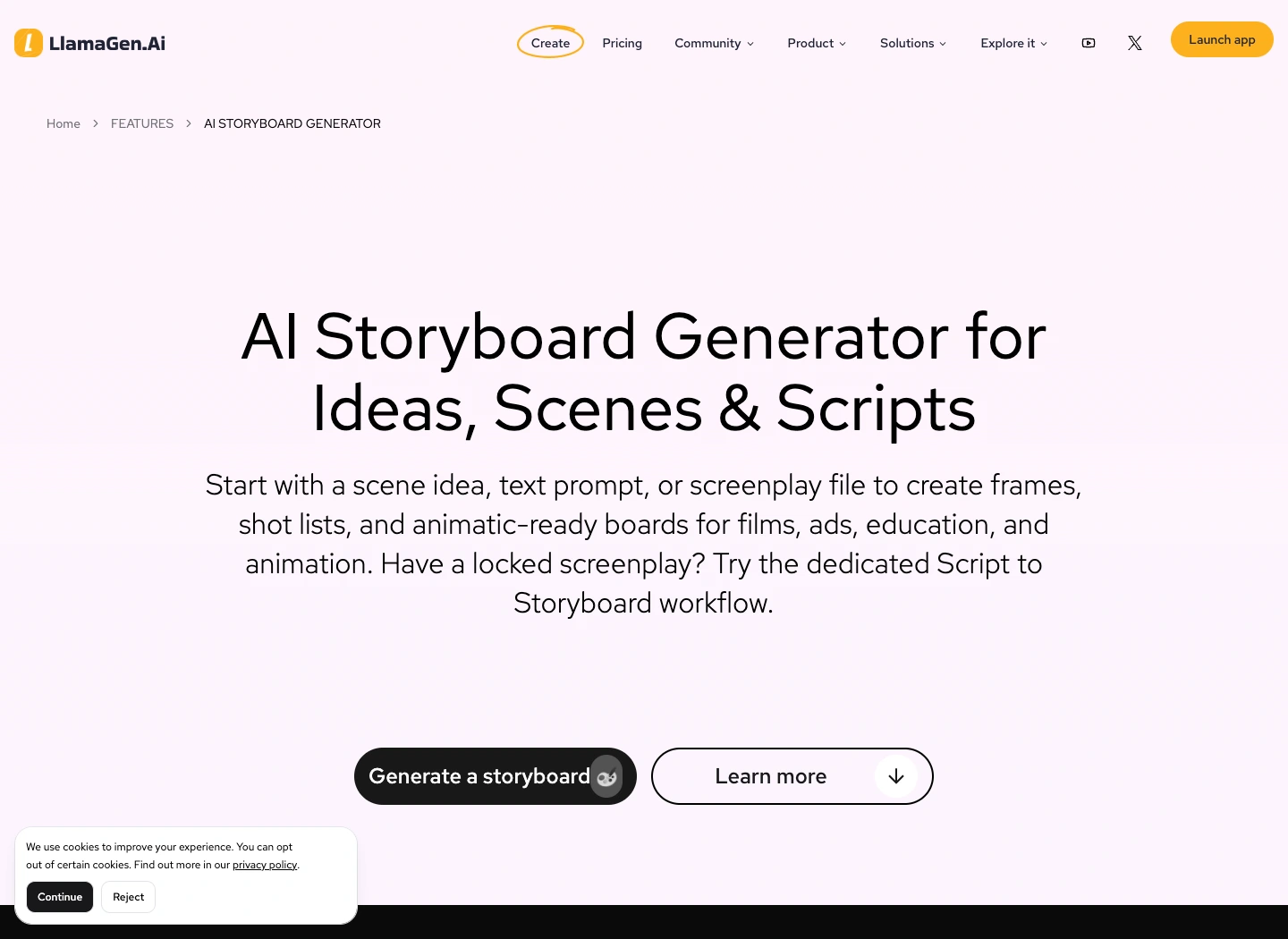
The public LlamaGen.AI storyboard feature page captured during preparation

Public product page captured November 2, 2026. The following production illustrations are conceptual examples, not screenshots of a completed video job.

Step 1: Freeze a reviewable sequence

Read the storyboard in order before preparing individual video requests. Check what the viewer knows at each point, where the scene changes, and whether each reaction has enough context.

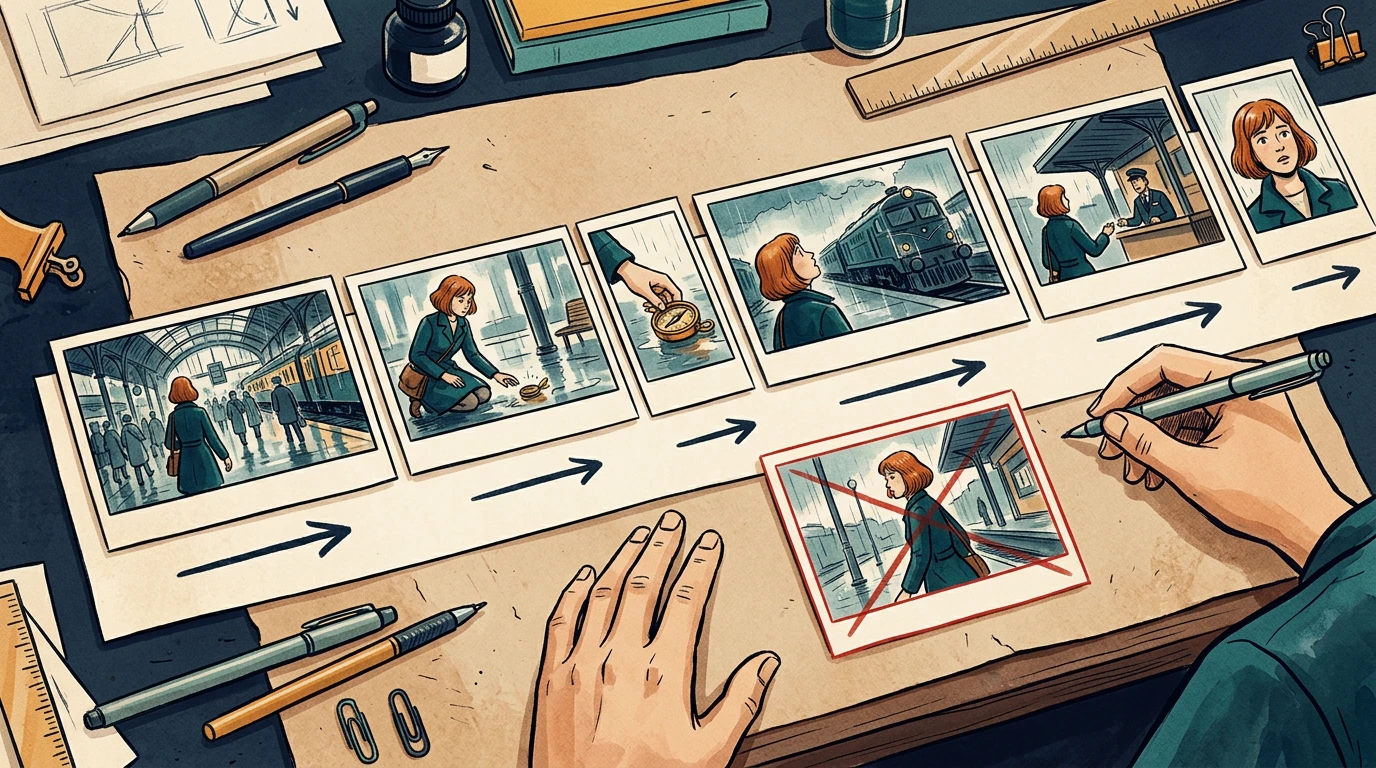
The running example is a 24-second station sequence. Mira enters, sees a compass, picks it up, notices a train, approaches an attendant, and reacts to a new clue. Her copper bob, teal coat, and brass compass remain consistent throughout.

Assign stable shot IDs such as ST01-S010. Keep those IDs when inserting or revising shots. Do not rename every later shot just because one image was added.

Step 2: Specify the timebase and duration

Confirm the delivery aspect ratio, frame dimensions, and frame rate with the editor before production starts. The example below uses 24 fps and six shots totaling 24 seconds. It is a planning example, not a claim about any model's supported clip length.

Registro de cambios

Encendé sueños para los más chicos
Donde millones de historias cobran vida

Un resumen de los últimos lanzamientos de funciones de LlamaGen, mejoras del producto, actualizaciones de diseño y correcciones importantes de errores.
✦
✧
✦
✧

Un nuevo medio para contar historias

Creá sin límites historias, cómics, animaciones, juegos y más, en segundos, que conectan con audiencias modernas

Storyboard-to-Video Handoff Checklist: Shots, Timing, Audio, and Continuity - LlamaGen.AI Blog
ShotStory beatSecondsFrames at 24 fps
S010Mira enters the station372
S020She notices the compass496
S030She picks it up372
S040A train catches her attention5120
S050She approaches the attendant496
S060She recognizes a clue5120
TotalComplete sequence24576

Use one explicit convention in the timing sheet. For example, start frames can be inclusive and end frames exclusive: S010 occupies frames 0 through 71, with an end boundary of 72.

Do not mix that convention with an editor's inclusive In/Out interpretation without converting the numbers first. Adobe's timecode documentation is a useful reference when aligning frame counts and display choices with the receiving editor.

A conceptual six-shot sequence with varied timeline widths and continuity directions

The card widths illustrate pacing. Use the timing sheet, not visual card width, as the numeric source of truth.

Step 3: Describe what moves and what stays fixed

Separate subject motion from camera motion. Phrases like "make it cinematic" leave too many decisions unresolved.

For each shot, write:

Shot: ST01-S030
Start: Mira crouches; compass rests on the wet floor.
Action: her right hand lifts the compass toward her face.
Camera: low medium shot, restrained push-in.
End: compass is held still at chest height.
Preserve: face, copper bob, teal coat, compass shape, station lighting.
Avoid: added people, extra hands, changing train direction.

A clear start and end state helps the next shot connect. If your selected video tool cannot deliver the requested camera behavior, simplify the shot or replace it with an editorial move instead of repeatedly regenerating without a clear diagnosis.

Step 4: Include references and audio decisions

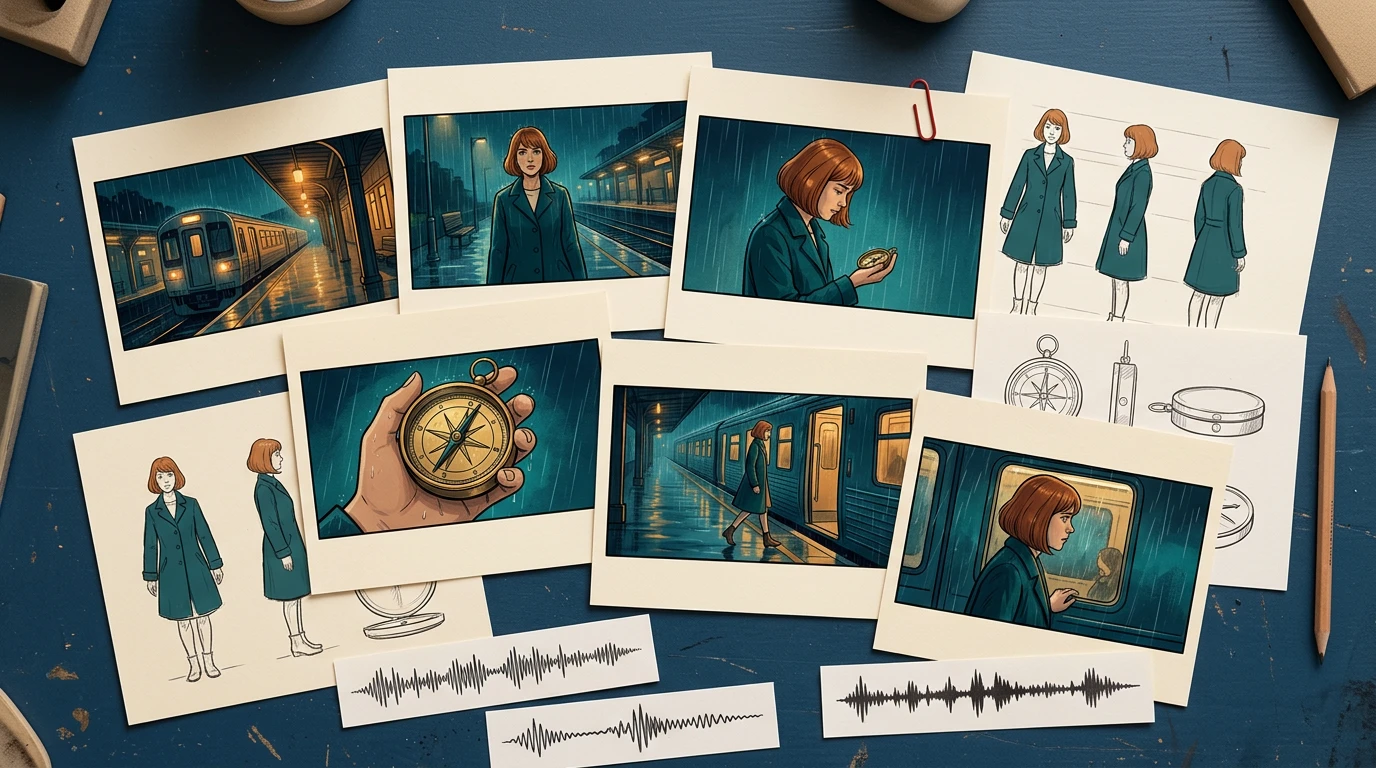
Provide the approved character reference, recurring prop reference, and location reference alongside the frames. Include only the versions the recipient should use.

For audio, distinguish final dialogue, temporary voice, sound effects, ambience, and music. Record cue positions and whether an audio file is approved for publication. Do not let a temporary track become the final soundtrack just because it was attached to the animatic.

A conceptual handoff kit with storyboard cards, character and prop references, and audio cue strips

The package should explain the scene even if the recipient has not watched earlier iterations.

Step 5: Check continuity at the cuts

Review the last useful frame of each shot beside the first useful frame of the next. Watch for changes in hand position, prop scale, screen direction, eyeline, lighting, and background geography.

In the local timing-sheet exercise, an intentionally missing S040 entry creates a 120-frame gap. The corrected sheet restores the six-shot sequence to 576 continuous frames. That validates the schedule structure; it does not validate motion quality or editorial pacing.

For visual continuity, run a separate review. A repaired timing row cannot fix a character suddenly holding the compass in the other hand.

Step 6: Send a package another person can open

A simple handoff structure is easier to inspect than a folder full of filenames containing "final."

station-sequence/
  brief-and-delivery-spec.txt
  shot-list.csv
  frames/
    ST01-S010-v03.png
    ST01-S020-v02.png
  references/
    mira-approved-v02.png
    compass-approved-v01.png
  audio/
  animatic-review-v04.mp4
  revision-log.csv

List every expected file in a manifest, including version and approval state. Use relative paths inside the package when practical. Open it from a clean folder or a second machine to catch missing references.

When exporting XML or another interchange format, test it in the receiving application before promising a seamless transfer. For a small production, a frame sequence plus CSV may be a more predictable fallback.

Step 7: Approve a short motion test before scaling

Choose one difficult representative shot: a face, a hand interacting with the compass, or a camera move across overlapping layers. Review that test before converting every frame into video.

Track preparation time, generation wait, review, revision, and assembly separately. Record the actual credits or cost reported by the selected tool. Static storyboard generation time does not predict a finished video's production budget.

Use a specific rejection reason: hand changed, compass melted, direction reversed, timing too short, or dialogue obscured. Repair the affected shot and recheck its cuts while keeping the other approved material available.

Final handoff checklist

  • Shot IDs and intended order are unambiguous.
  • Every shot points to an approved frame and reference version.
  • Duration, frame rate, aspect ratio, and frame-count convention agree.
  • Subject motion, camera motion, and start/end states are separate.
  • Screen direction, eyelines, hands, and props match across cuts.
  • Dialogue and audio cues are versioned and cleared for their intended use.
  • The animatic and manifest match the same revision.
  • Another person can open the package without missing assets.
  • Outstanding decisions have an owner and approval deadline.

Prepare your next sequence in Storyboard, then use this checklist before motion production. If the sequence still changes substantially during review, return to the storyboard-first workflow before committing more shots.

FAQ

Is an animatic the final video?

No. An animatic mainly tests sequence and timing. The final video may still require motion generation, editing, sound work, and additional quality review.

Should every storyboard frame become one video clip?

No. Match clips to the intended shots and your tool's capabilities. Several storyboard drawings can describe one shot, and one drawing may still need added start and end planning.

What should I do if a generated shot changes the character?

Compare it with the approved references, simplify conflicting motion instructions, and retest that shot. Then recheck its neighboring cuts before accepting the replacement.

Product workflow reviewed November 2, 2026. The timing exercise is a local planning check; this article does not claim that the illustrative sequence was generated as a finished video.

Related hot tags

Guion gráfico

Producción de video

Production Checklist

Herramientas populares de creadores

Convertí tu inspiración en tu próxima historia

Creá cómics, storyboards y fotos estilizadas con LlamaGen.

01

Generador de Cómics de IA

Convertí una idea en tiras cómicas terminadas en minutos.

Crear cómics
02

Generador de Manga de IA

Creá arte manga expresivo y relatos en múltiples paneles.

Creá manga con IA
03

Generador de Storyboard de IA

Visualizá cada escena antes de arrancar la producción.

Creá storyboards con IA
04

Convertí imagen en cómic

Transformá cualquier foto en una ilustración estilo cómic.

Creá cómics a partir de imágenes
05

Creador de Tiras de Cómics de IA

Armá tiras para compartir con personajes consistentes.

Creá tiras cómicas con IA

LlamaGen community

checkmark

Get hands-on help with your comics

checkmark

Showcase your comics to fellow LlamaGen creators

checkmark

Participate in special events to win gifts

Logo de LlamaGen
  • United States
  • Español
  • Français (France)
  • 日本語
  • 한국어
  • Deutsch
  • 繁體中文 (台灣)
  • 繁體中文 (香港)
  • 简体中文
  • Português
  • Italiano
  • Español (México)
  • العربية
  • Русский
  • Português (Brasil)
  • Tiếng Việt
  • Español (Argentina)

Liderando el futuro de la generación de cómics con IA

  • soporte 24/7
  • Actualizaciones semanales
  • Seguro y conforme
  • 99.9% de tiempo de actividad

Descargá LlamaGen gratis

iOSEscritorio

Consultale a la IA sobre LlamaGen

Producto

  • Últimos lanzamientos
  • Características
  • Creador de tiras cómicas
  • Comic StoresNuevo
  • Estudio de mangaNuevo
  • Convertí Imagen en Cómic
  • Cómic a Video
  • Fábrica de Cómics de IA
  • Agente de cómic
  • iOS y Android
  • Mac y Windows
  • Descargar
  • Comic ZapNuevo
  • Generador de Cómics de IA
  • Generador de Dibujos Animados de IA
  • Generador de Webtoon de IA
  • Creador de Tiras Cómicas
  • Convertí Imagen en Cómic
  • Generador de Manga de IA
  • Traductor de Manga
  • Foto a anime
  • Anime a vida real
  • Coloreador de manga
  • Generador de personajes de anime
  • Herramientas para assets de juegos pixelados
  • Generador de hojas de sprites con IA
  • Mejores herramientas para juegos pixelados 2026
  • Creador de historietas con fotos
  • Alternativa a Comic Life

Productos relacionados

  • Familia LlamaGen
  • CineoBoardNuevo
  • API de cómics

Planes

  • Precios
  • Inicial
  • Pro

Comunidad

  • Creadores
  • Afiliados
  • Socio

AI Models

  • Grok Imagine Image 2.0
  • Wan 3.0
  • Wan 3.0 Prime
  • Seedance 2.5
LinkedInX (Twitter)
  • Inicio
  • Artículos
  • Blog
  • Crear
  • Precios
  • API
  • Affiliate ProgramNEW
  • Comic Zap
  • Velika
  • Empresa
  • Educación
  • API de cómics
  • Contactar con Ventas
  • Planes educativos
  • Profesores
  • Estudiantes
  • Profesores y estudiantes
  • Empresas emergentes
  • Descuentos educativos
  • Empresa

    • Hablá con nuestro fundador
    • Acerca de
    • Hoja de Ruta del Producto
    • Carreras
    • Envíanos un correo electrónico
    • El mundo de nuestra mascota
    • Kit de medios
    • Alianzas con KOL
    • Contenido

    Ayuda

    • Centro de Ayuda
    • Confianza
    • IA segura
    • Servicios profesionales
    • Preguntas Frecuentes
    • Seguridad
    • Accesibilidad
    • Tutorial en video
    • Contáctanos
    • Mapa del sitio
    Testimonios
  • Muro del Amor
  • LlamaGen MCPNuevo
  • Desarrollador de LlamaGen
  • Recursos

    • Registro de cambios
    • Blog
    • Guías
    • Cómics personalizados
    • Características
    • Alternativas
    • Mejores apps de IA
    • Guía de coloreo de manga con GPT-6
    • Herramienta de cómics para Claude
    • Guía de cómics con IA de Gemini
    • Cómic That
    • Descuentos educativos
    • Descuento para estudiantes

    Herramientas

    • Generador de logos con IA
    • Generador de personajes estilo Grokbot
    • Convertir PNG a cómic
    • Texto a cómic
    • Convertir PDF a cómic
    • Convertir guion a cómic
    • Libro a cómic
    • Convertí Imagen en Cómic
    • Generador de Pixel Art con IA
    • Cómics educativos
    • Generador de Video AI
    • Generador de videos con Gemini AI
    • Generador Gratuito de Videos Anónimos con IA
    • Cómic a Video
    • Software para crear storyboards
    • Generador de Storyboard de IA
    • Software para escribir guiones
    • Editor de guiones
    • IA de historias
    • Generador de Historias de IA
    • Generador de libros ilustrados
    • Generador de Imagen de IA
    • Divisor de capas con IA
    • Control de ángulo de cámara con IA
    • Generador de Pixel Art con IA
    • Herramientas para assets de juegos pixelados
    • Generador de hojas de sprites con IA
    • Cortador de hojas de sprites
    • Mejores herramientas para juegos pixelados 2026
    • API de animación
    • Plugin ChatGPT/Codex
    • Guía de instalación de ChatGPT
    • Plugin Claude Code
    • Guía de instalación de Claude Code
  • MiniMax H3
  • Nano Banana 2.1
  • Nano Banana 2 Lite
  • Seedream 5.0 Flash
  • Seedream 5.0 Pro
  • Seedance 2.0 Mini
  • Kling 3.0 Turbo
  • Nano Banana 2
  • Imagen GPT 2
  • Gemini Omni Flash
  • All AI Models
  • Herramientas AI

    • Extractor de Outfits con IA
    • Cambiador de Peinados con IA
    • Cambiador de Peinado de Manga con IA
    • Generador de Efecto de Viento con IA
    • Generador de Mapas de Profundidad con IA
    • Fondo Blanco con IA
    • Removedor de Objetos con IA
    • Probador Virtual de Ropa con IA
    • Desenfocar imágenes con IA
    • Eliminación de ruido con IA
    • Restauración de fotos con IA
    • Sombras de producto con IA
    • Generador de fondos con IA
    • Generador de fotos tipo CV con IA
    • Creador de emojis con IA
    • Cambiador de fondos con IA
    • Abrir ojos con IA
    • Belleza con IA
    • Fotografía de producto con IA
    Instagram
    YouTube
    Grupo de Facebook
    Reddit
    Discord
    Soporte por correo electrónico
    PrivacidadTérminosMapa del sitio
    Descargar activos de marca
    © 2026 LlamaGen.Ai Todos los derechos reservadosTodos los servicios están en línea

    Blogs anteriores

    Storyboard-to-Video Handoff Checklist: Shots, Timing, Audio, and Continuity

    Storyboard-to-Video Handoff Checklist: Shots, Timing, Audio, and Continuity

    Turn approved storyboard frames into a clear video handoff with stable shot IDs, timing, motion note

    Jay
    Jay
    1 de noviembre de 2026
    How to Localize a Comic Without Redrawing the Artwork

    How to Localize a Comic Without Redrawing the Artwork

    Preserve approved comic art while translating dialogue, rebuilding editable lettering, checking read

    Jay
    Jay
    31 de octubre de 2026
    Batch Comic Production Workflow: Draft, Approve, Repair, and Export 40 Pages

    Batch Comic Production Workflow: Draft, Approve, Repair, and Export 40 Pages

    Plan a 40-page AI comic with a pilot, reviewable batches, a page ledger, selective repairs, and expo

    Jay
    Jay
    30 de octubre de 2026
    From a Flat AI Image to an Editable Comic Page

    From a Flat AI Image to an Editable Comic Page

    Turn a finished comic image into an editable comic page by reviewing an asset sheet, extracting tran

    Jay
    Jay
    28 de octubre de 2026
    Ver todos los blogs



