

Motion design toolkit

The useful AI tool stack for motion designers

An attractive demo does not tell you whether a tool will fit a client workflow. Evaluate what you can bring in, what you can control, what you can export and how many paid iterations it takes to approve a shot. The strongest setup often combines planning, generation and a separate timeline editor.

For motion designers turning art direction, illustration or storyboards into short branded scenes, animatics and pitch frames.

Original case · 2026-11-13 · The Observatory Note

Inspect the handoff from source art to footage

The pencil study and two-model color comparison use the same original scene. Source images, prompts, downloadable footage and review checkpoints make the handoff inspectable; no all-purpose tool ranking is implied.

Generated directly through Google Vertex AI. These are Veo examples; the creation tool uses Seedance 2.5 with different duration and resolution. This case does not verify LlamaGen account credits, billing or mobile-browser behavior.

sketch fast

veo-3.1-fast-generate-001 · 8s · 1920 × 1080 · 24 fps · Silent MP4 · 11.4 MB
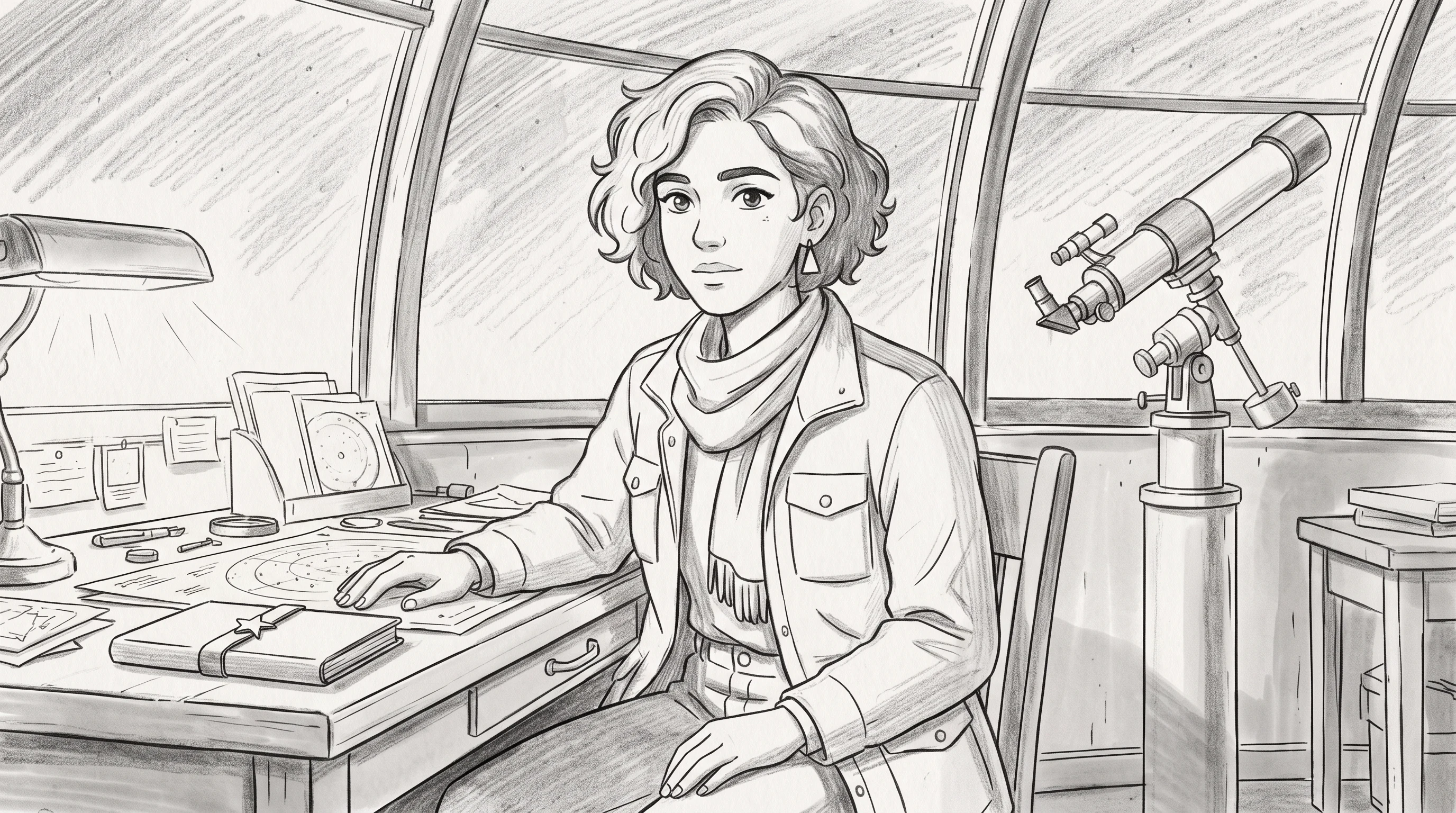
Original pencil storyboard for sketch fast
Source frame · AI-generated original artwork · 2K
Open the exact input PNG
Actual Vertex output · No autoplay · Silent audio track setting
Open MP4 to play or save

Frame review: The sampled frames retain the graphite treatment, outfit and telescope. A head turn is visible at the midpoint. Pencil contours are redrawn rather than held pixel-for-pixel.
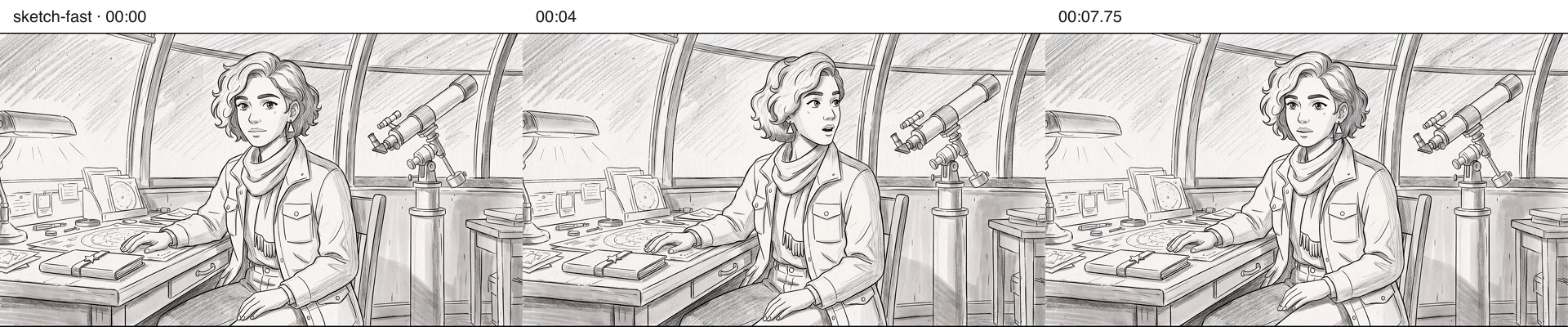
sketch fast at zero, four and 7.75 seconds
Actual decoded frames at 00:00, 00:04 and 00:07.75. Open at full size to inspect; three checkpoints cannot prove perfect continuity throughout a clip.
Read the exact motion prompt and provenance

Animate the supplied graphite storyboard as the exact first frame. One continuous eight-second shot: the adult woman gently turns her head toward the telescope and blinks once. Both hands remain in their original positions, one on the table and one in her lap; the closed notebook remains stationary on the table. Keep white paper, black pencil contours and gray shading throughout, no colorization, no photorealistic transition, no added people or text. Locked camera, no cuts, no speech or music.

Generated 2026-11-13T08:49:41.596Z. Exact input PNG SHA-256: da7805d67ce9a2e16edb50a5a9880fed24c842615bbf3586afa7156320eb6253. One request for this listed take; the two-character retake is separately labeled. Invoice cost is unavailable from the generation response, so no exact spend or cost-per-approved-shot is claimed.
continuity fast

veo-3.1-fast-generate-001 · 8s · 1920 × 1080 · 24 fps · Silent MP4 · 14.5 MB

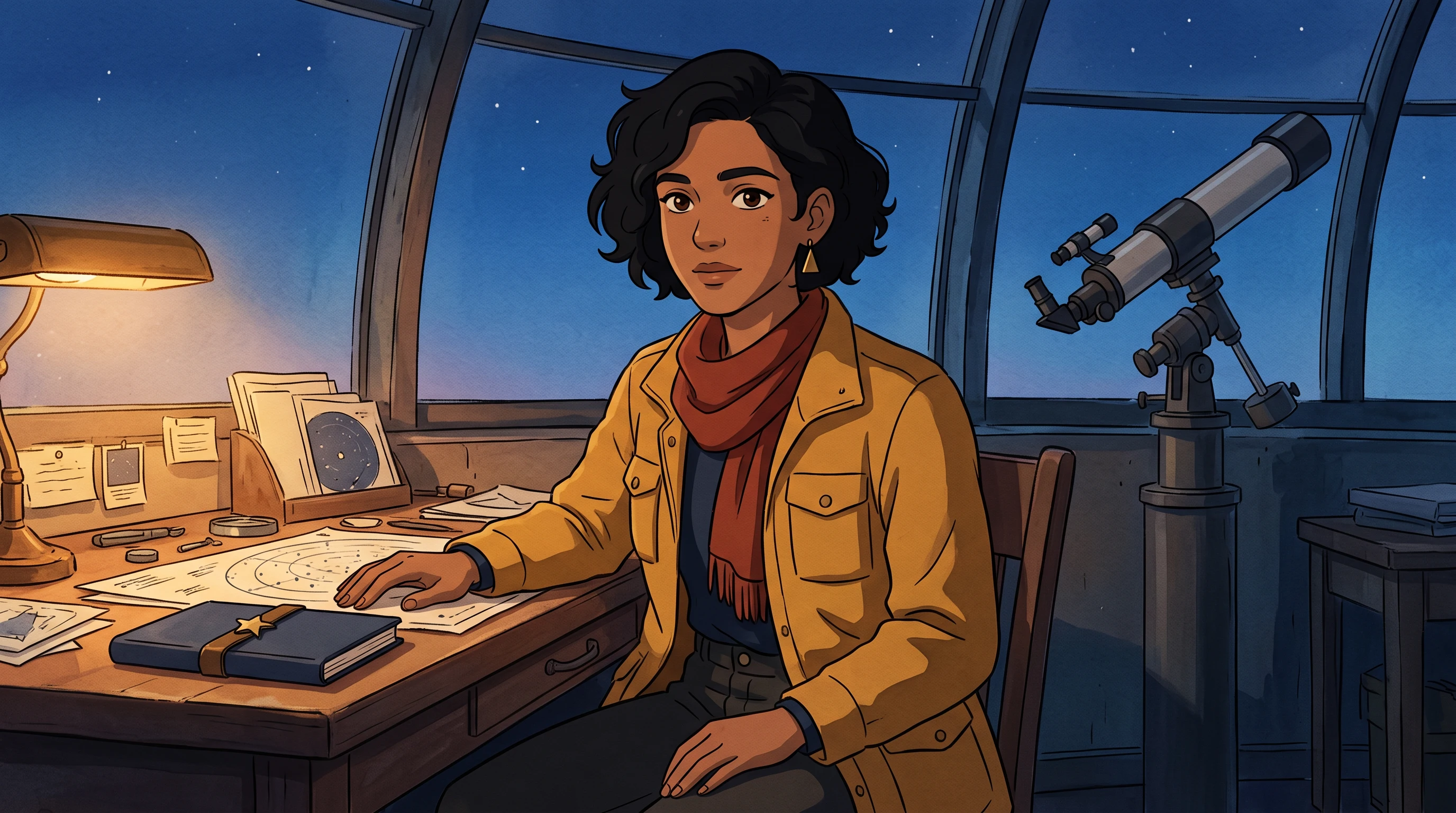
Original color reference for continuity fast
Source frame · AI-generated original artwork · 2K
Open the exact input PNG
Actual Vertex output · No autoplay · Silent audio track setting
Open MP4 to play or save

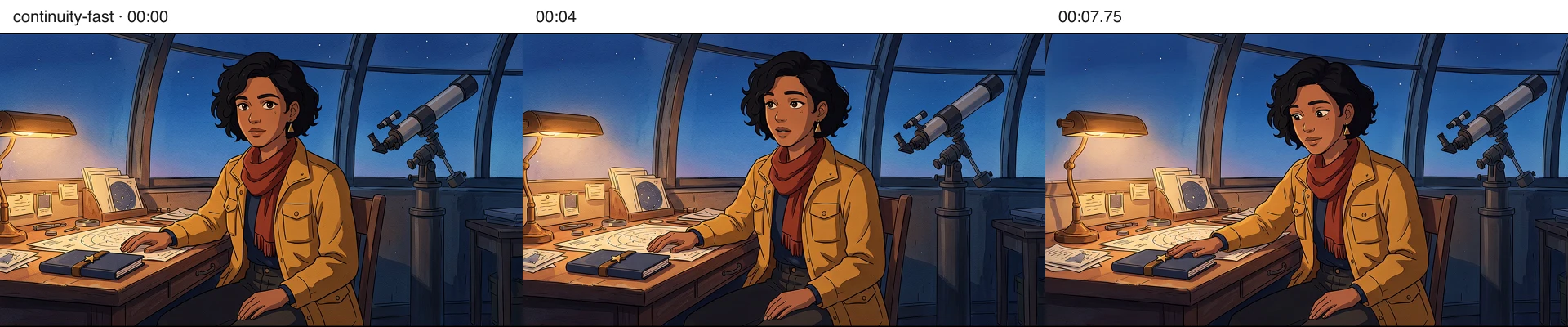
Frame review: The character palette and notebook remain recognizable. The hand moves toward the notebook near the end despite the stationary-hand instruction; the requested telescope look is not clear in the three checkpoints. Retake for that strict brief.

continuity fast at zero, four and 7.75 seconds
Actual decoded frames at 00:00, 00:04 and 00:07.75. Open at full size to inspect; three checkpoints cannot prove perfect continuity throughout a clip.
Read the exact motion prompt and provenance

One continuous eight-second hand-painted anime shot. The adult woman slowly turns her head toward the telescope, blinks once, then returns her gaze to the closed notebook. Both hands remain in their starting positions, one on the table and one in her lap; the notebook stays still on the table. Locked camera, no cut. Preserve the exact face, short curly bob, triangular earring, mustard jacket, red scarf and navy shirt from the first frame; maintain watercolor and ink style. No additional people, text or new props. No speech or music.

Generated 2026-11-13T08:49:46.057Z. Exact input PNG SHA-256: 095d0384b8186dd38bc65346bfd7f41f50ac6ca900442075d5d8197c5c1a7960. One request for this listed take; the two-character retake is separately labeled. Invoice cost is unavailable from the generation response, so no exact spend or cost-per-approved-shot is claimed.
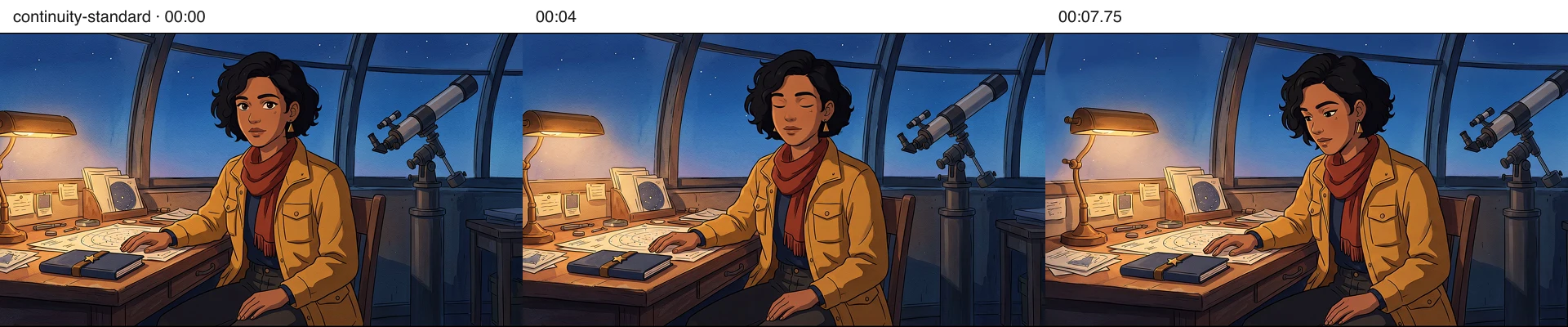
continuity standard

veo-3.1-generate-001 · 8s · 1920 × 1080 · 24 fps · Silent MP4 · 16.8 MB

Original color reference for continuity standard
Source frame · AI-generated original artwork · 2K
Open the exact input PNG
Actual Vertex output · No autoplay · Silent audio track setting
Open MP4 to play or save

Frame review: The sampled frames retain the outfit and face anchors, with a blink and downward gaze. The requested telescope look is not fully delivered and framing shifts. This is a draft, not an approved locked-camera result.

continuity standard at zero, four and 7.75 seconds
Actual decoded frames at 00:00, 00:04 and 00:07.75. Open at full size to inspect; three checkpoints cannot prove perfect continuity throughout a clip.
Read the exact motion prompt and provenance

One continuous eight-second hand-painted anime shot. The adult woman slowly turns her head toward the telescope, blinks once, then returns her gaze to the closed notebook. Both hands remain in their starting positions, one on the table and one in her lap; the notebook stays still on the table. Locked camera, no cut. Preserve the exact face, short curly bob, triangular earring, mustard jacket, red scarf and navy shirt from the first frame; maintain watercolor and ink style. No additional people, text or new props. No speech or music.

Generated 2026-11-13T08:49:50.269Z. Exact input PNG SHA-256: 095d0384b8186dd38bc65346bfd7f41f50ac6ca900442075d5d8197c5c1a7960. One request for this listed take; the two-character retake is separately labeled. Invoice cost is unavailable from the generation response, so no exact spend or cost-per-approved-shot is claimed.
One original scene and cast, with explicit failures and a revised request. No private user photos, competitor footage or customer results were used. Videos were fully decoded and checkpoint images inspected locally; browser interaction review is separate.

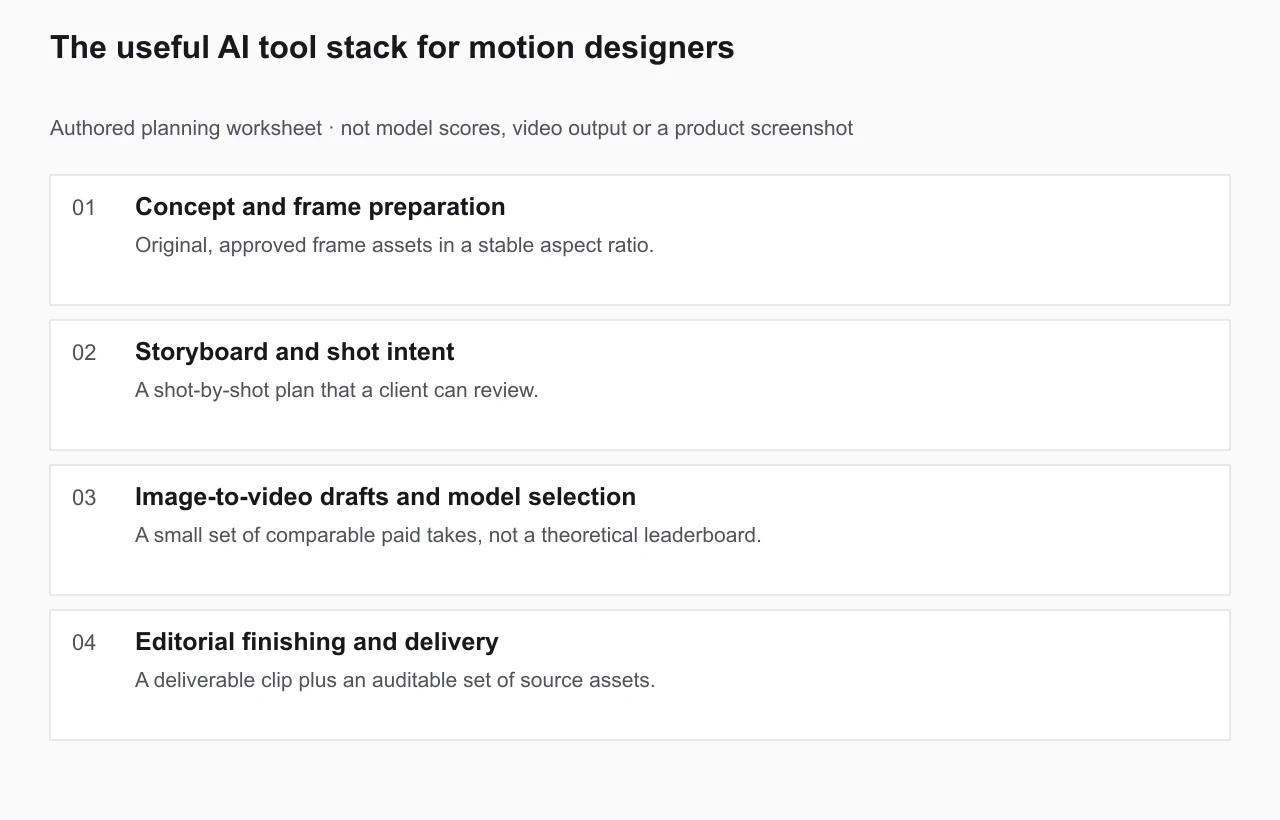
The useful AI tool stack for motion designers: authored workflow with a concrete deliverable at each stage
Original planning worksheet. This diagram illustrates the guide's method; it is not a generated video, measured model ranking or independently verified benchmark. Use the editable brief below to record your own outputs and failed takes.
Open the full-size worksheet ↗

The working process

  1. Step 1 of 4

    Concept and frame preparation

    Use your preferred image editor or LlamaGen's existing image generator to establish style, palette, and clean first frames. Approve brand assets and rights before animation.

    You should have: Original, approved frame assets in a stable aspect ratio.

  2. Step 2 of 4

    Storyboard and shot intent

    Draft a shot list with framing, camera action, expected duration and continuity notes. LlamaGen's storyboard workspace supports organizing the visual plan.

    You should have: A shot-by-shot plan that a client can review.

  3. Step 3 of 4

    Image-to-video drafts and model selection

    Try supported image-to-video models such as Seedance 2.5, Wan or Kling where available to the current account. Compare motion fidelity, reference retention, turnaround time and the actual credit quote shown by the generator.

    You should have: A small set of comparable paid takes, not a theoretical leaderboard.

  4. Step 4 of 4

    Editorial finishing and delivery

    Choose accepted takes, then finish timing, typography, compositing, sound and final export in a timeline editor suited to the project. Keep source frames and approved versions linked to the project.

    You should have: A deliverable clip plus an auditable set of source assets.

Copy a motion-design tool evaluation sheet

This is an authored starting template, not an automatically generated result. Replace the square-bracket fields with your own story, characters and assets before running a paid AI generation.

CLIENT / PROJECT: [Name] | ASPECT: [16:9 / 9:16 / square]
SHOT GOAL: [What must visibly move?]
INPUTS: [Illustration / storyboard / original image / brand assets]
FIRST FRAME: [Approved reference source]
MODEL OR TOOL: [Name + current version] | PLAN: [Tier] | CREDITS: [Quote]
CONTROL TEST: Subject motion __ / Camera motion __ / Identity __ / Prompt response __
DELIVERY TEST: Download __ / Aspect ratio __ / Editability __ / Audio __
RETRIES / APPROVED TAKE: __
NEXT STAGE: [Timeline edit, compositing, lettering, sound, client review]
FINAL CHOICE: Select by task fit and verified output, not by marketing claims.

Review before spending more credits

  • Compare tools against a real brief and approved first frame.
  • Separate generated footage from final editing, typography and sound.
  • Confirm current plan restrictions and per-generation credit quotes.

Frequently asked questions

Does one AI tool replace a motion-design pipeline?

Not usually. Image generation, storyboarding, video drafts and final compositing solve different problems and may require different tools.

How should I compare AI video models fairly?

Use one consistent source frame and short motion brief, record output quality and credits, then evaluate the result at the intended delivery size.

Can LlamaGen finish typography, compositing and audio for every project?

This guide does not claim a complete professional timeline or compositing suite. Use LlamaGen for the supported planning and generation stages, then finish the final edit with an appropriate editor.

Production note: AI video results vary by model, starting frame, motion and prompt. Generating each take may require a paid plan and credits. Reuse only characters, art and audio you have the right to use.