

Comic-making fundamentals
Manga storyboard workflow: turn a scene into readable pages
A manga storyboard, often called a name, is the rough page plan where story beats, panel order, camera distance, dialogue space, and page turns are tested before finished art.
Published by LlamaGen Editorial TeamUpdated
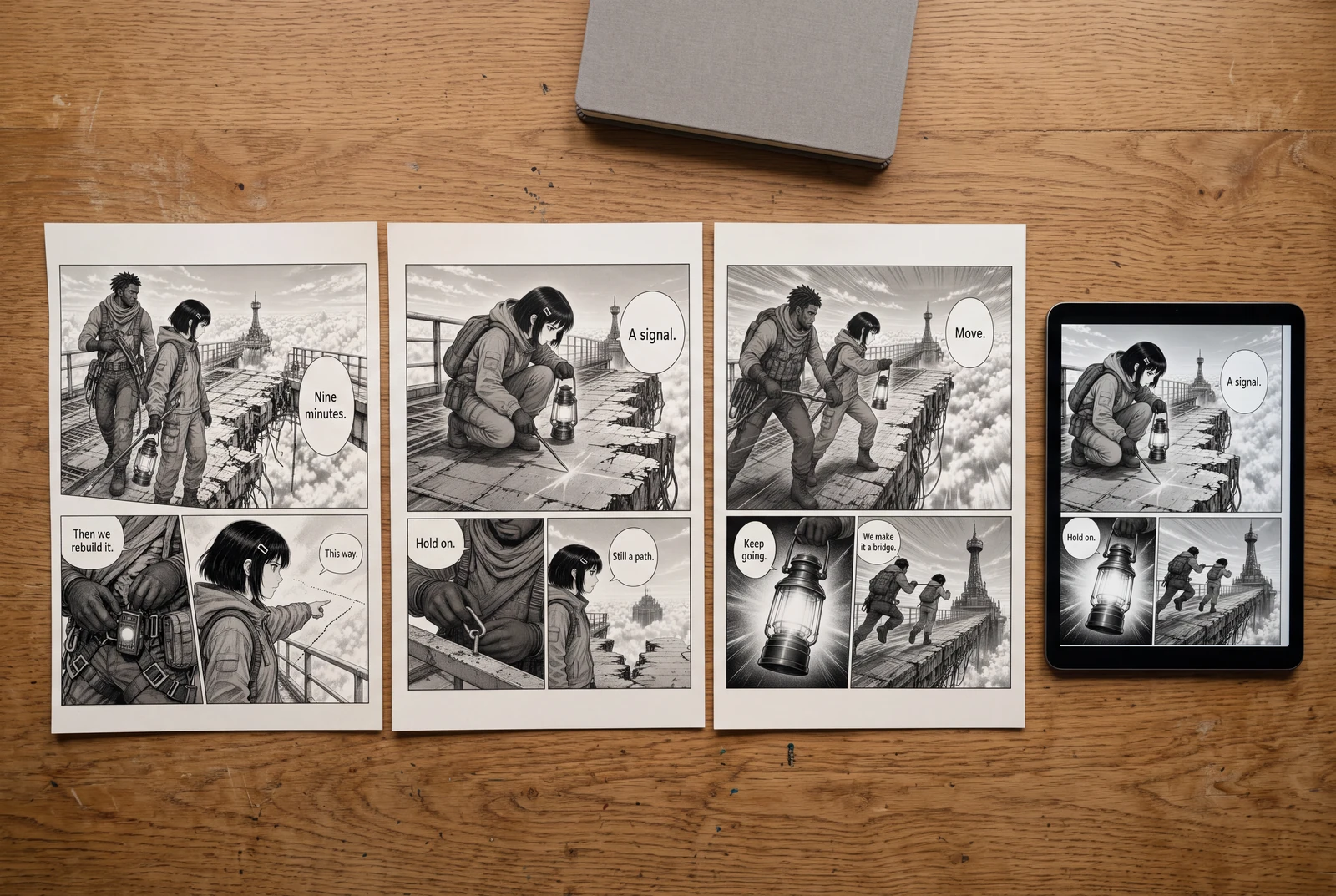
Quick answer
Write one sentence for the scene's change, list only the visible beats needed to show it, thumbnail those beats at page size, then review reading order, dialogue space, continuity, and the page-turn reveal before drawing or generating finished panels.
These references explain the underlying craft. The original exercises below are LlamaGen examples; the authors do not endorse LlamaGen.
A disconnected image list
A dramatic location with no next action
A portrait without a new beat
A clue with no observer
A causal storyboard sequence
Establish the couriers and destination
Connect the lantern to the clue
Show the stop and rope decision
Original instructional illustration with fictional characters; not a customer comic or a product screenshot.
Plan the scene before polishing panels
A storyboard is useful because decisions remain cheap to change. Keep the drawings rough enough that you can move, merge, or remove panels without protecting finished art.
- State the scene change
- Write what is different at the end: a character learns the bridge is unsafe, chooses to cross, or loses sight of a companion. This gives every panel a reason to exist.
- List observable beats
- Convert explanation into things the reader can see: a cracked cable, a boot stopping at the edge, a lantern moving in the fog. Keep internal information in dialogue or captions only when the image cannot carry it.
- Thumbnail at page scale
- Draw the full spread or page as small boxes. Compare the relative area of setup, reaction, and payoff before choosing detailed camera angles.
- Reserve lettering space
- Place rough balloons while the page is still flexible. Leave room near the intended reading path and check that translated text can expand without covering a face or clue.
Review sequence, continuity, and the page turn
A strong individual panel cannot repair a confusing sequence. Read the thumbnail as a page, then as part of the surrounding pages.
- Keep the reader oriented
- Reuse a landmark, screen direction, or establishing view when the camera moves. If characters swap sides without a clear reason, redraw the transition before rendering.
- Vary shot distance with purpose
- Use a wider view to establish the bridge, a medium view for interaction, and a close view for the decisive clue or reaction. Variation alone is not a story beat.
- Place the reveal deliberately
- When the format supports a page turn, keep the answer off the preceding page. In a scrolling format, test where the reveal enters a phone viewport instead of assuming a fixed pause.
- Cut repeated information
- If two thumbnails communicate the same action and emotion, merge them or give the second panel a new consequence. Keep repetition only when the held moment is intentional.
Worked example: crossing the broken sky bridge
Two couriers must reach a tower before a storm closes in. One courier sees that the bridge cable has snapped; the other is already stepping forward.
Panel 1
Establish the tower, the gap, and both couriers at the bridge entrance. Keep the destination and broken span visible in one wider image.
Panel 2
Move closer: one courier raises a lantern while the other notices a frayed cable. Reserve clear space above them for one short exchange.
Panel 3
Use a close view of the snapped cable and the leading boot stopping at the edge. This is the decision point, not decorative detail.
Panel 4
End with the second courier securing a rope while the storm hides part of the tower. The action answers the danger and sets up the next page.
The storyboard moves from geography to interaction, clue, and decision. If the cable appears only in the close view, the wider panels still need enough bridge structure that the detail feels connected to the same place.
Comic pages in everyday use
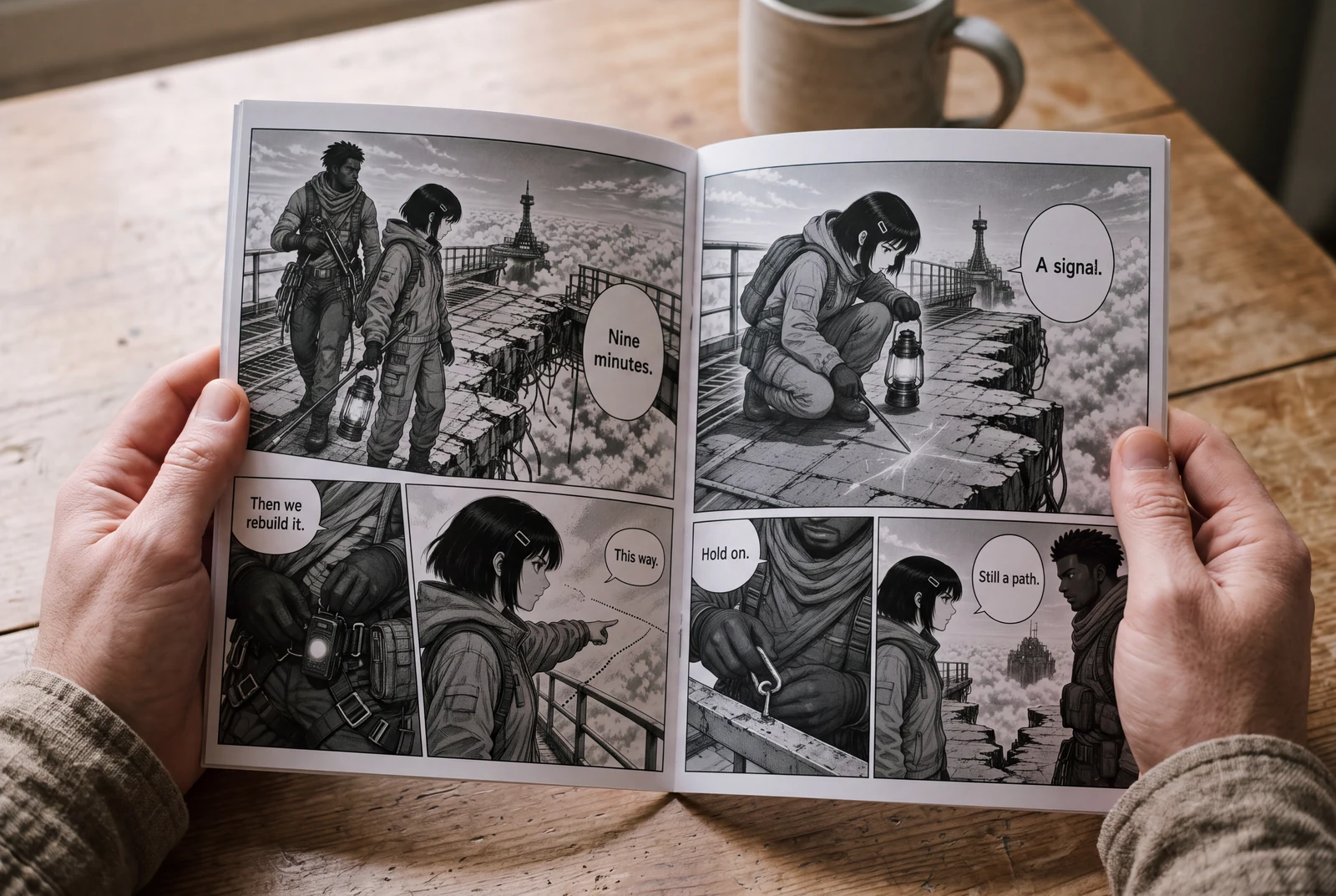
Compare an image list with a causal storyboard
Keep the same couriers, bridge, lantern, snapped cable, and decision. Change only how the information is ordered.
A disconnected image list
- A dramatic wide view of the tower and bridge.
- A close portrait of the first courier.
- A close view of a broken cable without showing who notices it.
A causal storyboard sequence
- Establish both couriers, the bridge entrance, and the tower destination.
- Show the first courier raise the lantern as the second courier notices the cable.
- Show the cable and a boot stopping at the edge, then the rope decision.
How to compare
- Draw both versions as small boxes without shading or finished faces.
- Write the new story information below each box. If a panel adds none, revise or remove it.
- Trace the reading path through panels and rough balloons in the intended left-to-right or right-to-left direction.
- Show the thumbnails to someone without the script and ask where the characters are, what they noticed, and what they chose. Record confusion instead of explaining the page.
What to look for
The revised version should make the danger and response inferable from the sequence. It may still need another establishing image if the tower, gap, or character positions remain unclear.
What this exercise cannot prove
This original exercise is an editorial check, not a measured usability study or a promise that one panel count fits every manga genre.
Before you publish: review the page
- Can you describe the scene's change in one sentence?
- Does every panel add a visible action, reaction, clue, or change of context?
- Are the intended reading order and speaking order clear at thumbnail size?
- Do landmarks and screen direction keep the characters in one understandable space?
- Have you tested the page turn or mobile viewport where the reveal appears?
Frequently asked questions
How detailed should a manga storyboard be?
Detailed enough to test composition, reading order, dialogue space, and continuity, but rough enough to revise quickly. Finished rendering is not the goal.
Is a manga storyboard the same as a script?
No. A script records story, action, and dialogue; the storyboard assigns those beats to panels and pages so you can inspect the visual sequence.
Can I use AI-generated panels in a storyboard?
You can use generated images as temporary visual material, but still review framing, continuity, lettering space, and character details yourself. A generated image does not validate the sequence.
Sources and further reading
- Clip Studio Paint — From Plot to Storyboard: Creating an 8-page Shojo Manga ↗
A creator walkthrough showing how plot decisions become an eight-page storyboard before line art. It provides process context; our bridge exercise is original.
- Clip Studio Paint Manual — Page Manager ↗
Official documentation for viewing, rearranging, and managing multi-page work. Useful when reviewing a storyboard as a sequence rather than isolated canvases.
Take the next step in your comic workflow
Plan a visible story beat, try the relevant tool, and review the result yourself. These guides do not promise to automatically analyze or repair your comic.