

Comic-making fundamentals
Online manga maker workflow: finish one page before scaling up
An online manga maker is most useful when it supports a repeatable workflow: define a short scene, prepare references, draft panels, arrange the page, add editable dialogue, review at reading size, and save a version before continuing.
Published by LlamaGen Editorial TeamUpdated

Quick answer
Start with one page and one visible story change. Keep the script, character reference, page draft, and exact dialogue separate; assemble them in the studio; then check reading order, continuity, crop, and export before beginning a full chapter.
These references explain the underlying craft. The original exercises below are LlamaGen examples; the authors do not endorse LlamaGen.
Disconnected one-click attempts
Unrelated character images
Dialogue baked into art
Chapter started without a proof
Repeatable page workflow
Prepare brief and references
Arrange editable page elements
Save and review the export
Original instructional illustration with fictional characters; not a customer comic or a product screenshot.
Use one source of truth for each kind of information
Separating story, visual identity, page layout, and lettering makes mistakes easier to find and correct.
- Keep a short scene brief
- Record the page goal, location, cast, action, and ending change in plain language.
- Prepare visual references
- Use original character and location references you have permission to use. Note fixed details before generating panels.
- Build the page from rough to exact
- Choose panel proportions and reading direction before spending time on detailed art.
- Keep dialogue editable
- Store exact lines with speaker and panel number so spelling, translation, and balloon order can be revised independently.
Create a review loop instead of a one-click expectation
The first draft is production material. The creator remains responsible for selection, rights, correction, and final delivery.
- Review the page silently
- Follow the images without dialogue. The main action and next panel should still be understandable.
- Review dialogue separately
- Read only the balloons and captions to catch speaker order, repetition, spelling, and awkward line breaks.
- Save before major changes
- Keep a version before replacing panels, changing the page structure, or rewriting dialogue.
- Export a proof
- Check the flattened result on the device or page size your audience will use; do not assume the editing canvas matches delivery.
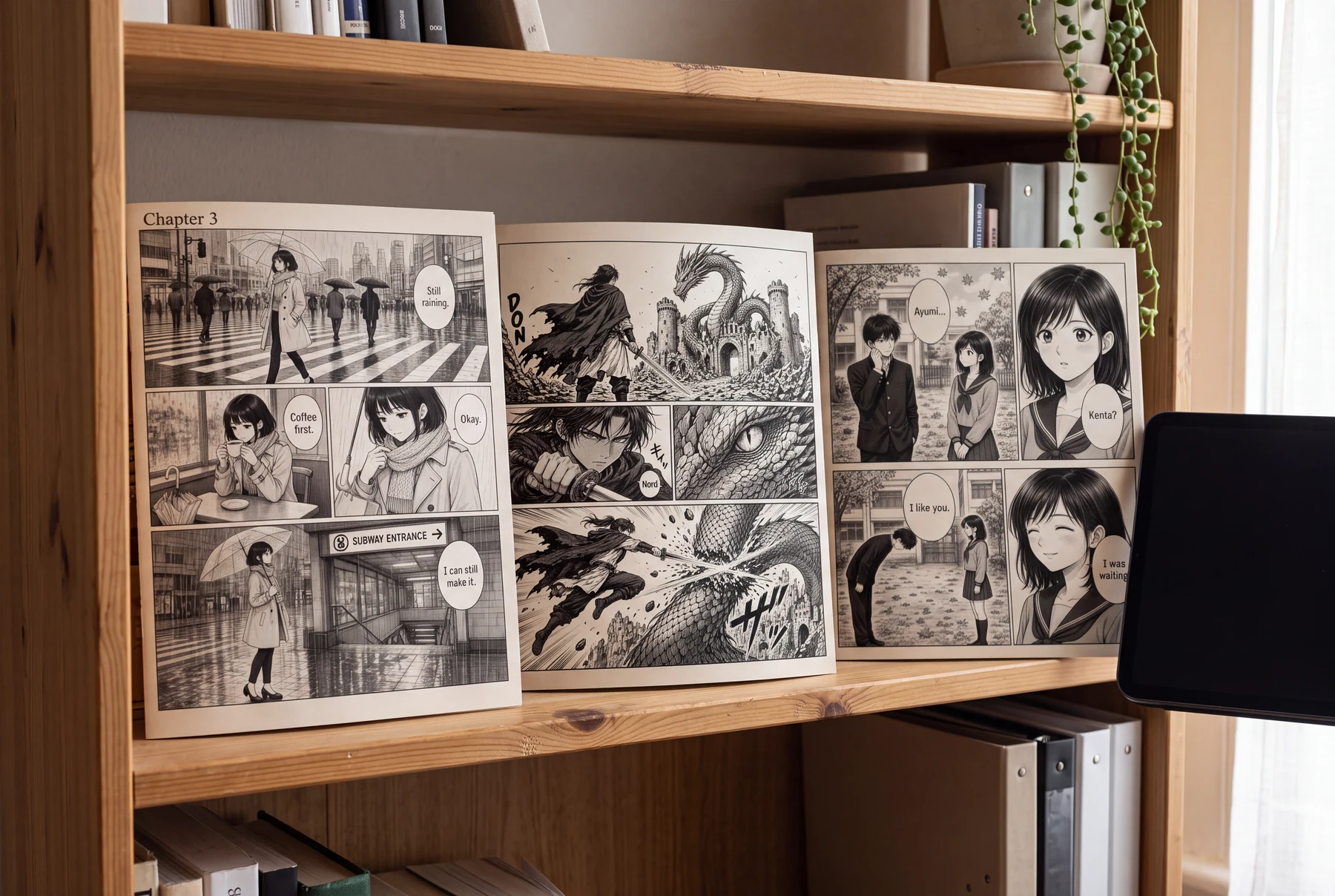
Worked example: an after-school confession page
Two students meet in a quiet courtyard. One speaks, the other reacts, and the relationship changes.
Panel 1
Wide panel establishes both students and the school courtyard.
Panel 2
Close reaction reserves space for a short response.
Panel 3
Medium panel shows the confession and body language.
Panel 4
Final close view resolves the scene with an expression, not extra exposition.
A small page is enough to test the full workflow from scene brief to proof without committing to a long chapter.
Comic pages in everyday use
Finish one page from source to proof
Use a two-character scene with one location and one emotional change.
Disconnected one-click attempts
- Generate several unrelated character images.
- Add dialogue directly into the images.
- Begin a long chapter before testing export.
Repeatable page workflow
- Write one scene brief and prepare stable references.
- Arrange rough panels and keep dialogue editable.
- Save a version and inspect one complete proof.
How to compare
- Write the page change in one sentence.
- Prepare the cast and location references.
- Build a rough page and reserve balloon space.
- Add exact dialogue, save a version, and export a proof.
What to look for
Completing one page should reveal the real cost of corrections before the workflow is repeated.
What this exercise cannot prove
This workflow does not guarantee publication quality, platform acceptance, commercial rights, or consistent model output.
Before you publish: review the page
- The scene has one visible change.
- References are original or licensed for use.
- Panel and balloon order are clear.
- A version exists before destructive changes.
- The final proof is checked at delivery size.
Frequently asked questions
Can a beginner make manga online without drawing?
A maker can help draft and arrange material, but the creator still needs to plan the story, select results, correct errors, handle rights, and proof the final page.
Should I start with a chapter or one page?
Start with one complete page. It exposes problems in references, layout, lettering, continuity, and export before they repeat across a chapter.
What should I save during the workflow?
Keep the scene brief, references, editable project, dialogue source, selected images, major versions, and final export together.
Sources and further reading
- MediBang Paletta — Creating Comics ↗
Official guidance covers manuscript settings, print canvas sizes, panel borders, trim, bleed, and spreads.
- Clip Studio Paint Manual — Page Manager ↗
Official documentation explains viewing and managing a multi-page project as a sequence.
Take the next step in your comic workflow
Plan a visible story beat, try the relevant tool, and review the result yourself. These guides do not promise to automatically analyze or repair your comic.