

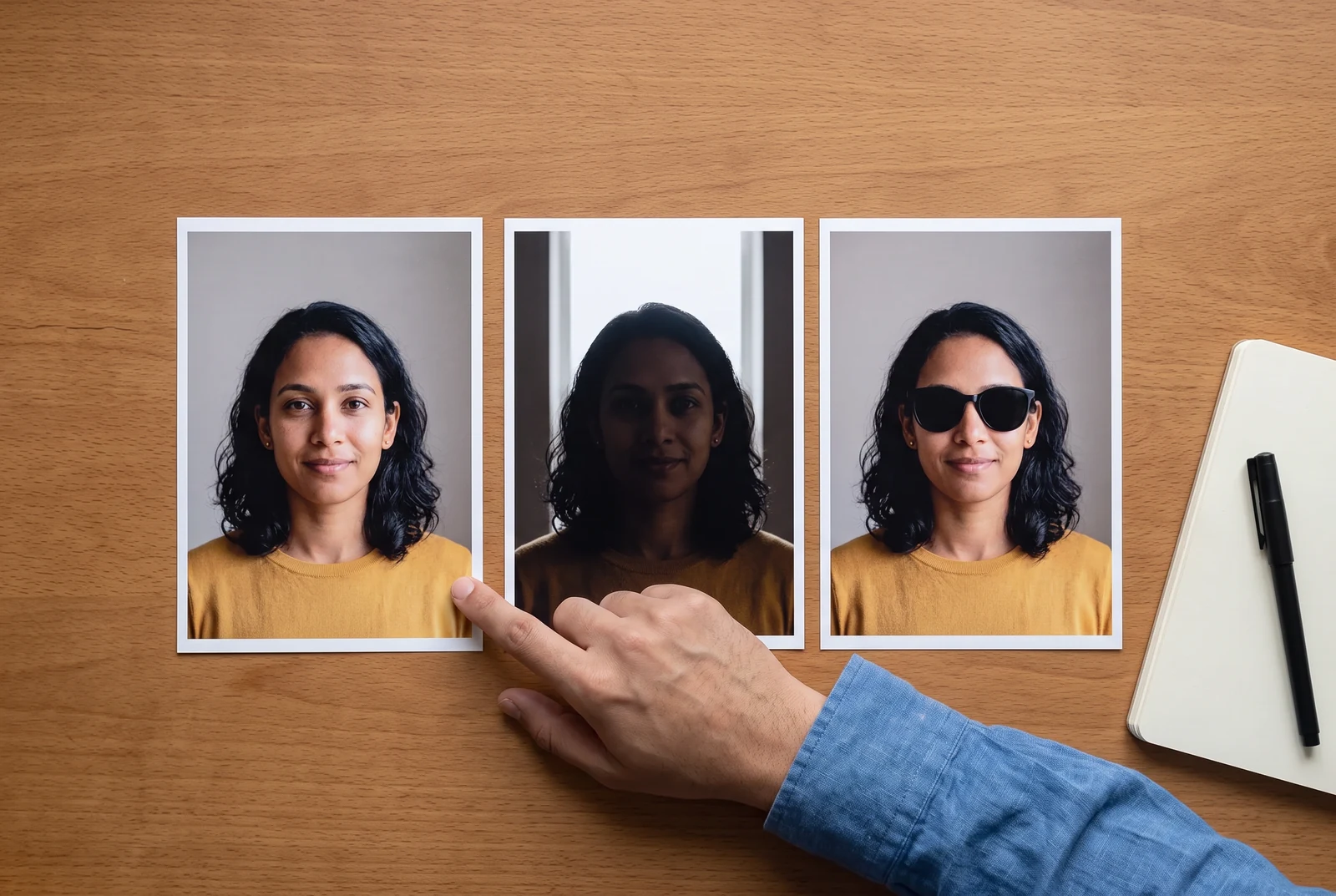
Recognition starts with the reference
A useful portrait makes the face easy to read
Pick the photograph for the information it gives the artist or model: the person’s features, hairstyle, and ordinary expression. A dramatic social profile picture may hide exactly the details that make them recognizable.
- Light across the face
- Look for even natural light, such as near a window. Check that the eyes and facial outline remain visible rather than disappearing into shadow.
- A readable angle
- Start with a front or gentle three-quarter view. A strong side profile hides the far side of the face and gives less information for a new viewpoint.
- Real detail, without heavy filters
- Choose the original, in-focus image. Beauty filters, compression, and aggressive sharpening can replace useful facial detail with artifacts.
- A familiar expression
- An ordinary smile or relaxed expression is often easier to recognize than a dramatic pose. Avoid using a single exaggerated expression as the only reference.
- Eyes and hairline visible
- Remove avoidable sunglasses, hands, or objects covering the face. Keep useful hair and head details in the frame.
- Enough face in the picture
- Zoom in comfortably. If the face turns into a small blur, choose a closer photograph rather than enlarging the same pixels.
Same fictional person, different conditions
What to keep. What to change.

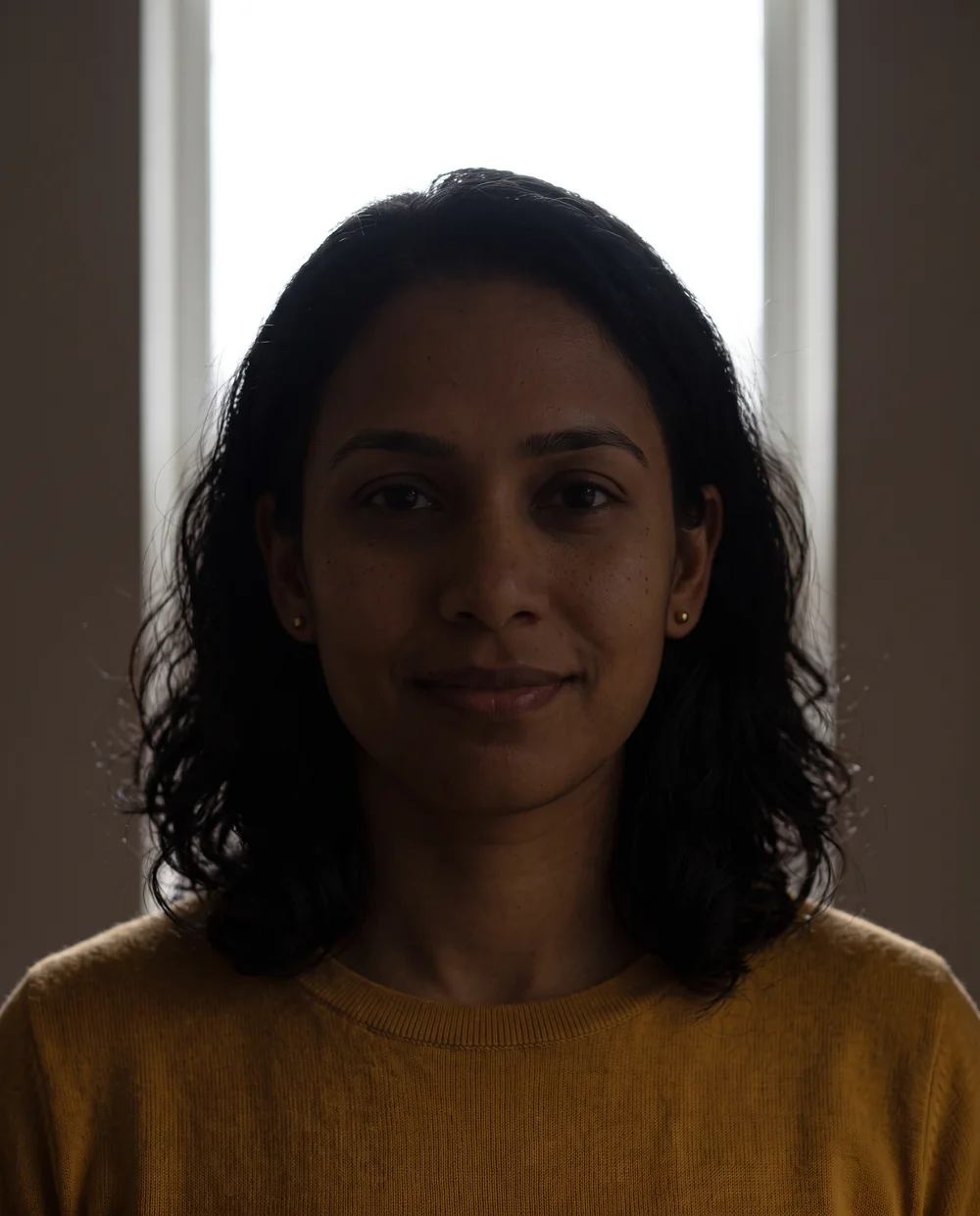

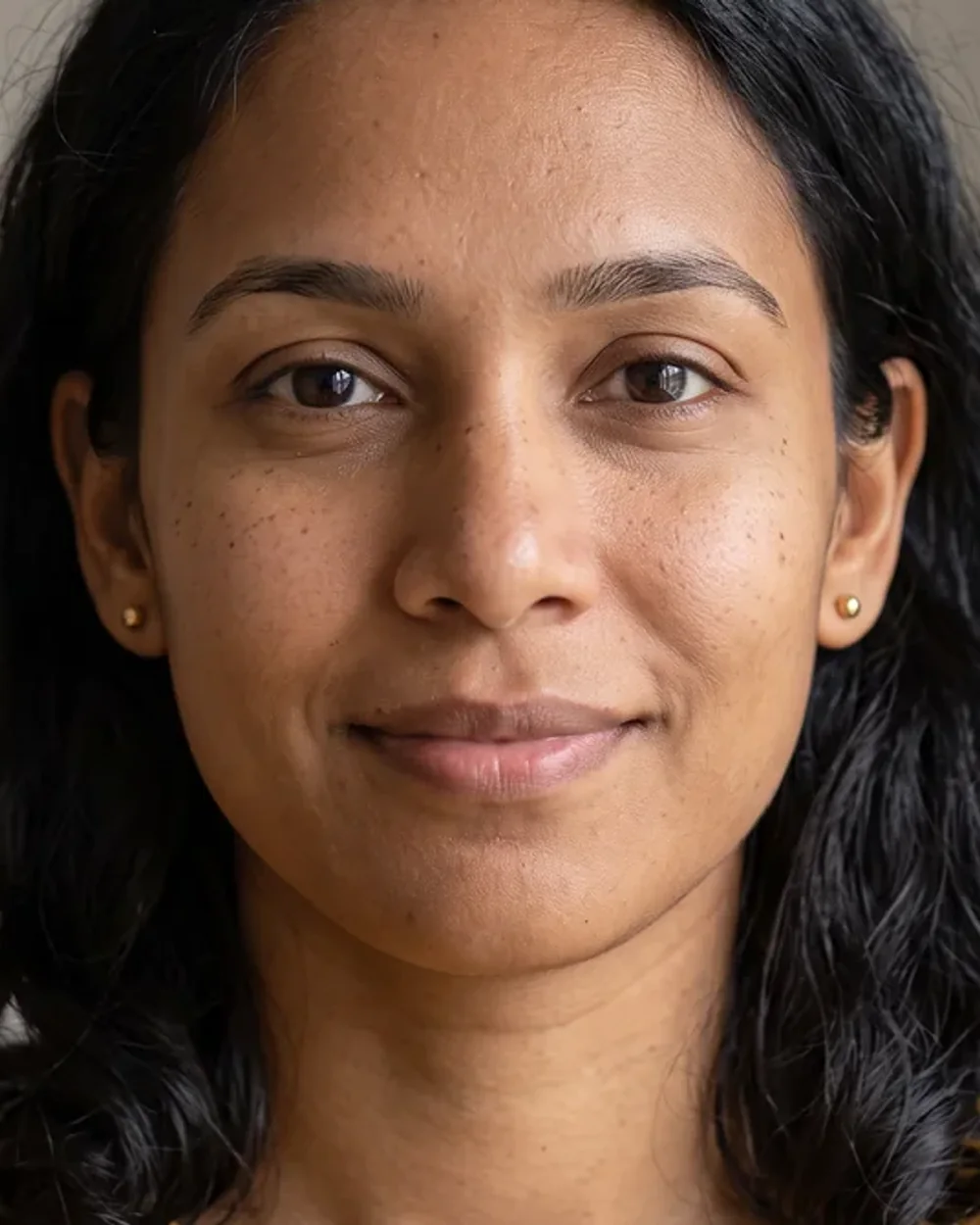
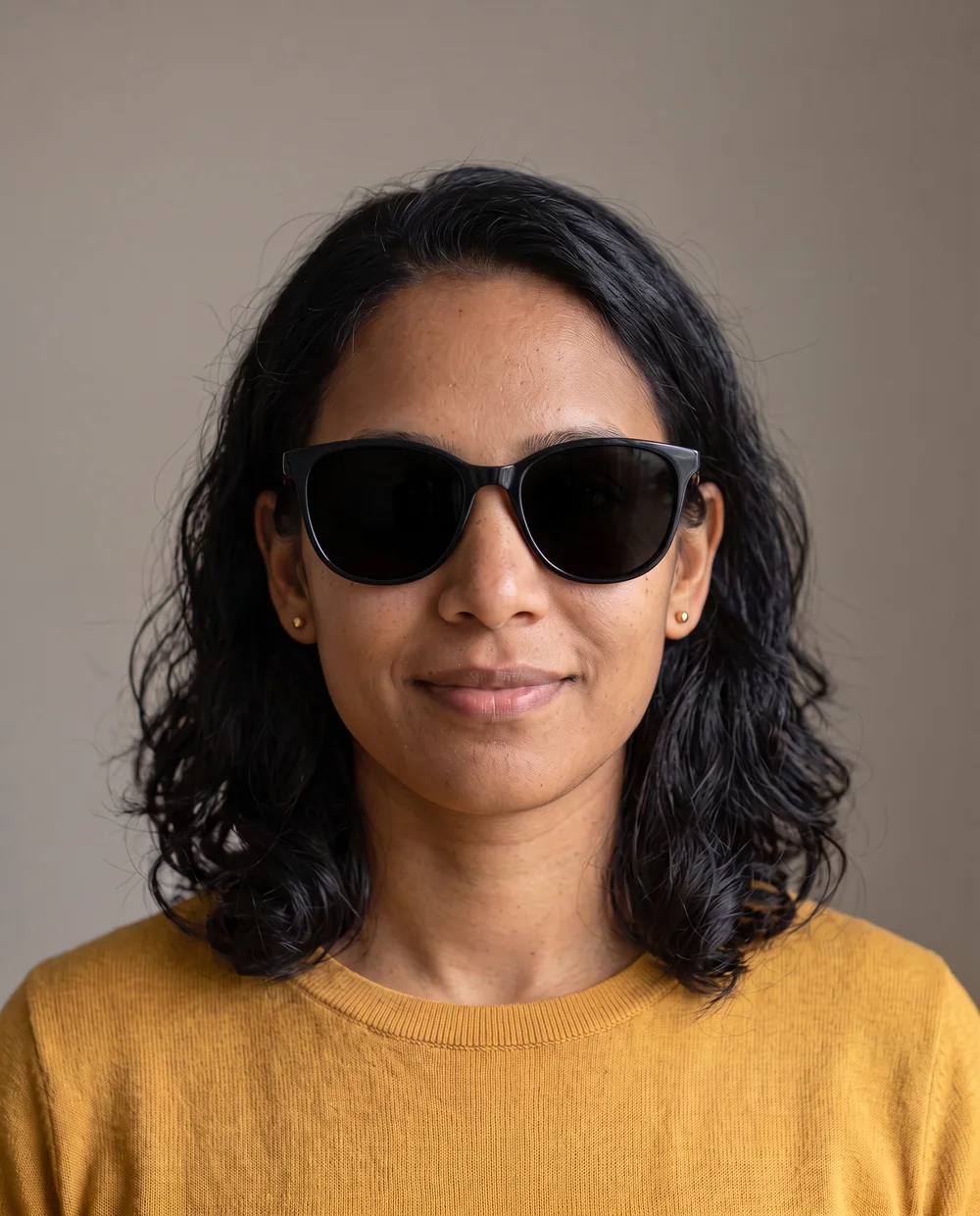
Teaching images use the same entirely synthetic adult; no real person’s reference photo is shown. Created October 23, 2026 with Google Vertex AI Gemini 3.1 Flash Image. Lighting, blur, crop, and obstruction are simulated instructional conditions, not a controlled test of LlamaGen likeness or output. View image method and prompts.
A private preparation step
Check the file before you use it
Check a file on your device
This checker reads the file type, size, and dimensions in your browser. It does not upload your photo, create a character, or assign an AI likeness score.
JPG, PNG, WebP, HEIC, HEIF · Under 12 MB · Nothing is sent by this checker.
Your photo preview and file information will appear here. Keep the original for the comic creator.
Give each person a clear role
Crop gently. Separate the main characters.
For a portrait: keep the whole head, the hairstyle, and enough neck or shoulders to understand the pose. You do not need to remove the background yourself. Avoid cutting through the chin, eyes, or forehead just to make the face fill every edge.
For a group photo: a crowd makes it harder to identify which face belongs to which role. If you have permission and the original has enough detail, make a separate copy cropped around each featured person. If the face is already tiny, use a different photo.
For two characters: put one person in Character 1 and the other in Character 2. Use their names consistently in the story, and specify their relationship and distinguishing clothes or hairstyle. The current starter has two independent photo positions; it does not offer an unlimited set of photo-derived family characters.
Have only one usable photo? Build the scene around that person and a remembered event. A focused story is more useful than adding poorly specified characters.
After generation, compare the whole story
Likeness is a panel-by-panel review
Open the reference beside the finished comic. Compare the first panel, last panel, and every scene with both people. A good-looking portrait does not prove the same character stayed consistent through a whole story.
- 01Compare facial shape, eye placement, and distinctive features at a similar viewing size.
- 02Check hair length, hair color, glasses, and other details the recipient would notice.
- 03Trace each character through the story: have their clothes, names, or roles swapped?
- 04Read dialogue and expressions together. Does the correct person say the line, with an expression that fits the memory?
- 05Correct a weak scene in Studio, then review neighboring panels so the repair still fits the sequence.
If you are evaluating several tools, use the same six-panel birthday protocol and keep records. A single successful illustration is not proof of dependable cross-panel likeness.
Your small, complete brief
Before you generate, bring these five things
- A permitted, clear photo for each featured person, in a supported format and under 12 MB.
- Stable character names and an unambiguous relationship.
- One recognizable memory with a specific place, action, or object.
- A tone and a line of dialogue that sound like the real person.
- A final scene that explains what the gift means.
Then choose your occasion: Christmas, a birthday, or a couple’s story. If time is tight, follow the last-minute gift workflow before expanding the page count.
A few final details
Questions before you begin
What photo formats can I use?
The personalized comic creator accepts JPG, PNG, WebP, HEIC, and HEIF. Keep each file smaller than 12 MB. Some browsers cannot preview HEIC or HEIF; export a JPG, PNG, or WebP copy if you need to inspect it in the local checker.
Is there a minimum photo resolution?
This guide does not impose a minimum pixel size. The checker reports actual dimensions when your browser can decode the image. Judge whether the face is clear at a comfortable viewing size; a large image can still contain a tiny, blurred face.
How many separate character photos can I add?
The current personalized comic starter has Character 1 and Character 2 photo positions and requires at least one character photo. Prepare a separate reference for each of the two featured people. A family story idea does not mean the starter has unlimited independent photo-character positions.
Does this checker upload or score my portrait?
No. It reads a selected file locally in your browser to show a preview, size, MIME type, and dimensions. It does not upload the image or calculate an AI face-quality or likeness score. Uploading in the separate comic creator is a different step.
Will a clear photo guarantee the same face in every panel?
No. A clear reference reduces ambiguity, but image generation can still change facial details, hair, clothing, or roles. Review the first and last panel and any two-person scene, then correct the parts that do not match.
Make the memory yours
One person. One memory. A story worth keeping.
Start with photos you have permission to use, then review the characters and dialogue in the comic studio before preparing your gift.
Create a Comic with Your PhotosKeep exploring: Christmas comic gifts · Deadline guide · Photo preparation · Choose a tool