LlamaGen-logotypLlamaGen-varumärket
Kom igångPrenumerera nu20 % rabatt
  1. Hem
User Story: Understanding the Basics of Character Editing
Alla inlägg

User Story: Understanding the Basics of Character Editing

Jay
Jay
27 februari 2026
Kopiera länk
  • What is Character Editing in LlamaGen?
  • Why Do Beginners Struggle With Character Editing?
  • User Journey: From Confusion to Confidence
  • Initial User Experience
  • Collaborative Creation and Iterative Improvements
  • Achieving 100% Style Stability
  • Step-by-Step Guide: Simplifying Character Editing
  • Prerequisites
  • Step 1: Navigating the Prompts Area
  • Step 2: Using Intuitive Editing Entries
  • Step 3: Achieving Style Stability in Long Texts
  • Step 4: Collaborative Creation Workflow
  • Best Practices and Common Mistakes to Avoid
  • Best Practices
  • Common Mistakes
  • Real-World Scenarios: How Users Benefit
  • Scenario 1: New Author Creating First Comic
  • Scenario 2: Collaborative Team Project
  • Scenario 3: Maintaining Style in Long Series
  • Actionable Tips for Mastering Character Editing
  • Internal Linking: Explore Related Topics
  • FAQ: Quick Answers to Common Questions
  • Conclusion
elevate-your-comics.png
Elevate your Comics with LlamaGen

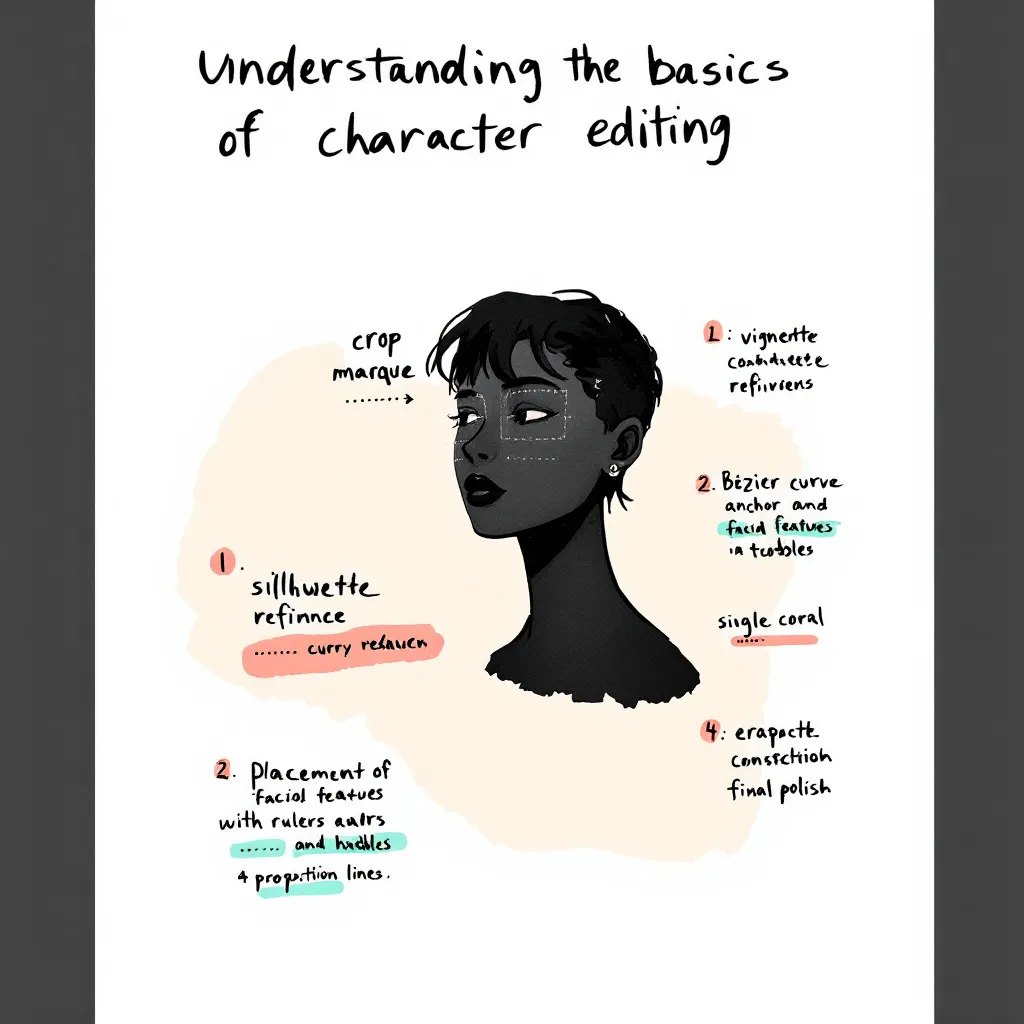
Editing comic characters can feel overwhelming, especially when you're just starting out. I remember working with a German author who faced this exact challenge. She had never edited characters before and felt lost looking at the interface. Her experience mirrors what many newcomers face. That's why we set out to simplify the character editing process and create an easy, beginner-friendly guide. In this post, I’ll share our journey, the practical solutions we implemented, and actionable tips you can use. Whether you’re a writer, artist, or developer, this tutorial will help you achieve 100% style stability and master intuitive editing with LlamaGen. Let’s dive into real user stories, best practices, and step-by-step instructions so you can confidently edit comic characters and elevate your creative workflow.

Before jumping into advanced features, it’s crucial to grasp the basics of character editing. Many authors—especially those new to digital comic creation—find this step confusing.

What is Character Editing in LlamaGen?

Character editing lets you define, customize, and refine the traits, style, and backstory of your comic characters. With LlamaGen, you can:

  • Adjust visual styles
  • Set personality traits
  • Fine-tune dialogue prompts
  • Memorize long text details for consistency

Why Do Beginners Struggle With Character Editing?

Common pain points include:

  • Unclear interface and editing entries
  • Overwhelming options and jargon
  • Difficulty maintaining style stability
  • Lack of actionable guidance

Our German author, for example, initially had no idea where to start. She struggled to find editing options and worried about losing her character’s unique style. These issues are typical for new users.

User Journey: From Confusion to Confidence

To address these challenges, we mapped out the user journey and focused on real-world application.

Initial User Experience

Our German author’s feedback was clear: she felt lost and frustrated. She needed a beginner’s guide that explained every step. Her story is common among creators exploring LlamaGen for the first time.

Collaborative Creation and Iterative Improvements

Over one week, we worked closely with the author, gathering feedback and testing solutions. This collaborative approach allowed us to:

  • Identify pain points (e.g., confusing prompts area, hidden editing entries)
Ändringslogg

Tänd drömmar hos de unga
Där miljontals berättelser blir levande

En översikt över de senaste funktionssläppen i LlamaGen, produktförbättringar, designuppdateringar och viktiga buggfixar.

✦
✧
✦
✧

Ett nytt medium för Berättande

Skapa obegränsat med berättelser, serier, animationer, spel och mer på några sekunder som tilltalar moderna målgrupper

  • Test solutions in real time
  • Refine features based on actual user needs
  • Achieving 100% Style Stability

    One major goal was to maintain consistent character style across long texts and multiple edits. We optimized memorization algorithms and improved prompt interactions, ensuring that style stability reached 100%.

    Step-by-Step Guide: Simplifying Character Editing

    Here’s a practical tutorial based on our experience. Follow these steps to make character editing easy and reliable.

    Prerequisites

    • Access to LlamaGen (latest version)
    • Basic understanding of comic creation
    • A character profile to edit

    Step 1: Navigating the Prompts Area

    We redesigned the prompts area for clarity. Now, when you open a character profile, you’ll see:

    • Clearly labeled prompt fields
    • Quick tips on how to use each field
    • Example inputs to guide you

    Actionable Tip: Hover over information icons for instant explanations.

    Step 2: Using Intuitive Editing Entries

    Editing entries are now visible and easy to find. Just look for the “Edit” button next to each character trait or dialogue option.

    1. Click “Edit” next to the trait you want to change.
    2. Input your new value or description.
    3. Save changes instantly—no need to navigate away.

    Example: Want to change your character’s hairstyle? Click “Edit” next to “Appearance,” select a style, and hit “Save.”

    Step 3: Achieving Style Stability in Long Texts

    Consistency matters, especially in comics. We optimized how LlamaGen memorizes character traits in long text sequences.

    • Each edit updates the memory matrix
    • Style cues are reinforced after every save
    • System checks for drift and suggests corrections

    Actionable Tip: After making several edits, review the character’s preview panel for any inconsistencies.

    Step 4: Collaborative Creation Workflow

    Working with another creator? Use the “Share & Collaborate” feature.

    1. Invite collaborators to your project
    2. Assign editing permissions
    3. Track changes with version history

    Our German author loved this feature, saying, “I finally felt confident editing and sharing my characters—no more confusion!”

    Best Practices and Common Mistakes to Avoid

    Learning from real user stories, these best practices will help you master character editing.

    Best Practices

    • Start Simple: Edit basic traits first. Build complexity over time.
    • Use Examples: Refer to sample prompts and style guides.
    • Review Regularly: Check for style consistency after each major edit.
    • Collaborate: Share feedback and work with others to spot issues.
    • Leverage Tutorials: Watch the official guide video for hands-on walkthroughs.

    Common Mistakes

    • Editing Too Many Traits at Once: This leads to style drift.
    • Ignoring Prompt Tips: Missed cues can result in inconsistent dialogue.
    • Not Saving Frequently: Unsaved edits may be lost.
    • Skipping Version History: Hard to track changes without this feature.

    Real-World Scenarios: How Users Benefit

    Here are specific use cases that highlight the value of our improvements.

    Scenario 1: New Author Creating First Comic

    Anna, a first-time comic creator, used our beginner’s guide and quickly mastered editing. She said, “The step-by-step instructions made it so easy. I was able to keep my characters consistent from start to finish.”

    Scenario 2: Collaborative Team Project

    A German author and her illustrator collaborated using the new workflow. They commented, “Editing entries are finally visible! We saved hours and avoided confusion.”

    Scenario 3: Maintaining Style in Long Series

    A webcomic team used style stability features to keep characters consistent across 50+ episodes. Their feedback: “Memorization updates and prompts checks are a game-changer for long-form storytelling.”

    Actionable Tips for Mastering Character Editing

    • Always start with a clear character profile.
    • Use the prompts area to test dialogue and personality.
    • Edit traits one at a time to avoid confusion.
    • Collaborate with others for feedback.
    • Use version history to revert unwanted changes.
    • Watch tutorials and read guides for extra help.

    Internal Linking: Explore Related Topics

    For deeper insights, check out related topics like:

    • How to Build Character Arcs in Comics
    • Improving Dialogue with AI Prompts
    • Optimizing Your Comic Creation Workflow

    These guides expand on narrative design and editing principles.

    FAQ: Quick Answers to Common Questions

    How do I access editing entries in LlamaGen?

    Click the “Edit” button next to each character trait. All entries are now visible and labeled.

    Can I collaborate with other authors?

    Yes! Use the “Share & Collaborate” feature to invite others and track edits.

    How do I keep character style consistent?

    Edit traits gradually, use prompt tips, and review the preview panel after each change.

    Where can I find more tutorials?

    Check the official YouTube guide or our help center.

    Conclusion

    Simplifying the character editing experience in LlamaGen was a journey driven by real user stories and collaborative solutions. By listening to feedback—especially from our German author—we improved the prompts area, made editing entries intuitive, and achieved unmatched style stability. Whether you’re a beginner or an experienced creator, these best practices, step-by-step instructions, and actionable tips will help you edit with confidence. Ready to create memorable comic characters? Start with our beginner’s guide, collaborate with others, and unlock the full potential of LlamaGen today.

    For more tutorials, tips, and solutions, explore our related guides or reach out for personalized support. Your next great comic character is just a few edits away!

    Related hot tags

    UserStory

    Populära kreatörsverktyg

    Förvandla inspiration till din nästa berättelse

    Skapa serier, storyboardar och stiliserade foton med LlamaGen.

    01

    AI-seriegenerator

    Förvandla en idé till välgjorda seriestrippar på några minuter.

    Skapa serier
    02

    AI-mangagenerator

    Skapa uttrycksfull manga och berättelser i flera paneler.

    Skapa manga
    03

    AI-storyboardgenerator

    Visualisera varje scen innan produktionen drar igång.

    Skapa storyboardar
    04

    Gör bild till serie

    Förvandla valfritt foto till en serielik illustration.

    Skapa serier från bilder
    05

    AI-serierutskaper

    Skapa delningsbara seriestrippar med konsekventa karaktärer.

    Skapa seriestrippar

    LlamaGen community

    checkmark

    Get hands-on help with your comics

    checkmark

    Showcase your comics to fellow LlamaGen creators

    checkmark

    Participate in special events to win gifts

    LlamaGen.Ai
    • United States
    • Español
    • Français (France)
    • 日本語
    • 한국어
    • Deutsch
    • 繁體中文 (台灣)
    • 繁體中文 (香港)
    • 简体中文
    • Português
    • Italiano
    • Español (México)
    • العربية
    • Русский
    • Português (Brasil)
    • Tiếng Việt
    • Svenska

    Ledande inom AI-generering av serier

    • 24/7-support
    • Veckovisa uppdateringar
    • Säker och följer regler
    • 99,9 % drifttid

    Ladda ner LlamaGen gratis

    AndroidiOSSkrivbord

    Produkt

    • Senaste lanseringarna
    • Funktioner
    • Skapa seriestrippar
    • Comic StoresNy
    • Studio för mangaNy
    • Förvandla bild till serie
    • Serie till video
    • AI-seriefabrik
    • Serieagent
    • iOS & Android
    • Mac & Windows
    • Ladda ner
    • Comic ZapNy
    • AI-seriegenerator
    • AI-tecknad generator
    • AI-webtoon-generator
    • Serieremsmakare
    • Förvandla bild till serie
    • AI-mangagenerator
    • Mangaöversättare
    • Foto till anime
    • Bild till prompt
    • Anime till verklighet
    • Manga-färgläggare
    • Anime-figurgenerator
    • Verktyg för pixelspelsresurser
    • AI-sprite sheet-generator
    • Bästa pixelspelsverktygen 2026
    • Foto-serie-skapare
    • Alternativ till Comic Life

    Systerprodukter

    • LlamaGen-familjen
    • CineoBoardNy
    • Comics API

    Planer

    • Prissättning
    • Start
    • Pro

    Gemenskap

    • Skapare
    • Partners
    • Partner

    AI-modeller

    • GPT Image 2.6 Flare
    • GPT Image 2.6 Sunburst
    • Grok Imagine Image 2.0
    • Wan 3.0
    LinkedInX (Twitter)
    • Hem
    • Artiklar
    • Blogg
    • Skapa
    • Prissättning
    • API
    • Affiliate ProgramNEW

    Fråga AI om LlamaGen

  • Comic Zap
  • Velika
  • För företag
  • Utbildning
  • Serie-API
  • Kontakta försäljning
  • Utbildningsplaner
  • Lärare
  • Studenter
  • Lärare och elever
  • Nystartade företag
  • Student-/lärrabatter
  • Företag

    • Prata med vår grundare
    • Om
    • Produktfärdplan

    Hjälp

    • Hjälpcenter
    • Förtroende
    • Säker AI
    Omdömen
  • Kärleksvägg
  • LlamaGen MCPNy
  • LlamaGen för utvecklare
  • Resurser

    • Ändringslogg
    • Blogg
    • Guider

    Verktyg

    • AI-logotypgenerator
    • Karaktärsgenerator i Grokbot-stil
    • PNG till serie
  • Wan 3.0 Prime
  • Seedance 2.5
  • MiniMax H3
  • Nano Banana 2.1
  • Nano Banana 2 Lite
  • Seedream 5.0 Flash
  • Seedream 5.0 Pro
  • Seedance 2.0 Mini
  • Kling 3.0 Turbo
  • Nano Banana 2
  • GPT Image 2
  • Gemini Omni Flash
  • All AI Models
  • AI-verktyg

    • AI-outfitsutdragare
    • AI-frisyrändrare
    • AI-frisyrändrare för manga
    Instagram
    YouTube
    Facebook-grupp
    Reddit
    Discord
    Support via e-post
    IntegritetVillkorSidkarta
    Ladda ner varumärkesmaterial
    © 2026 LlamaGen.Ai Alla rättigheter förbehållsAlla tjänster är online
    Karriär
  • Maila oss
  • Vår maskotvärld
  • Mediakit
  • KOL-partnerskap
  • Innehåll
  • Professionella tjänster
  • Vanliga frågor
  • Säkerhet
  • Tillgänglighet
  • Videoguide
  • Kontakta oss
  • Sidkarta
  • Personliga serier
  • Funktioner
  • Alternativ
  • Bästa AI-appar
  • Guide för att färglägga manga med GPT-6
  • Claude-serieboksskicklighet
  • Guide till Gemini AI för serier
  • Den serien
  • Student-/lärrabatter
  • Studentrabatt
  • Text till serie
  • PDF till serie
  • Manus till serie
  • Bok till serie
  • Förvandla bild till serie
  • AI Pixelkonst-generator
  • Pedagogiska serier
  • AI-videogenerator
  • Gemini AI-videogenerator
  • Gratis AI-videogenerator utan ansikten
  • Serie till video
  • Storyboard-programvara
  • AI-storyboardgenerator
  • Manusprogramvara
  • Manusredigerare
  • Berättelse-AI
  • AI-berättelsegenerator
  • Generator för bilderbok
  • AI-bildgenerator
  • AI-lagersplitter
  • AI-styrning av kameravinkel
  • AI Pixelkonst-generator
  • Verktyg för pixelspelsresurser
  • AI-sprite sheet-generator
  • Sprite sheet-skärare
  • Bästa pixelspelsverktygen 2026
  • Animations-API
  • ChatGPT/Codex-plugin
  • Installationsguide för ChatGPT
  • Claude Code-plugin
  • Installationsguide för Claude Code
  • AI-generator för vindeffekt
  • AI-djupkarteringsgenerator
  • AI-vit bakgrund
  • AI-objektborttagare
  • AI-virtuell provning
  • AI-skärp bilder
  • AI-brusreducering
  • AI-fotorestaurering
  • AI-produktskuggor
  • AI-generator för bakgrunder
  • AI-porträttgenerator
  • AI-emoji-skapare
  • AI-bakgrundsändrare
  • AI-öppna ögon
  • AI-skönhetsförbättring
  • AI-produktfotografering
  • Tidigare bloggar

    Planning 240 Comic Panels a Week: Measure Cost per Approved Panel

    Planning 240 Comic Panels a Week: Measure Cost per Approved Panel

    Audit an 18-panel comic sample and two repair calls. Track approved panels, rejected candidates, usa

    Jay
    Jay
    28 november 2026
    Build a Location Bible for AI Comics: Return to the Same Place Without Reinventing It

    Build a Location Bible for AI Comics: Return to the Same Place Without Reinventing It

    Create a comic location bible with a master image, map, and prop-state ledger so recurring AI-genera

    Jay
    Jay
    28 november 2026
    Human-Led AI Game Cutscenes: Keep the Script, Storyboards, and Timing Under Your Control

    Human-Led AI Game Cutscenes: Keep the Script, Storyboards, and Timing Under Your Control

    A practical, creator-led AI game cutscene workflow for selecting storyboard candidates, rejecting we

    Jay
    Jay
    23 november 2026
    Make an AI Film Feel Real: Blocking, Reactions, and Continuity in a Quiet Scene

    Make an AI Film Feel Real: Blocking, Reactions, and Continuity in a Quiet Scene

    A worked quiet-scene repair case: room geography, prop behavior, reactions, and edit choices that im

    Jay
    Jay
    23 november 2026
    Visa alla bloggar
    User Story: Understanding the Basics of Character Editing - LlamaGen.AI Blog