LlamaGen Logo
LlamaGen
vs
CComic Life 4

LlamaGen vs. Comic Life 4: Which AI Comic Generator Should You Choose?

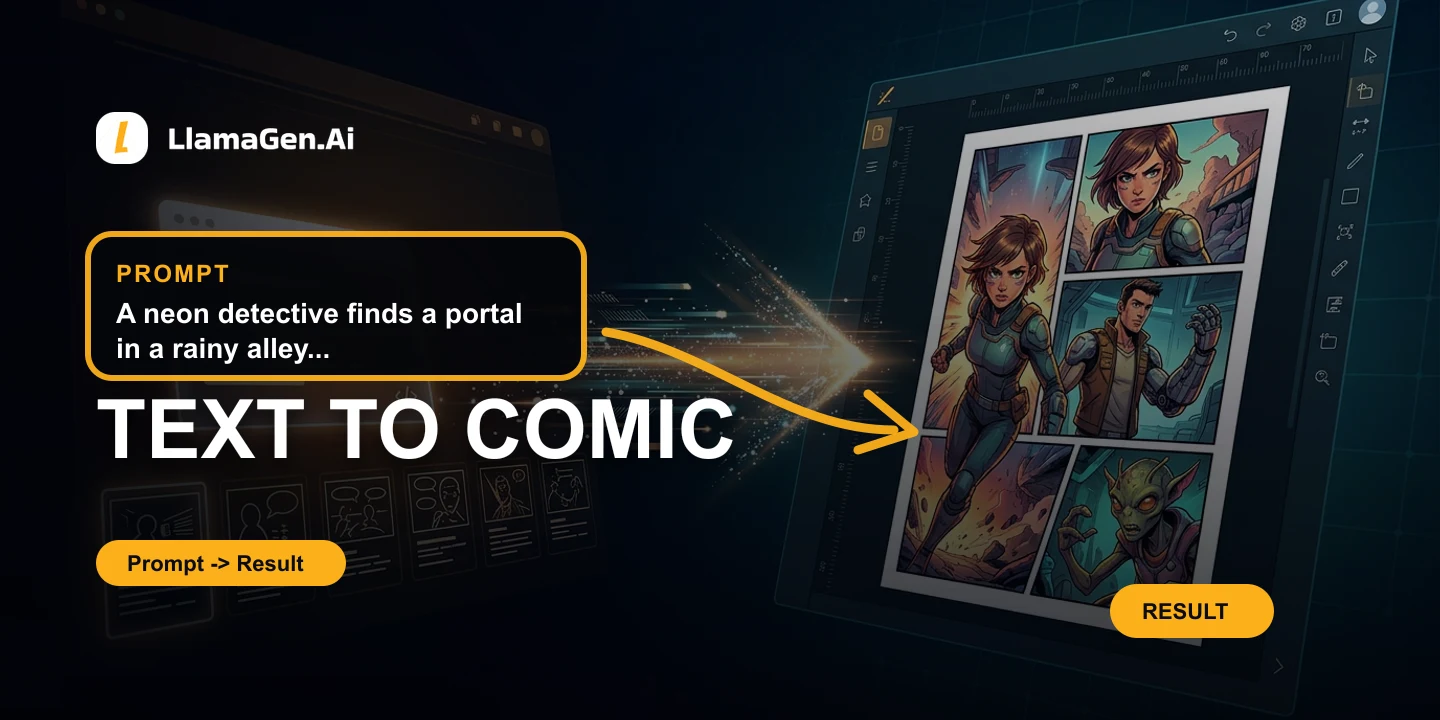
Trying to decide between LlamaGen and Comic Life 4? The right choice depends on what you actually want to create. Explore why users choose LlamaGen for character memory, storyboard generation, page layout, editable speech bubbles, local regeneration, export templates, animation, and commercial creative workflows. It is closer to an AI Comic Copilot and AI Storyboard Director than a plain AI image generator. For many teams, LlamaGen is best for AI comic production when you need generated pages, not only photo-comic layout.

CTA

Create Your First Comic Today

Start with a prompt, a script, or a reference image. LlamaGen turns it into beats, panels, layouts, grounded characters, dialogue, and story-ready pages in your browser.

Create comics with AI

Trusted by creators from leading companies worldwide

  • Trusted company or university logo
  • Trusted company or university logo
  • Trusted company or university logo
  • Trusted company or university logo
  • Trusted company or university logo
  • Trusted company or university logo
  • Trusted company or university logo
  • Trusted company or university logo
  • Trusted company or university logo
  • Trusted company or university logo
  • Trusted company or university logo
  • Trusted company or university logo
  • Trusted company or university logo
  • Trusted company or university logo
  • Trusted company or university logo
  • Trusted company or university logo
  • Trusted company or university logo
  • Trusted company or university logo
  • Trusted company or university logo
  • Trusted company or university logo
  • Trusted company or university logo
  • Trusted company or university logo
  • Trusted company or university logo
  • Trusted company or university logo
  • Trusted company or university logo
  • Trusted company or university logo
  • Trusted company or university logo
  • Trusted company or university logo
  • Trusted company or university logo
  • Trusted company or university logo
G2Read current reviews on G2Trusted by creators, teams and universities
TL;DR

LlamaGen vs Comic Life 4: the short answer

LlamaGen is built as an AI Comic Copilot and AI Storyboard Director: character memory, storyboard generation, page layout, editable lettering, local regeneration, export templates, reusable assets, and animation all live in one browser workflow. Comic Life 4 is a good fit when you already have photos or artwork and need a desktop comic layout, balloon, lettering, and export tool.

Recommended

Choose LlamaGen If

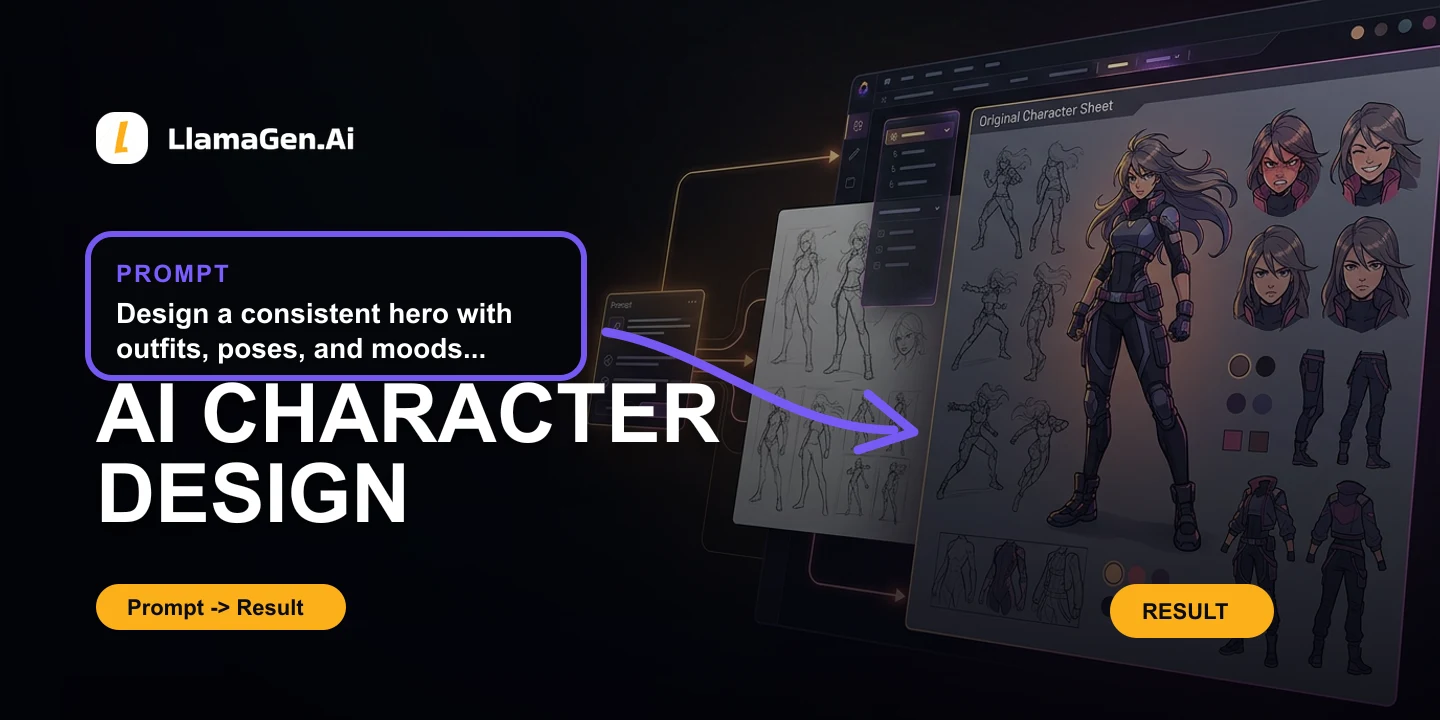
  • Character memory locks faces, outfits, hair color, props, age, body type, and expressions across panels.
  • Storyboard generation and page layout turn one prompt into a real comic page.
  • Editable bubbles, text, onomatopoeia, export templates, and local regeneration reduce rework.
Alternative fit

Choose Comic Life 4 If

  • You want a desktop photo-comic layout app.
  • You already have images and only need panels, balloons, and lettering.
  • You prefer offline desktop publishing over a browser AI workflow.

At-a-Glance Comparison

A quick scan of the core workflow differences before you dig into the detailed breakdown.

FeatureLlamaGenComic Life 4
Character consistency + memoryLocks face, outfit, hair color, props, age, body type, and expressionsUsually prompt or reference dependent
Character and scene grounding
Story decomposition
Storyboard generation
Page layout
Panel rendering
Page composition
Editable bubbles and textBubbles, fonts, dialogue, captions, and SFX stay editableOften baked into the image or handled in another editor
Local regenerationRegenerate one panel or region while keeping the character lockedSmall edits often affect the whole image or page
Export templatesWebtoon, manga, 4-panel comic, and storyboard formatsUsually needs manual formatting before publishing
Script to comic
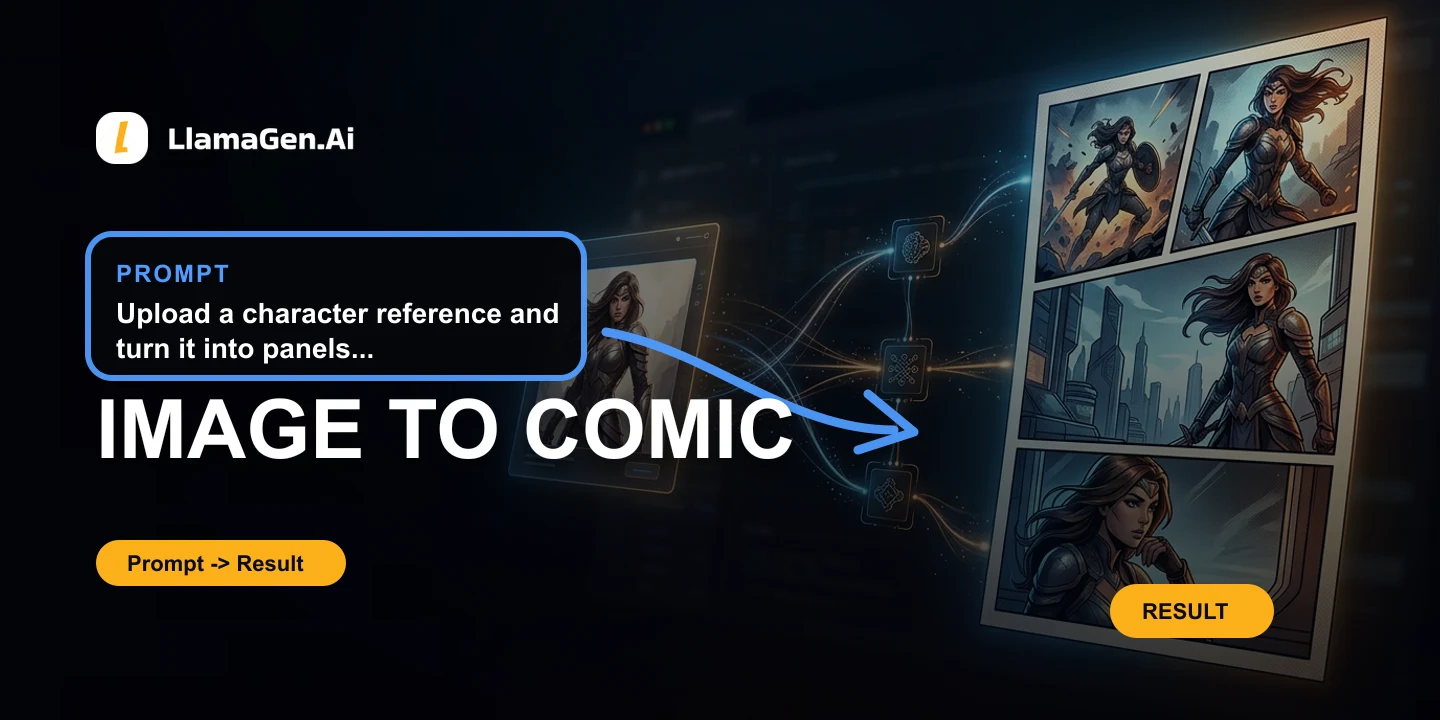
Image to comic
Animation workflows
Best forComics, manga, webtoons, animationdesktop photo-comic layout

LlamaGen vs Comic Life 4: Detailed Comparison

The core comparison is not text-to-image quality alone. For comics, users need character memory, a real page layout, editable lettering, local fixes, and export formats they can actually publish.

Capability
LlamaGen
Comic Life 4
Face lock
Keeps the same face identity across panels and pages
Often drifts unless every prompt and reference is managed manually
Outfit, hair, and props
Locks clothing, hair color, recurring props, age, and body type
Details can mutate between images or edits
Expression control
Changes expressions while preserving the character memory
Emotion changes can accidentally change the character
Story decomposition
Breaks a story into beats, panel goals, scene intent, and reading flow
Image-first tools often treat prompts as isolated frames
Character and scene grounding
Anchors cast, settings, props, and scene continuity across panels
Continuity usually depends on repeated prompts, references, or manual control
Story path
Story -> Beats -> Panels -> Layout -> Characters -> Dialogue -> Final Comic
Usually starts and ends closer to prompt -> image
One sentence to page
Turns a short idea into a real comic page with beats, panels, and layout
Usually creates images that still need manual comic assembly
Page layout
Plans comic, manga, webtoon, and storyboard structure before final polish
Layout is often handled after generation in a separate editor
Panel rendering
Renders panels as story units with a role in the sequence
Standalone image generation can feel like similar pictures placed together
Page composition
Assembles panels into readable page rhythm and visual hierarchy
Often needs manual composition work
Editable bubbles
Speech bubbles remain editable instead of being baked into the image
Bubbles are often added manually or flattened into the artwork
Editable lettering
Fonts, dialogue, captions, and onomatopoeia can be revised after generation
Text edits usually require another design tool or a full image redo
Local regeneration
Regenerate one panel or a selected region while keeping characters locked
Small fixes can change the entire image, page, or character identity
Webtoon export
Vertical scroll-first webtoon templates for publishable episodes
Usually requires manual resizing and formatting
Manga and 4-panel templates
Manga pages and 4-panel comic formats are part of the workflow
Often needs external layout tools
Storyboard export
Storyboard formats help creators publish or hand off production-ready beats
Usually stops at image generation or loose concept frames
Idea to animation
Built for moving comic concepts into short animated scenes
Depends on external or specialized tools
Music to animation
Supports music-led animation workflows
Usually not part of core comic creation
Browser workflow
No local GPU or complex setup needed
Setup and exports vary by product

Which Tool Is Right for You?

LlamaGenRecommended

Choose LlamaGen If...

  • Character memory locks faces, outfits, hair color, props, age, body type, and expressions across panels.
  • Storyboard generation and page layout turn one prompt into a real comic page.
  • Editable bubbles, text, onomatopoeia, export templates, and local regeneration reduce rework.
  • You want commercial-ready story assets without local setup.
  • You want to move from idea to comic to animation without changing tools.
Start with LlamaGen Free
Comic Life 4

Choose Comic Life 4 If...

  • You want a desktop photo-comic layout app.
  • You already have images and only need panels, balloons, and lettering.
  • You prefer offline desktop publishing over a browser AI workflow.
  • You are optimizing for desktop photo-comic layout.

LlamaGen by the Numbers

Independent benchmarks, real evaluations, measurable performance.

Comics

Sequential storytelling

Panels, captions, and editable story flow

Manga

Page and scene workflows

Visual pacing for manga-oriented projects

Characters

Reusable cast assets

References designed for recurring characters

Storyboards

Pre-production planning

Scene-by-scene visual development

Video

Motion handoff

Move selected story assets into video workflows

2024
Company founded
Singapore
Headquarters
Free start
600 signup credits; no card required

Reasons to Choose LlamaGen

A unified creator stack for story-first comic production, adapted from the same capabilities highlighted across the LlamaGen homepage.

AI-Powered Comic Creation preview
Comic customization

AI-Powered Comic Creation

Turn ideas, scripts, and references into story-aligned comic panels with tools tuned for anime, manga, and visual storytelling.

Explore AI Comic Creation
Consistent Character Design preview
Character continuity

Consistent Character Design

Maintain characters across multiple panels, episodes, outfits, poses, and expressions for recurring stories.

Explore Character Design
Comics, Webtoons, Storyboards, and Animation preview
Multi-format output

Comics, Webtoons, Storyboards, and Animation

Move the same idea through comic strips, vertical webtoons, storyboards, short animations, and campaign assets.

Explore AI Animation
Generate From Your Files preview
Publishing workflow

Generate From Your Files

Bring scripts, briefs, and source material into a browser-based comic workflow with multilingual support and reusable assets.

Explore Image to Comic

What Switchers Say

Emma

Emma

@mystic4688

Im working on creating comic strips for my characters. LlamaGen has helped me a lot with creating these comic strips. The best thing aboutt LlamaGen is that it is very easy to use!

Compare LlamaGen with Others

Browse every LlamaGen comparison across comic, image, design, storyboard, and animation tools.

LlamaGen
vs
Comic Life

LlamaGen vs Comic Life

Looking for a Comic Life alternative? Compare Comic Zap for Mac photo comics, Comic Life 4, Canva, Storyboard That, and LlamaGen if you want AI-generated pages instead.

Compare LlamaGen vs Comic Life

LlamaGen
vs
Clip Studio Paint

LlamaGen vs Clip Studio Paint

Compare Clip Studio Paint and LlamaGen for manga, webtoons, storyboards, and comic production. CSP is the industry drawing standard. LlamaGen turns a novel or script into laid-out manga and webtoons in minutes, with no drawing skills.

Compare LlamaGen vs Clip Studio Paint

LlamaGen
vs
ComicsAI

LlamaGen vs ComicsAI

Compare ComicsAI (often searched as Comic AI or ComicAI) and LlamaGen for web-based AI comics. ComicsAI is a step-by-step page generator. LlamaGen is stronger on script understanding, style and action control, and multi-panel layout speed.

Compare LlamaGen vs ComicsAI

LlamaGen
vs
Krita

LlamaGen vs Krita

Compare Krita and LlamaGen for comics, manga, and webtoons. Krita is free open-source painting software with vector balloons and panel tools. LlamaGen turns text into a finished story comic in seconds with full AI automation.

Compare LlamaGen vs Krita

LlamaGen
vs
Comic Life 4

LlamaGen vs Comic Life 4

Compare plasq Comic Life 4 for Mac and LlamaGen for photo-comic desktop publishing, balloons, lettering, script layout, AI comic generation, character memory, webtoons, and storyboard workflows.

Compare LlamaGen vs Comic Life 4

LlamaGen
vs
Comic Life 3

LlamaGen vs Comic Life 3

Compare plasq Comic Life 3 and LlamaGen for Windows and older Mac photo comics, desktop layout, balloons, lettering, AI comic generation, character memory, webtoons, and storyboard workflows.

Compare LlamaGen vs Comic Life 3

LlamaGen
vs
Storyboard That

LlamaGen vs Storyboard That

Compare Storyboard That and LlamaGen for classroom storyboards, comics, graphic novels, character memory, AI page generation, webtoons, editable lettering, and production-ready visual storytelling.

Compare LlamaGen vs Storyboard That

LlamaGen
vs
Magic Poser

LlamaGen vs Magic Poser

Compare Magic Poser and LlamaGen for browser-based 3D posing, multiple characters, bones, pose libraries, props, exports, pricing, and pose-to-image generation.

Compare LlamaGen vs Magic Poser

LlamaGen
vs
IMA Studio

LlamaGen vs IMA Studio

Compare IMA Studio AI Comic Generator and LlamaGen for text-to-comic creation, manga, webtoons, storyboards, character memory, editable lettering, local regeneration, and publishing-ready comic workflows.

Compare LlamaGen vs IMA Studio

LlamaGen
vs
ComicsMaker.ai

LlamaGen vs ComicsMaker.ai

Compare ComicsMaker.ai and LlamaGen for AI comics, manga, and webtoons. ComicsMaker is a veteran canvas and character tool that still leans on panel-by-panel prompts. LlamaGen is script-driven, with automatic storyboards and unified manga/webtoon layout.

Compare LlamaGen vs ComicsMaker.ai

LlamaGen
vs
Canva AI

LlamaGen vs Canva AI

Compare Canva AI and LlamaGen for AI design assistance, AI comic generation, manga, webtoons, storyboards, character memory, editable lettering, local regeneration, and publishing templates.

Compare LlamaGen vs Canva AI

LlamaGen
vs
Lovart

LlamaGen vs Lovart

Compare Lovart and LlamaGen for AI design agents, storyboards, AI comic generation, manga, webtoons, character memory, editable lettering, local regeneration, and publishing-ready comic workflows.

Compare LlamaGen vs Lovart

Full Review Notes

More details on LlamaGen vs Comic Life 4

Keep reading for the original article, screenshots, and extra context behind this comparison.

Product Screenshots: LlamaGen vs Comic Life 4

Official website screenshots stacked vertically for a clearer visual comparison.

LlamaGen
LlamaGen
Official site
LlamaGen official website screenshot
Comic Life 4
Comic Life 4
Official site
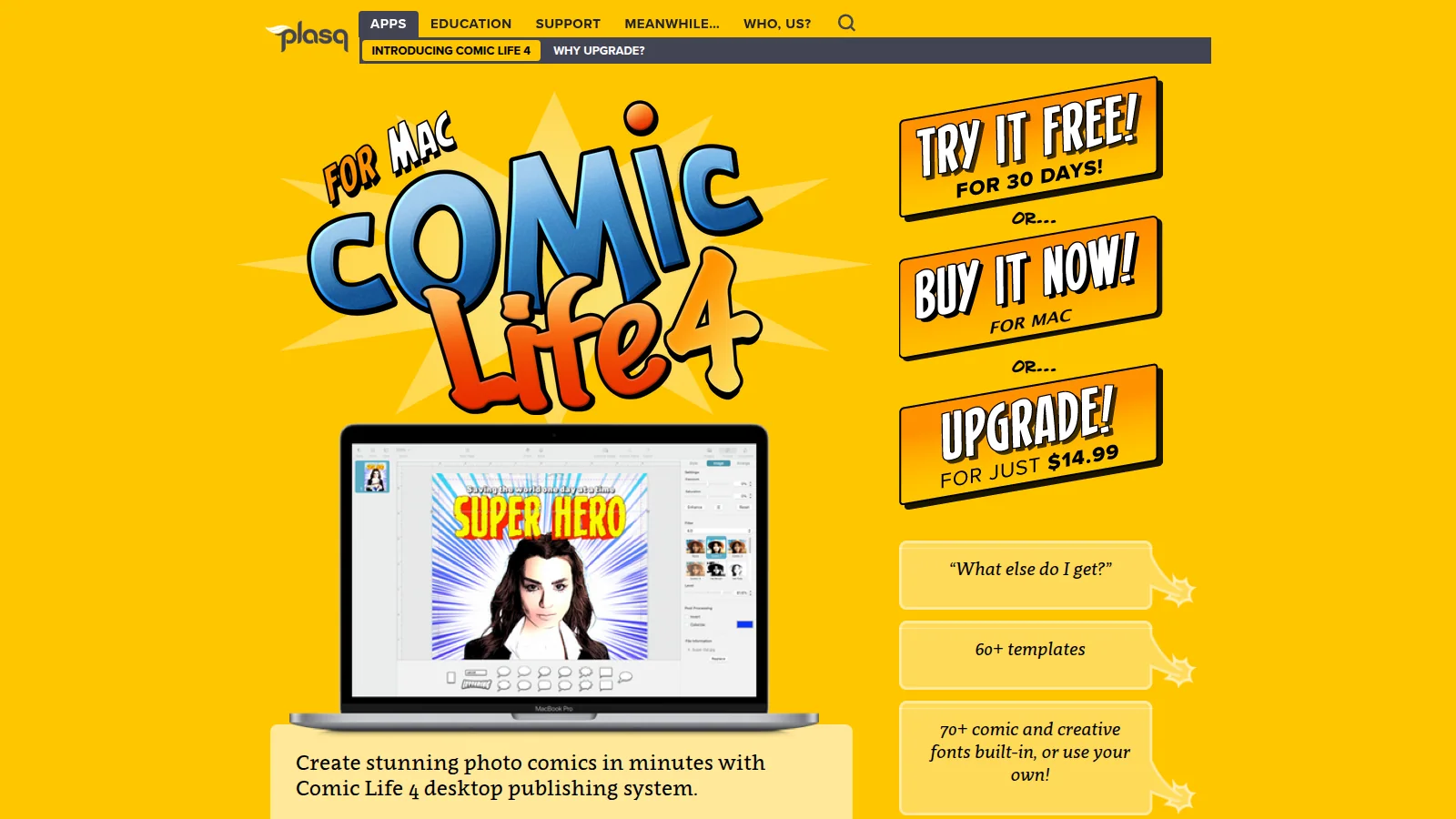
Comic Life 4 official website screenshot

Comic Life 4 vs LlamaGen: Which Comic Maker Is Better for Mac?

Quick Verdict

Choose LlamaGen if you want a browser AI comic workflow that generates characters, panels, manga pages, webtoons, storyboards, editable lettering, and animation-ready scenes from a story.

Choose Comic Life 4 if you are on a current Mac, already have photos or artwork, and want plasq's newest desktop publishing tools for templates, filters, balloons, lettering, scripts, and print or ebook export.

Comic Life 4 is a Mac layout studio for images you already have. LlamaGen is a generation studio for stories that still need artwork.

This comparison is based on the public Comic Life 4 for Mac page as of September 17, 2026. Features and prices can change.

Platform Focus

Comic Life 4 is plasq's current Mac comic desktop publishing system. It requires macOS 11.3 or higher. You start from more than 60 templates or a blank page, import photos, apply 14 next-generation comic filters, add balloons, captions, and lettering, then export to PDF, EPUB, CBZ, or images.

The newer Mac tools go beyond basic photo comics: Instant Alpha background removal, balloon enveloping, caption threads, path lettering, a script editor, facing pages, master pages, and custom templates.

LlamaGen is built around sequential visual storytelling. It generates and revises comic pages from scripts, characters, and scene direction in the browser, then keeps lettering and layout editable after generation.

Windows users and older Macs should use Comic Life 3, which remains the desktop download for those platforms.

Feature Comparison

FeatureLlamaGenComic Life 4
Primary workflowAI comic, manga, webtoon, storyboard, and animation productionMac desktop photo-comic publishing
PlatformsBrowsermacOS 11.3 or higher
How images are madeGenerates panels and characters from story directionImports photos or existing artwork, then applies filters
Script to comicBuilt for story-to-panel generationScript editor helps place existing script text onto pages
Story decompositionBreaks stories into beats, scene intent, and panel goalsTemplates and script styles speed layout after images exist
Character and scene groundingGrounds recurring characters, settings, props, and continuity across panelsContinuity depends on the photo set and filter styles
Character consistency + memoryLocks face, outfit, hair color, props, age, body type, and expressionsSame subject stays consistent only if the source photos do
Storyboard generation + page layoutTurns one prompt into beats, panels, and a real comic page60+ templates, master pages, facing pages, and custom templates
Panel renderingRenders panels as story units, not isolated imagesUsers place, crop, and filter images inside panels
Page compositionAssembles panels into readable page rhythmSide-by-side pages, two-page spreads, pin/lock/group, and print control
Balloons and letteringEditable bubbles, fonts, dialogue, captions, and SFXMulti-tail balloons, enveloping, caption threads, path lettering, 70+ fonts, 3D titles
Image cleanupLocal regeneration of a panel or regionInstant Alpha background erase and filter controls
ExportWebtoon, manga, 4-panel, and storyboard templatesPDF, EPUB, CBZ, images, and AirPrint
Best forGenerated comics, serialized characters, manga, webtoonsMac photo comics, visual diaries, printed books, and desktop lettering

Where LlamaGen Wins

Original art from a story, not only a photo library

Comic Life 4 is excellent after the camera roll is ready. LlamaGen is the better first tool when the comic still needs characters, settings, and panels generated from a script.

Character memory for serialized work

A photo comic can keep the same people in frame. An AI comic needs locked faces, outfits, props, and expressions across pages. LlamaGen treats that as a production system.

Formats beyond a printed Mac book

LlamaGen continues from the same story into webtoon templates, manga pages, storyboards, and animation. Comic Life 4 is stronger at desktop print, EPUB, and CBZ packaging of pages you already designed.

Where Comic Life 4 Wins

Comic Life 4 is the better Mac app when layout craft is the job. The current version adds finer balloon geometry, caption threading, path-based sound-effect lettering, 3D title styling, Instant Alpha, facing-page spreads, master pages, and a script editor that drops dialogue onto the page.

It is also the right choice for offline Mac work, printed photo comics, visual diaries, newsletters, and classroom projects that start from student photos rather than generated art.

Comic Life 4 or Comic Life 3?

NeedBetter Comic Life version
Current Mac with newer lettering, filters, and ebook exportComic Life 4
Windows desktop appComic Life 3
Mac older than macOS 11.3Comic Life 3

Both versions are plasq layout apps. For generated characters and story-to-page production, use LlamaGen.

Best Use Cases

Use caseBetter choice
Generate a comic from a scriptLlamaGen
Keep AI characters consistent across pagesLlamaGen
Create manga, webtoon, or storyboard exportsLlamaGen
Design a Mac photo comic with advanced letteringComic Life 4
Remove a photo background and apply comic filtersComic Life 4
Export a finished book to PDF, EPUB, or CBZComic Life 4
Need Comic Life on WindowsComic Life 3

Pricing and Access

Comic Life 4 is sold for Mac from the Comic Life 4 product page. Public pricing at the time of this review included a 30-day trial, a full purchase, and a $14.99 upgrade from an earlier Comic Life version.

LlamaGen is a browser workflow. Start from a comic or storyboard project without installing a Mac desktop publisher.

Final Recommendation

If you want the current Mac desktop studio for photo comics, balloons, and print or ebook export, Comic Life 4 is the plasq app to use. If you want generated pages, character memory, manga or webtoon layouts, and a browser workflow from story to finished comic, LlamaGen is the stronger production platform.

A practical split is common: layout and letter a photo book in Comic Life 4, then move original-story work into LlamaGen.


Comic Life 4plasqPhoto Comic MakerAI Comic Generator
Share this article

Create Your First Comic Today

Generate your first comic in under a minute. No credit card required.
Frequently asked questions

Couldn't find something? Message us