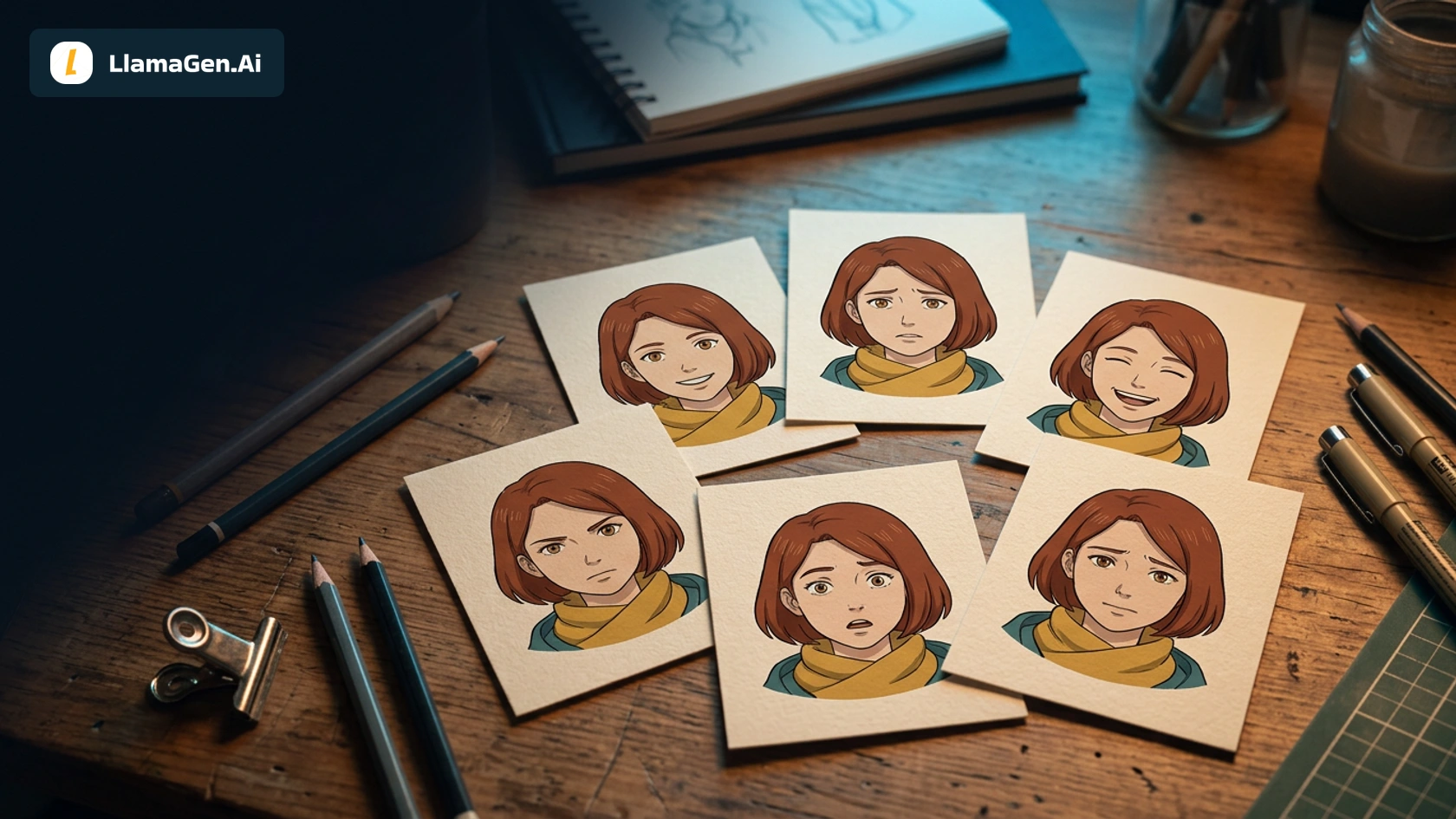
To draw the same OC with different expressions, keep the character reference stable while changing the brows, eyes, and mouth. Then test the character in a short dialogue scene. A portrait can look convincing on its own and still feel like a different person once it appears beside the next panel.
This case uses Maya, the auburn-haired traveler from our character-reference tutorials. It includes two real outputs for each of six expressions, followed by a real four-panel conversation. You can compare all 12 portraits and download the original files instead of seeing only a curated “best” sheet.
Start with the LlamaGen.AI OC Expression Sheet if you want to build an expression reference for your own character. This article focuses on how to inspect the results and use them in a scene.
Start from one approved identity
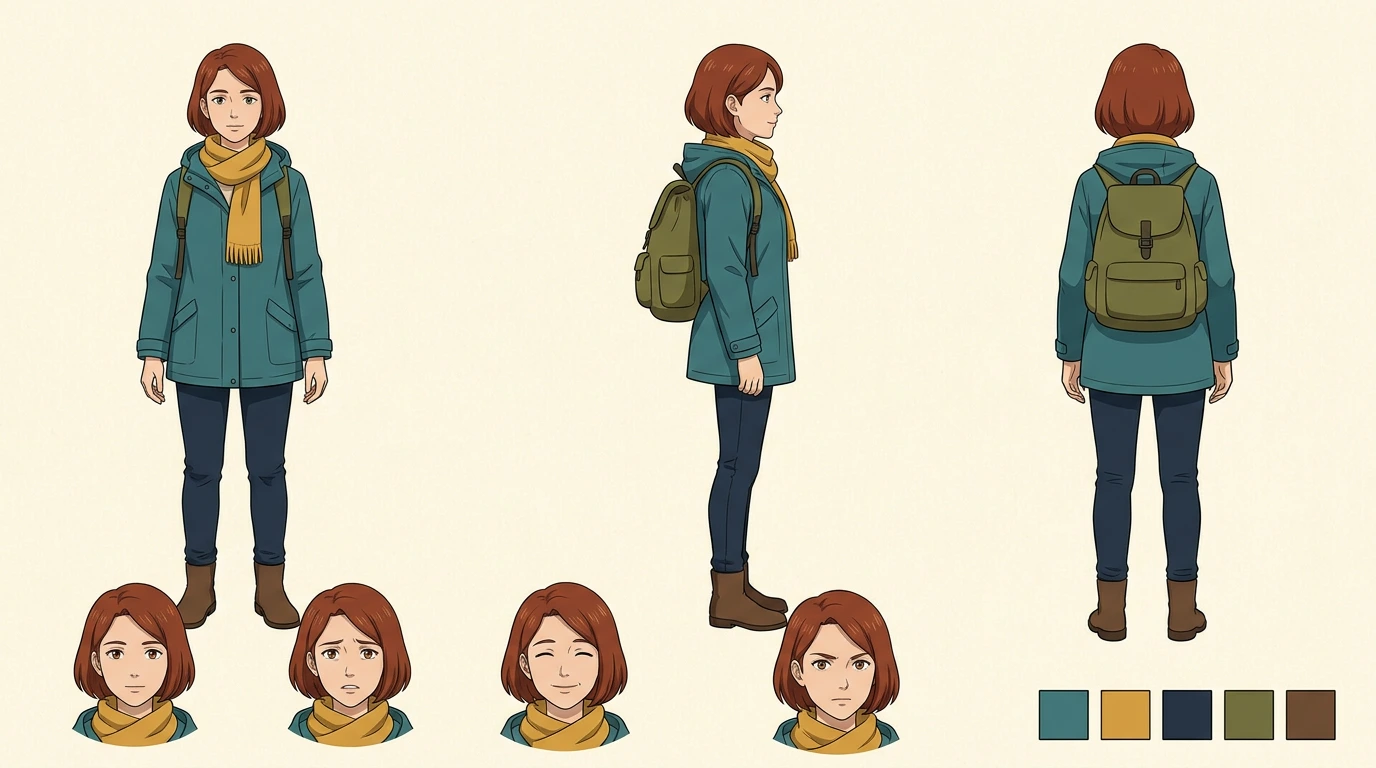
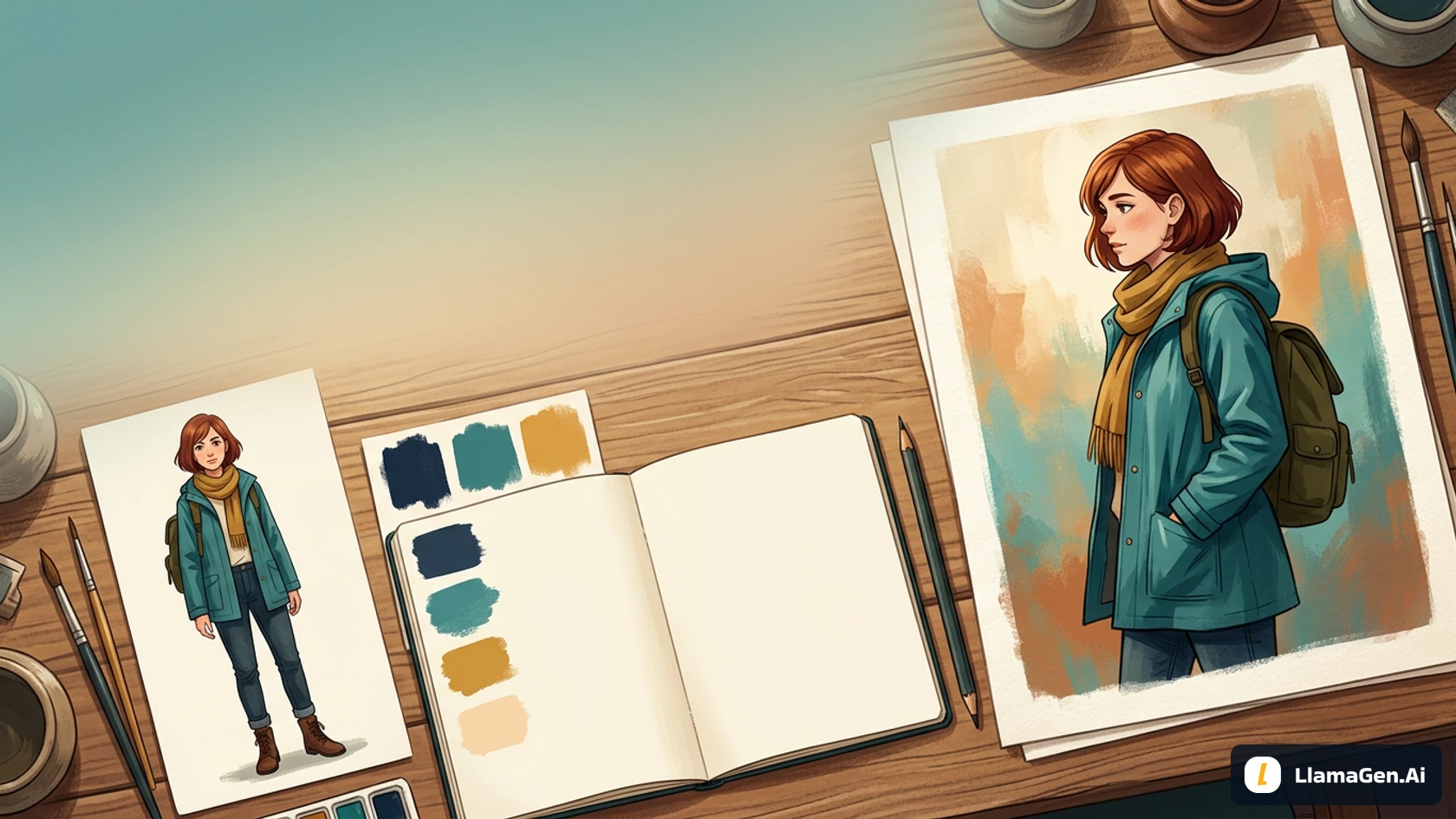
This is the existing approved Maya reference, reused as the image input for every portrait request. It is not a new expression-test output. It establishes the face, hair silhouette, outfit, and illustration style that the new requests should preserve.
The lock is short enough to reuse without rewriting it each time:
Maya is one adult woman with a short auburn bob, warm brown eyes,
a practical teal raincoat, mustard scarf and olive backpack straps.
Use the attached canonical reference for identity and illustration style.
One head-and-shoulders portrait, three-quarter view facing right,
eye-level camera, warm ivory background, unobstructed face.
Change only the requested expression. No text, labels or panels.
The canonical sheet is a visual guide, not a facial-measurement specification. If you are building your own sheet, see Character Creation for Comics and the manga character-sheet guide before testing expressions.
The actual test setup
Executed November 13, 2026. The portraits were generated through LlamaGen.AI's image playground with Vertex Nano Banana 2.1. Each request included the same reference URL, identity description, requested 1:1 aspect ratio, and portrait direction. Only the emotion instruction changed between emotion groups. Within each group, the two attempts used the same request text.
There were six groups: neutral, joyful, worried, surprised, frustrated, and relieved. We retained both attempts in every group, with no replacement portraits and no discarded failed samples. The requests did not expose a fixed seed in this workflow. This is a small editorial inspection, not a blinded identity benchmark or a model-wide success-rate estimate.
The two contact sheets below add exact labels locally. They do not retouch the expressions or make the separate outputs identical. Settled cost and Studio credits were not available, so this article makes no cost or generation-speed claim. The public OC Expression Sheet page was inspected anonymously; these images do not represent a signed-in run of its form.
Six expressions, twelve retained outputs
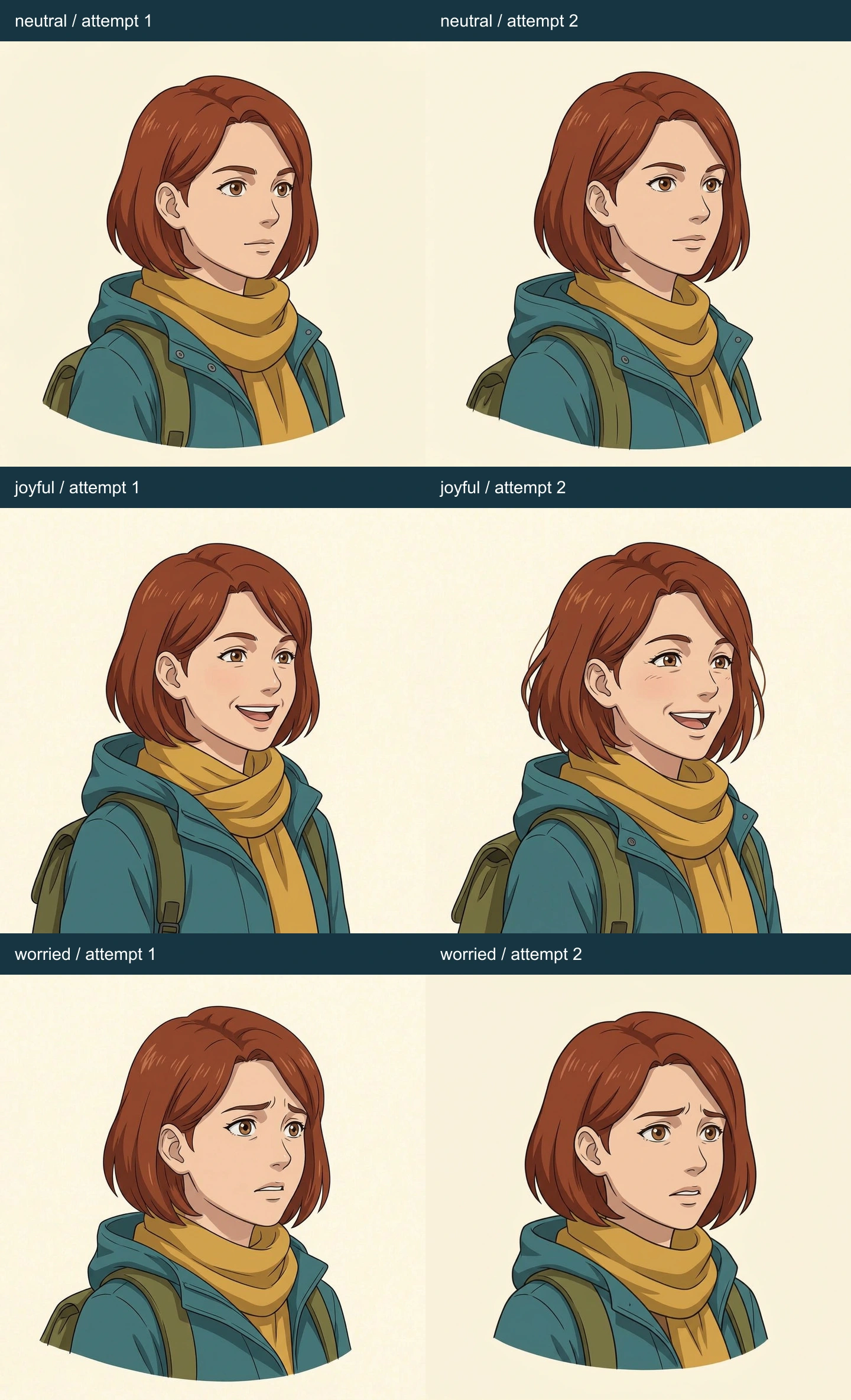
The first contact sheet contains neutral, joyful, and worried, with attempt 1 on the left and attempt 2 on the right in each row.
| Expression | Attempt 1: visible result | Attempt 2: visible result |
|---|---|---|
| Neutral | Relaxed mouth and brows, recognizable bob and scarf | Similar calm face; slightly different head and collar proportions |
| Joyful | Open smile and raised cheeks | Broad smile; hair tips are more tousled than the approved silhouette |
| Worried | Inner brows lift toward the center, mouth tense and open | Similar worried brow, narrower mouth; still close to surprise |
The second joyful attempt is a useful example. The requested emotion reads clearly, but the hair contour is less tidy. That is why it helps to inspect identity and expression separately. A strong smile does not excuse every design change, and a changed hair tip does not automatically mean it is a different character.
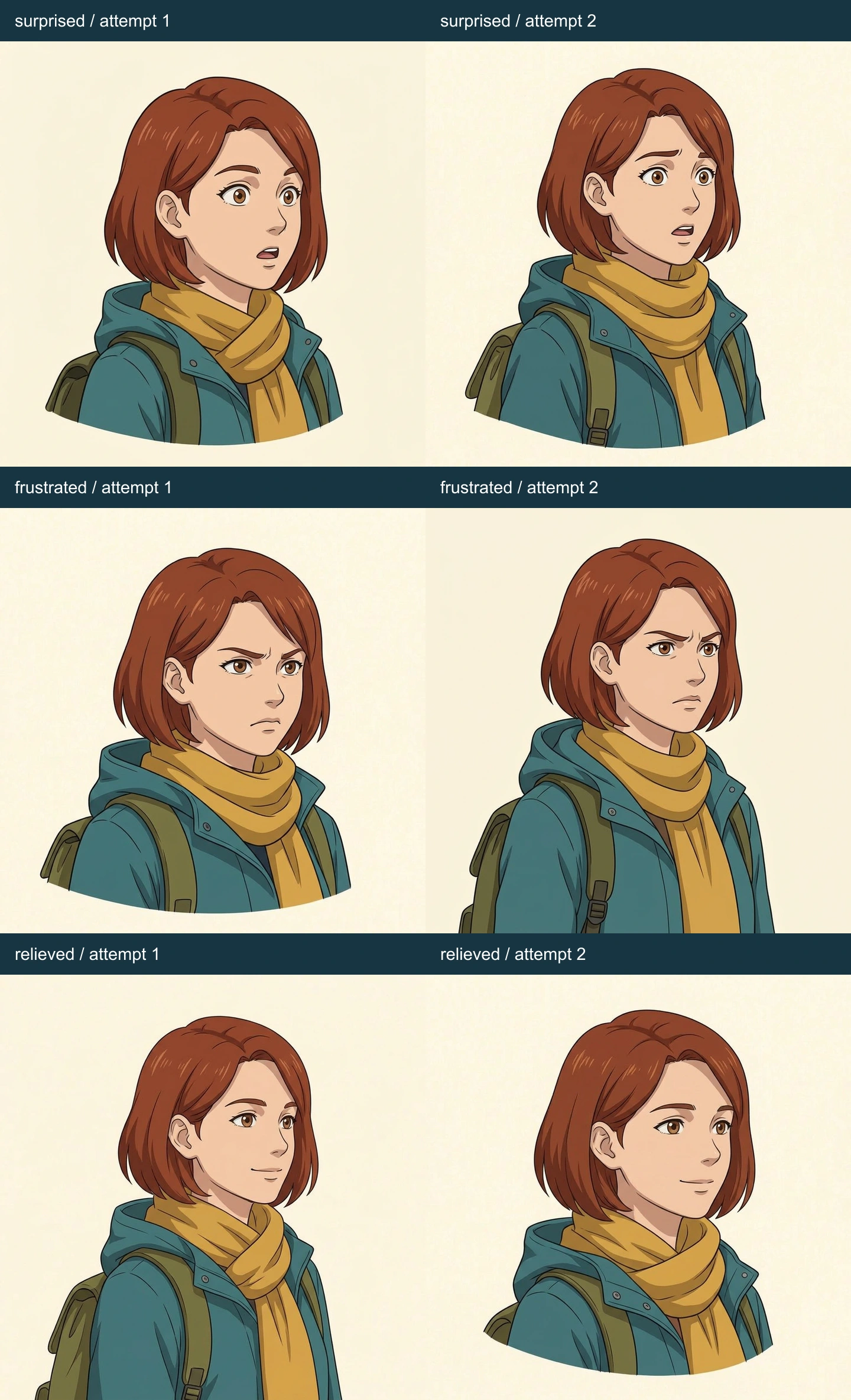
The second contact sheet contains surprised, frustrated, and relieved. No portrait has been substituted from the earlier pose test.
| Expression | Attempt 1: visible result | Attempt 2: visible result |
|---|---|---|
| Surprised | Wider eyes, raised brows and a small open mouth | More lifted inner brow, which also suggests concern |
| Frustrated | Lowered brows and pressed mouth | Similar tense brow and closed mouth; scarf and coat remain familiar |
| Relieved | Small relaxed smile, less tension than the worry portraits | Soft smile with a calmer brow; close to a friendly neutral expression |
Across these portraits, the short auburn bob, brown eyes, teal collar, mustard scarf, and visible olive straps remain recognizable. The scarf folds, coat seam placement, and precise face proportions vary. Full-body anchors such as boots cannot be evaluated from a shoulder portrait, so mark those as not visible rather than giving them a pass.
The labels tell you what was requested. They do not prove that a reader will name the emotion correctly. We did not run an unlabeled reader study, and we do not turn these 12 images into a percentage of “consistent characters.”
Inspect identity and expression on separate passes
First, hide the emotion labels and compare each face with the canonical reference. Ask whether the hair mass, facial proportions, apparent age, palette, and recurring clothing cues still belong to the same approved character. Check the stable parts rather than demanding identical pixels: eyebrows and mouth corners need to move for acting to work.
Then inspect the emotion. What changed from neutral? Joy uses the cheeks and smile, worry lifts the inner brow, surprise opens the eyes and mouth, frustration adds brow and lip tension, and relief reduces that tension. These are useful drawing directions, not a guarantee of how every reader will interpret a face.
For this set, the most useful editorial caution is overlap. Surprise attempt 2 carries some of the same inner-brow lift as worry. Relief is subtle enough to resemble a calm smile when removed from its surrounding scene. Dialogue context can help, but it should not hide an expression that conflicts with the intended beat.
Use the broader Comic Character Consistency Checklist when you also need to inspect poses, hands, costume, props, and camera changes. This case focuses on facial acting.
Apply the reference to a four-panel dialogue
The next request asked for a new four-panel image, using the canonical reference again. It did not paste the selected portrait crops into a comic, and it did not feed all 12 portraits back as a trained identity system. The contact sheets informed the editorial directions; the dialogue page is a separate generation.
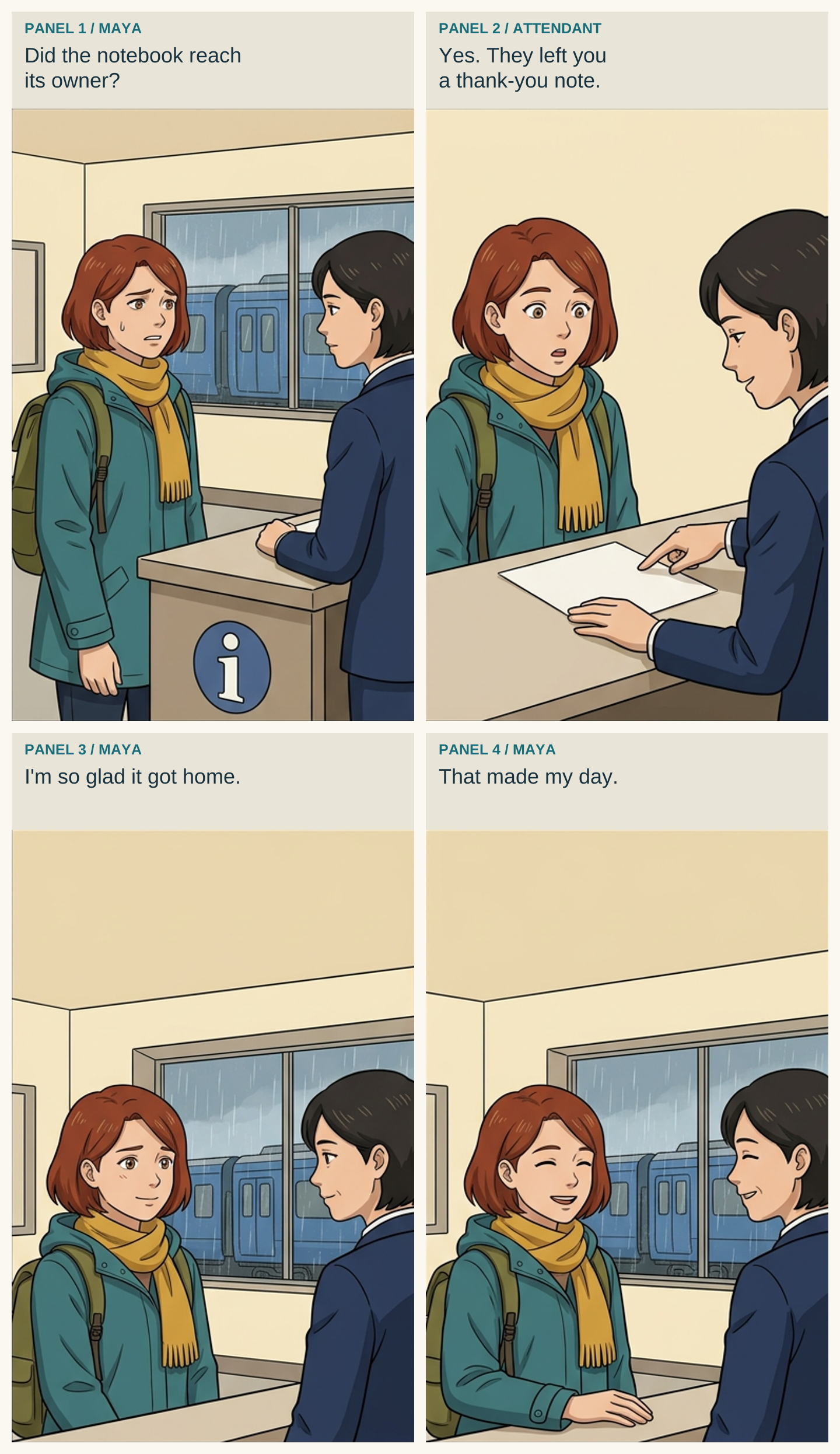
The original scene is a follow-up to Maya's red-notebook station story. She asks an attendant whether the owner collected it, hears about a thank-you note, relaxes, and smiles. It has two adults, one station location, and four beats. Maya stays on the left and the attendant on the right.
| Panel | Intended acting | Added dialogue and speaker |
|---|---|---|
| 1 | Maya worried | Maya: “Did the notebook reach its owner?” |
| 2 | Maya surprised as the attendant points to a note | Attendant: “Yes. They left you a thank-you note.” |
| 3 | Maya relieved | Maya: “I'm so glad it got home.” |
| 4 | Maya joyful | Maya: “That made my day.” |
The image request specified exactly four panels, no generated words, a closed teal coat, mustard scarf, and open headroom. It kept the character positions stable while changing Maya's face.
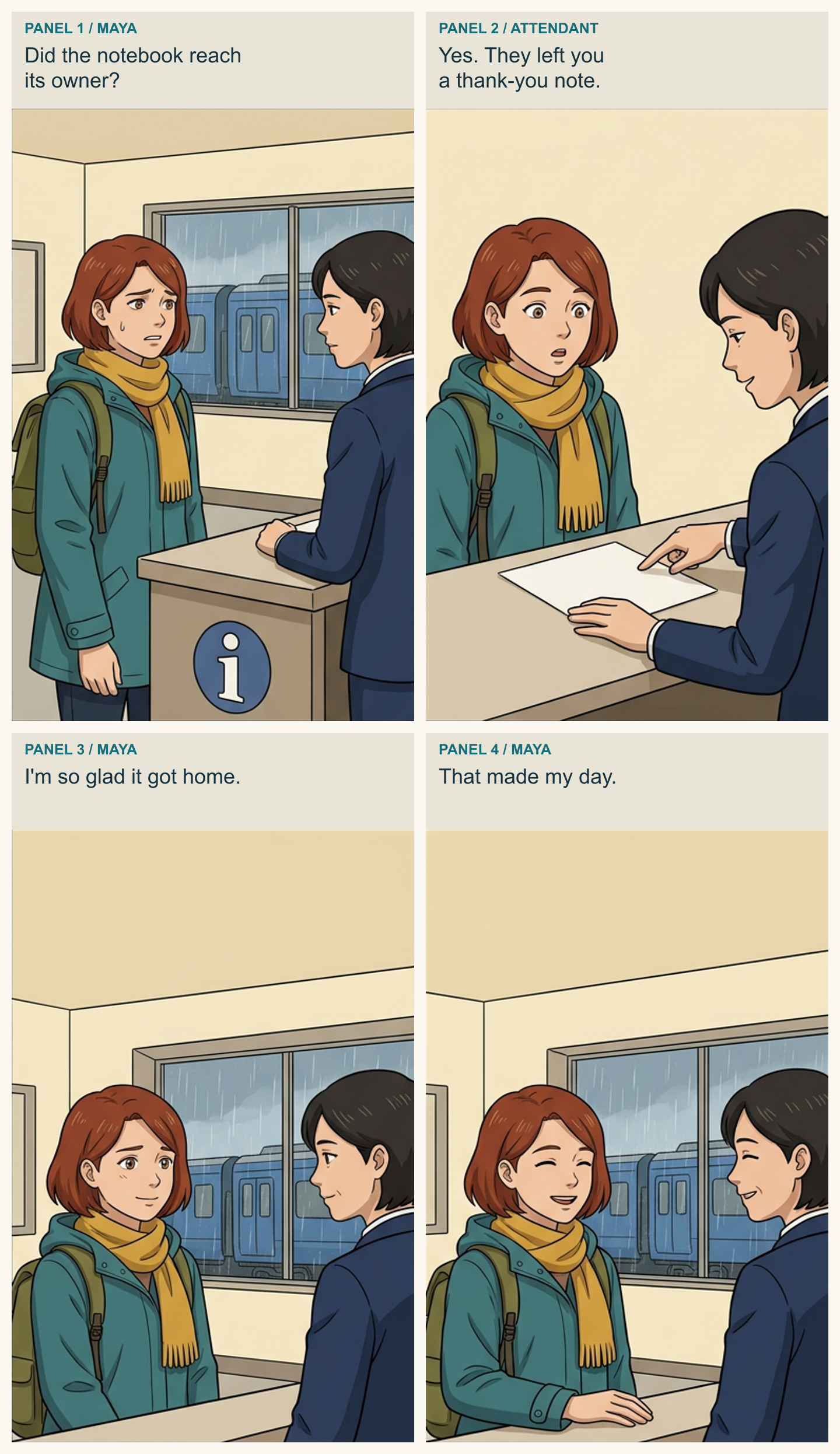
This is a locally assembled reading copy of the first retained dialogue-page output. The art contains four principal panels. In panel 1, Maya has a worried brow and small sweat mark; panel 2 widens her eyes; panel 3 uses a soft closed-mouth smile; panel 4 uses a broad smile with closed eyes. The face, auburn bob, scarf, and teal coat remain recognizable through the exchange.
Panel 4's closed eyes mean eye shape and color are not visible there. That is an ordinary acting choice, not evidence that those features matched a hidden reference. The change from worry to relief is also supported by the story order; the portrait test alone did not establish that distinction for every reader.
The attendant's pointing gesture and the blank note support the second beat. The note's actual words are not drawn in the artwork; the caption carries the dialogue. The reading copy uses explicit speaker labels so the attendant's line is not accidentally assigned to Maya.
What needed revision here?
No portrait replacement or visual repair was made for this expression set. Both initial attempts per expression remain visible. The dialogue image also remains its first output. We accepted it for this short editorial scene while keeping the hair variation and emotion overlap in the review notes.
The text was added after generation in an editable SVG, with cropped panels resized into a consistent reading layout. That is a local lettering and assembly step, not a native Studio export or proof that the model rendered exact words. Adding a failure after a satisfactory first output would not make this a better test.
Open the full dialogue PNG, download the editable SVG, or download all 12 original portrait PNGs and their request records. The archive also includes the canonical reference and the unlettered dialogue output. It contains no account credentials.
Reuse this expression prompt
Keep the identity paragraph unchanged and append one expression direction at a time:
Use the attached approved character reference.
Keep the same face, apparent adult age, hair silhouette, clothing and palette.
One head-and-shoulders portrait, three-quarter view, eye-level camera.
Plain warm ivory background. No labels, text, symbols or panels.

Expression: [one expression].
Visible acting direction: [brows, eyes, cheeks, mouth].
Avoid: [one likely ambiguity, such as broad joy instead of quiet relief].
For a dialogue page, add the speaker positions and emotional turn for each panel. Keep words in a separate script so you can change a line without asking the image generator to redraw the face.
Use the LlamaGen.AI OC Expression Sheet to develop your own set, then review the character in a short scene. A reference sheet becomes useful when it helps you make consistent choices across the page.
Related hot tags
OC Maker
Character Consistency
Character Expressions
Tutorial
Popular creator tools
Turn inspiration into your next story
Create comics, storyboards and stylized photos with LlamaGen.
01
AI Comic Generator
Turn an idea into polished comic strips in minutes.
Create comics02AI Manga Generator
Create expressive manga art and multi-panel stories.
Create manga03AI Storyboard Generator
Visualize every scene before production starts.
Create storyboards04Turn Picture into Comic
Transform any photo into a comic-style illustration.
Create comics from pictures05AI Comic Strips Maker
Build shareable strips with characters that stay consistent.
Create comic strips
Spark dreams for the young
Where millions of stories come alive
A rundown of the latest LlamaGen feature releases, product enhancements, design updates, and important bug fixes.