Photo booth software
Upload a guest reference, request a comic sequence, poll generation status, and hand the returned assets to your own gallery or print system.


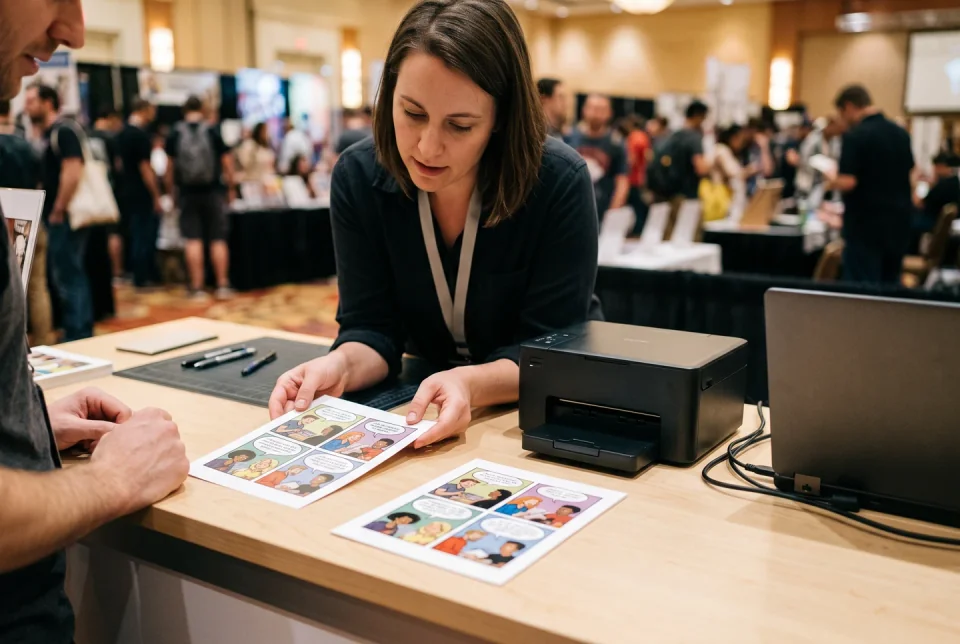
Add comic-story generation to a photo booth app, personalized print storefront, or event workflow. Your software handles capture and delivery; the LlamaGen Comic API accepts reference photos and returns comic generation results.
LlamaGen Editorial TeamReviewed Privacy policyTerms and billing policiesContact support
Input: an authorized customer photo + story brief
Output: a comic page with editable story panels
Boundary: camera hardware, queues and printing are separate integrations
Each stage has a clear owner. LlamaGen handles comic generation, while your existing tools can manage the event workflow.
01
Your app captures or receives a guest image after suitable consent, and uploads it through the API.
02
Pass the returned file URL as an attachment or character reference, with a panel-by-panel story brief.
03
Use the generation ID and status endpoint. Handle pending, failed, and completed outcomes and retry carefully.
04
Inspect the generated panels and handle print sizing, fulfillment, and sharing in your own application.
Upload a guest reference, request a comic sequence, poll generation status, and hand the returned assets to your own gallery or print system.
Use an order upload and selected story theme as inputs. Connect output approval and fulfillment within your commerce backend.
Produce comic-style stories for branded experiences. Build moderation, consent, and human review into your own guest flow.
These are suggested workflows, not claims that LlamaGen supplies onsite rental services or print hardware.
Upload a reference image, then use the returned fileUrl with a comic generation request. A generation ID lets your backend check progress before passing assets to your delivery system.
# 1. Upload a guest reference
curl -X POST https://api.llamagen.ai/v1/comics/upload \
  -H "Authorization: Bearer $LLAMAGEN_API_KEY" \
  -F "file=@guest-photo.jpg"

# 2. Generate after you receive fileUrl
curl -X POST https://api.llamagen.ai/v1/comics/generations \
  -H "Authorization: Bearer $LLAMAGEN_API_KEY" \
  -H "Content-Type: application/json" \
  -d '{
    "prompt": "A friendly four-panel original comic about this guest arriving at a celebration",
    "fixPanelNum": 4,
    "attachments": [{"type": "image", "url": "YOUR_FILE_URL"}]
  }'

# 3. Poll GET /v1/comics/generations/{generationId}
The request is illustrative. Use a real uploaded file URL, check authenticated API errors, and consult the current API documentation for schema, credits, and response details.
The Comic API is a REST interface that can be called from a custom app or backend. Compatibility with a specific photo booth vendor depends on that vendor's extensibility and must be tested.
No. Camera capture, event queues, hardware control, live displays, and print fulfillment are responsibilities of the integrating application.
Billing is based on API credits and generation settings, including panel count and optional upscaling. Review current API pricing and do not assume that a website subscription's credits are interchangeable with API credits.
Not as a complete photo booth system. LlamaGen provides photo-to-comic creation and a Comic API. Booth operators can handle capture, queues, printing, and delivery within their existing software.
The photo-to-comic tool accepts a photo upload. The Comic API also documents image attachments, character reference images, and an upload endpoint. Results should be reviewed for resemblance before sharing or printing.
Yes. Collect the appropriate consent before uploading guest photos, clearly explain retention and sharing in your own event workflow, and review the applicable service and privacy terms.
Integrate from the public Comic API docs and test photo references, generation status, and per-panel costs before running a live event.
Planning a real event or operator integration? Read the implementation and print checklists before promising turnaround, likeness or print quality.
Find the complete topic list on AI Photo Booth overview.