Photo to comic on iPhone

Turn a photo into a comic on iPhone.

Keep the details that matter, then add a comic style, new story beats and panels. Compare photo-first apps by what they do with your original image.

iPhone-focused · App Store sources checked November 11, 2026

LlamaGen · iPhone
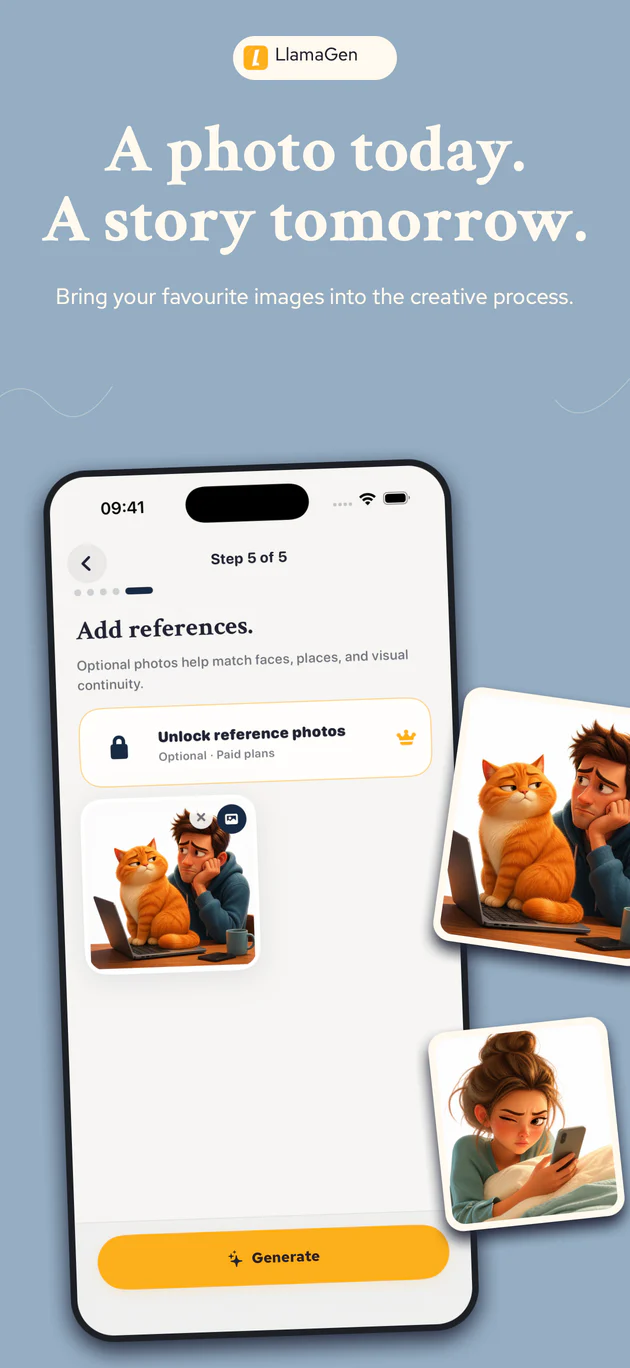
iPhone · Add a reference photo
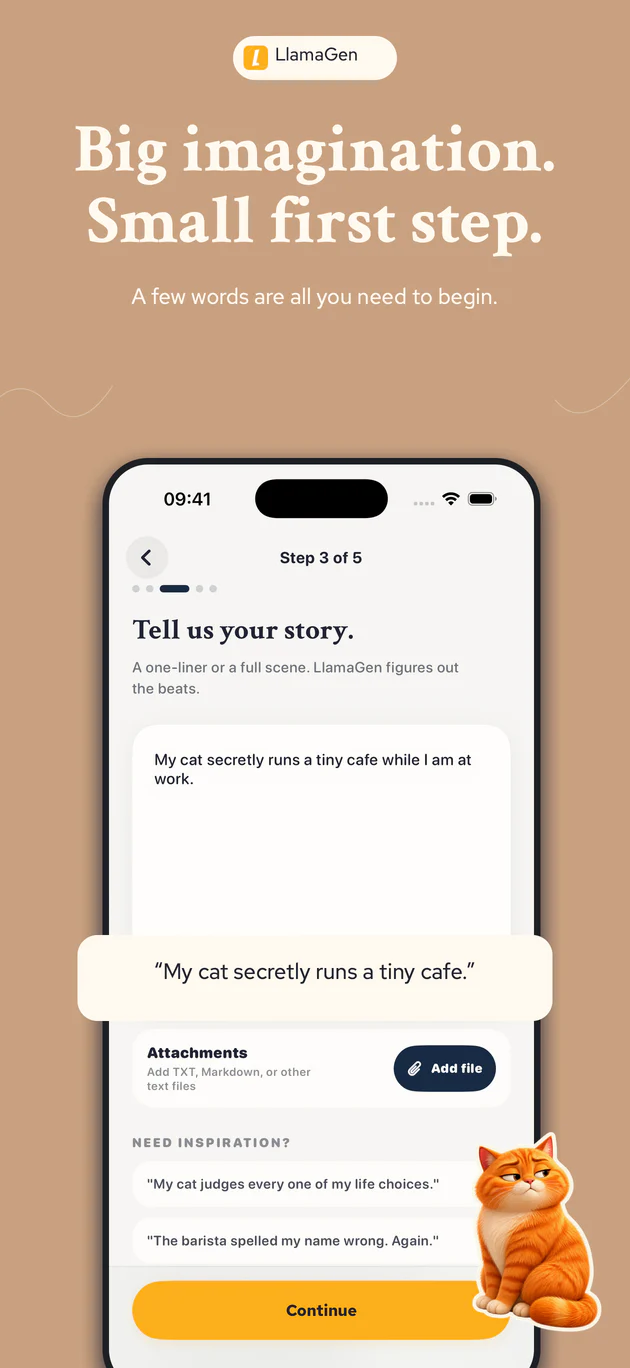
iPhone · Write the story prompt
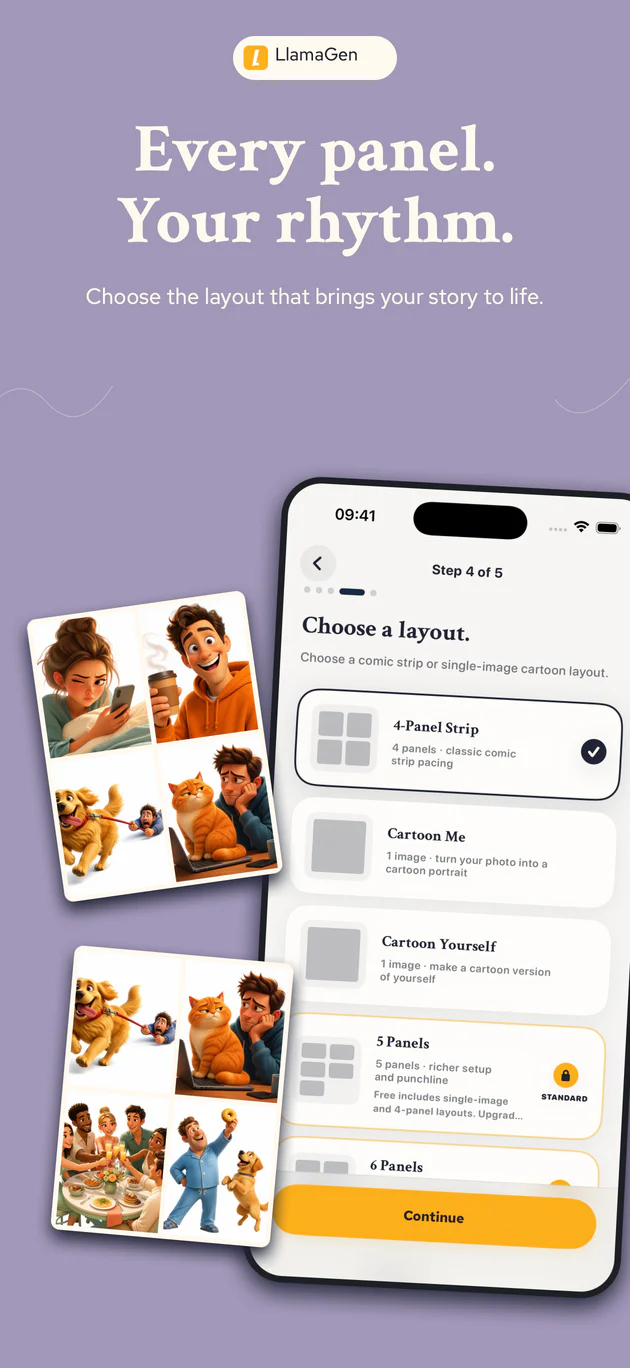
iPhone · Choose a panel layout

LlamaGen for iPhone

iPhone-focused

LlamaGen for iPhone
Original photo
01
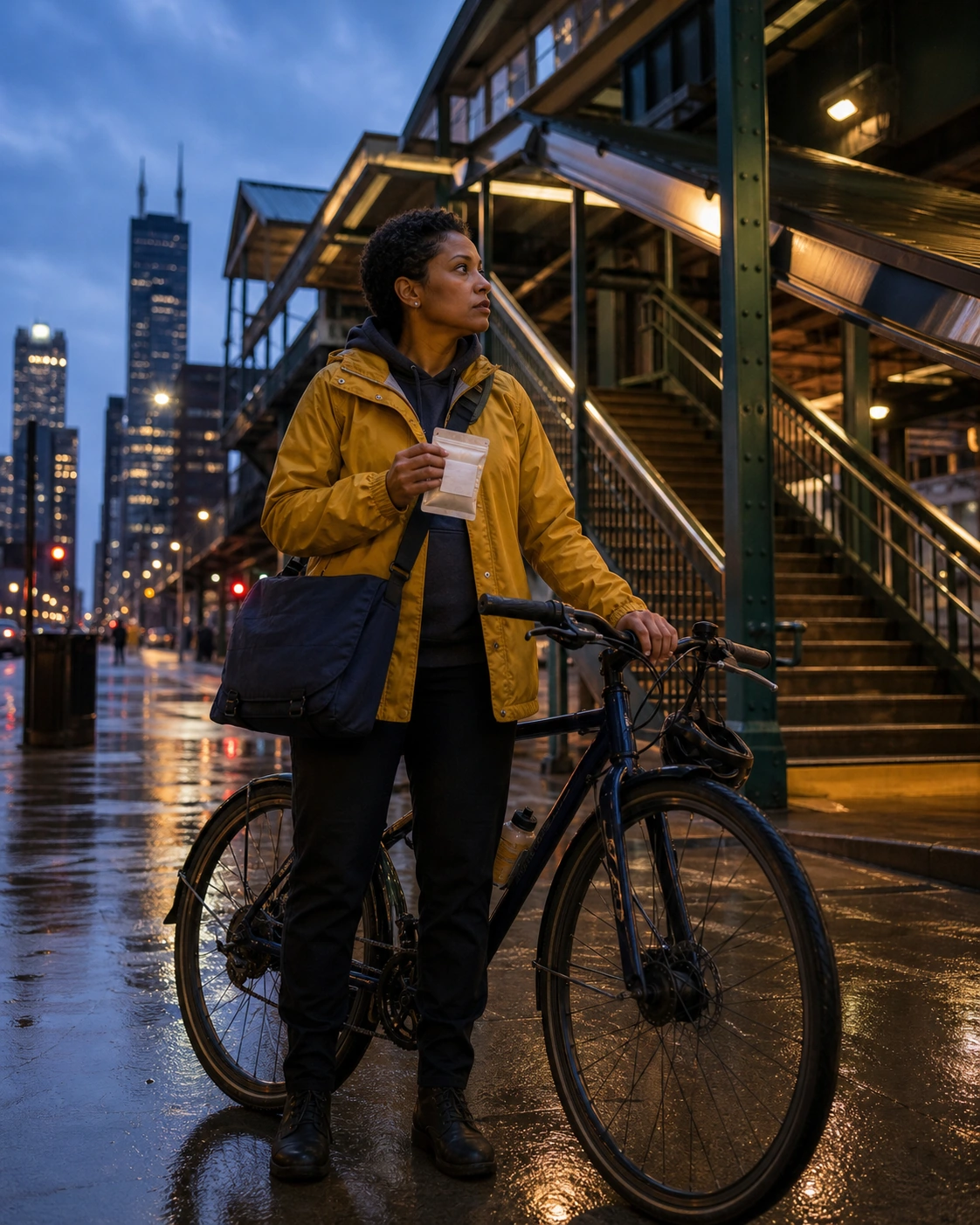
Original photograph of a bicycle courier in a rain-soaked Chicago street, wearing a delivery jacket beside a bicycle
Original photo
Comic result
02
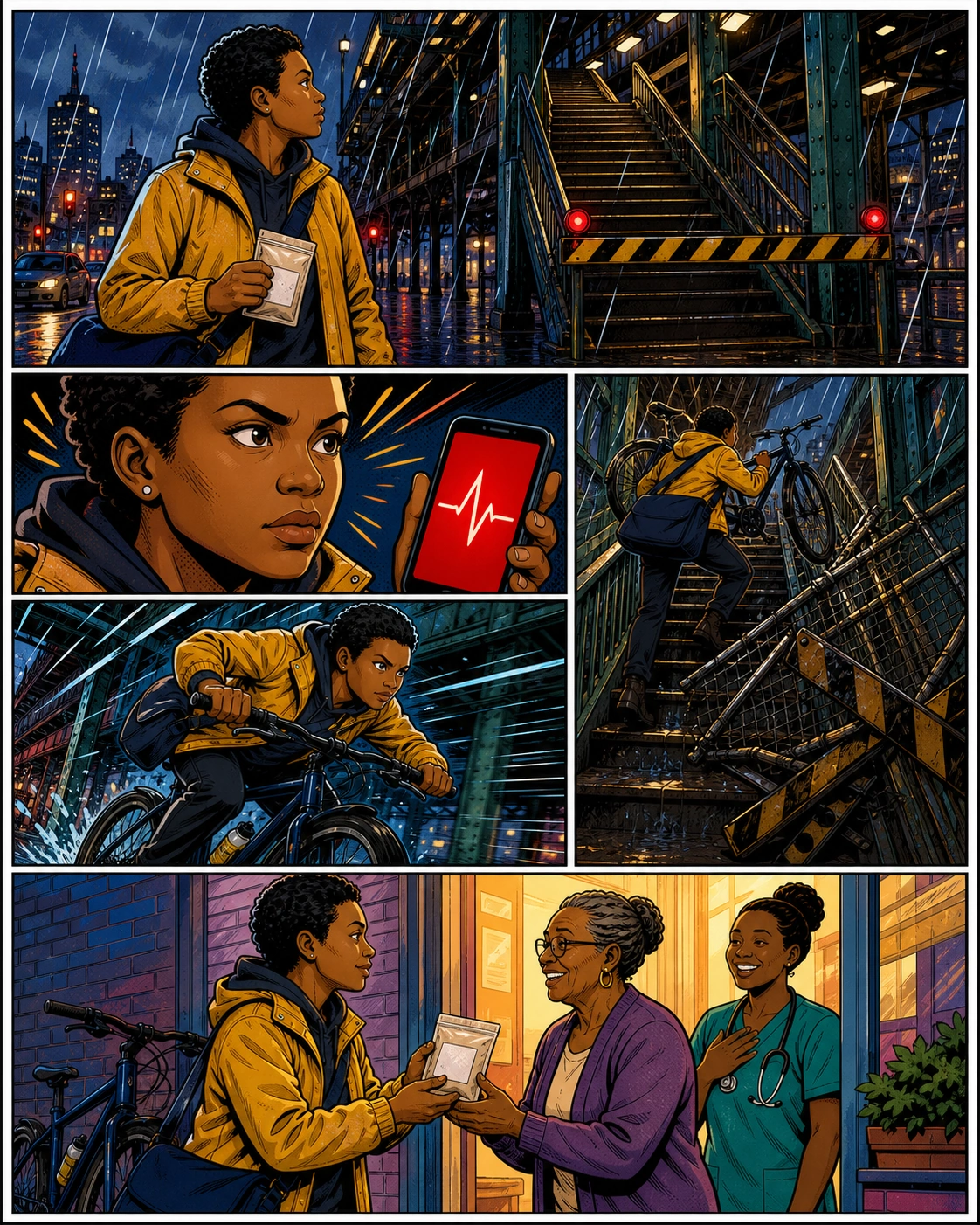
Six-panel American comic page showing the Chicago courier overcoming obstacles and delivering medicine to a clinic
Comic result

Color American comic

The original courier portrait supplies the cast, wardrobe, bicycle, and location. The comic page adds obstacles, movement, and a complete delivery payoff.

Reviewed 19 Aug 20261 photo → 4 story beats → 6 panels

Four story beats

01

A blocked station entrance establishes the problem.

02

An urgent alert turns concern into action.

03

The courier races and carries the bicycle over the barrier.

04

The medicine reaches the clinic and resolves the scene.

These matched source/result pairs come from LlamaGen’s reviewed photo-to-comic examples; they are not recordings of an iPhone app session. They are curated story transformations, not pixel-perfect reconstructions; public records do not expose model ID, seed, latency or per-image cost. Original story and page notes in English

Source record

Original photo SHA-256

db884d4626f832c20c181a64e538082a01d6cf658db6a87e5c581d1cbb97dfa0

Comic result SHA-256

f0514867227c193d6da807535ca7cbf9a68e568b1aef27eccfae49b3ab37b27c
View original evidence record

From your camera roll to comic panels

See the steps before you start.

A photo can be a starting reference for a new story, or the actual picture inside a comic panel. These are different tasks. LlamaGen focuses on AI story-to-panel drafting.

LlamaGen for iPhone
Bring a photo

Bring a photo

Choose a photo you own or have permission to use. Reference-image uploads require an eligible LlamaGen plan; check access before you start.

These are real LlamaGen iPhone marketing screenshots, not a recording of the photo-to-comic sample above. AI output varies; photo uploads and some exports require an eligible paid plan.

Only need one illustrated portrait?

A cartoon or anime portrait is a different goal from telling a multi-panel comic story. Follow the dedicated photo tools for those results.

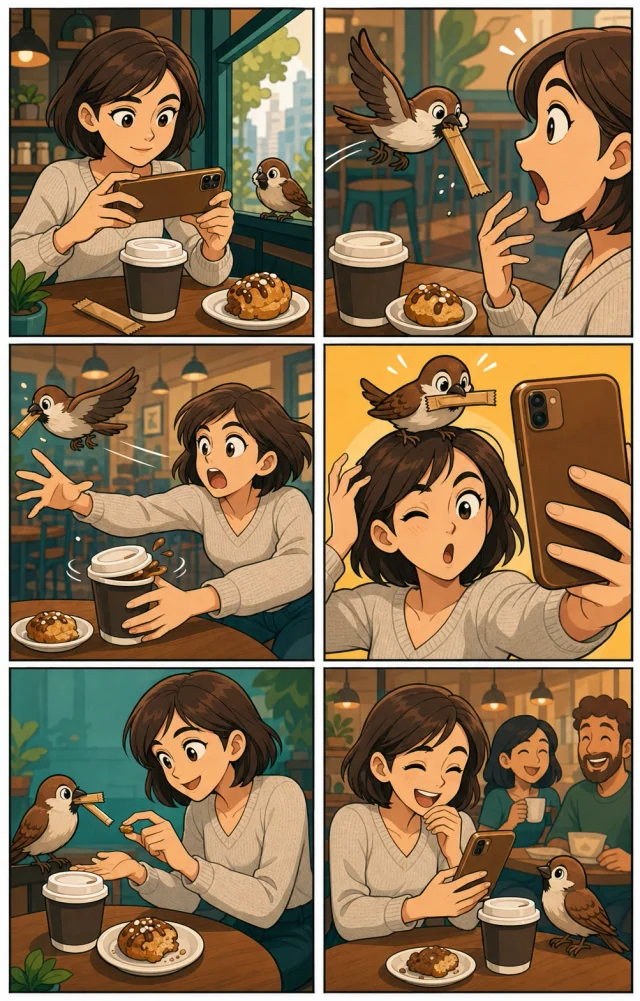
Café Sparrow

These matched source/result pairs come from LlamaGen’s reviewed photo-to-comic examples; they are not recordings of an iPhone app session. They are curated story transformations, not pixel-perfect reconstructions; public records do not expose model ID, seed, latency or per-image cost.

Original café portrait with a phone and coffee cup on the table
Reference photo
Six-panel 2D cartoon comic page about a mischievous sparrow at a café
Comic page
Open full comic pageLlamaGen sample artwork

How to choose

Three photo-to-comic approaches on iPhone

Choose based on whether you want an ongoing story, a personalized comic book, or a quick photo-panel composition.

LlamaGen

Best for

AI story-to-comic drafts and recurring characters

Start from a story or prompt, create single- or multi-panel comics, keep recurring characters and scenes more consistent, then edit, save, or share from the iOS app. Reference-image uploads depend on plan eligibility.

AI Comic Book Maker & Manga

Best for

Photo-led personalized comic books

Starts from selfies or photos, supports multiple characters, editable speech bubbles, page continuation, and a personalized comic-book workflow.

Comic Crafter: AI Manga Maker

Best for

Photo panels, comic layouts, and quick stylization

Builds comic pages from iPhone photos or selfies with panel layouts, comic and manga styles, speech bubbles, stickers, and per-panel positioning.


How to choose

Before you upload a photo

Decide whether the photo is a reference or the finished panel

A reference-driven workflow uses the photo to preserve identity while generating new scenes. A layout-driven workflow keeps the original photo in the panel and adds comic styling, bubbles, or stickers.

Choose one image or an ongoing story

For a one-off transformation, speed may matter most. For several panels or pages, look for character continuity, page editing, and the ability to revise one panel without rebuilding everything.

Check plan access and privacy before uploading

Reference-image uploads can be plan-gated. Review the app’s current upload, storage, privacy, and export behavior before using personal photos.

FAQ

FAQ

Can LlamaGen turn an iPhone photo into a comic?

LlamaGen can use reference images in eligible plans and combine them with a story or prompt to create comic panels. Availability depends on your plan, so check the current app flow before uploading.

Is a comic photo filter the same as a comic generator?

No. A filter mainly restyles an existing image. A comic generator can create new panels, scenes, story beats, captions, or recurring-character variations from the reference.

Can I make multiple panels from iPhone photos?

Yes, but the workflow differs by app. Some apps place separate photos into panel templates, while others use references to generate new scenes around the same subject.

Verification

App Store sources checked November 11, 2026. Product availability, pricing, and plan limits can change. Use the linked App Store pages as the source of record for current compatibility and purchase details.

Use the photo workflow that matches your goal

Choose LlamaGen when the photo is a reference for a larger story. Choose a layout-first photo app when the original images themselves should remain the main panel content.

Get LlamaGen on the App Store