

Comic creation guide · Updated November 12, 2026
How to Make a Comic: A Practical Step-by-Step Guide
Go from a story idea to readable comic pages. Plan the cast, write visible panel actions, choose a layout, create the artwork and review the finished sequence before sharing it.
AI generation requires sign-in and uses credits. Check the active workspace and pricing page for current access and costs.
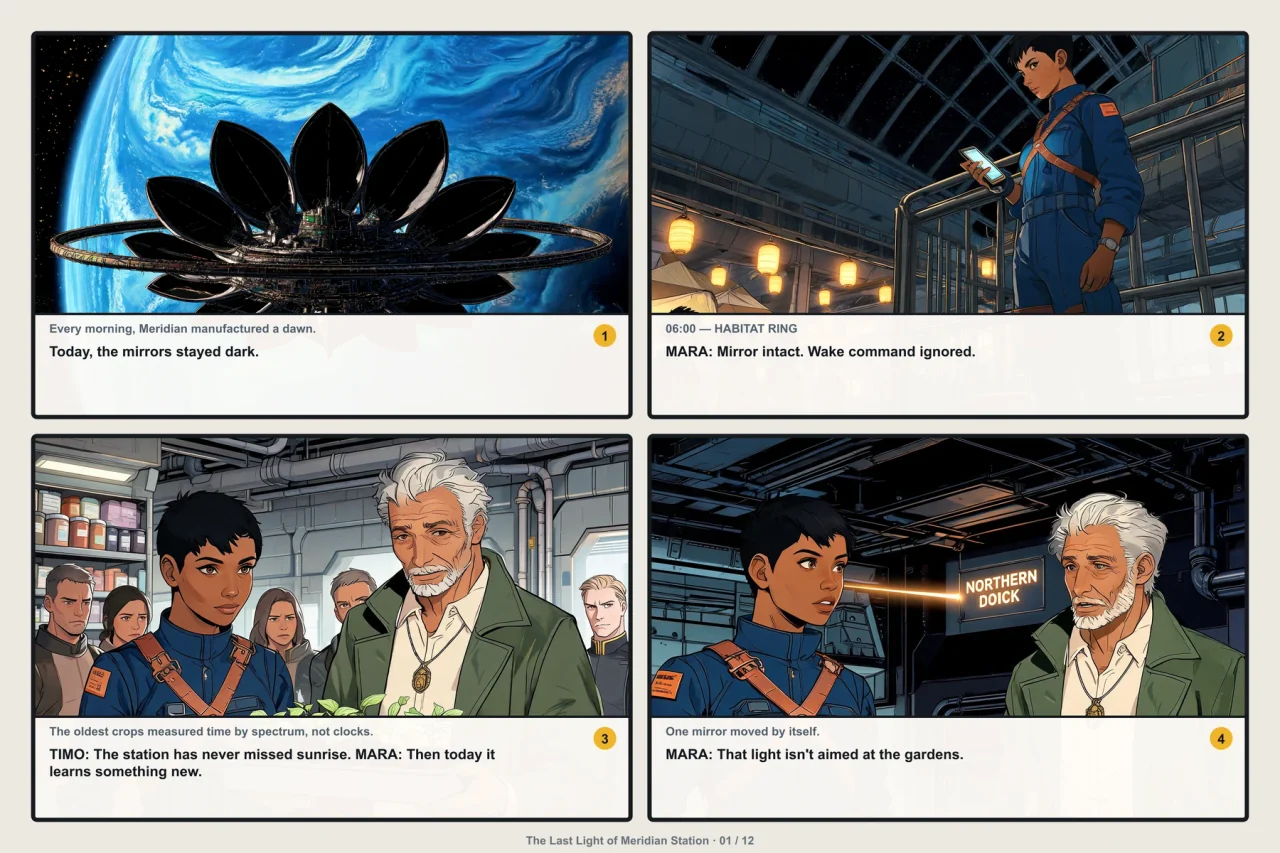
The short answer
To make a comic, choose one story problem, define the characters, write a sequence of visible actions, arrange those actions into panels, create the artwork and review the page order. The story should still make sense when a reader follows only the pictures and short lines of dialogue.
Step 01
Start with one clear story premise
Write the story in one sentence before you think about art. Name the main character, what they want, what gets in the way and what changes by the end. A short comic works best when the reader can follow one central problem.
- Choose one main character and one immediate goal.
- Give the character an obstacle that can be shown visually.
- Decide what the final panel should make the reader understand or feel.
Step 02
Design characters readers can recognize
Create a compact character reference before drafting several scenes. Record the face, hair, silhouette, clothing, important colors and any prop that identifies the character. Use the same approved reference when the character returns.
- Choose three visible identity anchors that are easy to inspect.
- Record deliberate changes of clothing, age or location instead of letting them happen accidentally.
- Compare a close-up and a full-body view before using the character across many panels.
Step 03
Write the comic script as visible actions
Break the premise into scenes, then write what the reader should see in each panel. A panel description should name the subject, action, setting and emotional beat. Put dialogue and captions in separate notes so the artwork does not have to carry every explanation.
- Give each panel one primary action or reveal.
- Keep dialogue short enough to read at the intended page size.
- Use a new panel when the viewpoint, information or reaction genuinely changes.
Step 04
Choose a layout and reading order
Select the format before generating the final art. A four-panel strip, a manga page and a vertical webcomic episode have different reading rhythms. Number the panels and decide whether the reader moves left to right, right to left or down a vertical sequence.
- Keep panel order obvious with spacing, gutters and consistent direction.
- Give the reveal or emotional reaction enough room to land.
- Check that speech bubbles follow the same reading order as the artwork.
Step 05
Create the artwork and review every panel
You can draw the panels yourself, work from photographs or use an AI comic workflow. If you use AI, check the active tool's supported inputs, sign-in requirements and displayed credit cost before generating. Review the result against the script instead of accepting a polished image that tells the wrong story.
- Check character identity, clothing, props and scene continuity.
- Read every caption and speech bubble; generated lettering may need correction.
- Replace or redraw the smallest failing panel where the workflow allows it.
Step 06
Prepare the finished comic for its reader
A print page, a downloadable comic book and a vertical webcomic are not the same deliverable. Review the full sequence at the size people will read it, then prepare the file format and dimensions required by your chosen destination.
- Inspect page order, margins, image sharpness and lettering at normal reading size.
- For vertical episodes, check scroll pacing and platform-specific image limits.
- Keep an editable source project so you can repair a page without rebuilding the whole story.
A first-comic exercise
Plan a complete story in four panels
Use a simple story: a courier finds a wet sketchbook, protects it, locates its owner and returns it. Each panel changes what the reader knows.
| Panel | Visible action | Story purpose |
|---|---|---|
| 01 · Setup | The courier notices a sketchbook beside a rain puddle. | Introduce the person and the problem. |
| 02 · Choice | The courier lifts it into a dry bag. | Show the character's response. |
| 03 · Search | A café stamp points to where the owner might be. | Move the story toward its resolution. |
| 04 · Payoff | The artist recognizes the sketchbook and opens an undamaged drawing. | Resolve the problem with a visible result. |
This is an editorial planning example, not generated artwork or a claim that an AI tool will return exactly four panels.
Where AI can help in comic creation
Choose the workflow that matches your starting material. These tools create different kinds of drafts; none removes the need to review the story, characters and lettering.
Story or script to comic
Start with written story beats and turn them into panel drafts.
Open Story to ComicWebcomic episode draft
Create an editable four-panel starting page from an episode brief or script.
Open Webcomic MakerA final review before you publish
- The story can be followed in the intended reading order without extra explanation.
- The main character, clothing and important props remain recognizable across pages.
- Speech bubbles and captions are readable at normal phone or print size.
- Every page has a clear job; repeated panels do not slow the story without purpose.
- The exported file matches the destination's current dimensions, file-size and content rules.
Frequently asked questions
How do I make a comic for the first time?
Start with a one-sentence premise, define the main character and their goal, write a short sequence of visible actions, number the panels, then create and review the artwork. A four-panel strip is a manageable first exercise.
How many panels should my first comic have?
There is no universal number. Four panels are enough for a simple setup and payoff; six to eight can give a short scene more room for an obstacle and a reaction. Longer stories need page-level pacing rather than a fixed panel count.
Can I make a comic if I cannot draw?
Yes. You can use an AI comic workflow to draft artwork from a story, script or supported reference. You still need to review the character, composition, lettering and story order before treating the result as finished.
How do I keep the same character across comic panels?
Use an approved reference and record visible anchors such as face, hairstyle, clothing, colors and props. Compare each new panel with that reference. Reusing a prompt does not guarantee identical characters.
Do I need to sign in to generate a comic with LlamaGen?
Yes. Reading this guide is free, but creating a comic in LlamaGen requires signing in and uses the credits or plan shown in the active workspace. Check the current pricing and generation details before starting.
How do I make a webcomic instead of a print comic?
Plan for vertical reading from the start. Use clear episode beats, readable phone-size lettering and deliberate spacing between reveals. Review the export against the current requirements of the platform where you intend to publish.
Can I animate my comic panels after making them?
Yes. Prepare the finished panels in their intended order, then use the Comic to Video workflow to direct motion and review the complete clip. Animation is a separate step from creating the comic pages.