

Comic-making fundamentals
Manga background continuity: keep locations consistent across panels
Manga backgrounds do more than decorate a panel. Repeated landmarks, perspective, entrances, and character positions help readers understand where an action happens as the camera changes.
Published by LlamaGen Editorial TeamUpdated
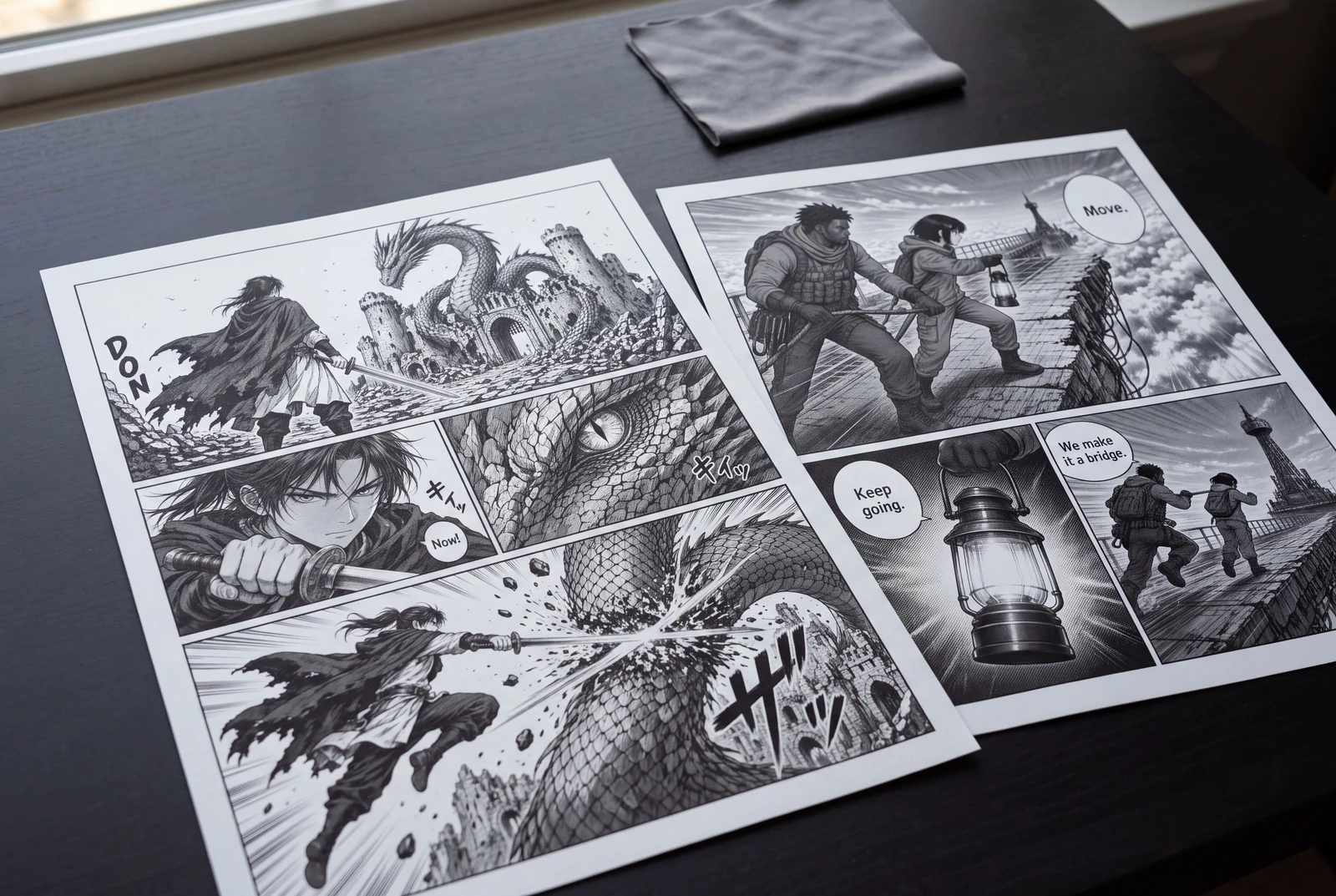
Quick answer
Build a simple location sheet before the scene: mark the horizon, entrances, large landmarks, movable objects, and character paths. Reuse those anchors across shots, then simplify detail according to panel size without changing the location's logic.
These references explain the underlying craft. The original exercises below are LlamaGen examples; the authors do not endorse LlamaGen.
Landmarks shift between panels
The tower and horizon start on the left
The reverse angle invents a new railing
The close-up changes the bridge post
Stable anchors across camera changes
Establish tower, post, and path
Retain the post and tower spire
Simplify detail; preserve the attachment
Original instructional illustration with fictional characters; not a customer comic or a product screenshot.
Create a location model the page can reuse
You do not need a perfect architectural drawing. You need a stable set of spatial facts that survive close-ups, action panels, and later pages.
- Choose persistent landmarks
- Pick two or three features readers can recognize from different angles: a split tower, a hanging lantern line, a broken bridge post, or a distinctive window.
- Mark entrances and paths
- Note where characters enter, where they can stand, and which route connects important objects. This prevents a door or bridge exit from moving when the camera reverses.
- Set horizon and perspective
- Keep the eye level consistent within a shot unless the camera intentionally moves. Perspective guides help align receding structures; they do not choose the composition for you.
- Separate fixed and movable objects
- Architecture should remain stable. Props may move, but show the action or consequence that explains the change. Record important prop positions on the location sheet.
Preserve continuity while changing the camera
A scene can use wide shots, close-ups, and dramatic angles without redrawing the location as a different place.
- Establish before compressing
- Use at least one view that connects characters to the location. Later panels can crop the environment to one recognizable edge, post, window, or cable.
- Track left and right relationships
- When characters face each other, keep their screen positions stable or clearly show the camera crossing the axis. A mirrored background can accidentally reverse the action.
- Match light and weather
- Keep the storm direction, major shadows, and time-of-day cues coherent across a short sequence unless the story shows a change.
- Simplify, do not relocate
- Small panels need fewer lines, not different architecture. Retain the silhouette or landmark that carries orientation and remove texture first.
Worked example: the sky-bridge approach
A courier moves from a cliff path to a suspended bridge leading toward a split tower. Fog and action require several camera changes.
Panel 1
Location sheet: the cliff path enters from the lower right, the broken post sits at the bridge entrance, and the split tower remains beyond the span.
Panel 2
Wide panel: show the courier beside the post with the tower centered beyond the cables. This establishes the route.
Panel 3
Medium reverse angle: keep the broken post behind the courier and one tower spire visible over the shoulder so the camera change remains legible.
Panel 4
Close action panel: crop to the boot, rope, and post. Preserve the post's crack direction and cable attachment from the establishing view.
The amount of background detail changes, but the post, cable, route, and tower keep the panels connected. If one of those facts changes, the page should show why.
Comic pages in everyday use
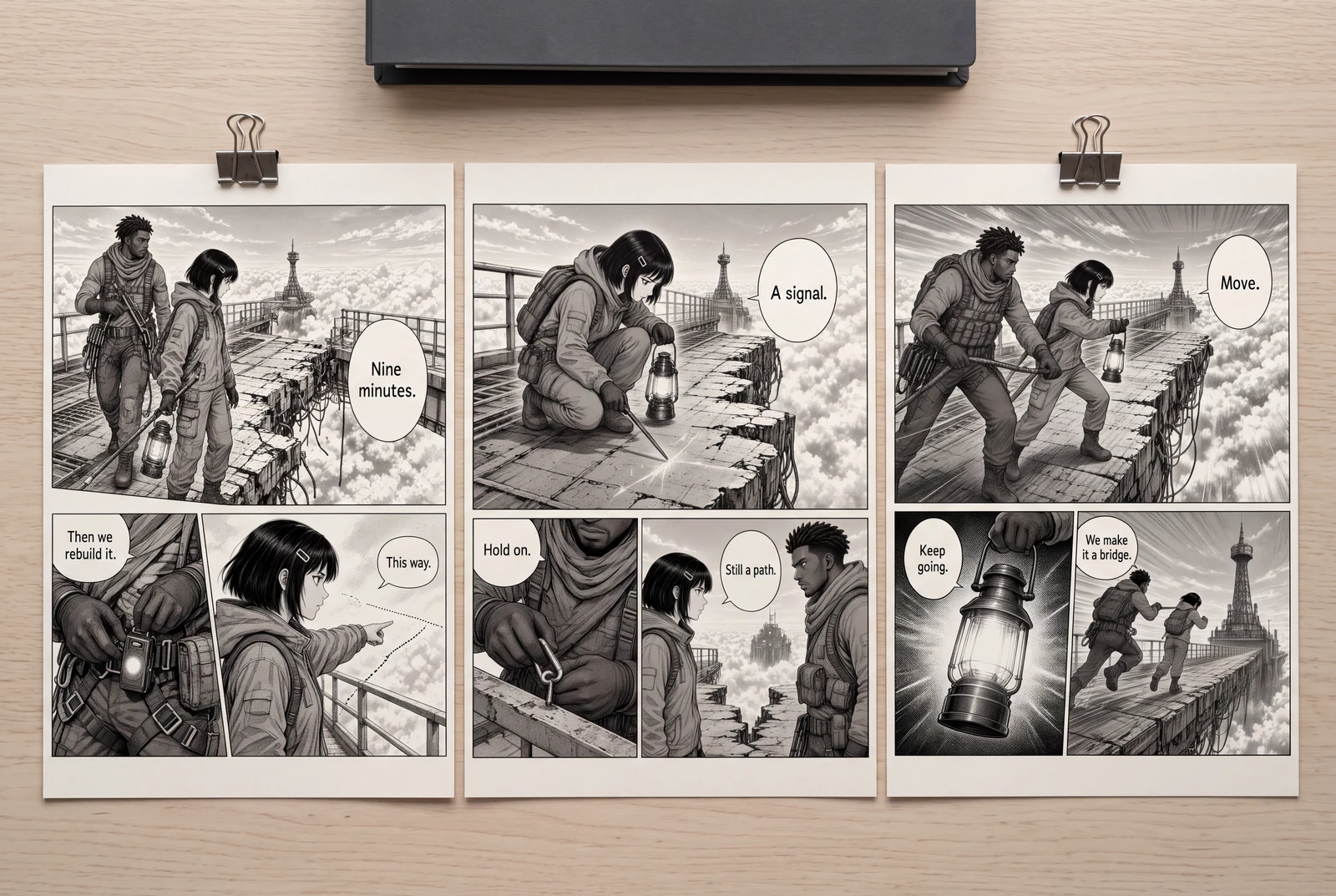
Compare decorative backgrounds with continuity anchors
Use the same courier, sky bridge, broken post, cables, fog, and split tower in both rows.
Landmarks shift between panels
- The tower appears on the left in a wide panel.
- A reverse angle replaces the bridge post with an unrelated railing.
- A close panel attaches the rope to a smooth post with a different crack.
Stable anchors across camera changes
- The wide panel establishes the split tower beyond the bridge and the cracked post at the entrance.
- The reverse angle retains the same post behind the courier and one tower spire over the shoulder.
- The close panel keeps the crack and cable attachment while reducing other detail.
How to compare
- Draw a top-down location map with the bridge entrance, post, tower, path, and character start positions.
- Place the camera for each panel on the map and draw its viewing direction.
- Circle one or two continuity anchors visible in each thumbnail. If none survive, widen the crop or add an edge of the landmark.
- Flip through the sequence at reading size and list every unexplained change in architecture, light, weather, or prop position.
What to look for
Readers should be able to follow the courier from path to bridge even as the camera changes. The revised row is not required to repeat the entire background in every panel.
What this exercise cannot prove
This original continuity exercise does not certify architectural accuracy or replace publisher-specific background standards.
Before you publish: review the page
- Can you sketch a top-down map of the location from the panels?
- Do doors, windows, bridge exits, and major landmarks stay on the correct side?
- Does the horizon match the intended camera height?
- Are moved props explained by an action or elapsed time?
- Does each close-up retain one useful orientation clue?
Frequently asked questions
Do manga backgrounds need full detail in every panel?
No. Establish the location, then preserve only the landmarks and edges needed for orientation. Reduce texture before removing spatial logic.
How do perspective rulers help with manga backgrounds?
They help align lines to shared vanishing points. You still need to decide the eye level, camera position, architecture, and which details matter to the scene.
How should I review AI-generated backgrounds?
Compare doors, windows, horizon, landmarks, lighting, and prop positions against a location sheet. Regenerate or edit panels that silently change the setting.
Sources and further reading
- Clip Studio Paint — Perspective Drawing Basics ↗
An official introduction to horizon lines, vanishing points, and one-, two-, and three-point perspective. Our continuity checklist adds editorial review questions.
- Krita Manual — Assistant Tool ↗
Official documentation for perspective and vanishing-point assistants. These tools guide drawing geometry but do not replace location planning.
- MediBang Paint — How to Draw a Room That Can Be Used as a Background ↗
A practical background tutorial that connects perspective setup with placing room features. The sky-bridge example on this page is original.
Take the next step in your comic workflow
Plan a visible story beat, try the relevant tool, and review the result yourself. These guides do not promise to automatically analyze or repair your comic.