

Comic-making fundamentals
Manga maker export checklist: proof the file your reader receives
The editing canvas is not the final deliverable. Export can flatten layers, resample tones, crop bleed, change color handling, alter file size, or expose spelling and page-order errors that were easy to miss while working.
Published by LlamaGen Editorial TeamUpdated
Quick answer
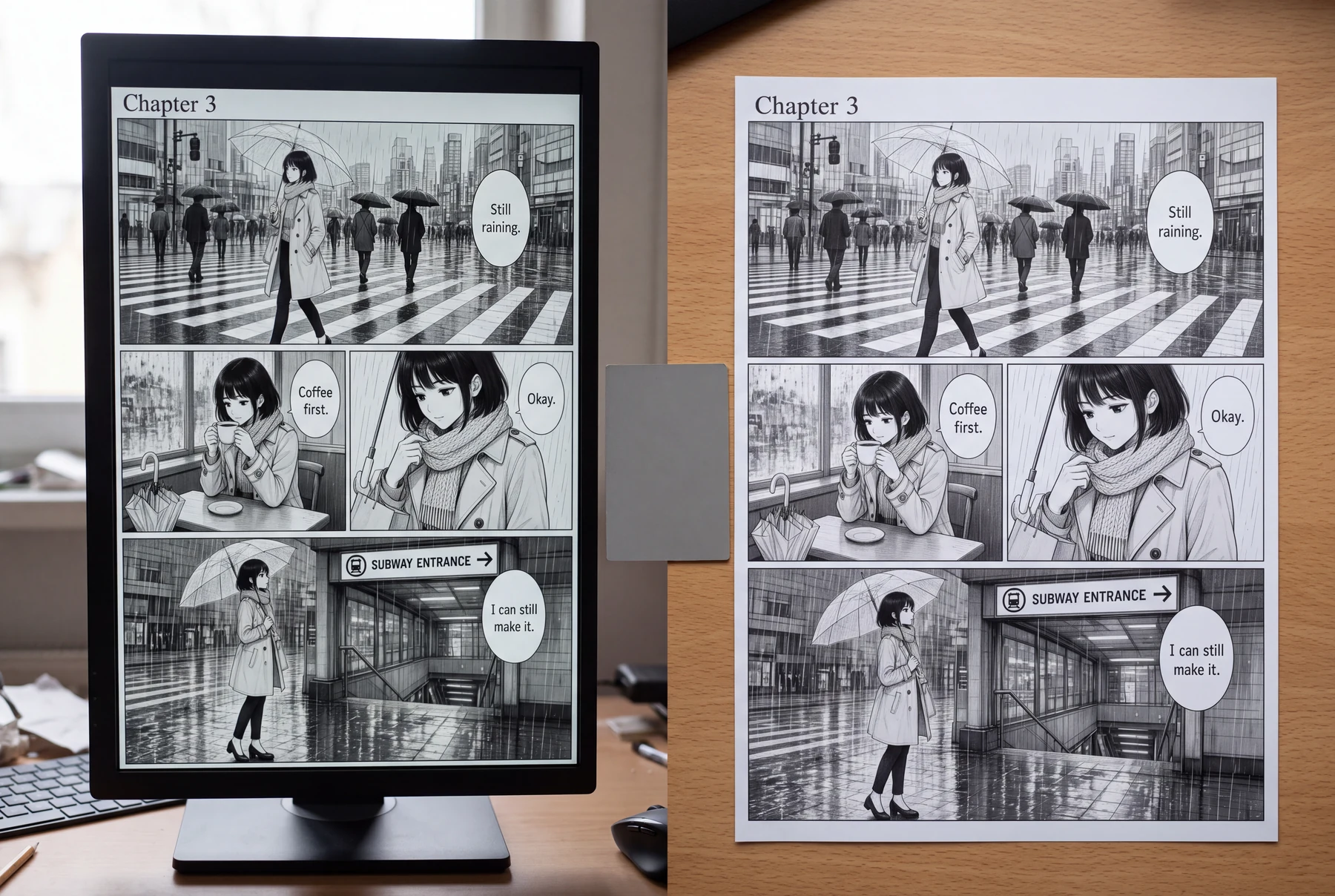
Keep an editable master, confirm the destination's current dimensions and file rules, export a separate delivery copy, then inspect every page at actual screen or print size for crop, tone, lettering, order, resolution, and accidental content before uploading.
These references explain the underlying craft. The original exercises below are LlamaGen examples; the authors do not endorse LlamaGen.
Export without proofing
Canvas assumed to equal delivery
One file reused everywhere
Output set never opened
Destination-aware delivery check
Preserve the editable master
Prepare destination copies
Inspect every delivered page
Original instructional illustration with fictional characters; not a customer comic or a product screenshot.
Choose export settings from the destination
A web reader, social preview, print interior, and archive do not share one universal file specification.
- Keep the master separate
- Preserve editable layers, page structure, linked references, and high-resolution source files before flattening anything.
- Confirm dimensions and crop
- Use the publisher or platform's current template for trim, bleed, safe area, page side, and maximum dimensions.
- Choose format deliberately
- PNG, JPEG, WebP, TIFF, PSD, and PDF serve different delivery and editing needs. Follow the destination rather than habit.
- Name pages predictably
- Use padded page numbers and separate cover, body, alternate language, and revision files so ordering survives upload.
Inspect the exported bytes
Open the actual output instead of trusting the export dialog or the project preview.
- Check every page in order
- Look for missing, duplicated, rotated, mirrored, or incorrectly paired pages.
- Read all lettering
- Check spelling, glyphs, punctuation, line breaks, tails, speaker order, and text cut by trim or crop.
- Inspect lines and tones
- View at actual delivery size and zoom in to find soft lines, moiré, compression blocks, halos, and lost fine detail.
- Test the real destination
- Use a private upload, device preview, or physical proof when available. A local monitor cannot prove the final platform or print result.
Worked example: one rainy page for screen and print
The same monochrome page will be shared on a phone and submitted to a print workflow.
Panel 1
Retain the layered project and exact dialogue source as the master.
Panel 2
Export a screen-sized copy and inspect panel crop and lettering on a phone.
Panel 3
Build the print copy from the publisher's current trim and bleed template.
Panel 4
Open both outputs, compare page content, and record the approved revision.
The visual story stays the same, but the delivery files are prepared and reviewed for different destinations.
Comic pages in everyday use
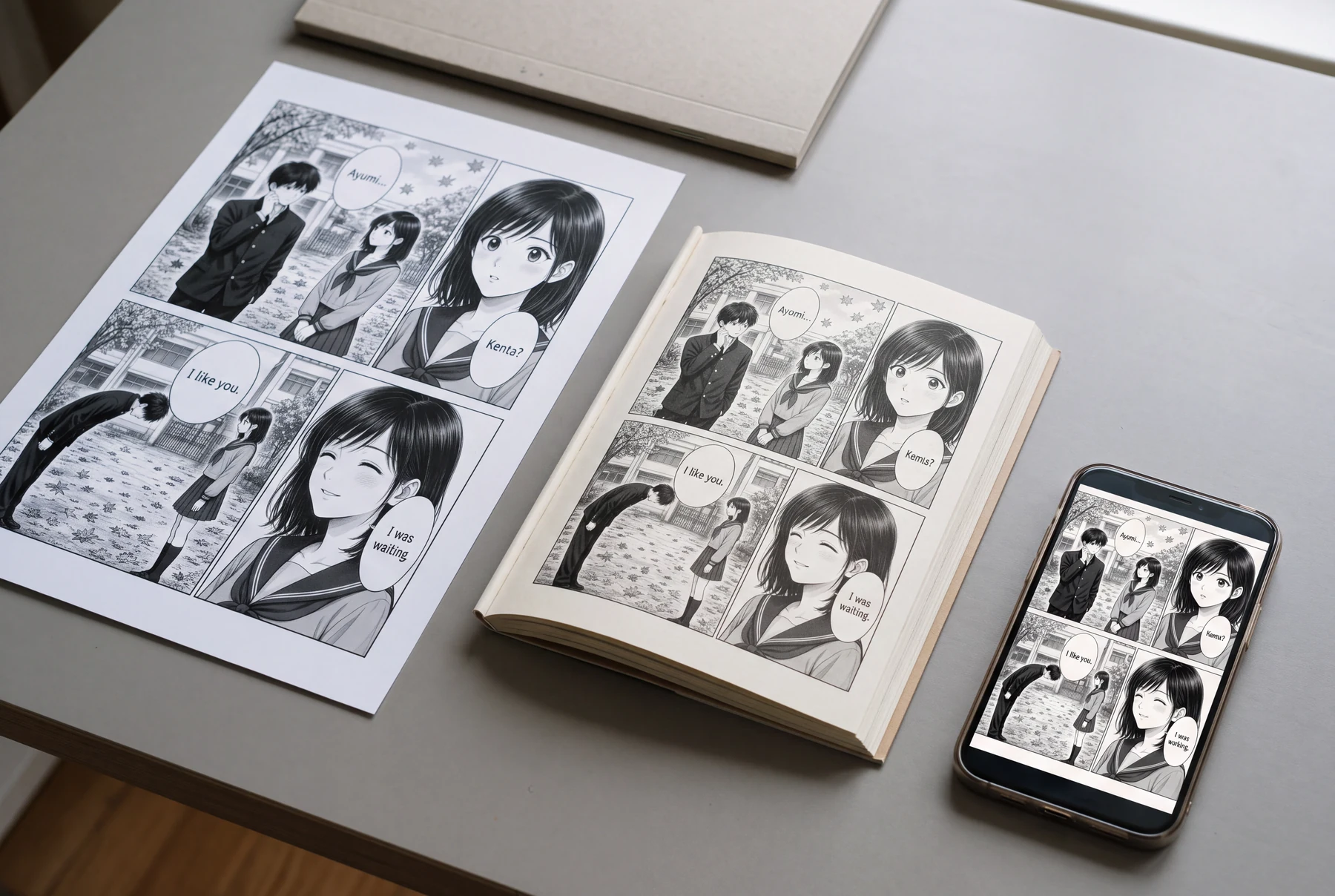
Compare the project view with the delivered file
Use the same finished school manga page for a phone preview, booklet proof, and full-page sheet.
Export without proofing
- The editor canvas looks correct.
- One generic export is reused everywhere.
- No one opens the complete delivery set.
Destination-aware delivery check
- The editable master is saved separately.
- Each destination receives a correctly sized copy.
- Every output is opened, ordered, and proofed at delivery size.
How to compare
- Record the destination's accepted dimensions and format.
- Export to a new delivery folder with padded page names.
- Open every file and inspect crop, text, tones, and order.
- Record the approved revision and keep rejected exports separate.
What to look for
The comparison should reveal problems introduced by flattening, scaling, compression, crop, or page assembly.
What this exercise cannot prove
A local proof does not guarantee acceptance by a publisher, storefront, printer, or reading platform.
Before you publish: review the page
- The editable master is preserved.
- Destination dimensions and file rules are current.
- Page names and order are predictable.
- Lettering, crop, lines, and tones are checked in the export.
- A device preview or physical proof is reviewed when available.
Frequently asked questions
What is the best file format for manga?
It depends on whether the file is for continued editing, web delivery, print, or archiving. Follow the destination's current accepted formats and preserve a separate editable master.
Does changing DPI make an image higher quality?
Changing only the DPI metadata does not create missing pixels or detail. Confirm pixel dimensions, source quality, and the destination's actual requirements.
Should I export all pages at once?
Batch export can reduce manual mistakes, but still inspect every output file, name, page range, spread split, and order afterward.
Sources and further reading
- Clip Studio Paint Manual — Exporting files ↗
Official documentation covers file formats, output size, resolution, scaling, and comic rasterization options.
- KDP — Set Trim Size, Bleed, and Margins ↗
Primary platform guidance defines trim, bleed, and margins for KDP print books. Other destinations have different requirements.
- KDP — Format Images in Your Book ↗
Primary guidance explains image resolution and why changing metadata alone does not restore missing quality.
Take the next step in your comic workflow
Plan a visible story beat, try the relevant tool, and review the result yourself. These guides do not promise to automatically analyze or repair your comic.