

A continuity record for a recurring cast
AI Comic Book Character Bible: Track State Across Issues
A character sheet shows who someone is. A book bible also records what happened to them, who holds the important object and which version the next issue must follow.
Open Comic Strips StudioLlamaGen editorialContent reviewed
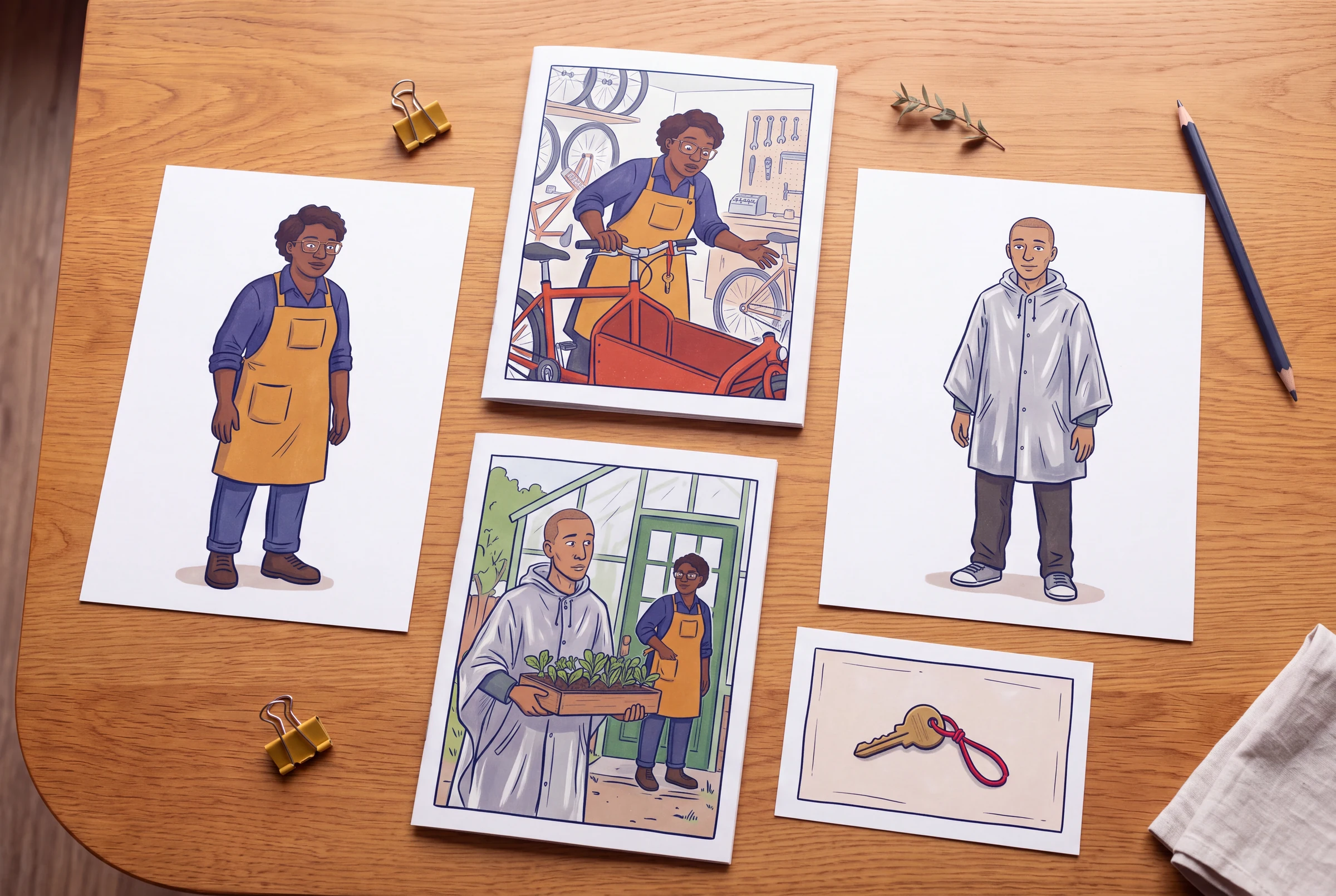
This guide assumes you already have a usable visual character reference. The existing Manga Character Sheet Maker guide covers turnaround views and expressions; the webtoon consistency guide covers a short multi-page sequence. Here the additional job is editorial memory across issues: preserve a dated design, record state changes and hand the next chapter a reliable starting point.
Our original example uses Nia, Oren and the misdelivered greenhouse key from the revision guide. All issue numbers, reference IDs and events below belong to this fictional teaching case. They are a suggested record format, not built-in database fields or an automatic LlamaGen feature.
Keep identity, variants and story state in separate records
Put these records in a document or spreadsheet you control. A long description pasted into every prompt is harder to inspect than a short approved identity plus the state needed for the current page. Attach images separately where the selected tool supports them; a filename in a text brief is not an uploaded reference.
| Record | What belongs here | When it changes |
|---|---|---|
| Identity reference | Face and hair silhouette, proportions, distinguishing features, approved views and reference filename. | When you deliberately redesign the character. Preserve the previous approved reference. |
| Costume or prop variant | A named outfit or object version, visible differences and its first valid page/panel. | When the story establishes a real change, such as replacing a rain poncho with a dry shop jacket. |
| Scene state | Location, wetness, carried objects, visible damage and what the character currently knows. | As events occur, with a traceable before/after location. |
| Issue handoff | The final accepted state of the previous issue and the intended opening of the next. | After the issue is revised or a later episode changes an established fact. |
Write a compact identity record for the two leads
- Keep an approved front or three-quarter view beside each record; add only the extra views the story needs.
- Name outfits explicitly, such as OREN-RAIN-v1 and OREN-DRY-v1, rather than replacing the default reference without explanation.
- Write a required hand only when the action depends on it. A later change of hand is valid if the transition is visible or unimportant to the scene.
- Use original designs and references you have permission to use. A bible is not proof of ownership or a legal clearance.
| ID and approved version | Fixed visual anchors | Default outfit | Keep separate from identity |
|---|---|---|---|
| NIA · identity v1 | Adult mechanic; deep-brown skin; short dark curls; broad rectangular glasses; compact, sturdy silhouette. | Indigo work shirt and ochre apron with a square upper pocket. | Whether the apron is wet, where the key is stored and whether Nia knows who owns it. |
| OREN · identity v1 | Adult courier; light-brown skin; closely shaved hair; long narrow face; taller than Nia in the same ground plane. | Silver-gray rain poncho over dark trousers. | Whether the poncho is on or off, which hand carries a seedling tray and whether the lost key has been returned. |
Track the object through the exact handover
The key is small, but it drives the whole story. Record custody and location so a later illustration cannot quietly return it to the wrong character. These rows specify the intended sequence; they are not observations from generated output.
| Story position | Key custody and location | Costume and other props | Knowledge state |
|---|---|---|---|
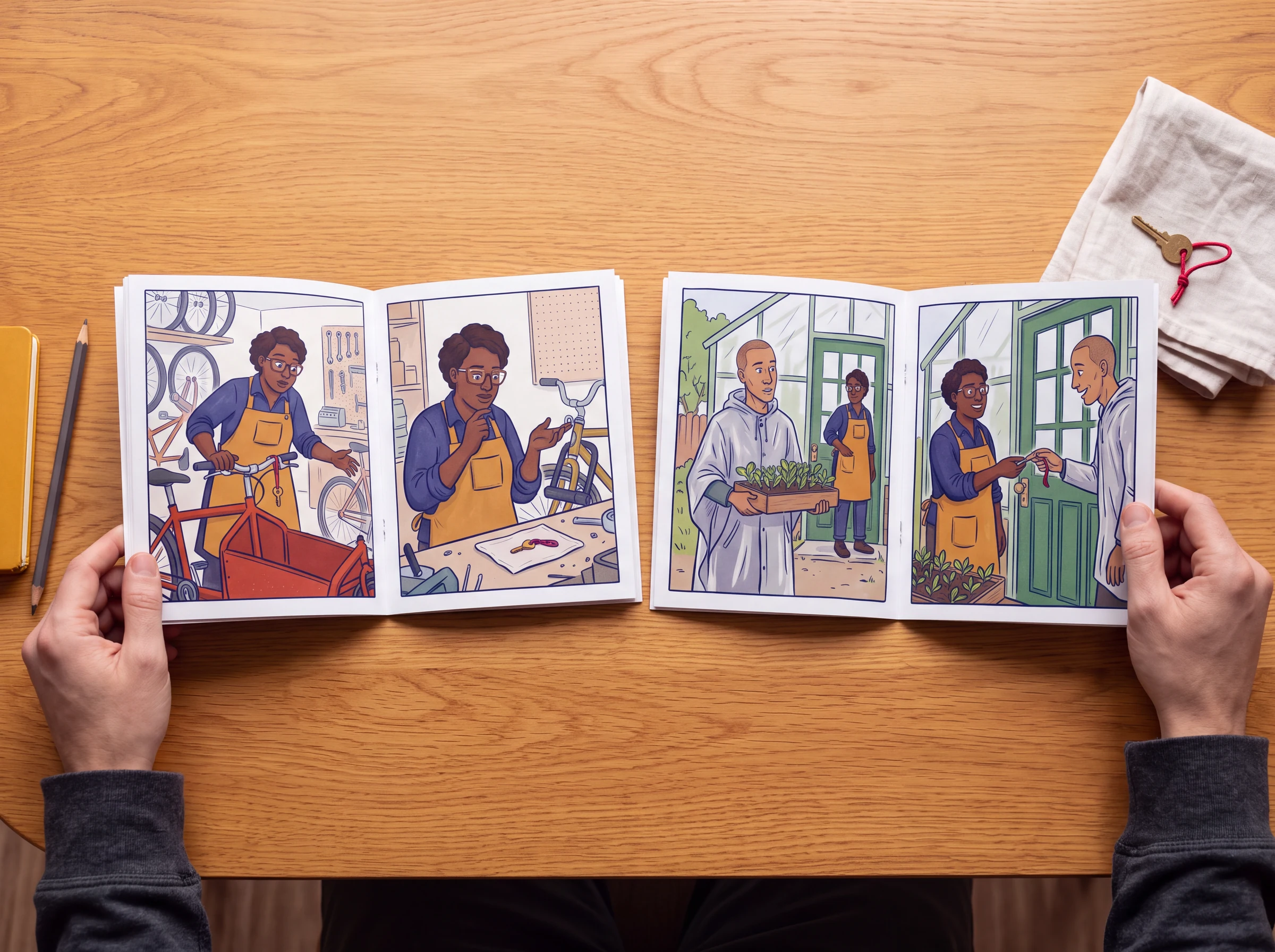
| Issue 1 · P1.2 | The brass key is tied to the red bicycle handlebar by its red cord. | Nia wears the work shirt and apron; Oren has left the shop. | Nia sees an unfamiliar key and does not know its owner. |
| Issue 1 · P2.3 | Nia puts the key in the apron’s square upper pocket after the bicycle-lock test fails. | The bicycle stays in the shop; its lock remains closed. | Nia knows it is not the bicycle-lock key; the owner is still unknown. |
| Issue 1 · P3.3 | Nia retrieves the key. Custody remains with Nia until P4.2. | Oren holds a seedling tray and wears the rain poncho. | Both now know it belongs to the community greenhouse. |
| Issue 1 · P4.2–P4.3 | Nia hands it to Oren; Oren unlocks the gate and keeps the key. | The seedling tray is carried inside. The cargo bicycle remains at the shop. | The delivery mistake is resolved; both know the greenhouse location. |
| Issue 2 · opening proposal | Oren has put the key on a ring clipped inside the poncho. Establish that new storage position if it matters visually. | Nia has returned to the shop. Oren's later dry outfit needs its own established change. | Do not restart the lost-key mystery unless the new issue gives a new cause. |
Approve a change without rewriting the past
A later issue may need a different costume or a revised prop design. Keep the old state, state why the change occurs and mark where the new version becomes valid. If it is a correction to a mistake rather than an event in the story, list the already drafted pages that must be updated.
| Proposed change | Effective from | Affected material | Approval check |
|---|---|---|---|
| OREN-DRY-v1: remove rain poncho and use a dark green jacket. | Issue 2 · P2.1, after a visible return indoors. | The new outfit reference and all later Issue 2 pages; Issue 1 remains unchanged. | The transition explains the silhouette change; no earlier rain scene is silently redressed. |
| KEY-v2 correction: retain the triangular notch that was omitted from a draft close-up. | Correction to Issue 1 · P2.1, not a new story event. | P2.1 and every later close-up using the wrong key reference. | Compare with the approved KEY-v1 source; the owner, material and red cord do not change. |
| NIA identity v2: a deliberate future redesign. | A named future issue or edition chosen by the author. | New approved cast views and the exact future pages that adopt them. | Keep identity v1 accessible for earlier issues; explain an in-story change if the story requires it. |
Give the next issue a short handoff
- After a revision, update the ledger only when you accept the new result.
- Do not treat a repeated name, reused prompt or model setting as a continuity guarantee.
- For a large cast, add one record per character or important prop instead of expanding a single unstructured prompt indefinitely.
Close the previous issue
Read its accepted final pages and record the cast location, costume, important objects and unresolved questions. Use the actual accepted pages, not an earlier outline.
Choose the next opening
State whether time has passed and what the reader must see to understand a move, costume change or new prop position.
Attach only relevant references
Use the current identity, outfit and key references needed for this scene. Avoid feeding contradictory retired and current variants without identifying their roles.
Review the join
Put the last page of Issue 1 beside the first page of Issue 2. Check what changed, what stayed the same and what each character is allowed to know.
An original editorial example
A reusable issue-handoff brief
Editorial handoff — The Misdelivered Key, Issue 1 to Issue 2. Approved cast: NIA identity v1, indigo shirt and ochre apron; OREN identity v1, silver-gray rain poncho. Final accepted story state: the greenhouse gate is open, the seedling tray is inside, Oren holds the brass key with triangular notch and red cord, and the red cargo bicycle remains at Nia's shop. Both characters know who owns the key. Proposed Issue 2 opening: the following morning at the bicycle shop. Establish the time change and Oren's arrival; do not repeat the lost-key discovery. If Oren stores the key on a ring or changes clothes, establish that change and update the state record. Compare the new opening with the actual last page before approving it.
- The IDs are labels in your own production notes, not commands that automatically select references in LlamaGen.
- Attach the approved images through the selected tool's supported inputs. This text alone does not upload or lock a design.
- Replace the proposed closing state with the state visible in your accepted pages if your story changes.
What this guide does and does not establish
- The fictional case demonstrates an editorial record, not a tested automated continuity system or an authenticated generated series.
- References can improve specificity but do not guarantee identical faces, clothing, hands or props. Review the actual output.
- The guide does not establish ownership, permission, historical accuracy or a legal clearance for a character design.
Questions before you continue
How is this different from a character sheet?
A sheet documents appearance and views. This bible adds dated versions, scene state, prop custody, knowledge and an issue handoff. Use the existing character-sheet guide for drawing the reference itself, then keep this record alongside it.
Is a character bible an automatic consistency feature?
No. Here it is a production document you maintain. It improves the instructions and acceptance checks, but it does not automatically sync pages, choose references or prevent model drift.
Should I paste the entire bible into every prompt?
Use the approved identity and the few state facts needed for the current scene. Keep the complete record available for review. The tool's actual reference and input limits still apply; a longer prompt does not guarantee a more faithful result.
What if I intentionally change the character later?
Create a new named version, state its first valid story position and identify whether it is a story event or a correction to earlier art. Keep the old reference so earlier issues can still be revised consistently.
Continue the workflow
AI comic book generator
Choose a creation workflow for the next issue.
Build the visual character sheet
Prepare the views, proportions and recurring details that this record refers to.
Check a short multi-page sequence
Review recognizable cast cues before extending to a recurring series.
Revise a four-page comic draft
Locate an identity or object error and check the pages around its correction.
Plan the complete issue
Assign page roles and the state each page hands to the next.
Carry an approved cast into your next page
Keep your bible nearby and use the references supported by your chosen workspace mode. AI generation requires sign-in and available credits; check current input limits and estimates before continuing.
Open Comic Strips StudioBuild a comic book beyond the first page
Use three practical worksheets to revise a multi-page draft, carry character state between issues and plan a complete four- or eight-page story. Start with the existing text-to-book guide if you do not have an outline yet.
AI Comic Book Revision Workflow: Fix a Four-Page Draft
Revise an AI comic book draft with page-and-panel issue notes, specific before-and-after briefs, a continuity check and a complete-book acceptance pass.
Read the guideAI Comic Book Page Planner: Four- and Eight-Page Maps
Plan a complete four- or eight-page comic story with page roles, facing-page reveals, continuity handoffs and a concrete expansion worksheet before generating art.
Read the guide