

Plan the book as a sequence
AI Comic Book Page Planner: Four- and Eight-Page Maps
Give every page a reason to exist. Map the story, its visible page pairs and its ending before a collection of attractive images becomes a difficult book to revise.
Open Comic Strips StudioLlamaGen editorialContent reviewed
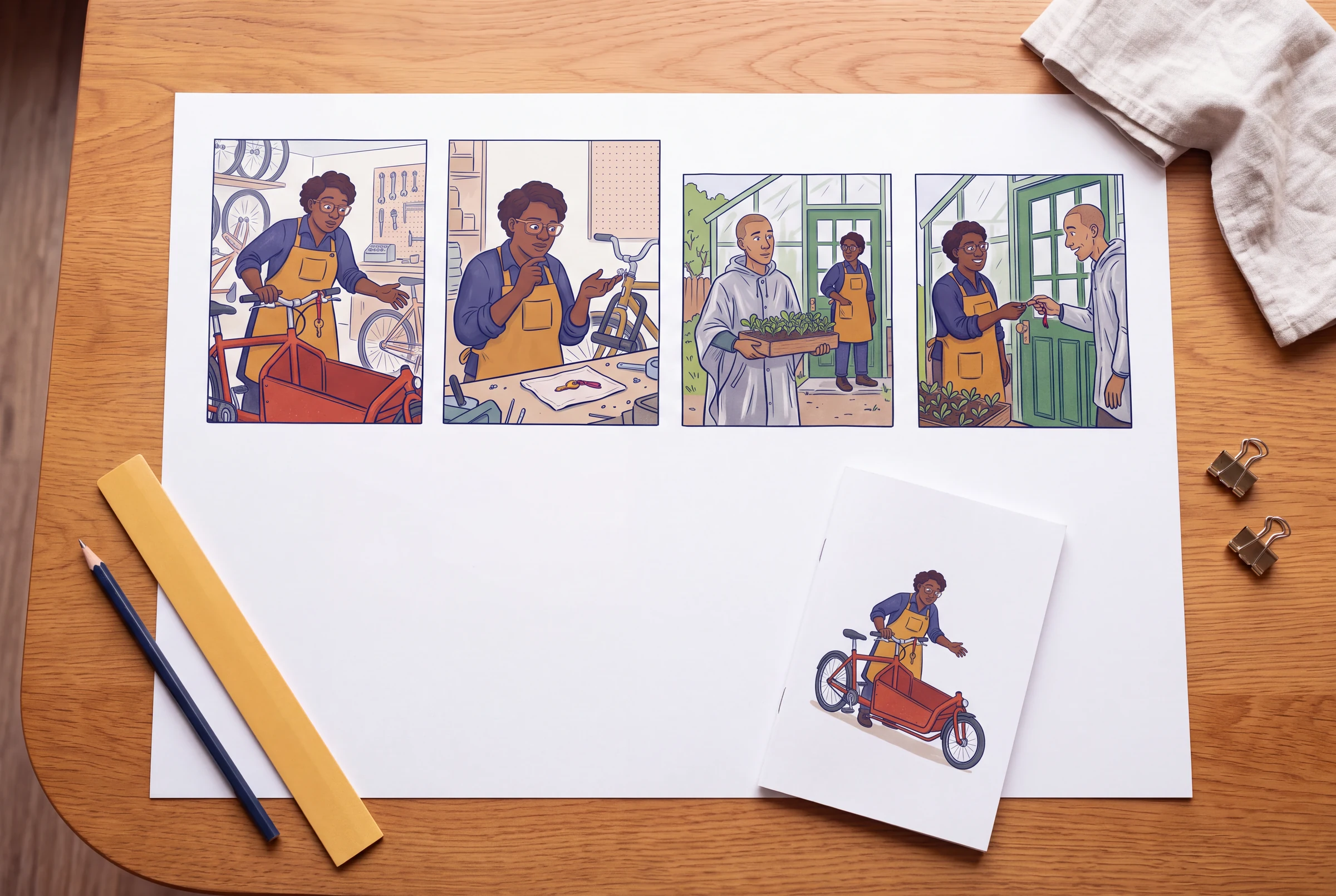
The existing pacing and manga-chapter guides explain beats, pauses and chapter review. This page gives you a bounded deliverable: a complete four-page story map, an eight-page expansion and a visible-page worksheet that prevents an intended reveal from appearing too early on the facing page.
The example is the original bicycle-shop story from the revision guide. Nia finds a misdelivered brass key on a red cargo bicycle, discovers it is not the lock key, meets its owner Oren again and helps return it to a community greenhouse. Four or eight refers to story pages only. Covers, credits and intentionally blank pages are separate decisions; these numbers are not a universal printing or binding specification.
Write the format assumptions above the plan
A screen showing one page at a time, a facing-page PDF and a printed booklet expose information differently. Choose your intended reading direction, whether pages are seen singly or in pairs, and which side the first story page occupies. If the final file adds a cover or front matter, check the actual page positions again.
- Story change: an unfamiliar key becomes a correctly returned object through a failed assumption and a useful conversation.
- Working format for the tables: left-to-right reading, with story P1 on a right-hand page in facing-page view.
- Story-page budget: four for the compact version or eight for a version with more observation and reaction.
- Treat each row as a planning slot. The live generation workflow may begin with one page; a worksheet does not submit or automatically assemble all four or eight pages.
- Choose layouts after assigning page jobs. Panel count is a storytelling choice, not a promise of equal reading time.
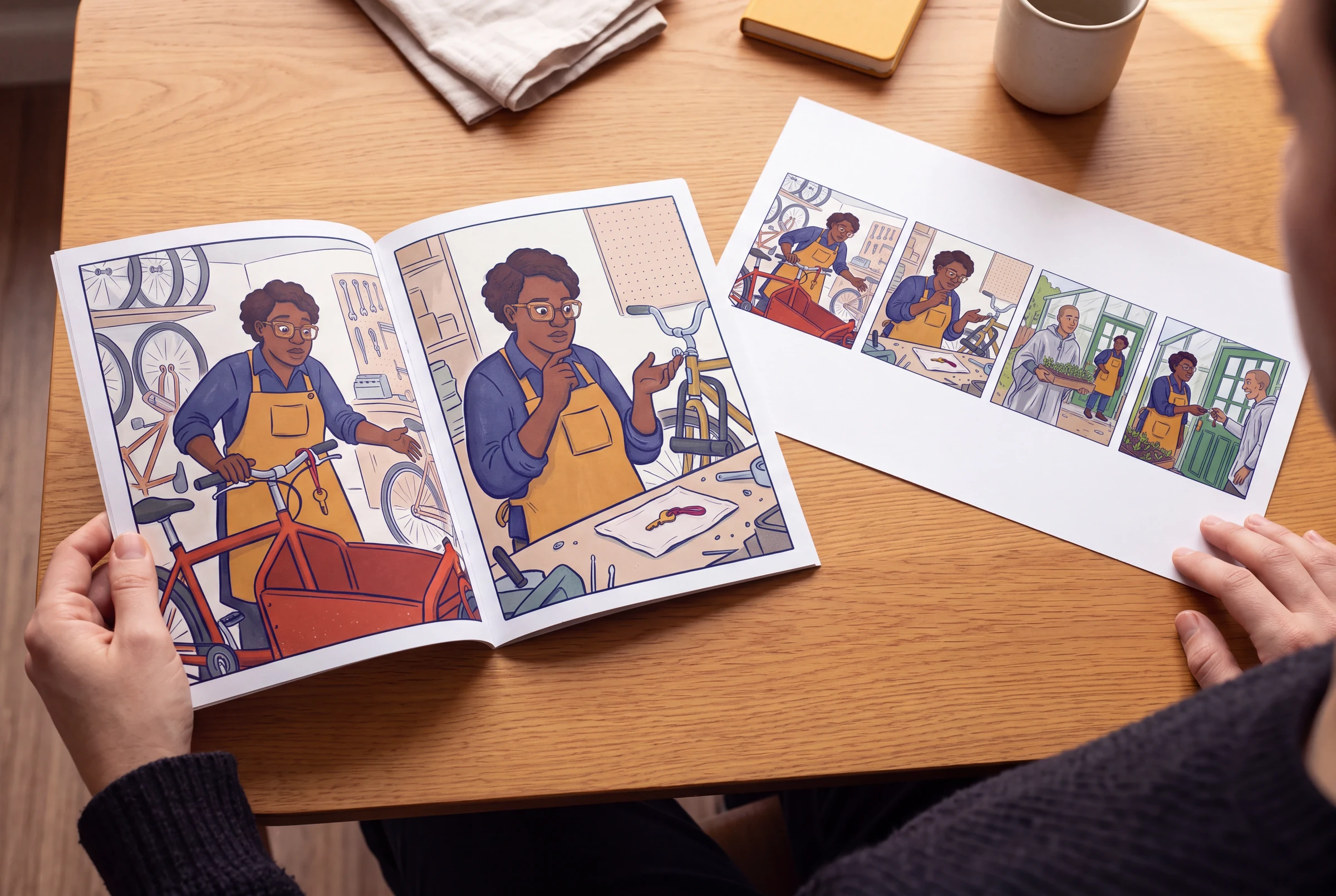
A four-page map with a complete ending
If you remove a page, name the missing cause. Without P2, Nia has not tested the mistaken assumption. Without P3, the greenhouse ending has no established owner or destination. This is a useful check before expanding the page count.
| Page and job | New information | Planned emphasis | Exit and handoff |
|---|---|---|---|
| P1 · Discovery | Nia finds the notched brass key tied to the delivered cargo bicycle. | Three panels: arrival, key discovery, Nia inspecting it. Keep the key large enough to recognize. | Question: does it belong to the bicycle? Nia holds it; the bicycle stays at the shop. |
| P2 · Failed assumption | The key does not fit the bicycle lock. | Three panels: clear lock view, failed test, key safely pocketed. Avoid a contradictory image of an open lock. | The reader knows what the key is not. Nia keeps it in the apron pocket. |
| P3 · Connection | Oren returns with seedlings and an empty key ring; the greenhouse destination is identified. | Three panels: return, brief exchange, decision to go together. Allow the conversation to breathe. | Question: will this key open the greenhouse? Nia retrieves it; Oren carries the tray. |
| P4 · Payoff | Nia returns the key, Oren opens the gate and the seedlings reach the greenhouse. | Three panels with a wider final view to show the changed situation. | The original question resolves. The final image needs no new mystery to justify the ending. |
Put a reveal after a real turn, not beside its setup
Under the stated P1-right assumption, P2 and P3 are visible together. P3 cannot be hidden from a reader looking at P2. The turn from P3 to P4 can withhold the greenhouse opening, but the conversation on P3 has already named the destination. If you want to conceal the owner's identity instead, move that information to a page that is actually hidden by the intended turn.
| What the reader can see | What it means for the four-page case | Check before finalizing |
|---|---|---|
| P1 alone on the right, before the first turn | The found key can raise a question without revealing the later owner. | Confirm the actual file/viewer opens on the intended story page. |
| P2 left + P3 right in the same opening | The failed test and Oren's return may be seen together. Do not promise that P3 is a hidden surprise after P2. | Preview the two actual pages side by side, including readable dialogue. |
| Turn P3 → P4 | The gate opening on P4 can pay off the question at the end of P3. | Avoid showing the open gate in an earlier establishing image if the opening is the intended payoff. |
| Single-page screen or different first-page side | The visible pairs may differ or not exist; this facing-page map no longer predicts every reveal. | Test the real reading mode rather than assuming the table applies unchanged. |
Expand to eight pages by adding decisions, not repetition
With P1 on the right, the eight-page openings are P2/P3, P4/P5 and P6/P7; P8 follows the last planned turn. Check that the P7 gate image remains closed if P8 is the opening reveal. Cover and front-matter changes can alter these positions, so proof the assembled file.
| Page | Distinct job | Useful visual beats | What would make the page redundant? |
|---|---|---|---|
| P1 | Establish the delivery and Nia's immediate task. | The shop, red cargo bicycle and arriving Oren; Oren leaves before the key is noticed. | Explaining the whole lost-key mystery before it happens. |
| P2 | Discover the unfamiliar object. | The red cord on the handlebar, the triangular notch and Nia lifting the key. | A second shop-establishing page with no discovery. |
| P3 | Test the obvious explanation. | Compare the closed bicycle lock and key; make the mismatch visible. | Showing a successful unlocking that contradicts the next page. |
| P4 | Show a decision after failure. | Nia pauses, pockets the key safely and returns to the bicycle instead of discarding it. | Repeating the same failed attempt with no new response. |
| P5 | Bring the owner back with a new clue. | Oren returns carrying seedlings and an empty key ring; Nia notices the connection. | Repeating P1's arrival with no clue or changed goal. |
| P6 | Connect the clue to a destination. | A short exchange identifies the greenhouse key; Nia shows the notch and red cord. | Several balloons repeating information already visible in P5. |
| P7 | Commit to the handover and the walk. | Nia retrieves the key, the pair approaches the closed gate and Oren prepares to receive it. | Opening the gate early and removing the next page's payoff. |
| P8 | Resolve the physical and emotional action. | The key is handed over, the gate opens and the tray reaches the greenhouse; finish on a clear shared action. | Introducing another unrelated problem instead of completing this one. |
Review the map before spending on finished art
Thumbnail the complete sequence
Use rough boxes, stick figures and short dialogue placeholders. Read all four or eight pages as a sequence; finished rendering is not required to find a missing cause.
Check the visible pairs
Pair the pages according to your actual first-page side and reading direction. Mark what the reader can already see before every planned turn.
Audit page jobs and state
Give every page one new contribution. Carry the key, bicycle, costume and character knowledge into the next row rather than resetting them.
Generate and review a manageable first page
Use the existing creator and its supported controls. Check the returned page before extending; the current mode, credit estimate and plan limits determine what can be requested.
Proof the assembled result
Open your actual export in order and in its intended viewing mode. Recheck page order, facing-page exposure, dialogue size and missing pages; consult the dedicated export and printing guides for file preparation.
An original editorial example
A page-planning brief to adapt
Editorial page plan — The Misdelivered Key. Delivery: a left-to-right digital comic; confirm whether the final viewer shows single pages or facing pages. Story-page budget: four, excluding cover and credits. Start P1 on the right only if the assembled file supports that assumption. P1 discovers the key on a red cargo bicycle. P2 disproves that it belongs to the bicycle lock and leaves it safely with Nia. P3 brings Oren back with seedlings and an empty key ring, identifies the greenhouse destination and ends before the gate is opened. P4 shows the handover, unlocking and entry. Preserve a complete ending. Before rendering, check that P2/P3 may be visible together and that the P4 payoff is not already shown. Treat this as a plan to review and create page by page, not an automatic four-page generation command.
- Use the eight-page table when the additional observations and decisions improve your story; do not double the length merely to fill a number.
- This written case is not a verified generated book or a physical pagination specification.
- If you change reading direction, insert front matter or use a scrolling format, rebuild the visible-page map for the actual delivery.
What this guide does and does not establish
- Four and eight are chosen practice budgets, not universal chapter lengths or binding requirements.
- The facing-page reasoning depends on the explicitly stated reading direction and first-page side. Test the actual viewer and export.
- This worksheet does not automatically create pages, impose a book for printing, guarantee readable generated dialogue or establish a particular generation cost.
Questions before you continue
Does a four-page plan mean a printable four-page book?
No. The table counts story pages, excluding covers, front matter and intentional blanks. Physical binding, minimum page counts, trim, bleed and paper depend on your printer and product. Confirm those requirements separately rather than using this worksheet as a print specification.
Can LlamaGen generate all eight pages from this table automatically?
This guide does not establish that behavior. It provides an editorial plan. Use the page and continuation controls actually available in your selected workspace mode, review each result and check its current generation estimate before proceeding.
Should every page end with a cliffhanger?
No. A page can end with a decision, a reaction, a transition or a resolved action. Reserve emphasis for the turns that matter, and make sure a supposed reveal is not already visible on the facing page.
Does a larger panel always slow the reader down?
No. The information in the image and the dialogue also affect reading. A sparse large image may read quickly. Use thumbnails and the actual reading-size result to compare the effect instead of assigning fixed seconds to panel counts or sizes.
Continue the workflow
AI comic book generator
Choose a creation starting point after planning the issue.
Turn text into an initial comic-book outline
Start here when you do not yet have a story broken into pages.
Control panel-level pacing
Learn how image information, dialogue and pauses affect the reading experience.
Track the state each page hands forward
Keep costume, prop ownership and character knowledge aligned with the plan.
Revise the generated book as a sequence
Convert actual failures into specific page-and-panel corrections.
Browse comic page layouts
Choose a structure after you know the page's story job; layout selection is separate from this worksheet.
Make the first page of your plan
Take one specific page brief into the comic workspace, review the draft, then continue deliberately. Sign-in and available credits are required; current modes, estimates and plan limits are shown in the product.
Open Comic Strips StudioBuild a comic book beyond the first page
Use three practical worksheets to revise a multi-page draft, carry character state between issues and plan a complete four- or eight-page story. Start with the existing text-to-book guide if you do not have an outline yet.
AI Comic Book Revision Workflow: Fix a Four-Page Draft
Revise an AI comic book draft with page-and-panel issue notes, specific before-and-after briefs, a continuity check and a complete-book acceptance pass.
Read the guideAI Comic Book Character Bible: Track State Across Issues
Build an issue-to-issue comic character bible with fixed identity, costume variants, prop ownership, knowledge state and a change log tied to exact pages and panels.
Read the guide