

From a first draft to a readable book
AI Comic Book Revision Workflow: Fix a Four-Page Draft
A good first page can hide a weak book. Revise the sequence by naming what fails, changing the smallest useful part and reading all the pages again.
Open Comic Strips StudioLlamaGen editorialContent reviewed
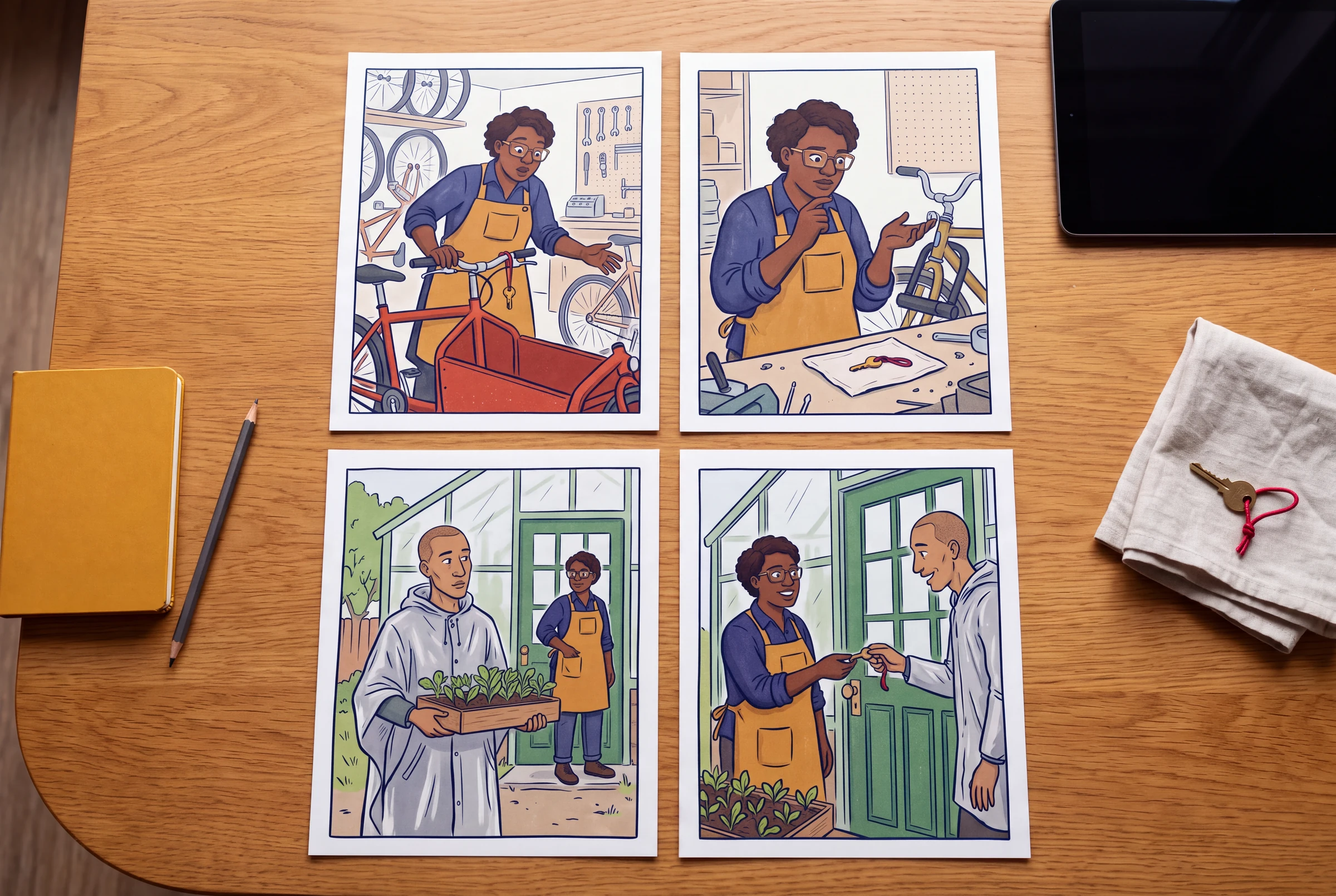
This workflow begins after you have a multi-page draft. For a story-to-page starting point, use the existing Comic Book Generator from Text guide. Here the task is narrower: turn a vague instruction such as 'make the book consistent' into an issue that another person can locate and a correction they can check.
The original example follows Nia, an adult bicycle mechanic in an indigo work shirt and ochre apron, and Oren, an adult courier in a silver-gray rain poncho. A brass key with a triangular notch and red cord is mistakenly left on a red cargo bicycle. Nia keeps it safe, Oren returns for it, and they use it at a community greenhouse. This is a fictional editing exercise, not an authenticated Studio run.
Keep a baseline before changing the book
Keep a copy of the current draft and its dialogue before a structural change. Use a filename, project copy or your own notes that let you return to the old sequence; this guide does not assume an automatic version-history feature. Give each page and panel a stable reference such as P2.3. If you insert a page, record its old and new numbers rather than silently changing every issue note.
- Write the intended reading direction, page order and delivery format beside the baseline.
- Keep the actual source image or approved reference beside each visual issue.
- Record current dialogue as editable text outside the picture when possible.
- Before generating a replacement, check the selected tool, available credits and the estimate shown in the live workspace.
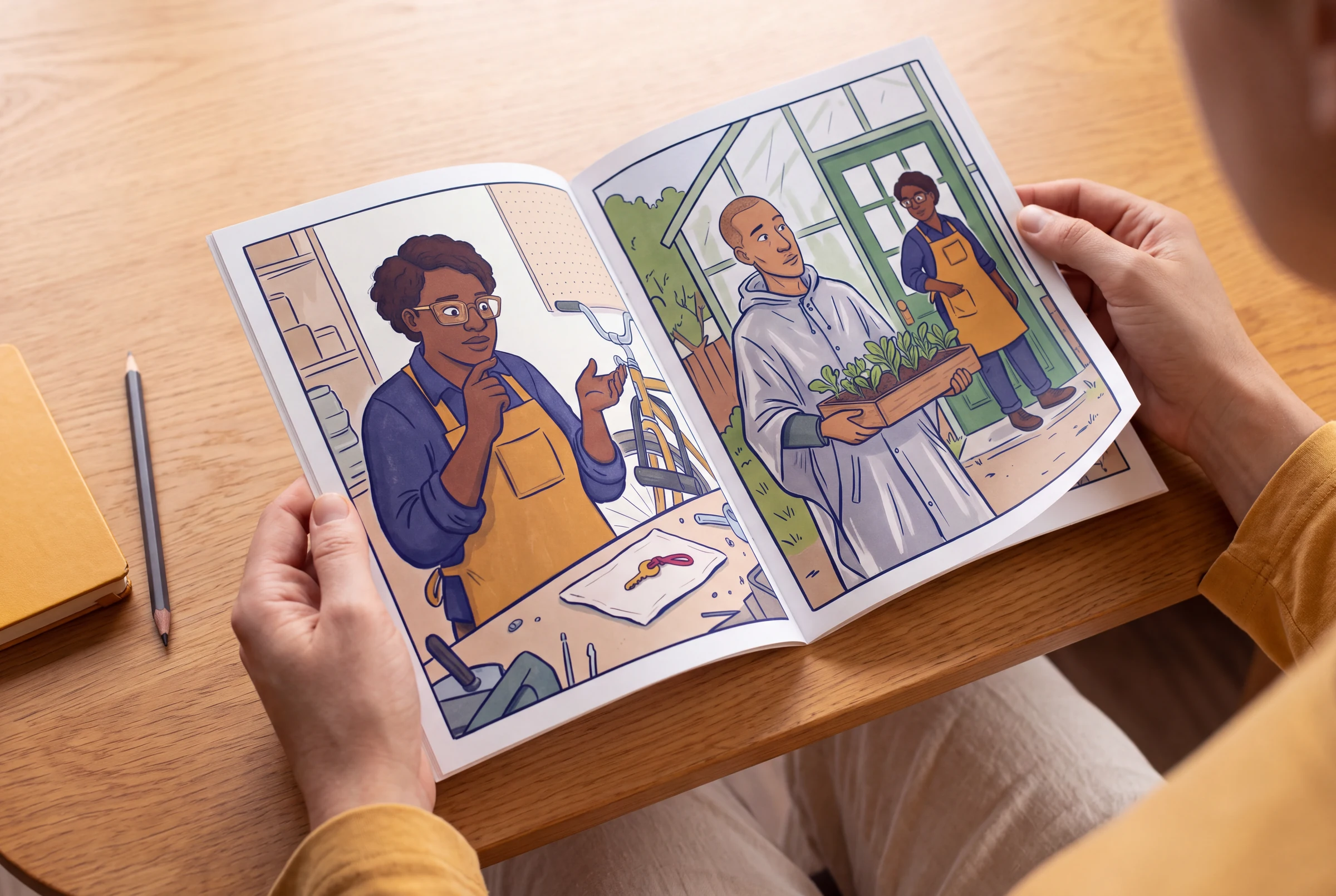
Check the whole four-page story before polishing faces
For this exercise, every story page has three planned panels. That is an editorial constraint, not a requirement for all comic books. Each row names a change the reader must understand; a beautiful page that does not deliver that change still needs revision.
| Story page | Three planned panels | What must change | State carried forward |
|---|---|---|---|
| P1 · Find | 1. Nia receives the red cargo bicycle. 2. She finds the key tied to its handlebar. 3. She lifts the key for a closer look. | The key becomes a question rather than background decoration. | Nia holds the notched brass key by its red cord; the bicycle remains in the shop. |
| P2 · Test | 1. The bicycle lock and key are shown clearly. 2. The key does not fit. 3. Nia puts it in her apron pocket. | The first assumption is disproved; she chooses to keep the key safe. | The key is in Nia's apron pocket; the bicycle lock stays closed. |
| P3 · Return | 1. Oren returns carrying a seedling tray. 2. Oren shows an empty key ring and explains the loss. 3. Nia retrieves the key and offers to walk to the greenhouse. | The two characters connect the lost object to a destination. | Nia has retrieved the key; Oren carries the tray; both leave the bicycle at the shop. |
| P4 · Resolve | 1. They arrive at the greenhouse gate. 2. Nia hands the key to Oren, who unlocks it. 3. They carry the seedlings inside. | The key reaches its owner and opens the destination established by the story. | Oren has the key; the gate is open; the tray is inside the greenhouse. |
Turn a general complaint into a specific revision
The 'draft problem' column describes a deliberately imagined failure. The revised brief is proposed text, not proof that a model obeyed it. Use the same structure with your own actual pages: location, visible problem, smallest useful change, then a pass condition.
| Location | Imagined draft problem | Revised brief or edit | Accept the revision when… |
|---|---|---|---|
| P1.2 → P2.1 | The small brass key becomes a large silver key; the red cord disappears. | Retain the approved key's brass color, triangular notch and red cord in the P2 close-up. Keep the bicycle and the panel's reading order. | The two views show the same identifiable object without relying on dialogue to explain a redesign. |
| P2.2 | The image shows the key opening the bicycle lock even though the next panel says it does not fit. | Show the key stopped outside the lock rather than turning inside it. Keep the lock visibly closed. Replace or redraw this image if a prompt-only change does not communicate the failed test. | A reader can tell that the attempt failed, and P2.3 still follows logically. |
| P3.1 | Oren appears with the key already in hand, before Nia retrieves it. | Keep Oren's visible hand free of the key. Show the seedling tray and the empty key ring instead. Preserve Oren's silver-gray poncho. | The key stays with Nia until the documented handover in P4.2. |
| P3.2 | A long explanation covers Oren's face and repeats information shown in the picture. | Replace the draft dialogue with 'I lost the greenhouse key.' Keep the empty key ring visible; place the balloon so its speaker and order are clear. | The line is readable at the intended size and adds the missing destination without burying the visual clue. |
| P4.2 → P4.3 | The gate is open before anyone uses the key, so the final action loses its cause. | Keep the gate closed at the start of P4.2, show the unlocking action, then show the open gate in P4.3. If one panel cannot show this clearly, adjust the sequence before adding detail. | The ending reads as arrival, unlocking and entry, with no unexplained reset. |
Choose the edit that addresses the problem
Change the script when the meaning is unclear
If the reader does not know why Oren returns, repair the missing clue or dialogue. More detailed rendering will not supply a missing story cause.
Change the layout when the sequence is hard to follow
If the key close-up is read after the reaction it should cause, adjust panel order or framing. Check what the live editor preserves before switching layouts; keep a baseline first.
Change an image when the visible fact is wrong
A missing cord, changed coat or impossible grip needs a specific image correction. Use the editing or regeneration controls available in the selected workflow, and inspect the returned result instead of assuming the instruction succeeded.
Retype exact dialogue when words are wrong
Treat generated lettering as a draft. Correct the wording, punctuation, speaker and balloon placement in an editable text workflow; do not keep a misspelling because the surrounding art is attractive.
Recheck the pages around every replacement
A local correction can create a new book-level error. After replacing P2.2, compare P2.1 and P2.3, then the last panel of P1 and the first panel of P3. Check the key's owner, the direction of movement, costume state, location and what each person knows. If the replacement changes a canonical fact, update the character bible and every later affected page deliberately.
- Read all four pages as thumbnails without the script: find, failed test, return, resolution.
- Inspect the actual pages at reading size for faces, hands, key shape and dialogue order.
- Read only the text once to catch contradictory statements and repeated explanations.
- Open the complete export in order. Confirm there are no missing, repeated or unintended blank pages; do not treat a lifestyle concept image as an export proof.
An original editorial example
A working brief for the P2.2 correction
Editorial revision brief — The Misdelivered Key, P2.2. Intended beat: Nia discovers that the brass key does not fit the cargo bicycle's lock. Preserve the approved adult character: short dark curls, indigo work shirt and ochre apron. Preserve the red cargo bicycle, closed lock, small brass key with a triangular notch, and red cord. Show one clear failed attempt: the key is stopped outside the lock, not turning inside it. Keep the neighboring panels' established location and reading direction. Do not add dialogue to explain away the wrong action. Review the returned image against P2.1 and P2.3; if the failed attempt is still unclear, revise the framing or draw the correction rather than accepting it automatically.
- This is a proposed editorial brief, not a verified prompt result or a request automatically submitted by this page.
- Supply your own approved references through the controls supported by the chosen workflow; copying the text alone does not attach an image.
- The pass condition is the visible failed test. A more polished image that opens the lock still fails this story beat.
What this guide does and does not establish
- This is an original editorial method and fictional case, not an authenticated customer project, measured model benchmark or claim of professional accreditation.
- The guide does not promise a fixed credit cost, free unlimited generation, automatic version history, automatic continuity checking or a successful first correction.
- The separately generated presentation concepts do not prove that the exact Studio workflow produced, edited or printed the comic shown.
Questions before you continue
Should I regenerate the entire comic book to fix one panel?
Begin with the smallest change that can solve the actual problem. A local visual error may need one replacement; missing motivation or a misplaced reveal may require script or page-order changes. Review the surrounding pages after either kind of edit. Available edit controls depend on the selected tool.
Are these real before-and-after product results?
No. The imagined failures and revised briefs are an original written editing exercise. The AI presentation images show a possible use context. Neither is an authenticated end-to-end generation test or evidence that a particular prompt always works.
Will a saved reference guarantee identical characters?
No. A reference and precise continuity notes make review more specific, but faces, clothes, props and poses can still drift. Compare every returned page with the approved reference and the preceding page.
Does the workflow include printing and shipping?
No. It concerns digital planning, editing and review. Use the separate export and printing guides for the available file controls, then confirm physical specifications with your chosen printer. No physical order, CMYK handling or 300 DPI quality guarantee is established here.
Continue the workflow
AI comic book generator
Return to the main creation overview and choose a starting workflow.
Plan a comic book from text
Build an initial page outline before using this revision workflow.
Keep an issue-to-issue character bible
Record approved identity, costume variants and prop handovers after a revision.
Plan a four- or eight-page book
Check whether the sequence needs a structural change before generating more art.
Export your actual comic pages
Review the editor's PDF and download options after the story passes its checks.
Bring a specific revision to your draft
Open the comic workspace with your own story and approved references. Sign-in and available generation credits are required; check the live tool's models, estimate and plan limits before generating.
Open Comic Strips StudioBuild a comic book beyond the first page
Use three practical worksheets to revise a multi-page draft, carry character state between issues and plan a complete four- or eight-page story. Start with the existing text-to-book guide if you do not have an outline yet.
AI Comic Book Character Bible: Track State Across Issues
Build an issue-to-issue comic character bible with fixed identity, costume variants, prop ownership, knowledge state and a change log tied to exact pages and panels.
Read the guideAI Comic Book Page Planner: Four- and Eight-Page Maps
Plan a complete four- or eight-page comic story with page roles, facing-page reveals, continuity handoffs and a concrete expansion worksheet before generating art.
Read the guide