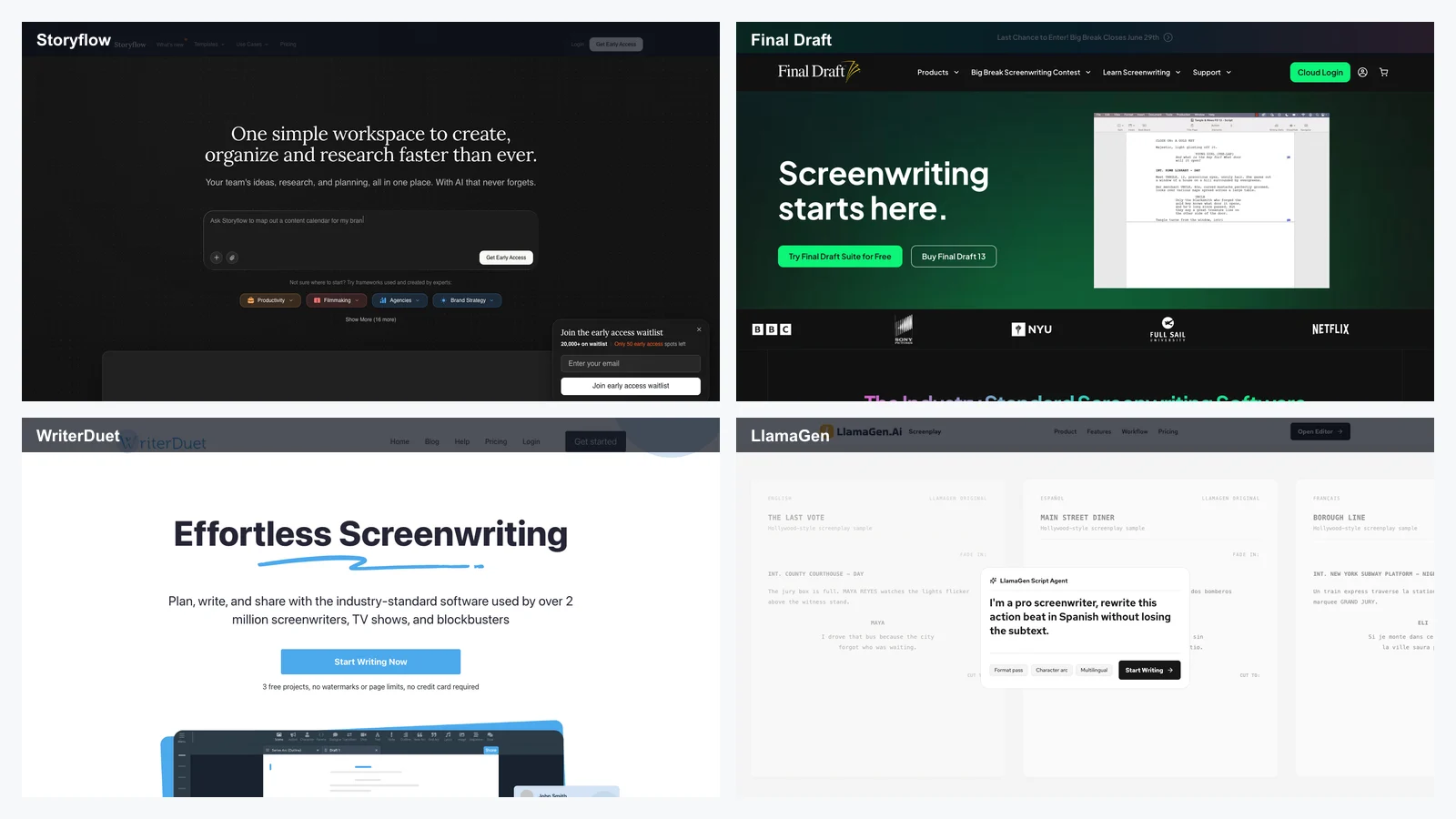
AIマンガ読了時間:17分
すべての記事
2026年版おすすめAIマンガジェネレーター:LlamaGen.AI、ComicsAI、Jenova、OpenArt、Canva、Canvas他
当サイトではすべてのアプリを独自にレビューしています。
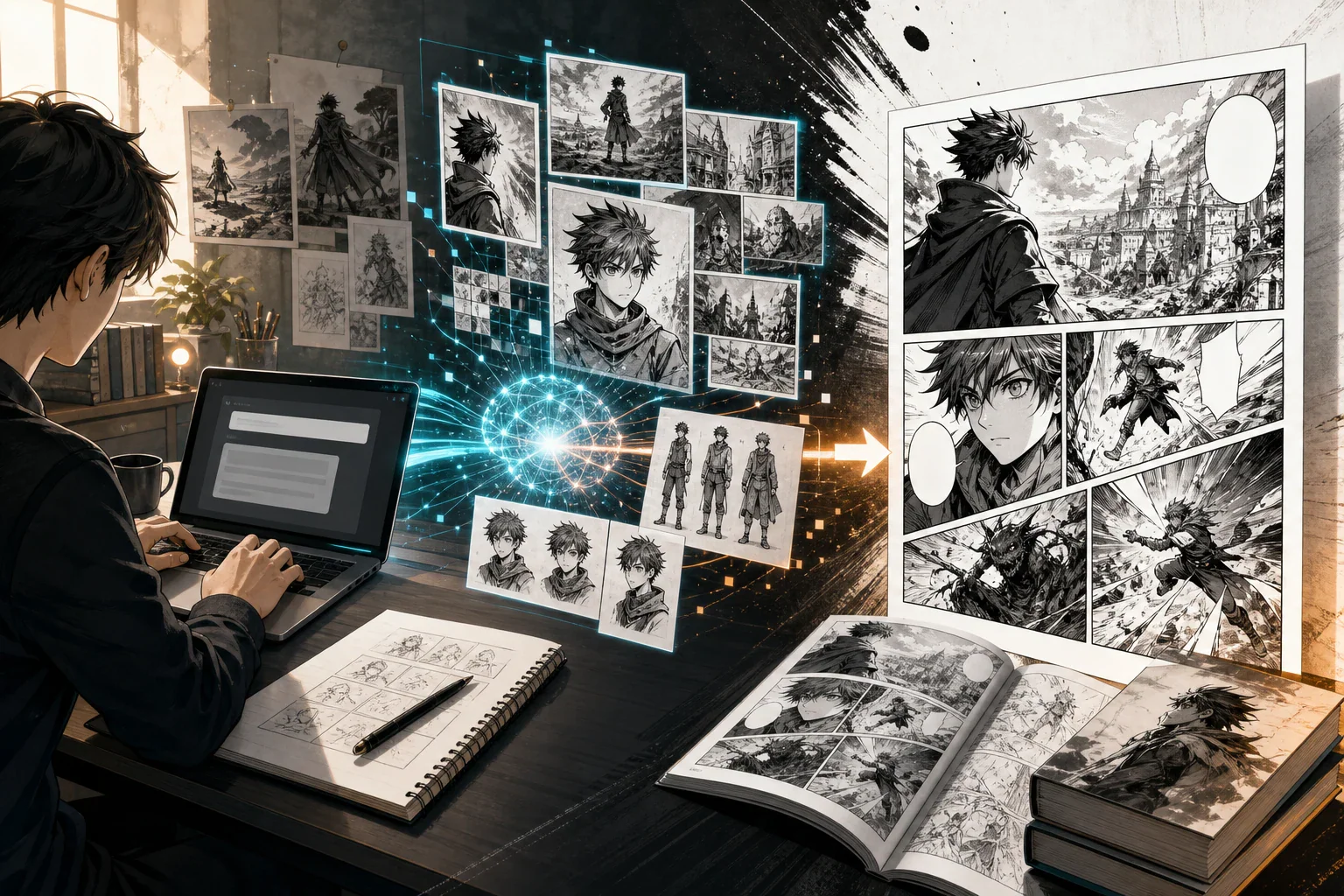
AIマンガジェネレーターは急速に進化しています。2026年のおすすめツールは、美しいアニメ風画像を1枚描けるかどうかだけでは評価されません。今注目すべきは、読めるマンガ作品を制作できるかどうかです——繰り返し登場するキャラクター、パネル、ストーリーボード、吹き出し、Webtoonレイアウト、ページの書き出し、そして継続可能なワークフローが問われます。
マンガページは単なるイラストではありません。連続した物語表現なのです。
そのため、このガイドでは画像のクオリティのみならず、ワークフローでツールを比較しています。LlamaGen、ComicsAI、Jenova Manga Creator、OpenArt、Canva、WEBTOON CANVAS、Midjourney、Stable Diffusion、ComfyUIなど、マンガやWebtoon制作をサポートするツールを紹介します。
どのAIマンガジェネレーターが最適かは、何を作りたいかによって変わります。
| 使用ケース | ベストツール |
|---|---|
| AIによるコミック・マンガ・マンファ・Webtoon一括ワークフロー | LlamaGen |
| 初心者向けテキスト→マンガパネル | ComicsAI |
| 物語重視のマンガ制作・長編連続性 | Jenova Manga Creator |
| マンガ風アート・キャラクター・ビジュアル探索 | OpenArt Manga Art Generator |
| コミックページ組み立て・グリッド・フレーム・吹き出し | Canva Comic Strip Maker |
| デザインワークフロー内でのAIコミック生成 | Canva AI Comic Generator |
| 独立Webtoonの公開 | WEBTOON CANVAS |
| 高品質マンガ表紙・宣伝画像 | Midjourney |
| 技術的コントロール・カスタムモデル・LoRA・ローカルパイプライン | Stable Diffusion + ComfyUI |
| プロ向けコミック文字入れ・最終仕上げ | Clip Studio Paint |
多くのクリエイターにとって、2026年のベストな体制は一つのツールでなく組み合わせ(スタック)です:
優れたAIマンガジェネレーターは、テキストから画像を生成するだけではなく、繰り返し可能なビジュアルストーリーテリングをサポートすべきです。
| 基準 | 重要な理由 |
|---|---|
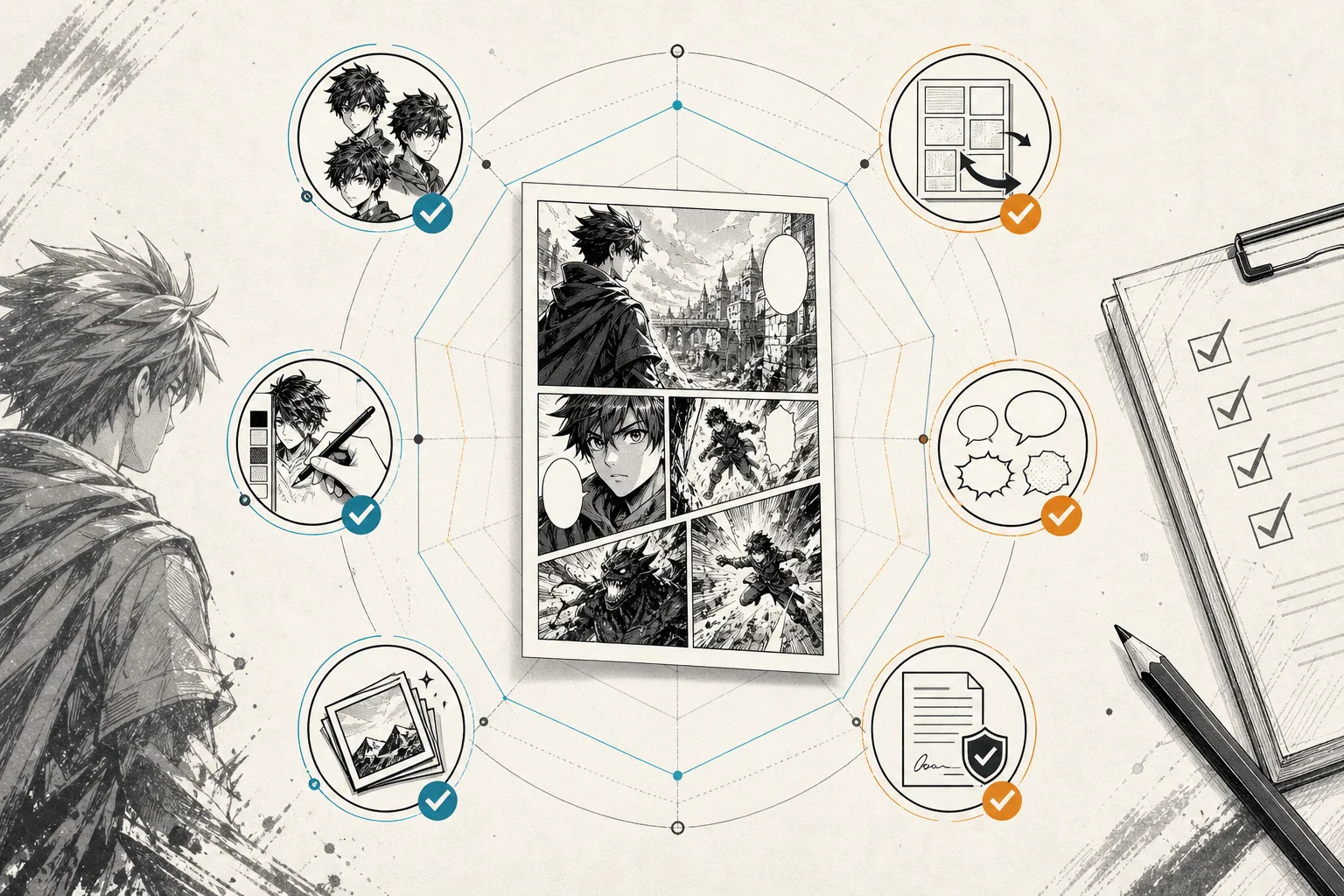
| キャラクター一貫性 | 読者は複数のパネル・場面・表情・衣装・角度で同じキャラクターを認識できなければなりません。 |
| パネルワークフロー | マンガにはアップ、リアクション、ワイド、アクション、無言、テンポなど多様な演出が必要です。 |
| マンガスタイル制御 | 少年・少女・青年・ホラー・恋愛・ちび・ファンタジー・Webtoonなど異なるビジュアル言語が使われます。 |
| 吹き出しスペース | マンガページにはセリフ、キャプション、効果音、翻訳テキストの余白が不可欠です。 |
| ページレイアウト | 個々のパネルが読めるページや縦型エピソードになること。 |
| Webtoon対応 | 縦スクロールには長いキャンバス形式、モバイル間隔、エピソードの導線が必要です。 |
| 編集ツール | 弱いパネルの描き直し、表情の修正、手や背景の調整が必要です。 |
| 書き出し品質 | 公開にはクリアなファイル、実用的な解像度、予測可能な形式が求められます。 |
| 商用利用の明確さ | 真剣なクリエイターには所有権、利用権、ウォーターマーク、プラットフォーム規約のチェックが必須です。 |
おすすめ: マンガ、マンファ、Webtoon、キャラクター一貫性、複数形式のビジュアルストーリーテリングをオールインワンで実現したいクリエイター向け
LlamaGenは、2026年のAIマンガジェネレーター選びで特に重要な存在です。一般的な画像生成だけでなく、コミック制作に焦点を当てたAIコミックワークフローを搭載しています。プロンプト、ストーリーアイデア、キャラ説明、画像生成、マンガやマンファ、Webtoonスタイルの作品制作に特化しています。
マンガ用途なら、LlamaGen AI Manga GeneratorやLLamaGen Manga Makerが特に有用です。ストーリー重視のマンガページ、パネル、再利用可能なキャラクター、表紙、モノクロのマンガ下書き、吹き出し、ページレイアウト、Webtoonスタイル制作にフォーカスしています。
LlamaGenは「1枚の美しい画像を作る」のではなく、「読めるビジュアルストーリー制作」が目的の場合に重宝します。以下のニーズに対応できます:
短いストーリーアイデアから開始し、キャラクターの参考画像を生成し、主人公を複数のカメラアングルでテスト、次にパネルシークエンスを作成。その後、ページレイアウトを調整して公開準備をします。
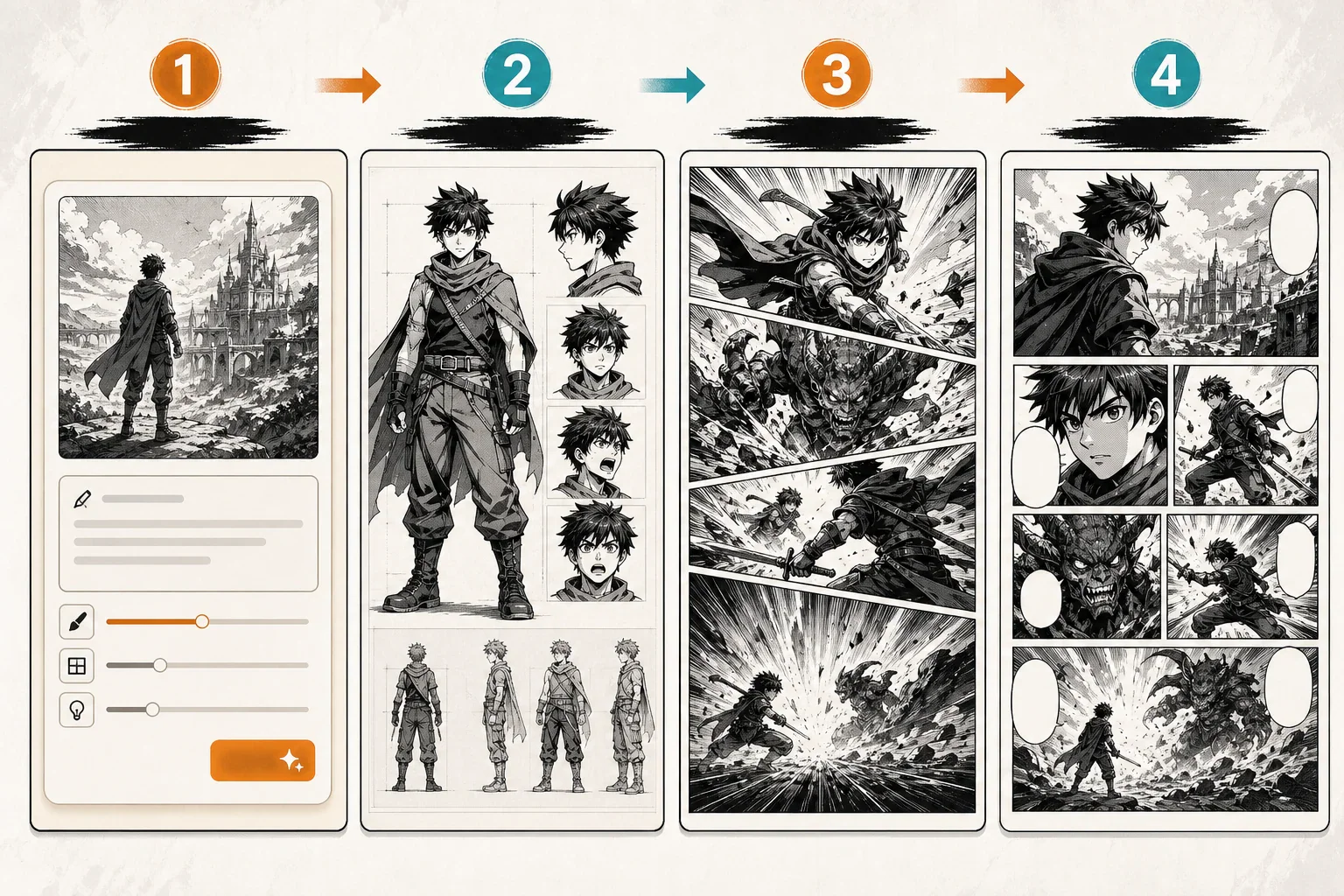
ツールがキャラクター一貫性をサポートしていても、長編マンガ制作には人力によるキャラクターバイブルが必要です。キャラ説明、参考画像、衣装メモ、性格の特徴を保存し、章全体の生成前に整理しましょう。
おすすめ: 直感的なテキスト→マンガワークフローを求める初心者、作家、小規模チーム向け
ComicsAIは、コミック・マンガ・Webtoon型のビジュアルストーリーテリングに特化したサービスです。2026年版ベストAIマンガジェネレーターガイドでは、マンガワークフローやテキスト→マンガパネル、クリエイター向けの使い方、そしてコミック用ツールと一般的画像生成ツールの違いが強調されています。
これにより、ComicsAIは場面のテストを素早く行いたいクリエイターにおすすめの選択肢となります。
例:ストーリービート
10代の剣士の少女が真夜中の廃駅に入ると、トンネルの奥から行方不明の兄の声が聞こえてくる。
この一つのビートからマンガ風パネルを生成し、キャラ説明をブラッシュアップし、カメラアングルをテストし、短いシークエンスを組み立てることができます。
ComicsAIは以下の用途に適しています:
ComicsAIで初期パネルやストーリーボードを生成し、優れた画像はCanvaやClip Studio Paint、ほかのキャンバスエディターに移して吹き出しやページを組み立てます。
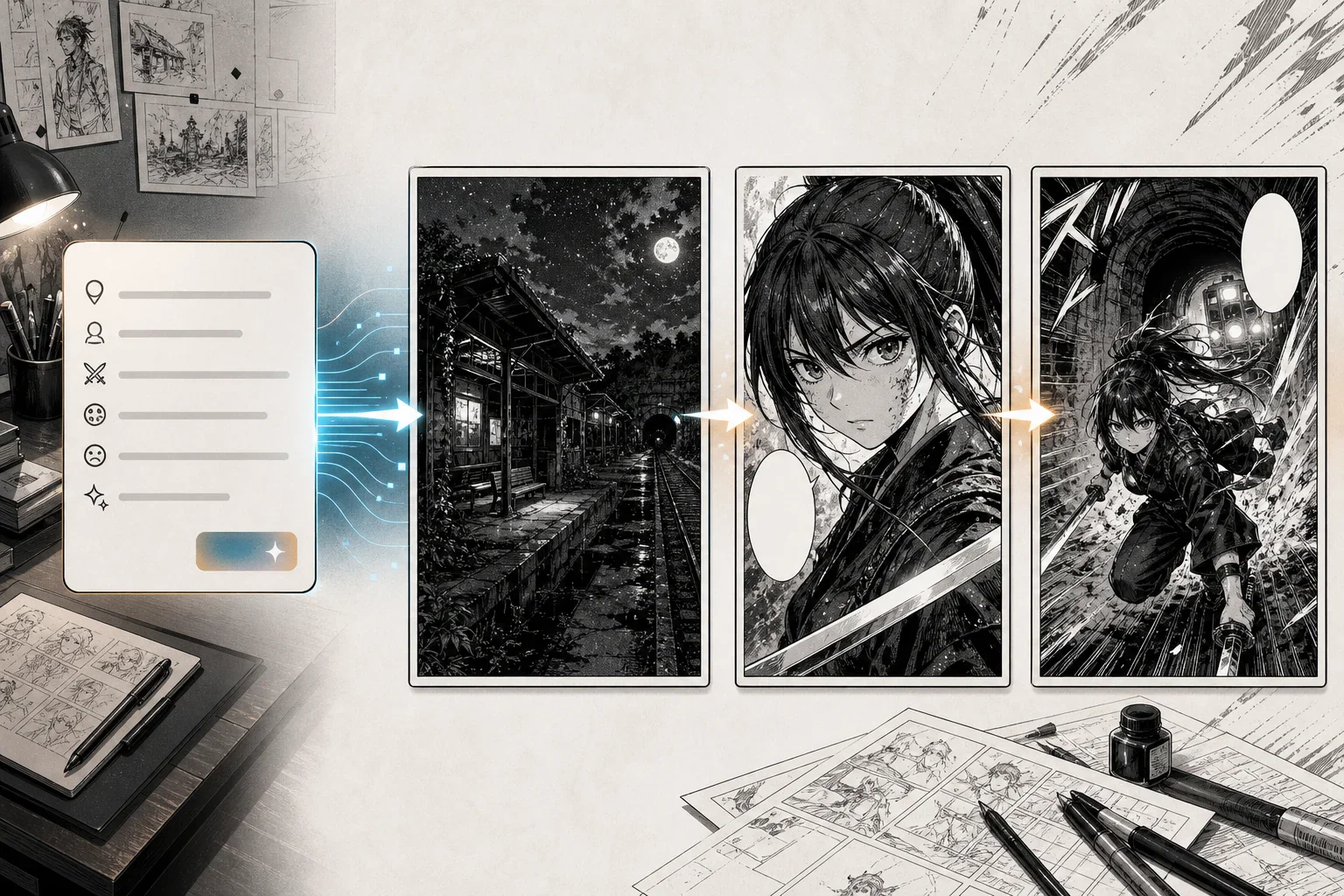
長編マンガ制作では「同じ男の子」「同じ女の子」など曖昧なプロンプトだけに頼らないこと。キャラクターシートを固定し、重要なプロンプトではコアなビジュアル特徴を繰り返し指定しましょう。
おすすめ: 小説家、脚本家、ストーリー中心のクリエイター、長編マンガ構想向け
Jenova Manga Creatorは、ストーリー重視のマンガ制作ワークフローを特徴とします。既にプロットやキャラクターアーク、文章で書かれた場面がある場合、それをビジュアル化してマンガページに仕上げたいクリエイターに役立ちます。
Jenovaの強みは画像生成だけでなく、キャラ参考画像、物語の連続性、パネルの指示、ガイド付きのマンガ制作にあります。
Jenovaは下記のようなニーズを持つクリエイターに適します:
まず設定、メインキャラクター参考画像を作成し、章の展開を定義、その後シーンごとに生成。それぞれの場面でテンポ、表情、パネル順、セリフの明確さを確認します。
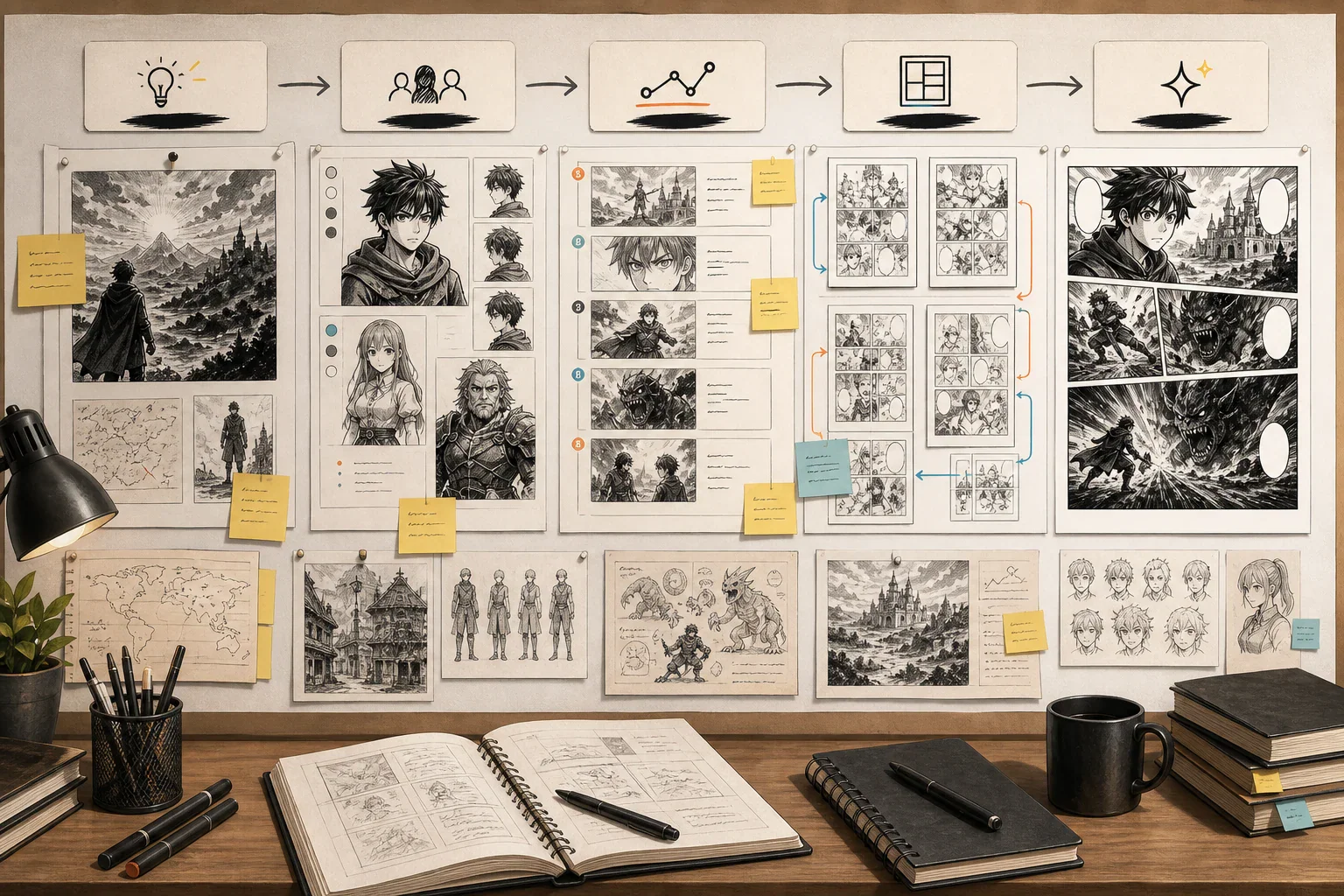
エージェント型のツールで企画作業を効率化できますが、最終的な漫画は必ずクリエイター自身が編集する必要があります。公開前にはセリフ、テンポ、ストーリーの整合性、コマの読みやすさ、オリジナリティを必ずチェックしましょう。
最適用途: キャラクターデザイン、ビジュアル開発、シーンコンセプト、表紙、アートディレクション、AI画像編集。
OpenArt Manga Art Generatorは、テキストプロンプトから漫画スタイルのキャラクターやシーンを生成したいクリエイターに便利です。OpenArt Creator Studioは、画像、動画、キャラクター、世界観、音声、ストーリーなど幅広いクリエイティブワークフローにも対応しています。
そのため、OpenArtはビジュアル開発段階で特に価値があります。
本格的な漫画ページを制作する前に、OpenArtを使って次のような点を探索できます:
OpenArtは、ビジュアルの可能性を素早く探索したいときに強みを発揮します。漫画制作パイプラインに本格的に着手する前に、キャラクターコンセプトやシーン参照を作成するのに役立ちます。
OpenArtでビジュアル素材を作成し、選んだデザインを漫画専用ツールやレイアウトエディタに移動してコマのつながりや最終組み立てをきちんと行いましょう。
OpenArtは主にビジュアル制作・編集レイヤーとして活用するのが最適です。ストーリーやコマの流れを重視した多ページの漫画制作が目的の場合は、ストーリー・パネル・レイアウトワークフローと組み合わせて使いましょう。
最適用途: コミックレイアウト、ページ編集、吹き出し、表紙、サムネイル、SNS投稿、初心者向けデザイン。
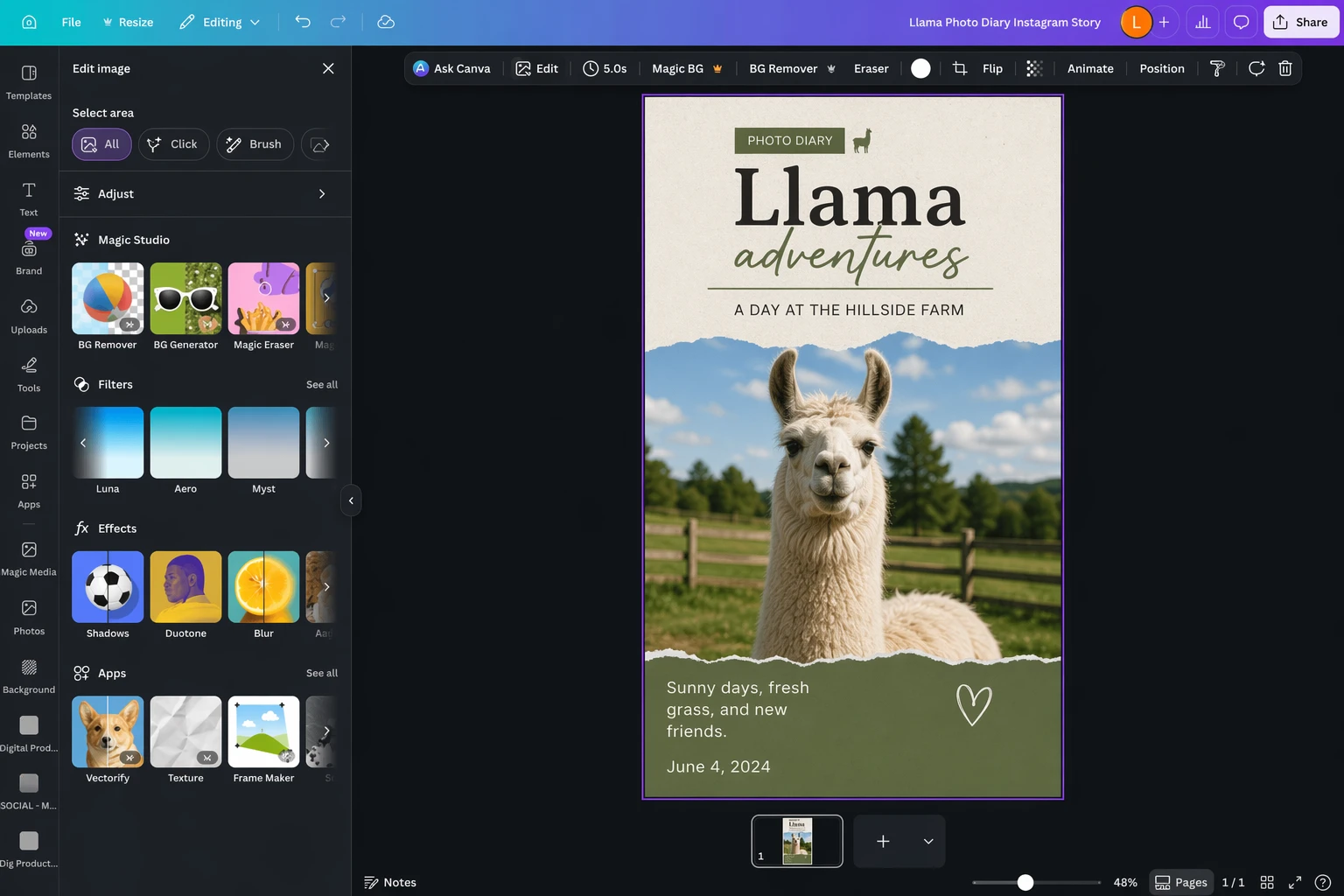
多くのクリエイターはレイアウト作業スペースとして「キャンバス」と呼ぶことがあります。この意味では、Canva Comic Strip Makerはドラッグ&ドロップエディタ、コミックテンプレート、グリッド、フレームを提供し、クリエイターにとって便利です。Canva AI Comic Generatorも、デザインワークフロー内でAI生成コミックビジュアルが欲しいクリエイターに便利です。
これは、AI画像ツールがコマを生成することはあっても、完成された漫画ページまでは出力しないことが多いからです。
Canvaは次のような作業に役立ちます:
LlamaGen、ComicsAI、OpenArtなど他のAI画像ツールでコマを生成し、最適なコマをCanvaや他のキャンバスエディタにインポートしてレイアウトやテキストを調整し、最終的な見た目を整えます。
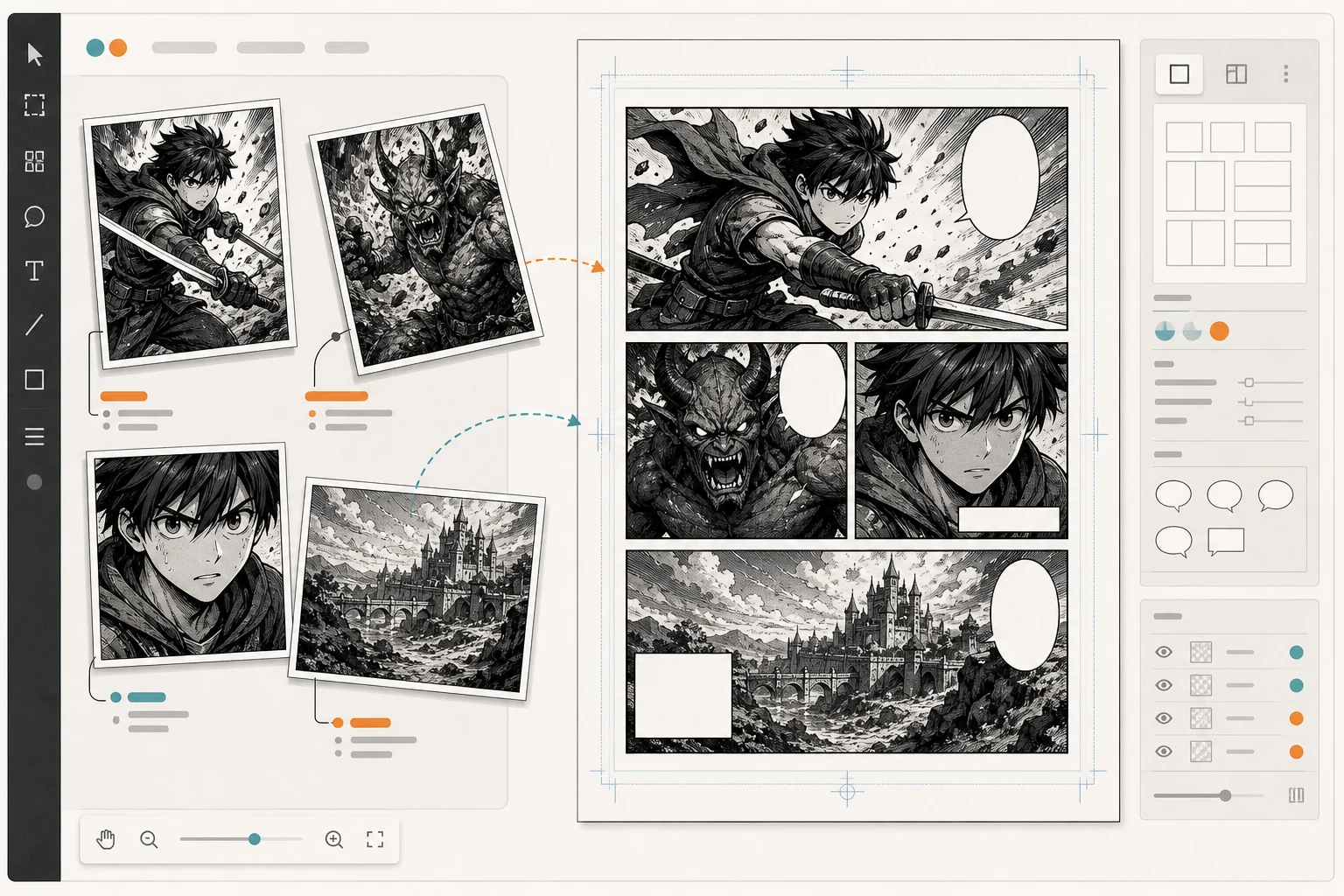
Canvaはキャラクター一貫性を維持するエンジンではありません。レイアウトや見栄えを管理するレイヤーとして使用し、本格的な漫画生成の唯一のツールと考えないよう注意してください。
最適用途: 縦スクロールコミックを公開して、ファン層を育てたいクリエイター。
「Canvas」という名称は、WEBTOON CANVASを指すこともあります。これはWEBTOONが提供するインディークリエイター向けセルフパブリッシングプラットフォームで、デザインツールのCanvaとは別物です。
WEBTOON CANVASが重要なのは、多くのAI補助漫画クリエイターが単にページを生成するだけでなく、エピソードとして公開し、読者の反応を確認し、ファン層を築きたいと考えているからです。
WEBTOON CANVASは次の用途に関連します:
WEBTOONは2026年、CANVASに翻訳関連のアップデートを発表しており、条件を満たすクリエイター向けにAI翻訳プログラムをオプションで提供する予定です。AI補助クリエイターにとって、ローカライズは重要なトピックになります。
AIツールで漫画やWebtoonエピソードを作成し、手動で編集・組み立て、正しい縦スクロールフォーマットで書き出し、エピソード完成後にWEBTOON CANVASで公開しましょう。
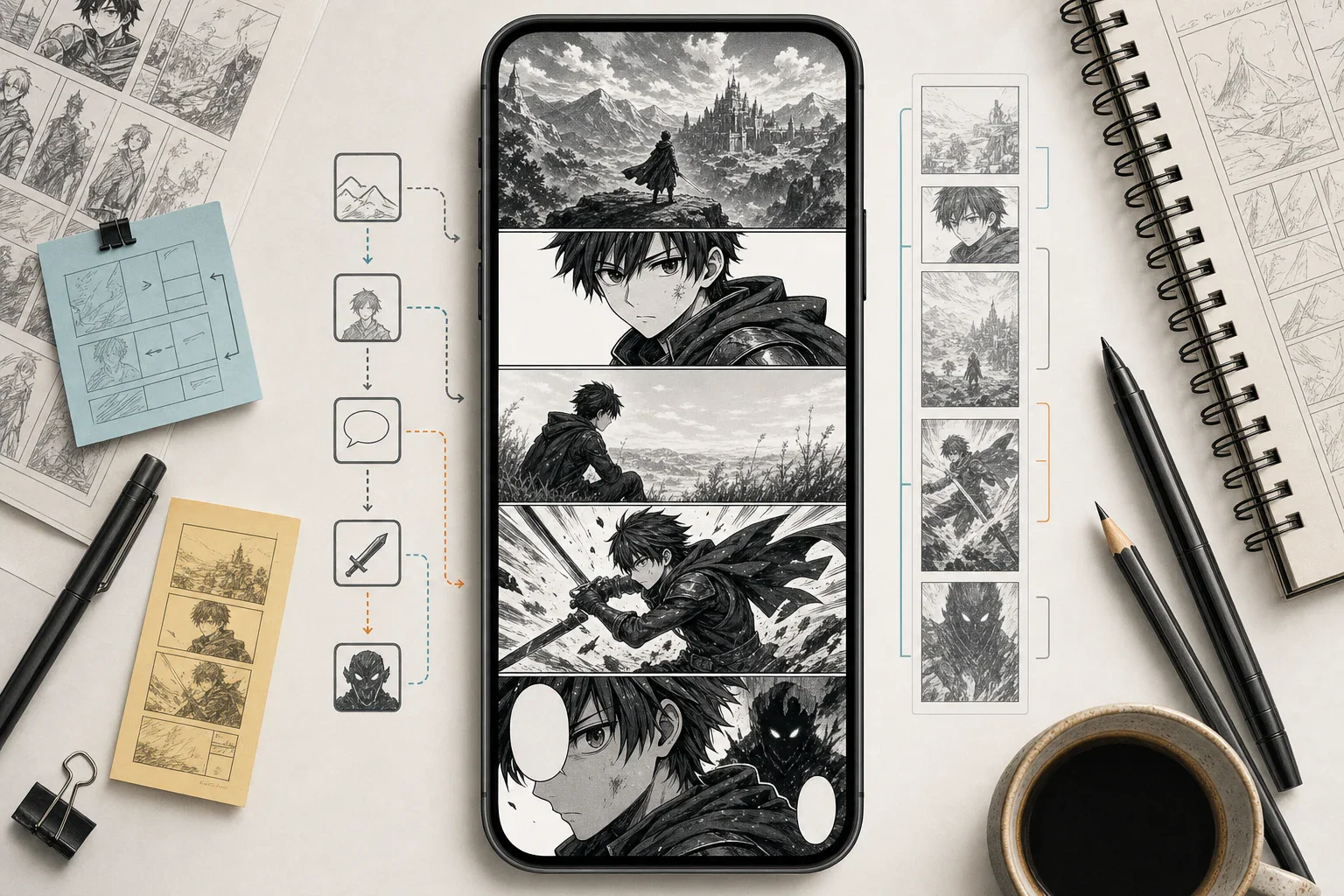
公開プラットフォームごとに独自のポリシーやフォーマット規則、コンテンツガイドラインが存在します。AI補助作品をアップロードする際は、必ず最新のWEBTOON CANVAS要件を確認しましょう。
最適用途: 仕上がりの美しい単体画像、ドラマティックな表紙、キャラクターポスター、スプラッシュページ、キャンペーン用ビジュアル。
Midjourneyは、高インパクトなAI画像の生成で根強い人気があります。漫画クリエイターにとっては、表紙アートやムードボード、キャラクターポスター、プロモーションビジュアルなどに役立ちます。
Midjourney系ワークフローは以下に強みを持っています:
Midjourneyではコンセプトアートやプロモーション画像を制作。漫画本体のページ作成には、コマ、レイアウト、テキスト、キャラクター一貫性を維持できるツールと組み合わせましょう。
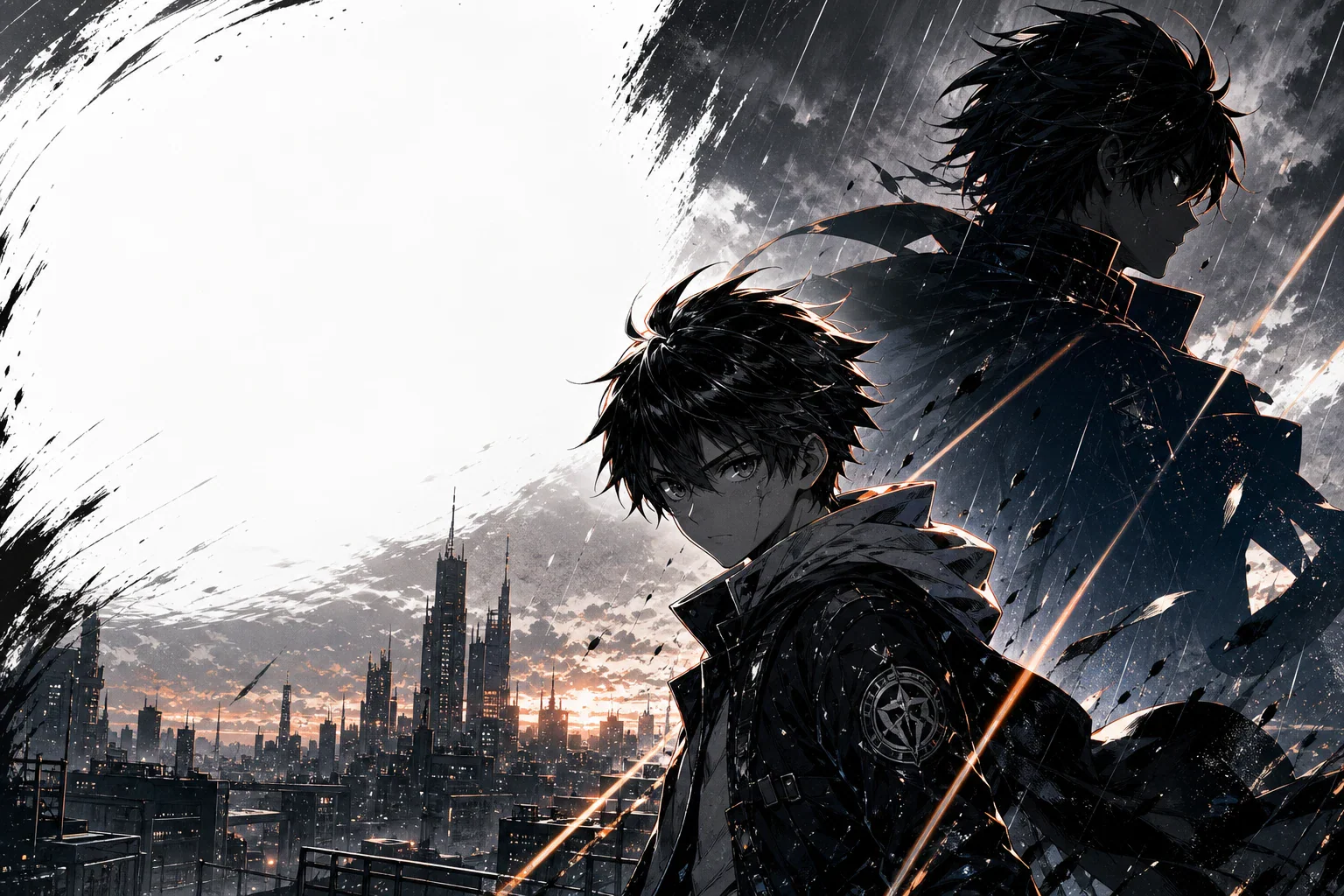
美しい画像と漫画の章は別物です。キャラクターがコマごとに顔が変わると、読者はすぐに違和感を抱きます。
最適用途: 技術志向のクリエイター、上級アーティスト、スタジオやチームがローカルまたは高度にカスタマイズされたワークフローを求める場合。
Stable DiffusionとComfyUIは、生成過程の細かい制御が必要な場合に便利です。ComfyUIは、ノードベースのワークフロー、カスタムモデル、繰り返し可能なパイプライン、高度な画像生成スキームに特に役立ちます。
Stable DiffusionとComfyUIでは次のような機能を活用できます:
技術的なセットアップに慣れている場合、このルートを選ぶと良いでしょう。キャラクターやポーズ、シーンやページ素材を繰り返し生成できるパイプラインを作り、最終ページはClip Studio Paint、Canva、他のレイアウトツールで組み立てましょう。
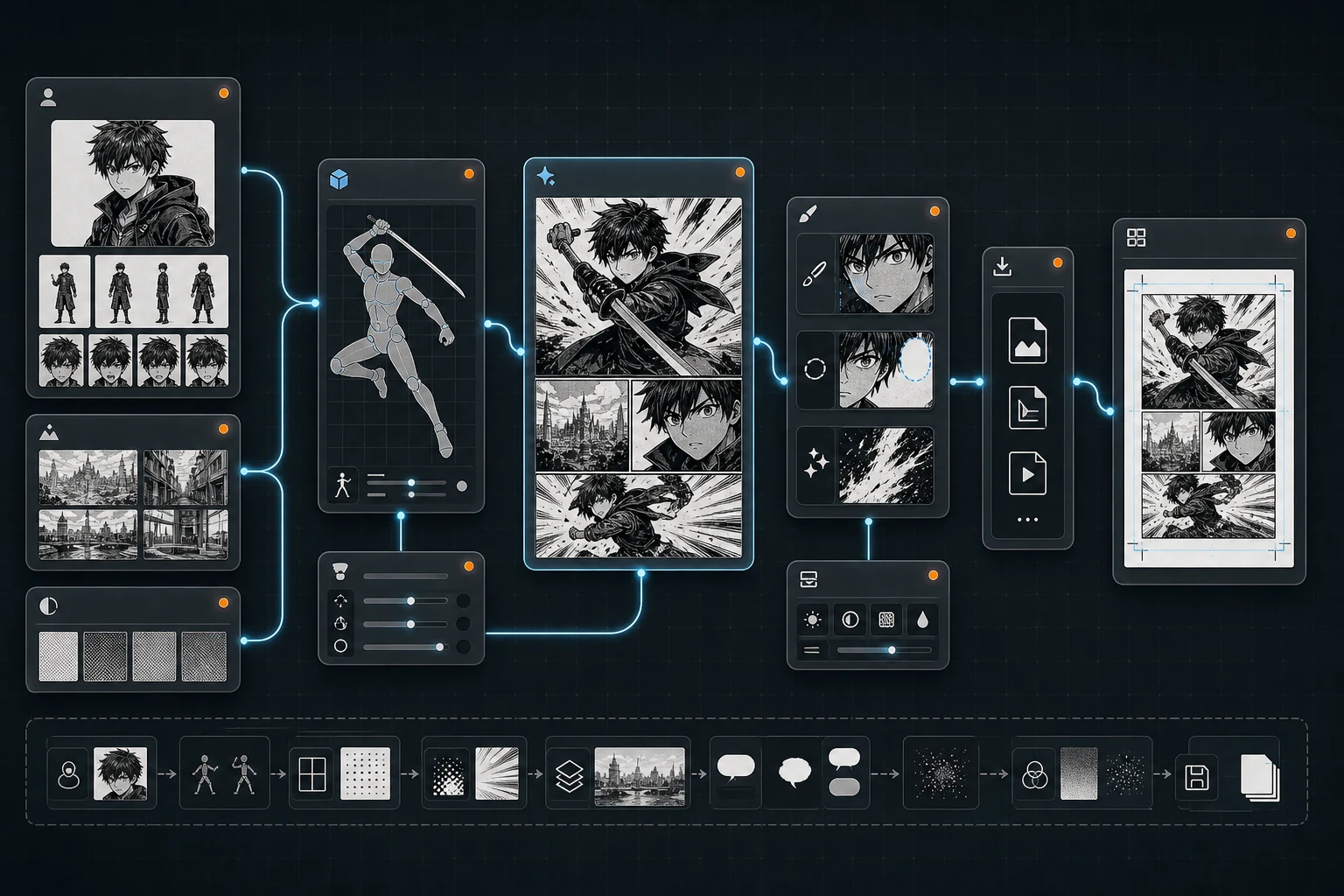
非常に強力ですが初心者向けではありません。技術的ワークフローが好きでない場合、漫画執筆よりパイプライン構築に多くの時間を取られることもあります。
最適用途: 最終ページ制作、コマ割り、吹き出し、効果線、モノクロ漫画、プロフェッショナルなコミックワークフロー。
Clip Studio Paintは主にAI漫画生成ツールではありませんが、漫画・Webtoonクリエイターにとって仕上げに最適なツールの一つです。コマ割り、吹き出し、効果線、Webtoonのワークフローなど、漫画・コミック専用の機能を多くサポートしています。
次の用途に活用できます:
他ツールでAI補助コマを生成し、最終制作や修正、レタリング、ページ書き出しにはClip Studio Paintを使いましょう。
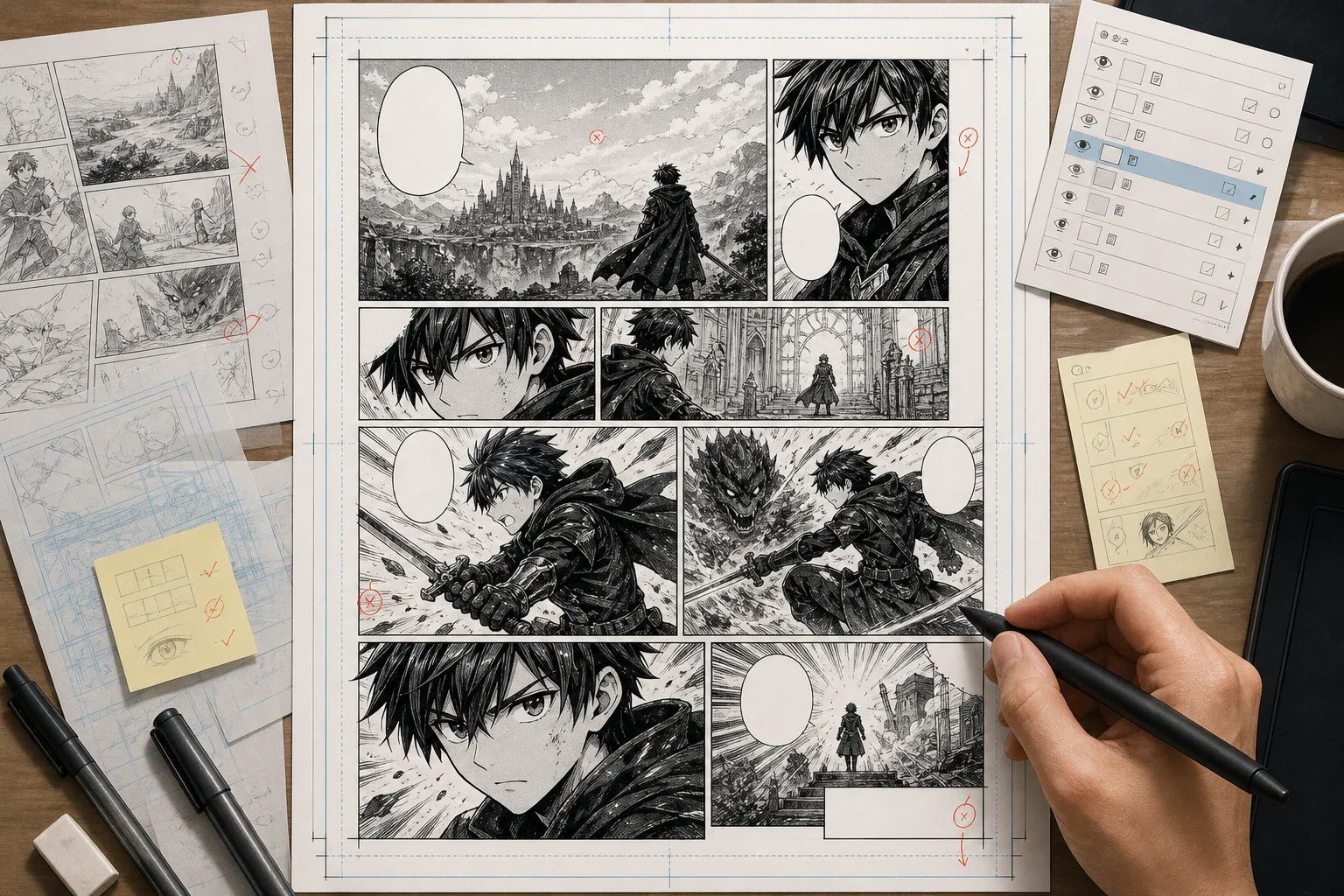
| ツール | 最適な用途 | 主な強み | 主な制限 |
|---|---|---|---|
| LlamaGen | AIによるマンガ、コミック、マンファ、ウェブトゥーンの一括制作 | ストーリーからコミック制作、パネル、キャラクターの一貫性、ウェブトゥーン形式 | 長編プロジェクトでは手作業による確認が必要 |
| ComicsAI | テキストからマンガパネル生成と初心者向けワークフロー | マンガパネル生成が簡単で、クリエイターに優しいプロンプト | 長編では堅牢なキャラクターバイブルが必要 |
| Jenova Manga Creator | ストーリー重視のマンガ制作 | キャラクター参照、継続性、パネル計画 | 人による編集チェックが必須 |
| OpenArt | マンガ風アートとビジュアル素材 | キャラクターコンセプト、シーン、編集、ビジュアル探索 | ページ全体の制作システムとしては不完全な場合あり |
| Canva | レイアウト、コミックストリップ、SNS投稿、簡単なページ組み | ドラッグ&ドロップのデザイン、グリッド、フレーム、吹き出し、エクスポート | キャラクター一貫性には根本的には向かない |
| WEBTOON CANVAS | ウェブトゥーンの公開 | クリエイターによる公開、ファン獲得、収益化の道 | AI生成ツールではない |
| Midjourney | 表紙やプロモーションアート | インパクトのある単一イメージ | マンガページ全体の直接制御は難しい |
| Stable Diffusion + ComfyUI | カスタム技術パイプライン | ローカル制御、カスタムモデル、LoRAやノードワークフロー | 習得難度が高い |
| Clip Studio Paint | 完成マンガ処理 | パネル、吹き出し、トーン、効果線、ページ制作 | ワンクリックでAIマンガ生成は不可 |
最も強力なマンガ制作ワークフローは、複数ツールの組み合わせです。
まず1文から始めます。
魔法の力を持たない10代の少年が名門魔法学院に入学し、天才魔術師たちと競うために秘密で機械式の武器を作り始める。
良い設定には以下が含まれます:
多数のパネル生成前にこれを作成しましょう。
名前:カイ
年齢:16歳
役割:魔法学院の1年生
髪型:短く少し乱れた黒髪
瞳:鋭くて疲れた印象のグレーの目
顔:左目の下に小さな傷
体格:細身でやや痩せ気味
服装:古い学院の制服、袖はまくってあり、油汚れあり
特徴的な持ち物:右手に銅製の機械手袋
性格:頑固で頭が切れ、皮肉屋だが本当は優しい
ビジュアル:ハイコントラストの白黒少年漫画風
重要なプロンプトごとに主要なビジュアル要素を繰り返し使用します。
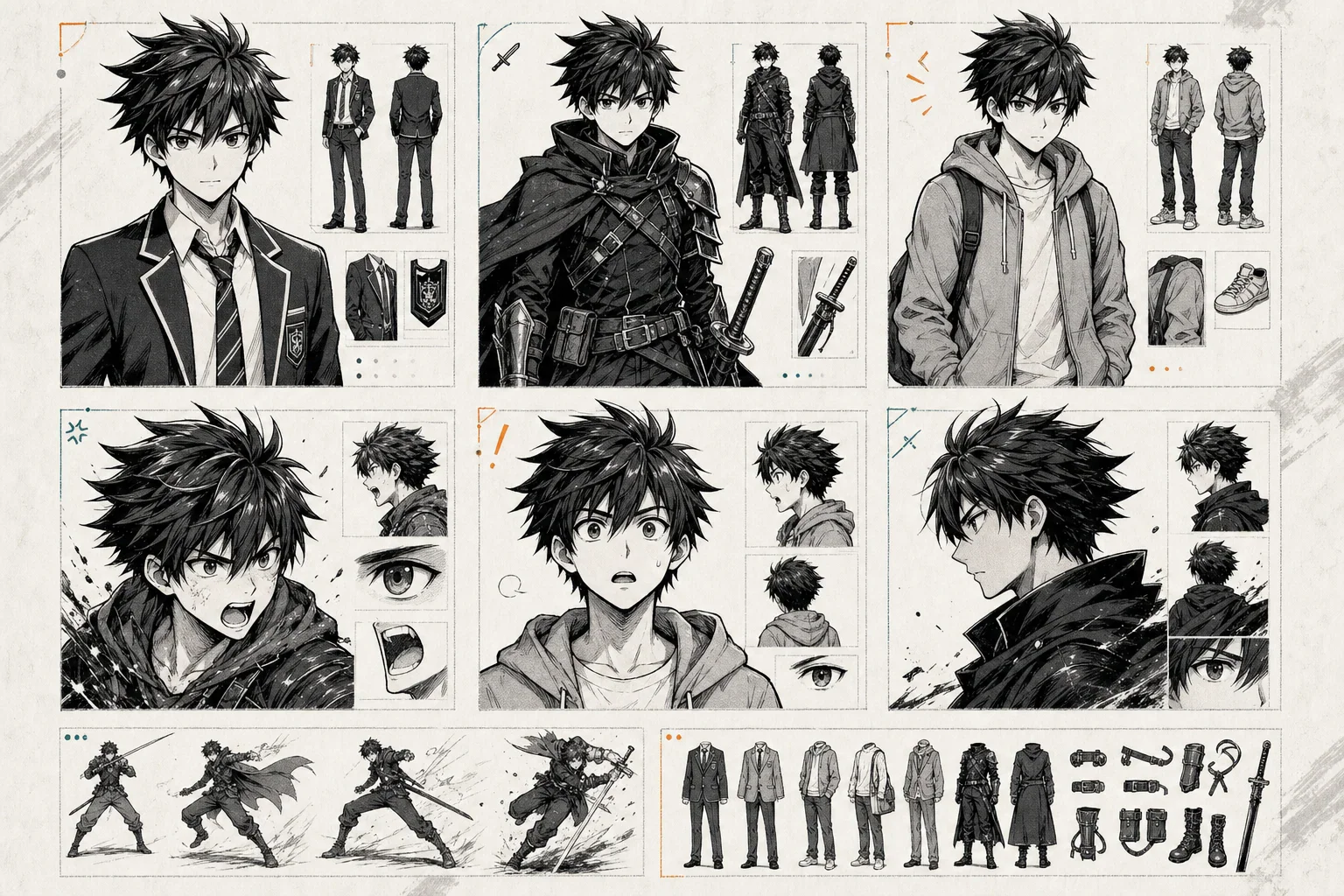
ページ制作前に以下を生成しましょう:
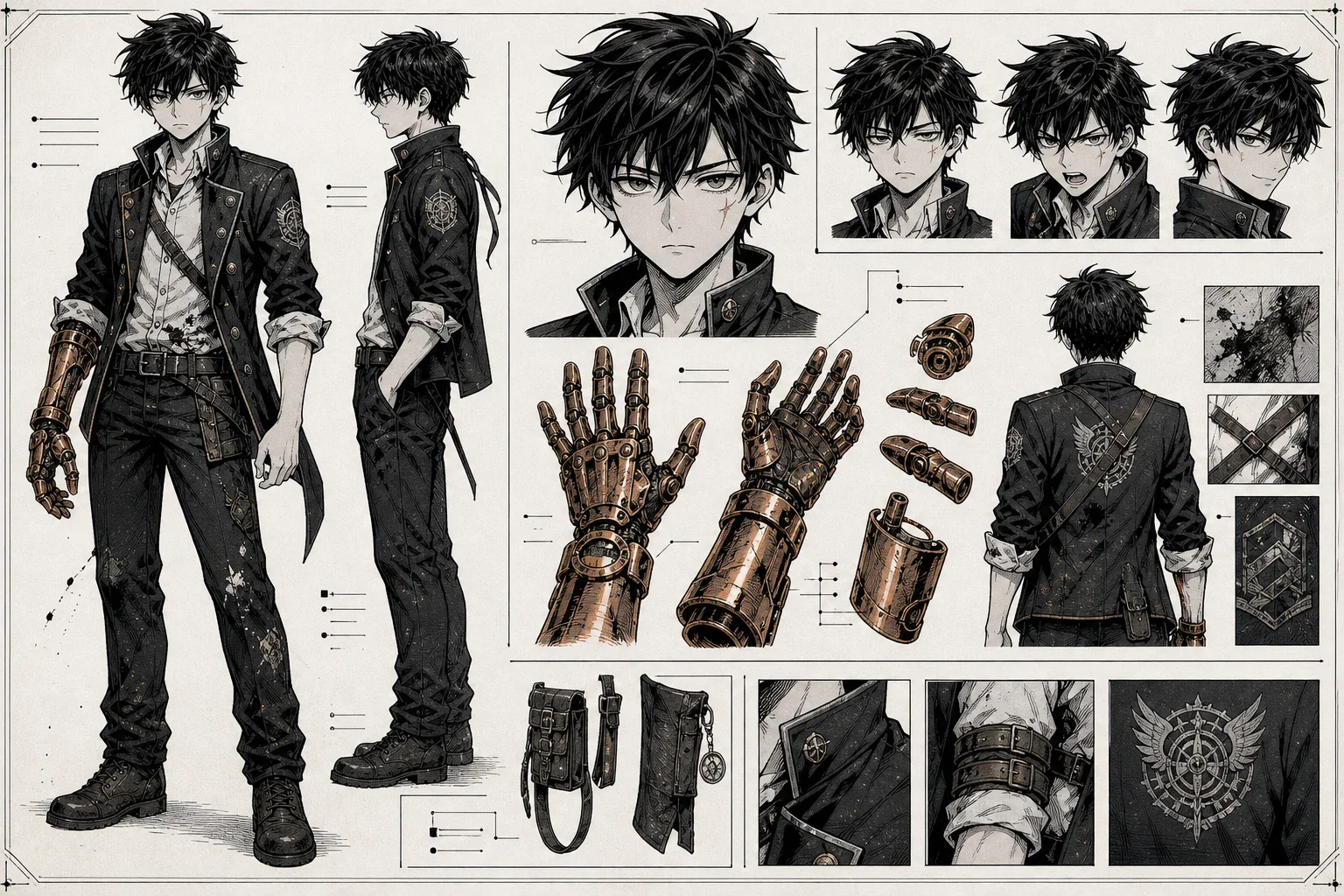
AIにいきなり全章生成は頼まず、まず1シーンから始めます。
白黒の少年漫画パネルを作成。

キャラクター:
カイ(16歳)、短く乱れた黒髪、グレーの目、左目下に小さな傷、袖をまくった古い制服、右手に銅の機械手袋。

シーン:
カイが夜の壊れた訓練アリーナに立つ。火の魔法が彼に迫り、手袋から火花が飛ぶ。

感情:
恐怖と決意が入り混じった表情。

構図:
ローアングルのクローズアップ。手袋が前景に描かれ、カイの顔は一部陰で隠れている。左から火の攻撃が迫る構図。

漫画効果:
スピード線、スクリーントーン、強い影、インパクトラインを入れる。

レイアウト指示:
右上にセリフを入れる余白を確保すること。
パネル生成後は、CanvaやClip Studio Paint等のレイアウトツールやキャンバス型エディターでページを組み立てます。
必ずチェック:
文字入れはテンポを左右します。セリフは短く読みやすく保ちましょう。
使用するポイント:
出版前に必ず確認:
AIで制作は加速できますが、マンガの読める品質を決定するのは人による編集作業です。
LlamaGen、ComicsAI、OpenArt、Canvaから始めましょう。
まずは1シーンの読みやすいマンガを作ってから、全章への展開へ進みましょう。
Jenova Manga Creator、ComicsAI、LlamaGen Manga Makerを試しましょう。
ストーリーがあなたの強みです。AIでシーンをビジュアル化しつつ、キャラクターの成長やセリフは自分の手で管理してください。
LlamaGen AI Webtoon Generator、WEBTOON CANVAS、縦スクロール向けレイアウトワークフローを活用。
モバイルでのテンポ、縦スクロールリズム、エピソードの引きを重視しましょう。
OpenArt、Midjourney、Stable Diffusionの活用がおすすめです。
キャラクターデザイン、スタイル探索、表紙、ビジュアル開発に便利です。
Clip Studio Paintでパネル、吹き出し、スクリーントーン、効果線、最終マンガ制作まで仕上げましょう。
Stable DiffusionとComfyUIで、カスタムモデル・ローカル生成・ポーズ制御・キャラクター再現性ワークフローが構築できます。
美しい一枚絵だけでは不十分です。マンガは流れ、テンポ、連続性、可読性のあるページが必要です。
「ティーンエイジャーの少年」だけでは、毎回異なる少年が生成される場合があります。詳細なキャラクターバイブルを使いましょう。
最初は1シーン、次に1ページ、そして短いエピソードから始めましょう。
必ずAIにセリフ用余白を指示してください。
右上エリアにセリフ用の十分な余白を残してください。キャラクターの顔は隠さないでください。
弱いプロンプト例:
マンガ風に仕上げてください。
良いプロンプト例:
白黒の少年漫画スタイル。ハイコントラストなインクで、スピード線、スクリーントーン、ドラマチックなクローズアップ、強い表情、右から左への読み順。
AI生成物にはビジュアルミス、連続性の問題、不自然な手や顔、パネルの流れの不明瞭さが含まれる場合があります。必ず編集作業をしましょう。
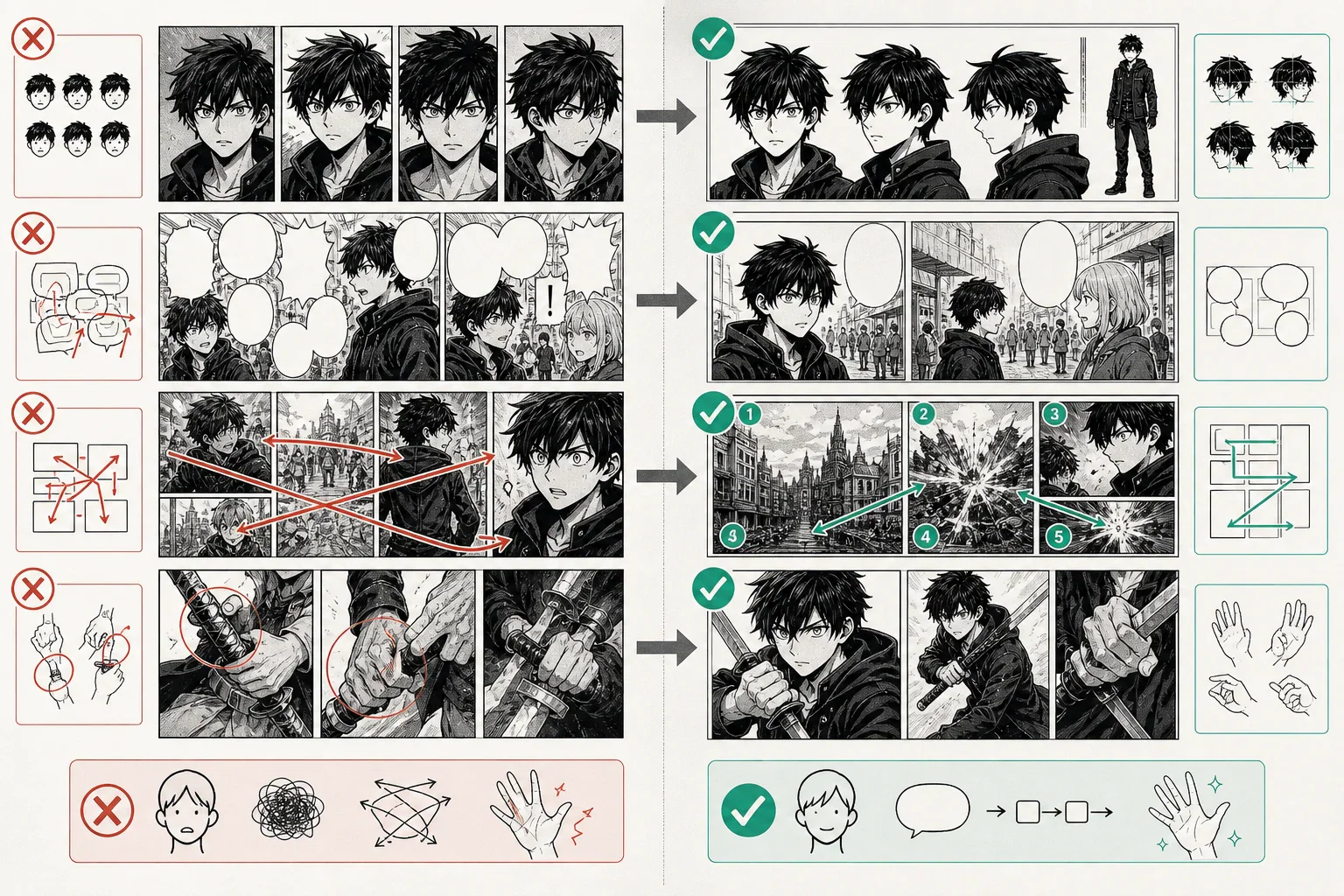
LlamaGen、ComicsAI、Jenova、OpenArt、Stable Diffusionほか画像ツールに使えるテンプレートです。
[漫画ジャンル]のマンガパネルを作成。

キャラクター:
[名前、年齢、髪型、瞳、顔の特徴、服装、体型、持ち物の特徴]

アクション:
[キャラクターがしていること]

シーン:
[場所、時間帯、背景、天候、雰囲気]

感情:
[具体的な感情状態]

構図:
[クローズアップ/引き/ローアングル/俯瞰/背後から/斜めアクションショットなど]

漫画効果:
[スピード線、スクリーントーン、インクシャドウ、効果音スペース、インパクトライン、モーションブラーなど]

継続性:
[必ず維持するキャラクターの固定情報]

レイアウト:
[セリフ用スペース、読み順、ウェブトゥーン縦スクロール対応、ページパネル比率]
白黒の少年漫画アクションパネルを作成。

キャラクター:
カイ(16歳)、短く乱れた黒髪、グレーの目、左目下に小さな傷、袖をまくった古い制服、右手に銅の機械手袋。

アクション:
カイが巨大な火の魔法を機械手袋で受け止めながら、ひび割れたアリーナ床を滑るように後退している。

シーン:
夜の魔法学院アリーナ、壊れた石畳、火花と煙、背景にはぼやけた生徒たちが見守っている。

感情:
恐怖しつつも決して諦めない表情。

構図:
ローアングルの斜めアクションショット。機械手袋が大きく前面に描かれ、背後にカイの半分影になった表情。

漫画効果:
強いスピード線、スクリーントーン、重いインクの影、火が手袋に衝突するインパクトの爆発表現。

継続性:
カイの短い黒髪、グレーの目、左目下の傷、古い制服、銅の手袋は必ず統一させること。

レイアウト:
右上にセリフ用余白を確保し、右から左へのマンガの読み順で構成してください。
公式ページやクリエイターリソースでツールやワークフロー、出版方法を比較できます:
複数ページの下書きや、繰り返し登場するキャラクター、構成されたシーンの作成は一部ツールで可能です。ただし、全話制作には人による構成・編集・文字入れ・連続性チェック・出版確認が必要です。
LlamaGen、ComicsAI、OpenArt、Canvaは技術的な準備を減らせるため初心者向きです。まず短い読みやすいシーンの制作に集中し、全話制作に挑戦してください。
はい。LlamaGenはマンガ・マンファ・ウェブトゥーン・パネル・キャラクター・ページ制作まで幅広いAIコミックワークフロー対応で、クリエイターに役立ちます。
OpenArtは優れたビジュアル作成や編集ツールです。マンガ風キャラクターやシーン生成はできますが、多くのクリエイターはマンガレイアウトやストーリーワークフローと併用しています。
Canvaはコミックレイアウトや吹き出し、グリッド、フレーム、SNS対応エクスポートに便利です。ページ組み立てには役立ちますが、長編のキャラクター一貫性は単体では難しいです。
Canvaはデザイン・レイアウトツールです。WEBTOON CANVASは独立系ウェブトゥーン作家向けの出版プラットフォームです。たとえば、Canvaでページ組みをしてWEBTOON CANVASで完成エピソードを公開できます。
Midjourneyは、表紙やコンセプトアート、ムードボード、プロモーション用ビジュアルの制作に適しています。完成されたマンガページを作る場合は、コマ割りやストーリーの整合性、文字入れ、レイアウトをサポートするツールと併用してください。
ツールやプラットフォームによって異なります。AIを活用したマンガを販売・公開する場合、必ず商用権利、ウォーターマークのルール、エクスポート制限、モデルの制約、出版ポリシーを確認してください。
2026年のベストAIマンガジェネレーターは、美しい画像を生成するだけのものではありません。最適な選択肢は、あなたの制作ワークフローに合うツールです。
LlamaGen は、マンガ、マンファ、ウェブトーン、キャラクター、ページ作成など幅広いAIコミックプラットフォームを求める方におすすめです。
ComicsAI は、テキスト入力からマンガのコマや初期ビジュアルを簡単に作りたい方に向いています。
Jenova Manga Creator は、ストーリー重視のプロジェクトや、キャラクター設定、コマの流れ、長編のストーリー構築のサポートが欲しい方におすすめです。
OpenArt は、マンガスタイルのアートやキャラクター案、ビジュアル素材、AI画像編集が必要な場合に便利です。
Canva は、コマの組み立てや吹き出し追加、レイアウト調整、シンプルな漫画ページのエクスポートが必要な場合におすすめです。
WEBTOON CANVAS は、縦読型ウェブトーンの公開やファンの獲得を目指したい方に適しています。
Midjourney は、洗練された表紙やコンセプトアート制作に最適です。
Stable Diffusion および ComfyUI は、技術的に深くカスタマイズしたキャラクター生成やパイプライン構築を求める方におすすめです。
本格的なマンガ制作には、ワークフローの構築が肝心です。一つのボタンだけでは完成しません:まずストーリーを執筆し、キャラクターを固め、コマを生成し、ページを組み立て、文字入れを丁寧に行い、手動で編集し、最後に公開します。
© 2026 LlamaGen.Ai 全著作権所有
AIコミック生成の未来をリードする