The 8 best Canva alternatives
Best apps12 min read
All posts

The 8 best Canva alternatives
Oleh LlamaGen Team · April 24th, 2026
In this article
  1. Start creating in LlamaGen
  2. The best Canva alternatives
  3. What is Canva?
  4. What makes the best Canva alternative?
  5. The best Canva alternatives at a glance
  6. The best Canva alternative overall
  7. The best free Canva alternative for creating occasional images
  8. The best affordable Canva alternative
  • The best Canva alternative for photos and collages
  • The best Canva alternative for print designs
  • The best Canva alternative for small teams
  • The best Canva alternative for video editing
  • The best Canva alternative for comics, webtoons, and AI storyboards
  • Other apps like Canva worth considering
  • Which Canva alternative should you choose?
  • We independently review every app we recommend.

    If you're throwing together a quick social media graphic, making a poster for an upcoming event, or building a quick presentation, Canva is still one of the easiest design tools to reach for. But it isn't the only option, and it definitely isn't the best fit for every workflow.

    I've spent a lot of time comparing visual tools that sit somewhere between "fast enough for non-designers" and "powerful enough for real work." Canva wins on approachability, but some alternatives do better when you care about stronger editing, lower cost, team workflows, print handoff, video, or story-first visual creation.

    This version keeps the structure and evaluation logic that made the original roundup useful, while extending it for LlamaGen readers who are comparing template tools with newer AI-native creation workflows.

    LlamaGen is worth a look when your output is not just a poster or social post, but a sequence: comics, manga panels, storyboards, character variations, and webtoon-style assets that need to stay visually coherent from frame to frame. That's the gap traditional "Canva alternative" lists usually miss.

    Start creating in LlamaGen

    • Create a new comic
    • Create a new animation
    • Start a manga project
    • Generate AI images
    • Build AI characters
    • Plan a storyboard

    The best Canva alternatives

    • Adobe Express for the best Canva alternative overall
    • Snappa for creating occasional images
    • Pixlr for an affordable Canva alternative
    • BeFunky for photos and collages
    • VistaCreate for print designs
    • Desygner for small teams
    • Clipchamp for video editing
    • LlamaGen for comics, webtoons & AI storyboards

    What is Canva?

    Let's get one thing out of the way: Canva is popular for a reason.

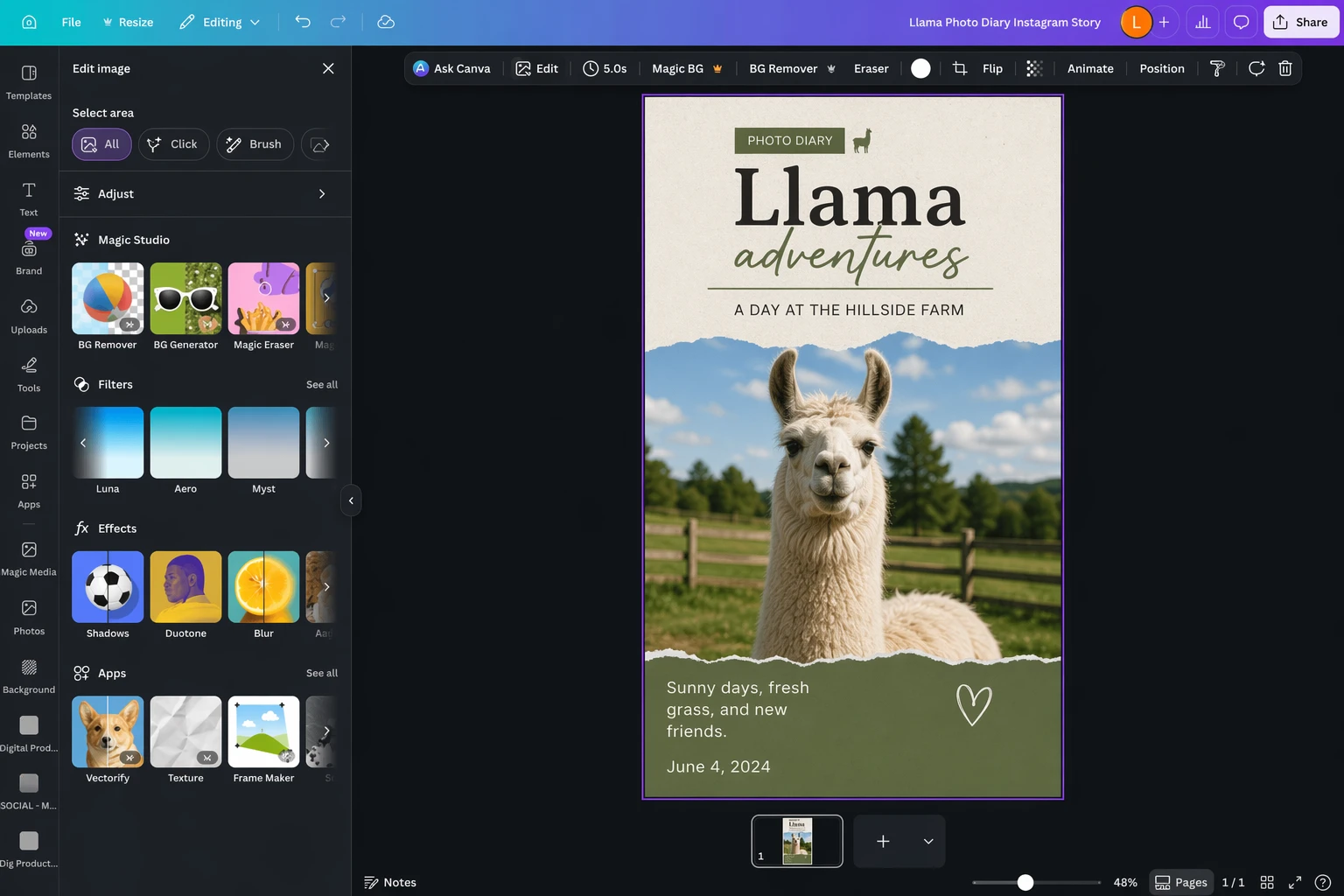
    Canva is a template-based design tool with a huge asset library, a friendly drag-and-drop editor, and a broad enough feature set to handle everything from social graphics to presentations, flyers, resumes, simple videos, and lightweight docs. It lowers the skill floor in a way that made design software accessible to a much larger group of people.

    Over the last few years, Canva has also layered in more AI features: text-to-image generation, background removal, resize and reformat tools, prompt-based template generation, and assorted writing helpers. Some are stronger than others, but the overall direction is clear: Canva wants to be the default creative workspace for mainstream business users.

    It also helps that Canva has a generous free tier, affordable paid plans, and solid collaboration features. If what you need is "make something polished fast," Canva is still an easy recommendation.

    What makes the best Canva alternative?

    For a tool to count as a real Canva alternative, it needs to do more than edit a single image well. It should help you produce repeatable, usable visual work without turning every task into a design project.

    Here are the criteria that matter most:

    • It needs to support real production work, whether that's graphics, presentations, print assets, photo edits, or short videos.
    • It should help people create repeatable designs instead of one-off experiments.
    • It needs a reason to exist alongside Canva, whether that's stronger editing, better team tooling, better pricing, or a more focused workflow.
    • It needs to be pleasant enough to use that you won't avoid it after the first week.
    • It needs to be reasonably priced, especially if it's aimed at the same audience Canva serves.

    For LlamaGen readers, there's one more useful lens: some "alternatives" are still template-first, while others are becoming workflow-first. If your work includes comics, webtoons, sequences, scene consistency, character continuity, or storyboard exploration, your ideal replacement may look less like Canva and more like an AI-native creation tool.

    The best Canva alternatives at a glance

    AppBest forStandout featureFree plan
    Adobe ExpressThe best Canva alternative overallTight integration with Adobe's wider creative stackYes
    SnappaOccasional graphics on a free planAlmost all core features are available before you payYes
    PixlrBudget-conscious image editingMultiple lightweight tools in one subscriptionYes
    BeFunkyPhotos and collagesStrong photo editor plus collage workflowsLimited
    VistaCreatePrint-first design workGood print templates and VistaPrint handoffYes
    DesygnerSmall teamsAffordable team-friendly template workflowsYes
    ClipchampVideo editingBetter browser-based video workflow than CanvaYes
    LlamaGenComics, webtoons, storyboards, and visual narrativesAI-native story and character workflow instead of single-frame templatesYes

    The best Canva alternative overall

    Adobe Express (Web, iOS, Android)

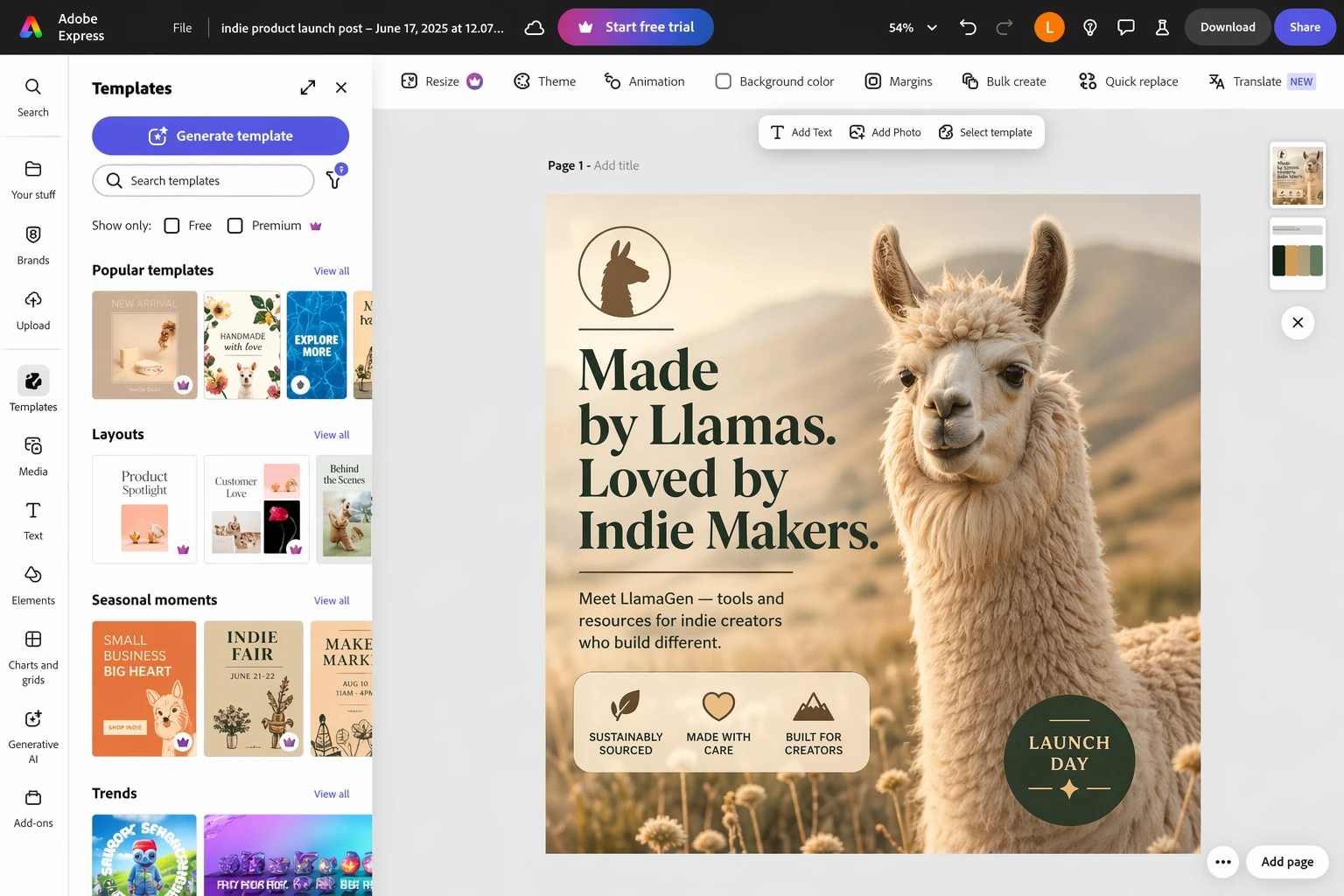
    Edited Adobe Express screenshot

    Adobe Express pros

    • Better editor depth than Canva for many users
    • Integrates with Photoshop, Firefly, Adobe Fonts, and Adobe Stock

    Adobe Express cons

    • Fewer templates than Canva
    • The broader Adobe ecosystem can still feel like a commitment

    Adobe Express is the most obvious Canva alternative to try first because it balances accessibility with real editing power. It feels more serious than Canva without immediately forcing you into a pro-designer workflow.

    The biggest advantage is context. If you already touch Photoshop, Illustrator, Adobe Fonts, or Firefly, Express fits into a larger creative stack instead of acting like an isolated template app. That makes it easier to go from "quick social design" to "real brand asset" without redoing work.

    It still serves non-designers well, but it especially shines for people who are slowly outgrowing Canva and want more control before jumping all the way into full Adobe complexity.

    Adobe Express pricing: Free plan available; premium plans start around the same range as Canva Pro.
    The best free Canva alternative for creating occasional images

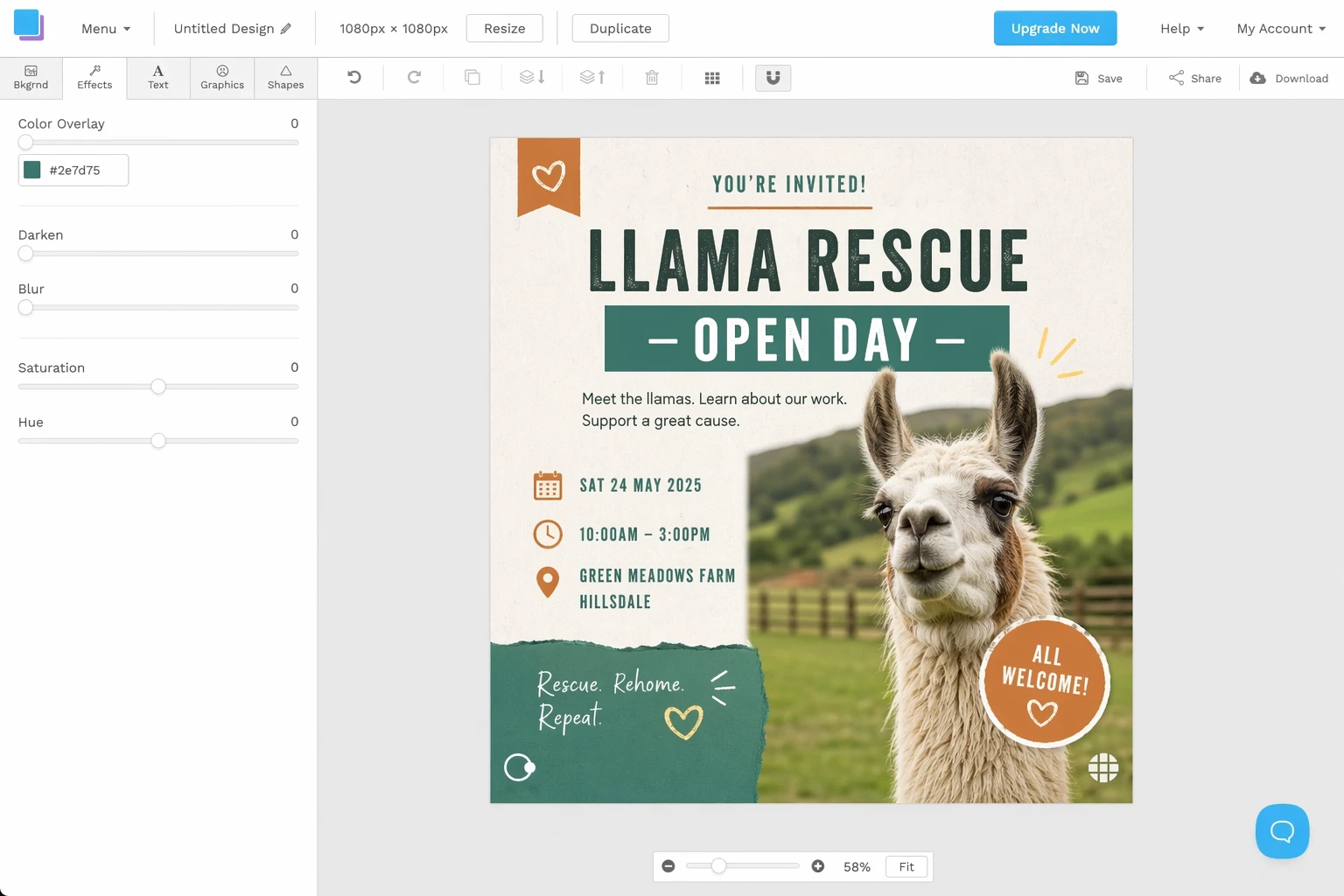
    Snappa (Web)

    Edited Snappa screenshot

    Snappa pros

    • Most core features are available before you pay
    • Low friction for lightweight one-off graphics

    Snappa cons

    • Less depth than Canva
    • Smaller template and asset ecosystem

    Snappa is appealing because it doesn't constantly interrupt you with upgrade pressure while you're still figuring out whether the tool fits. If you make the occasional banner, simple social post, or blog graphic, that matters more than people admit.

    Its limitation is scale. Once you need more variety, deeper editing, stronger brand systems, or richer AI tooling, Snappa starts to feel narrow. But for infrequent design work, it stays refreshingly usable.
    The best affordable Canva alternative

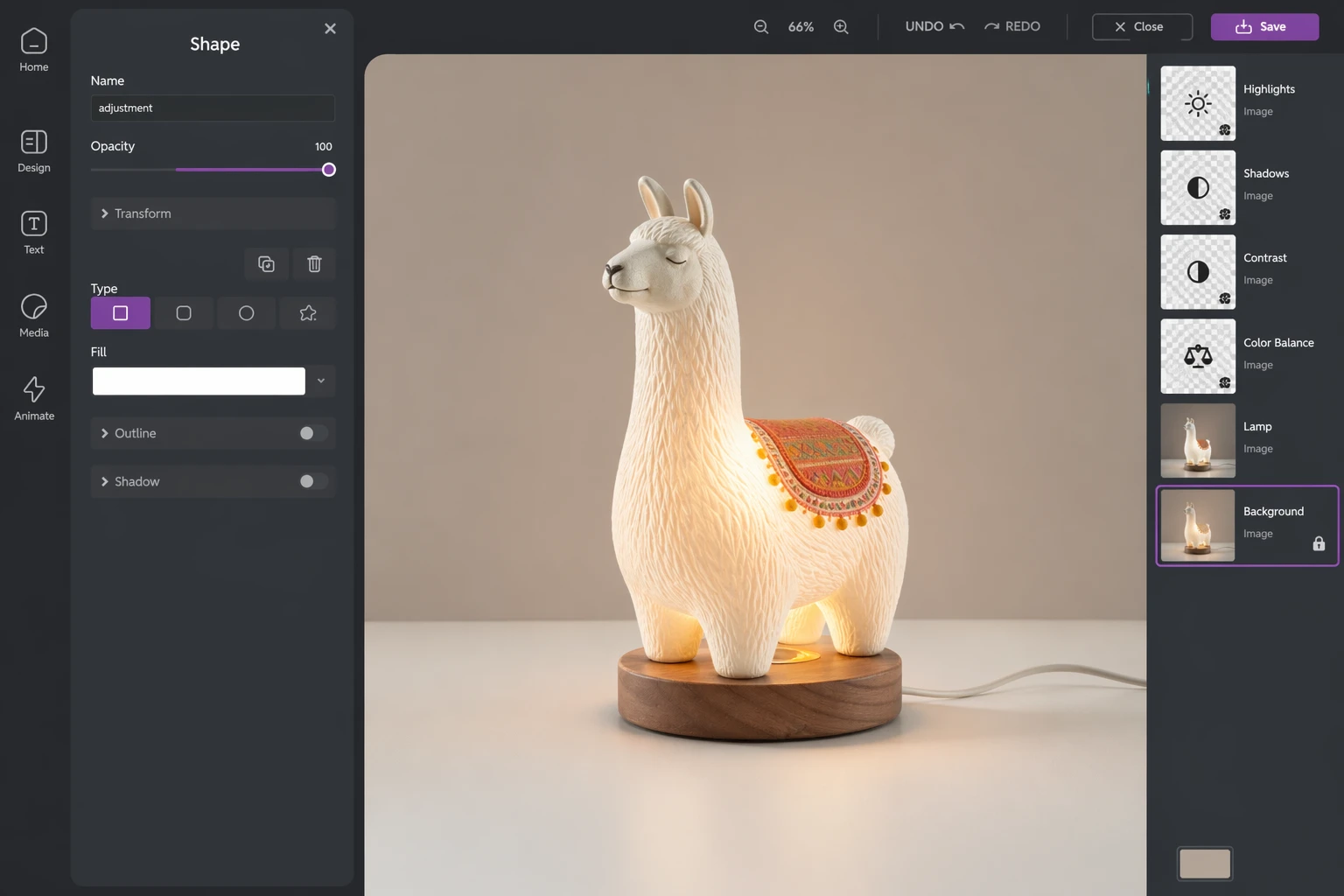
    Pixlr (Web, iOS, Android)

    Edited Pixlr screenshot

    Pixlr pros

    • Very good value
    • Lightweight tools that stay approachable

    Pixlr cons

    • A little rough around the edges
    • Features are spread across multiple products

    Pixlr is strongest when price sensitivity matters but you still want access to AI-assisted editing and more than a bare-bones template editor. It isn't as polished as Canva or Adobe Express, but it punches above its price point.

    The suite approach helps here: template design, retouching, background removal, and batch work live in adjacent tools, so you can move between simple composition and more detailed image work without buying into a heavy stack.

    If you're making marketing visuals on a budget, Pixlr is one of the easiest "good enough plus surprisingly useful" options on the list.
    The best Canva alternative for photos and collages

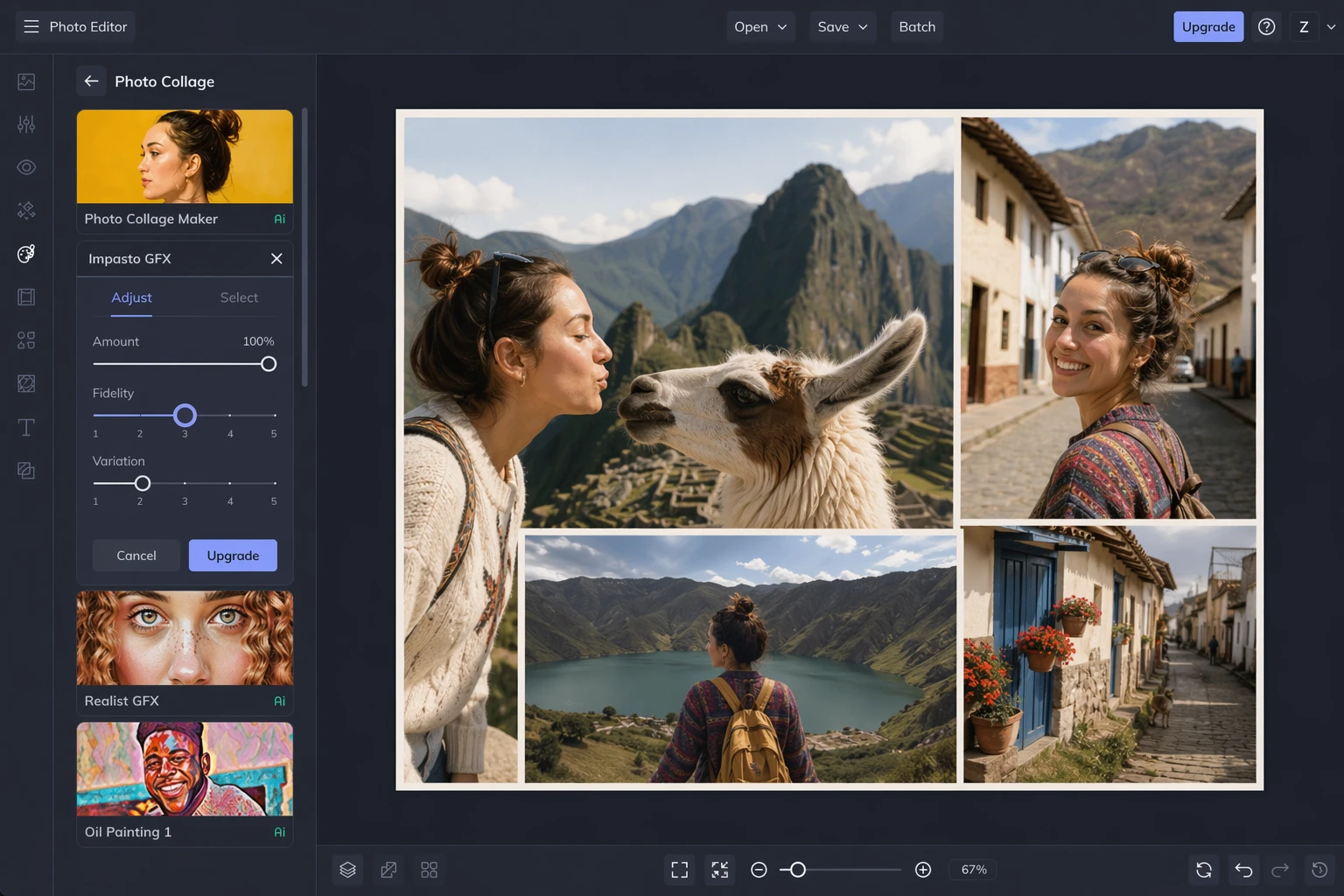
    BeFunky (Web, iOS, Android)

    Edited BeFunky screenshot

    BeFunky pros

    • Strong photo editor
    • Good collage tools and stylized image workflows

    BeFunky cons

    • Weaker graphic-design workflow than Canva
    • Less useful if you're mainly template-driven

    BeFunky is one of the better picks if your raw material is photography. Its photo editor matters more than its template catalog, and that's exactly why some people will prefer it.

    If your workflow involves enhancing images, building collages, restoring or stylizing photos, and turning those into shareable designs, BeFunky feels more purpose-built than Canva. If you're primarily making decks, flyers, and brand templates, Canva still has the broader system.
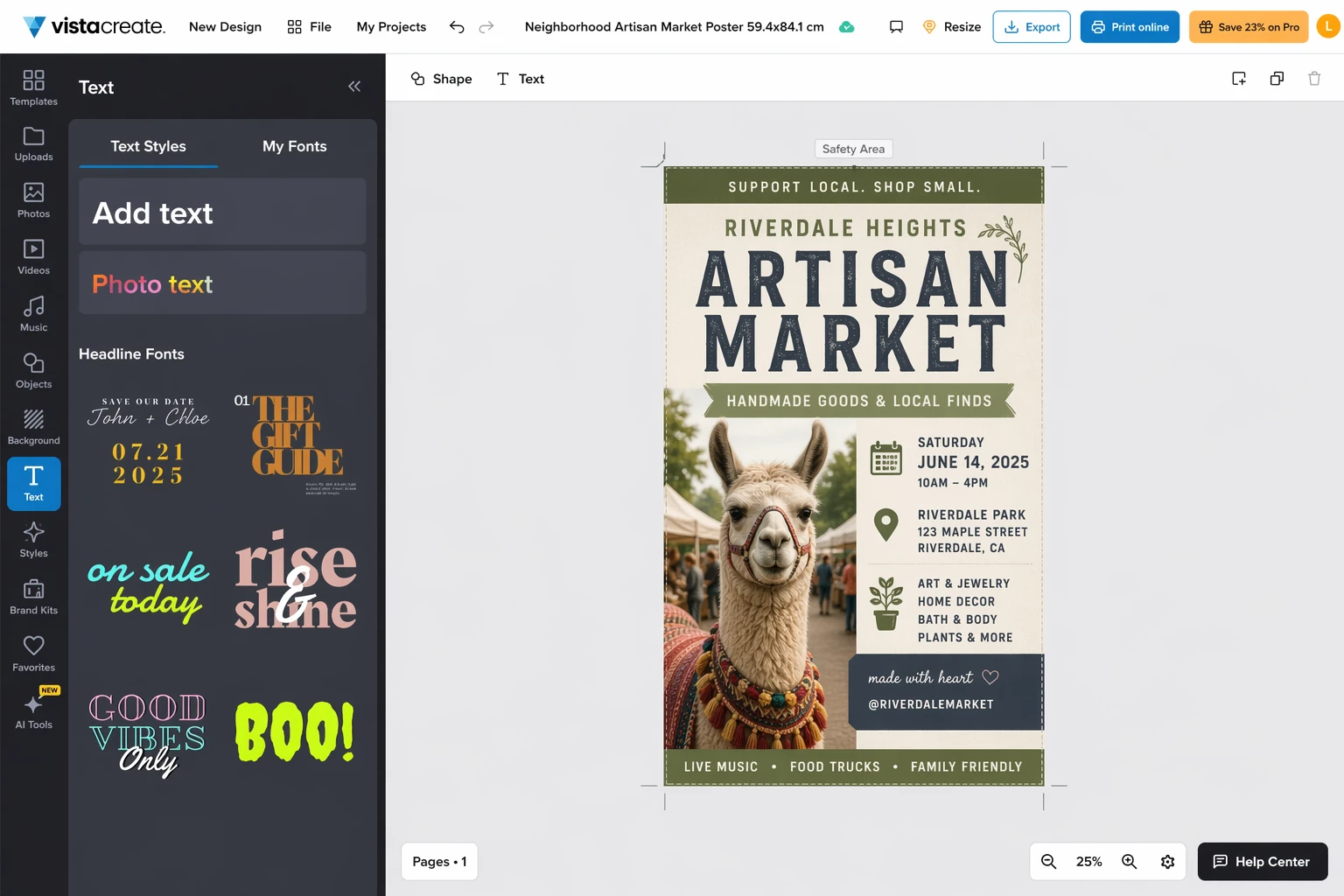
    The best Canva alternative for print designs

    VistaCreate (Web, iOS, Android)

    Edited VistaCreate screenshot

    VistaCreate pros

    • Good print template workflow
    • Useful VistaPrint integration for physical output

    VistaCreate cons

    • Less flexible than Canva and Adobe Express
    • Doesn't feel as broad for mixed workflows

    Most designs never get printed, but if yours do, print handoff matters. VistaCreate earns its place because it makes posters, cards, brochures, and other print-ready work more straightforward than many "all-purpose" tools.

    It's not the most feature-rich editor here, but it has a clearer answer to a practical question: "How do I go from design to printed thing without introducing extra friction?"
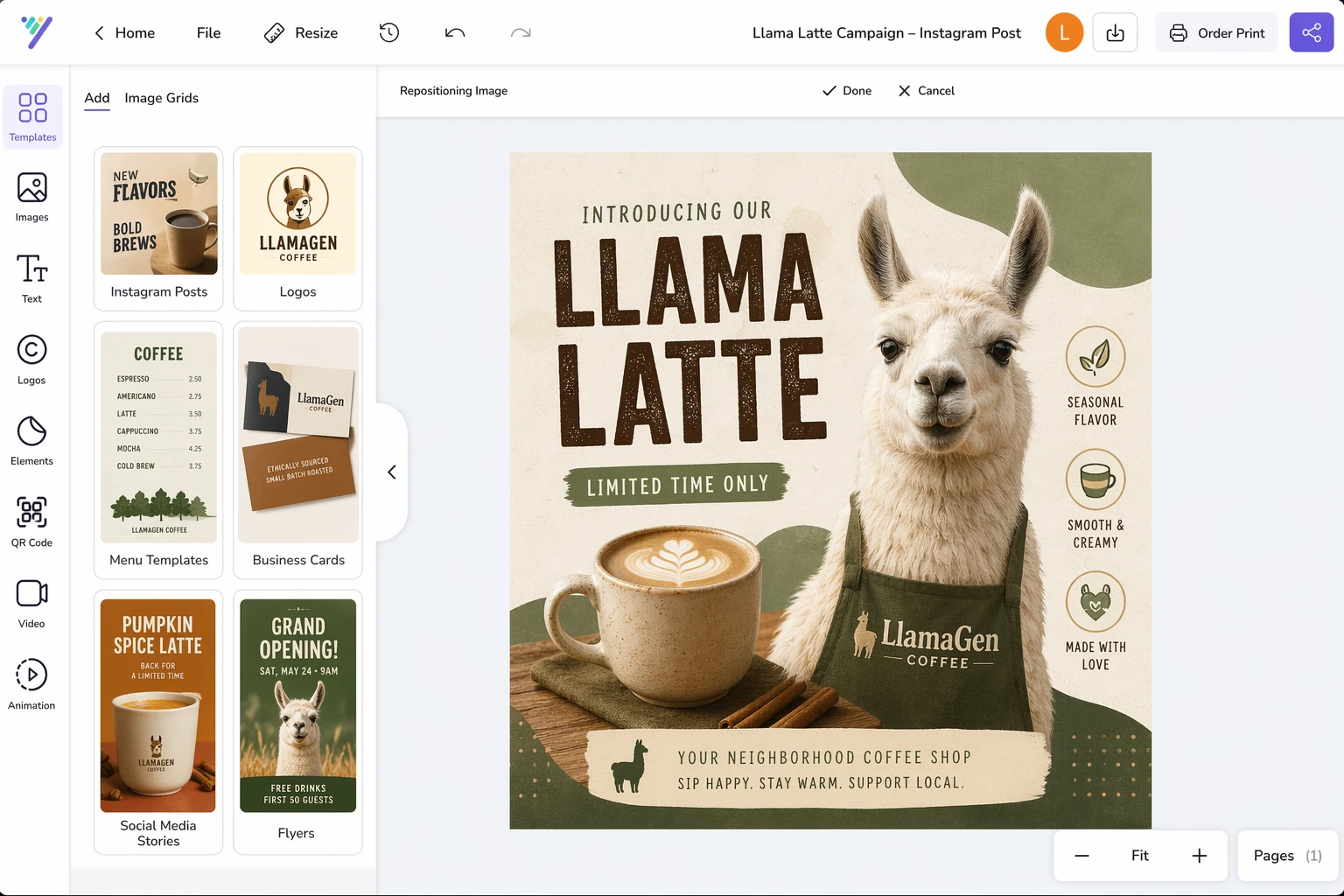
    The best Canva alternative for small teams

    Desygner (Web)

    Edited Desygner screenshot

    Desygner pros

    • Team plans are relatively affordable
    • Quick to learn and quick to ship with

    Desygner cons

    • Less powerful than the category leaders
    • Better for lightweight brand work than advanced production

    Desygner makes the most sense when a small team needs repeatable branded assets without paying for a more expansive system. It's not the most sophisticated product, but it does a good job of helping non-specialists produce usable work quickly.

    That makes it a practical choice for local businesses, lean marketing teams, and teams that need simple templates more than deep creative tooling.
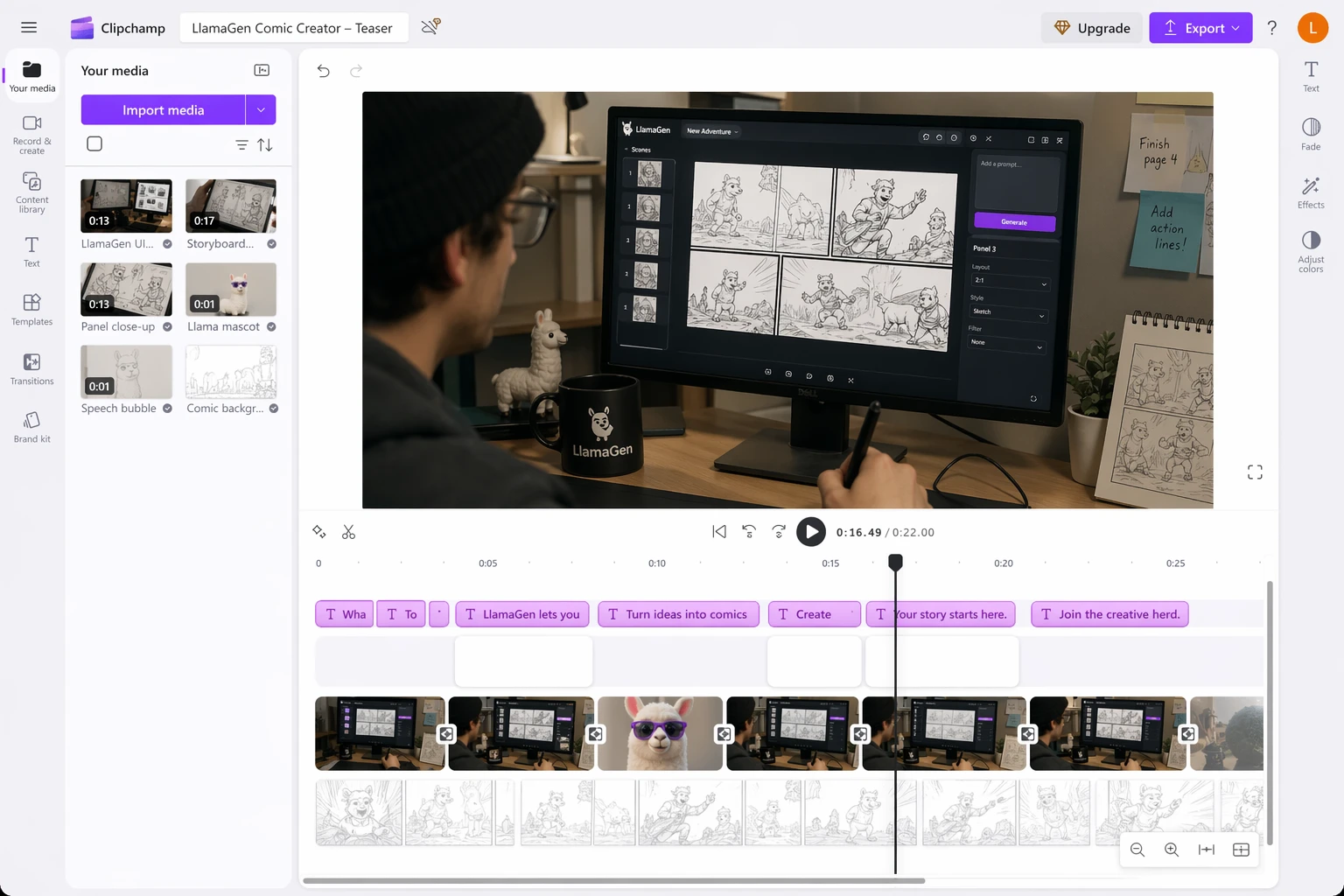
    The best Canva alternative for video editing

    Clipchamp (Web, Windows, iOS)

    Edited Clipchamp screenshot

    Clipchamp pros

    • Better browser-based video editing than Canva
    • Strong fit for short-form and creator workflows

    Clipchamp cons

    • Mostly for video, not broad design work
    • Less relevant if you rarely touch motion content

    Canva can handle lightweight video, but Clipchamp is the better option if motion is a meaningful part of your workflow. The timeline is more comfortable, the editing model is more credible, and the product feels designed around video rather than accommodating it.

    If you regularly cut social clips, explainers, demos, or creator content, Clipchamp is one of the easiest upgrades from Canva's built-in video tools.

    The best Canva alternative for comics, webtoons, and AI storyboards

    LlamaGen (Web, Windows, macOS, iOS, Android)

    LlamaGen pros

    • Built for sequences, not just single assets
    • Better fit for characters, storyboards, manga pages, and webtoon workflows
    • Helps creators move from idea to visual narrative faster

    LlamaGen cons

    • Not trying to replace every document, flyer, or office-template use case
    • Different mindset from classic drag-and-drop design tools

    Traditional Canva alternatives mostly compete on the same axis: templates, asset libraries, editing controls, price, and collaboration. LlamaGen competes on a different one.

    If your goal is to create a comic episode, iterate on character looks, test shot composition, generate storyboard-style frames, or build a visual story world that stays coherent across multiple outputs, template-first design apps can feel limiting very quickly. You end up fighting tools that were optimized for isolated banners and posts.

    LlamaGen is stronger when the unit of work is a scene, a sequence, a character set, or a story beat. That makes it especially relevant for indie creators, webtoon teams, AI-assisted art directors, and marketers who want campaign visuals that feel like a connected world rather than disconnected one-off designs.

    This doesn't make it a universal Canva replacement. If you mostly need a restaurant menu, school flyer, or quick LinkedIn carousel, Canva, Adobe Express, or VistaCreate may still be more direct. But if you want to build a repeatable AI-native narrative workflow, LlamaGen is the more interesting option.

    Other apps like Canva worth considering

    • Photoshop, Illustrator, and InDesign if you want maximum control and can tolerate the learning curve.
    • Fotor if you're mainly choosing between lightweight AI photo editing tools.
    • Presentation-focused apps if Canva is really standing in for slide software in your workflow.

    Which Canva alternative should you choose?

    If you want the closest all-around Canva replacement, start with Adobe Express.

    If cost matters most, look at Pixlr or Snappa.

    If your work is photo-heavy, BeFunky makes more sense than a template-first tool.

    If you print a lot, VistaCreate deserves a real look.

    If you cut video often, Clipchamp is the clearest upgrade.

    And if your work is story-driven instead of single-frame, LlamaGen is the outlier that may fit better than any classic Canva alternative.

    The honest version is that Canva is still excellent for broad everyday design work. But the moment your needs become more specific, there are better tools in specific directions. That's what makes this category interesting in 2026: the best alternative depends less on "which app looks most like Canva" and more on what kind of visual work you're actually trying to ship.

    Related reading

    • The best free graphic design software to create social media posts
    • 40+ best digital marketing tools
    • The best free photo editors
    • The best AI photo editors
    • How to make a website on Canva

    This archived LlamaGen adaptation was refreshed on April 24, 2026 with local assets, image replacements, and story-first editorial notes.


    Tag
    DesignAlternatifPenceritaan
    Mentioned Apps
    Adobe ExpressSnappaPixlrBeFunkyVistaCreateDesygnerClipchampLlamaGen.AICanva
    Logo LlamaGenJenama LlamaGen
    • Laman Utama
    • Artikel
    • Blog
    • Cipta
    Log MasukLanggan SekarangDiskaun 20%
    1. Laman Utama
    2. Artikel
    3. The 8 best Canva alternatives
    Logo LlamaGen
    • United States
    • Español
    • Français (France)
    • 日本語
    • 한국어
    • Deutsch
    • 繁體中文 (台灣)
    • 繁體中文 (香港)
    • 简体中文
    • Português
    • Italiano
    • Español (México)
    • العربية
    • Русский
    • Português (Brasil)
    • Tiếng Việt
    • Türkçe
    • Polski
    • Nederlands
    • Dansk
    • ไทย
    • Bahasa Indonesia
    • Norsk
    • Bahasa Melayu

    Muat turun LlamaGen secara percuma

    iOSKomputer

    Tanya AI tentang LlamaGen

    Produk
    • Pelancaran terkini
    • Ciri-ciri
    • Pembuat jalur komik
    • Studio MangaBaru
    • Tukar Gambar Menjadi Komik
    • Komik ke Video
    • Kilang Komik AI
    • Agen Komik
    • iOS & Android
    • Mac & Windows
    • Muat Turun
    • Comic ZapBaru
    • Penjana Komik AI
    • Penjana Kartun AI
    • Penjana Webtoon AI
    • Pembuat Jalur Komik
    • Tukar Gambar Menjadi Komik
    • Penjana Manga AI
    • Penterjemah Manga
    • Foto ke Anime
    • Anime ke Dunia Sebenar
    • Pewarna Manga
    • Penjana Watak Anime
    • Alat aset permainan piksel
    • penjana sprite sheet AI
    • Alat permainan piksel terbaik 2026
    • Pembuat Komik Foto
    • Alternatif Comic Life
    Pelan
    • Penetapan Harga
    • Permulaan
    • Profesional
    • Untuk perusahaan
    • Pendidikan
    • API Komik
    • Hubungi Jualan
    • Pelan Pendidikan
    • Guru
    • Pelajar
    • Guru dan Pelajar
    • Startup
    • Diskaun Pendidikan
    Syarikat
    • Bercakap dengan Pengasas Kami
    • Tentang
    • Peta Jalan Produk
    • Kerjaya
    • E-mel kami
    • Dunia Maskot Kami
    • Kit Media
    • Perkongsian KOL
    • Kandungan
    Produk berkaitan
    • Keluarga LlamaGen
    • CineoBoardBaru
    • Comics API
    • Comic Zap
    • Velika
    Komuniti
    • Pencipta
    • Rakan Kongsi
    • Rakan Kongsi
    • Testimoni
    • Dinding Cinta
    • LlamaGen MCPBaru
    • Pembangun LlamaGen
    Sumber
    • Log perubahan
    • Blog
    • Panduan
    • Komik Peribadi
    • Ciri-ciri
    • Alternatif
    • Apl AI Terbaik
    • Panduan Pewarnaan Manga GPT-6
    • Kemahiran Buku Komik Claude
    • Panduan Komik AI Gemini
    • Komik Itu
    • Diskaun Pendidikan
    • Diskaun pelajar
    Bantuan
    • Pusat Bantuan
    • Kepercayaan
    • AI Selamat
    • Perkhidmatan Profesional
    • Soalan Lazim
    • Keselamatan
    • Kebolehcapaian
    • Tutorial Video
    • Hubungi kami
    • Peta laman
    Alat
    • Penjana Logo AI
    • Penjana Watak Gaya Grokbot
    • PNG ke Komik
    • Teks ke Komik
    • PDF ke Komik
    • Skrip ke Komik
    • Buku ke Komik
    • Tukar Gambar Menjadi Komik
    • Penjana Seni Piksel AI
    • Komik Pendidikan
    • Penjana Video AI
    • Penjana Video AI Gemini
    • Penjana Video AI Tanpa Wajah Percuma
    • Komik ke Video
    • Perisian Papan Cerita
    • Penjana Papan Cerita AI
    • Perisian Penulisan Skrip
    • Penyunting Skrip
    • Cerita AI
    • Penjana Cerita AI
    • Penjana Storybook
    • Penjana Imej AI
    • Pemecah Lapisan AI
    • Kawalan Sudut Kamera AI
    • Penjana Seni Piksel AI
    • Alat aset permainan piksel
    • penjana sprite sheet AI
    • Pemotong sprite sheet
    • Alat permainan piksel terbaik 2026
    • API Animasi
    • Pemalam ChatGPT/Codex
    • Panduan Pemasangan ChatGPT
    • Pemalam Claude Code
    • Panduan Pemasangan Claude Code
    AI Models
    • Grok Imagine Image 2.0Soon
    • Wan 3.0
    • Wan 3.0 PrimeSoon
    • Seedance 2.5
    • MiniMax H3
    • Nano Banana 2.1
    • Nano Banana 2 LiteSoon
    • Seedream 5.0 FlashSoon
    • Seedream 5.0 ProSoon
    • Seedance 2.0 MiniSoon
    • Kling 3.0 TurboSoon
    • Nano Banana 2
    • GPT Image 2
    • Gemini Omni FlashSoon
    • All AI Models
    Alat AI
    • Pengekstrak Pakaian AI
    • Penukar Gaya Rambut AI
    • Penukar Gaya Rambut Manga AI
    • Penjana Kesan Angin AI
    • Penjana Peta Kedalaman AI
    • Latar Belakang Putih AI
    • Pembuang Objek AI
    • Cuba Pakaian Maya AI
    • Nyahkabur Imej AI
    • Nyahhingar AI
    • Pemulihan Foto AI
    • Bayang Produk AI
    • Penjana Latar Belakang AI
    • Penjana Headshot AI
    • Pembuat Emoji AI
    • Penukar Latar Belakang AI
    • Buka Mata AI
    • Kecantikan AI
    • Fotografi Produk AI

    Produk

    • Pelancaran terkini
    • Ciri-ciri
    • Pembuat jalur komik
    • Studio MangaBaru
    • Tukar Gambar Menjadi Komik
    • Komik ke Video
    • Kilang Komik AI
    • Agen Komik
    • iOS & Android
    • Mac & Windows
    • Muat Turun
    • Comic ZapBaru
    • Penjana Komik AI
    • Penjana Kartun AI
    • Penjana Webtoon AI
    • Pembuat Jalur Komik
    • Tukar Gambar Menjadi Komik
    • Penjana Manga AI
    • Penterjemah Manga
    • Foto ke Anime
    • Anime ke Dunia Sebenar
    • Pewarna Manga
    • Penjana Watak Anime
    • Alat aset permainan piksel
    • penjana sprite sheet AI
    • Alat permainan piksel terbaik 2026
    • Pembuat Komik Foto
    • Alternatif Comic Life

    Produk berkaitan

    • Keluarga LlamaGen
    • CineoBoardBaru
    • Comics API

    Pelan

    • Penetapan Harga
    • Permulaan
    • Profesional
    • Untuk perusahaan

    Komuniti

    • Pencipta
    • Rakan Kongsi
    • Rakan Kongsi

    AI Models

    • Grok Imagine Image 2.0Soon
    • Wan 3.0
    • Wan 3.0 PrimeSoon
    • Seedance 2.5

    Alat AI

    • Pengekstrak Pakaian AI
    • Penukar Gaya Rambut AI
    • Penukar Gaya Rambut Manga AI
    • Penjana Kesan Angin AI
    • Penjana Peta Kedalaman AI
    • Latar Belakang Putih AI
    • Pembuang Objek AI
    • Cuba Pakaian Maya AI
    • Nyahkabur Imej AI
    • Nyahhingar AI
    • Pemulihan Foto AI
    • Bayang Produk AI
    • Penjana Latar Belakang AI
    • Penjana Headshot AI
    • Pembuat Emoji AI
    • Penukar Latar Belakang AI
    • Buka Mata AI
    • Kecantikan AI
    • Fotografi Produk AI
    LinkedInX (Twitter)InstagramYouTubeKumpulan FacebookRedditDiscordSokongan e-mel
    PrivasiTermaPeta laman

    © 2026 LlamaGen.Ai Hak cipta terpelihara

    LinkedInX (Twitter)
  • Penetapan Harga
  • API
  • Menerajui Masa Depan Penjanaan Komik AI
    • sokongan 24/7
    • Kemas kini mingguan
    • Selamat dan Patuhi
    • Masa aktif 99.9%
  • Comic Zap
  • Velika
  • Pendidikan
  • API Komik
  • Hubungi Jualan
  • Pelan Pendidikan
  • Guru
  • Pelajar
  • Guru dan Pelajar
  • Startup
  • Diskaun Pendidikan
  • Syarikat

    • Bercakap dengan Pengasas Kami
    • Tentang
    • Peta Jalan Produk
    • Kerjaya
    • E-mel kami
    • Dunia Maskot Kami
    • Kit Media
    • Perkongsian KOL
    • Kandungan

    Bantuan

    • Pusat Bantuan
    • Kepercayaan
    • AI Selamat
    • Perkhidmatan Profesional
    • Soalan Lazim
    • Keselamatan
    • Kebolehcapaian
    • Tutorial Video
    • Hubungi kami
    • Peta laman
    Testimoni
  • Dinding Cinta
  • LlamaGen MCPBaru
  • Pembangun LlamaGen
  • Sumber

    • Log perubahan
    • Blog
    • Panduan
    • Komik Peribadi
    • Ciri-ciri
    • Alternatif
    • Apl AI Terbaik
    • Panduan Pewarnaan Manga GPT-6
    • Kemahiran Buku Komik Claude
    • Panduan Komik AI Gemini
    • Komik Itu
    • Diskaun Pendidikan
    • Diskaun pelajar

    Alat

    • Penjana Logo AI
    • Penjana Watak Gaya Grokbot
    • PNG ke Komik
    • Teks ke Komik
    • PDF ke Komik
    • Skrip ke Komik
    • Buku ke Komik
    • Tukar Gambar Menjadi Komik
    • Penjana Seni Piksel AI
    • Komik Pendidikan
    • Penjana Video AI
    • Penjana Video AI Gemini
    • Penjana Video AI Tanpa Wajah Percuma
    • Komik ke Video
    • Perisian Papan Cerita
    • Penjana Papan Cerita AI
    • Perisian Penulisan Skrip
    • Penyunting Skrip
    • Cerita AI
    • Penjana Cerita AI
    • Penjana Storybook
    • Penjana Imej AI
    • Pemecah Lapisan AI
    • Kawalan Sudut Kamera AI
    • Penjana Seni Piksel AI
    • Alat aset permainan piksel
    • penjana sprite sheet AI
    • Pemotong sprite sheet
    • Alat permainan piksel terbaik 2026
    • API Animasi
    • Pemalam ChatGPT/Codex
    • Panduan Pemasangan ChatGPT
    • Pemalam Claude Code
    • Panduan Pemasangan Claude Code
    MiniMax H3
  • Nano Banana 2.1
  • Nano Banana 2 LiteSoon
  • Seedream 5.0 FlashSoon
  • Seedream 5.0 ProSoon
  • Seedance 2.0 MiniSoon
  • Kling 3.0 TurboSoon
  • Nano Banana 2
  • GPT Image 2
  • Gemini Omni FlashSoon
  • All AI Models
  • Instagram
    YouTube
    Kumpulan Facebook
    Reddit
    Discord
    Sokongan e-mel
    PrivasiTermaPeta lamanMuat Turun Aset Jenama© 2026 LlamaGen.Ai Hak cipta terpeliharaSemua perkhidmatan adalah dalam talian

    Related articles

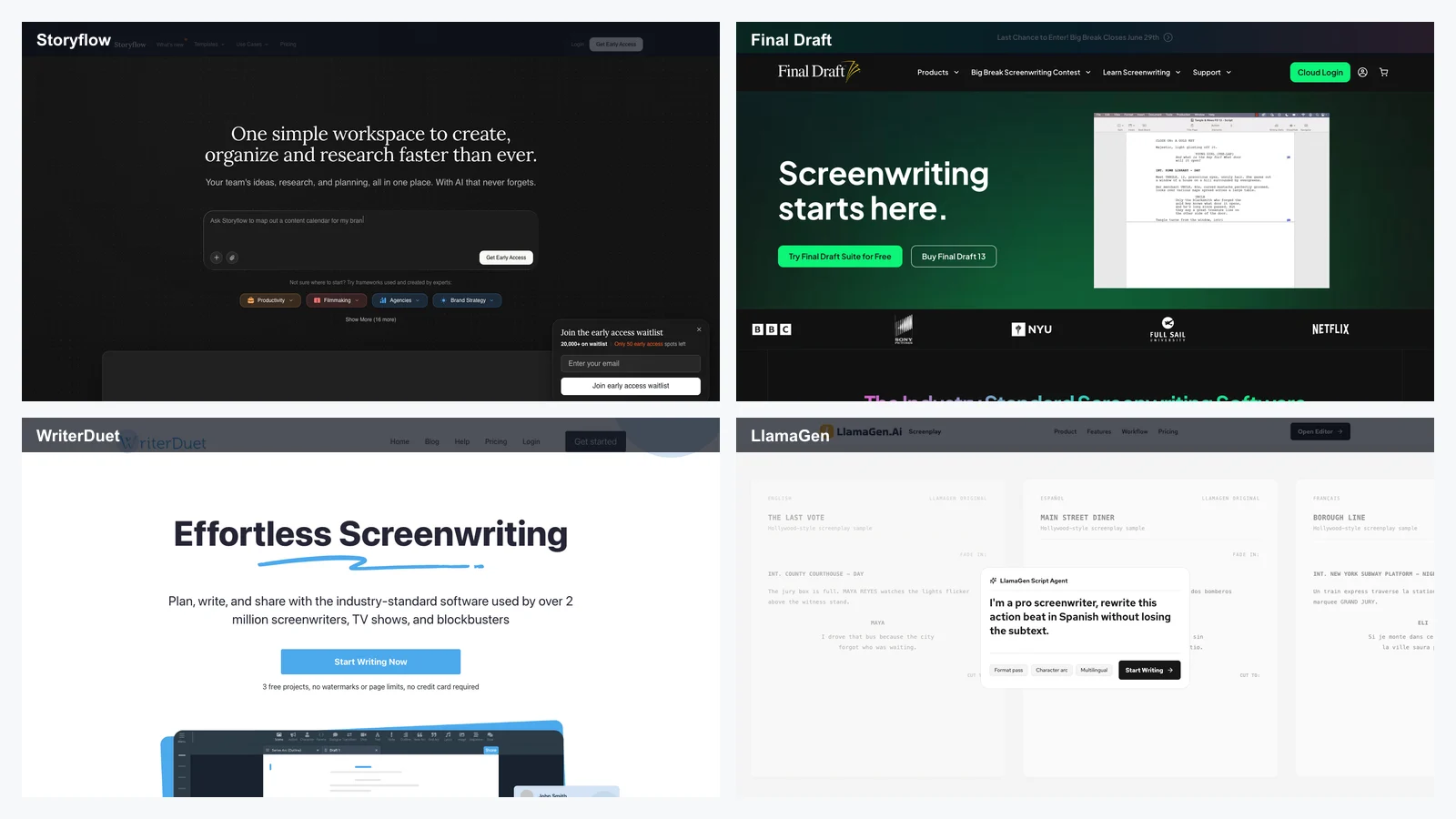
    Best AI Tools for Screenwriters in 2026: 12 Writing Apps Compared, Plus LlamaGen.AI for Visual Story Development
    AI Screenwriting Tools
    Best AI Tools for Screenwriters in 2026: 12 Writing Apps Compared, Plus LlamaGen.AI for Visual Story Development
    Photoshop alternatives: 8 best free photo editors
    Best apps
    Photoshop alternatives: 8 best free photo editors
    The best free graphic design software to create social media posts
    Best apps
    The best free graphic design software to create social media posts
    The best AI photo editors
    Best apps
    The best AI photo editors