Smooth relative depth
Create a continuous grayscale map with coherent near-to-far ordering instead of a simple desaturated image.


AI depth map generator
Upload a photo or illustration, choose a depth or value mode, and create a clean grayscale map for parallax, ControlNet, compositing, and visual storytelling.
Generate a production-ready depth map
Use one clear source image with readable foreground, middleground, and background. Each generation uses 300 credits.
Muat naik imej sumber anda
Photo, illustration, comic panel, concept art, or storyboard frame
Output mode
Depth direction
Edge treatment
Pembingkaian output
Memadankan imej sumber pertama untuk melindungi potongan asal.
Uses 300 credits per generation.
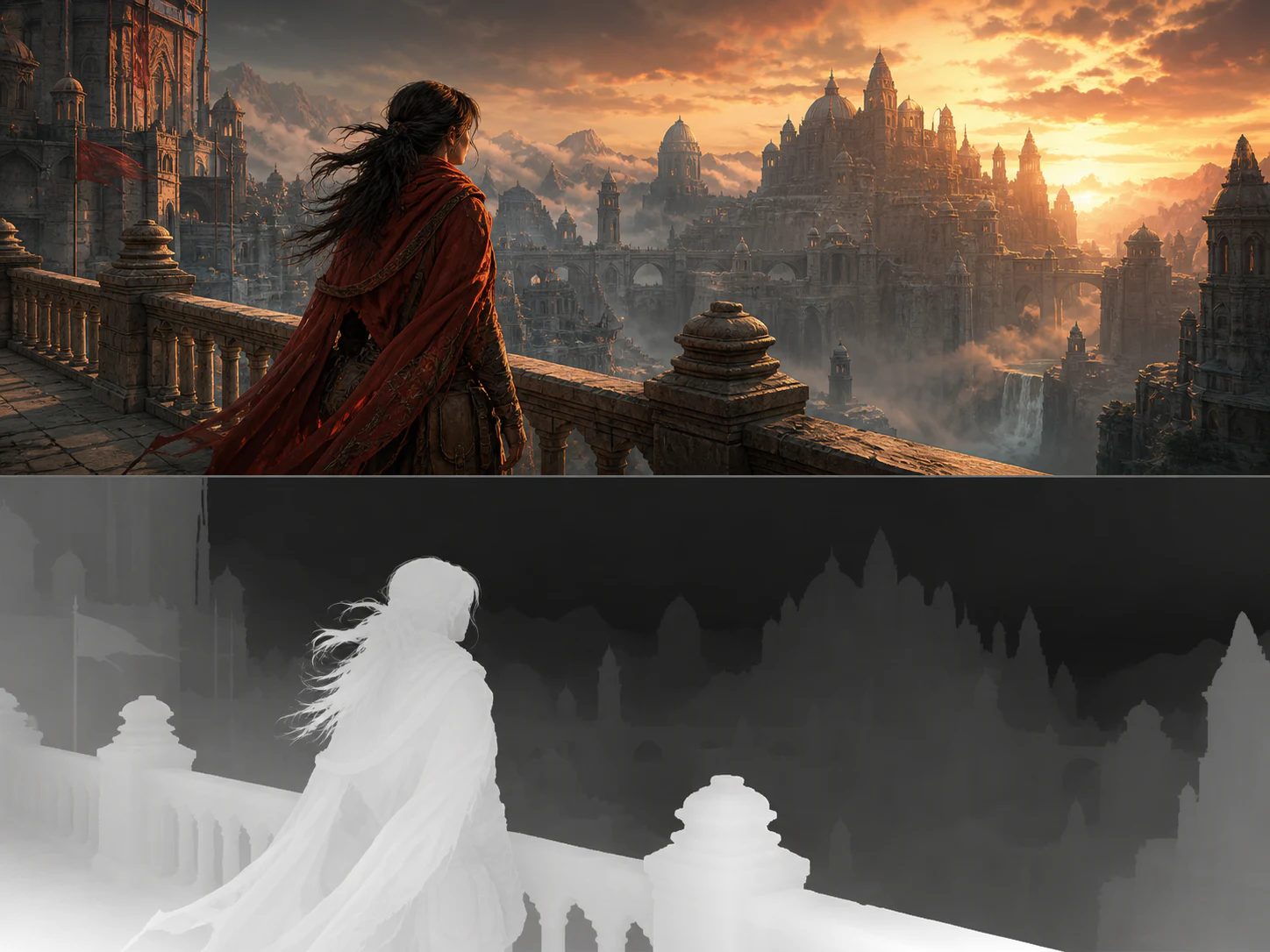
One upload, three useful analyses
A depth map describes how near or far each visible surface appears from the camera. The smooth mode creates continuous grayscale depth, while depth bands simplify the same spatial structure into foreground, middleground, and background.
The five-value composition mode solves a different artist task: it groups the image by luminance and focal hierarchy. Keeping these modes separate makes the output useful for both technical pipelines and visual development.
Create a continuous grayscale map with coherent near-to-far ordering instead of a simple desaturated image.
Compress a scene into three readable spatial layers for parallax, staging, and motion-comic planning.
Reduce visual noise and inspect focal hierarchy, large shapes, and contrast before committing to detail.
Keep the original camera, crop, subject pose, silhouettes, and object placement aligned with the output.
Original examples
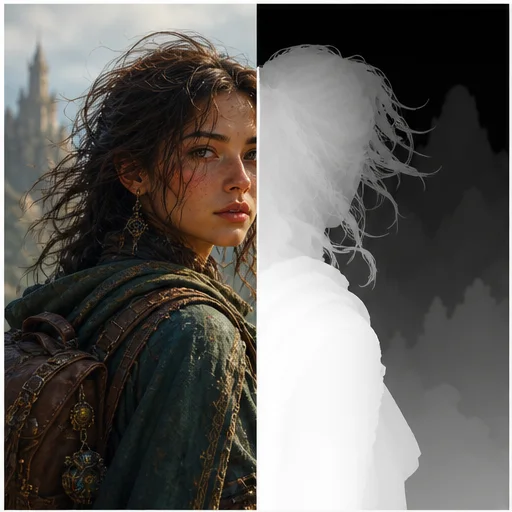
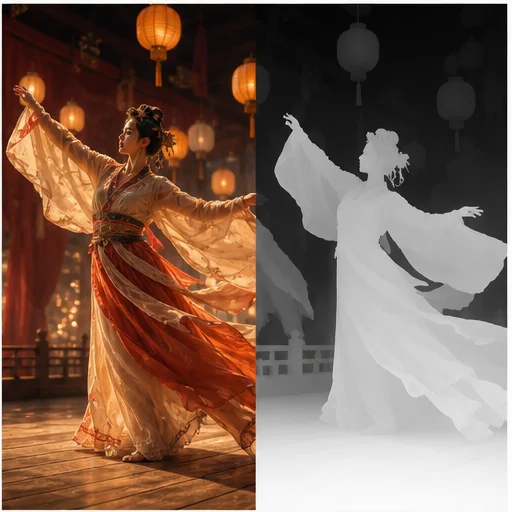
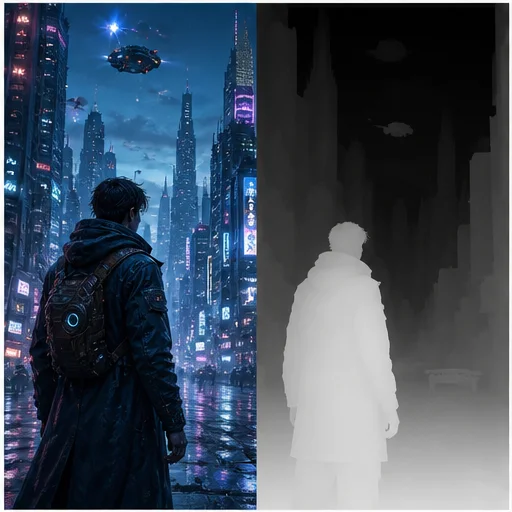
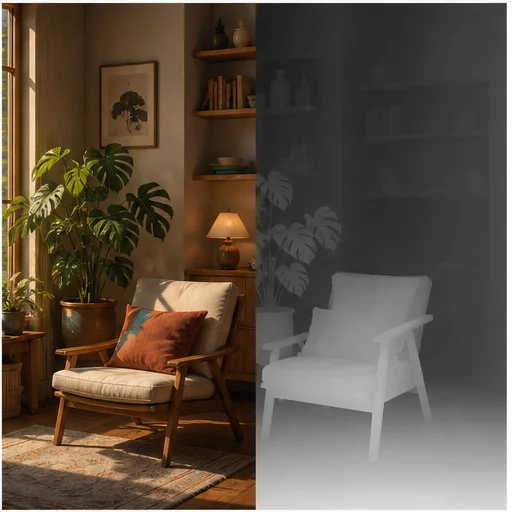
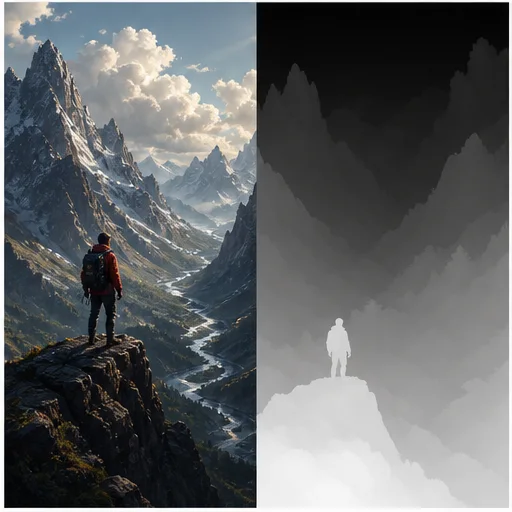
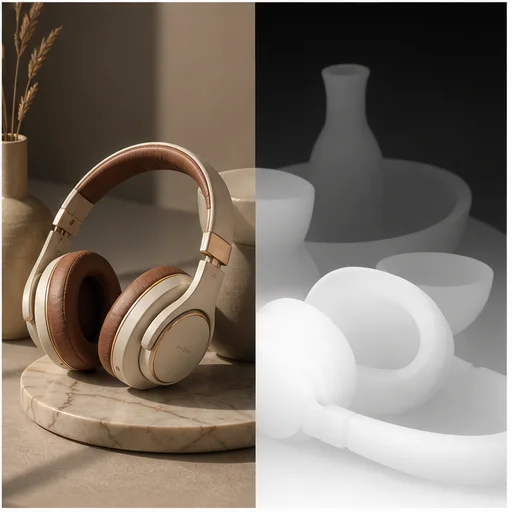
Six original synthetic cases show the source image beside an aligned grayscale depth interpretation, with white surfaces closer and dark surfaces farther away.
Cara ia berfungsi
Ikuti workflow ringkas, kemudian semak butiran yang dijana sebelum menggunakan atau menerbitkan hasilnya.
Choose a scene with clear subjects and enough visual separation between near and far elements.
Generate smooth depth, three spatial bands, or a five-value composition study and set the grayscale direction.
Check silhouettes and depth ordering, then download the generated PNG for your next creative workflow.
This is a great AI product. It can really turn your imagination into reality. It's really cool! It opens up a new era of comics! Thank you very much for the hard work and dedication of the developers.
As an avid creator of comic book style graphics, I've struggled to find a tool that truly allows me to unleash my creativity at scale. llamagen.ai not only breaks limits but shatters them, offering endless possibilities for my projects. It's the ultimate AI-powered solution I've been waiting for!
Finally, I finished my comic 🙂 Thanks a lot for support!
Being part of the creative industry demands efficiency without sacrificing quality. llamagen.ai not only meets but exceeds these expectations. Really loved playing with the storyboarding and having an AI to help with not only image generation, but also the text content - it's really a nice way to help enhance the overall experience.
Love this product. Keep up the great work and let me know if/how I can help.
Aliran kerja praktikal
Kekalkan imej yang dijana sebagai draf yang boleh disemak, rujukan atau aset siap mengikut keperluan tugas.
Motion comics
Use spatial bands to separate the visual planes that should move at different speeds in a camera push or pan.
ControlNet
Download a clean relative depth reference when an image-generation workflow needs the source scene geometry.
Concept art
Use five-value studies to judge readability, focal contrast, and large compositional masses without color distraction.
Compositing
Use grayscale distance to guide haze, blur, relighting, displacement, or depth-of-field experiments.
Nota semakan
Single-image depth is an AI estimate. Inspect ambiguous surfaces and regenerate with a different edge treatment when needed.
the nearest subject follows the selected white-or-black convention
foreground, middleground, and background remain in a coherent order
hair, sleeves, props, and architecture keep readable silhouettes
the output matches the source camera, crop, pose, and object placement
glass, mirrors, fog, and reflections are reviewed for depth ambiguity
value-study output is not mistaken for metric or relative depth
Soalan Lazim
Jawapan praktikal tentang imej sumber, hasil yang dijana, hak, dan semakan.
The default mode uses white for near surfaces and black for far surfaces. Choose White is far when your downstream tool expects the opposite convention.
No. The tool creates relative depth from a single image, which describes what appears nearer or farther without claiming a real-world distance measurement.
Depth bands group pixels by spatial distance. A value study groups them by luminance and compositional importance, so the two outputs answer different creative questions.
Yes. Download the smooth depth map or three-layer version, then follow the grayscale convention required by the receiving tool.
Use sharp scenes with recognizable subjects, visible silhouettes, clear perspective, and distinct foreground and background elements.
Each AI Depth Map Generator run uses 300 credits and returns one 1K result matched to the source framing.
Alat berkaitan
Beralih daripada suntingan fokus ini ke tugas foto atau fesyen seterusnya.
Upload a blurry portrait, product, document, or memory and recover cleaner edges and natural detail without changing the original composition. Try for free with free credits. Check in daily to earn more. No credit card required.
Upload a portrait, selfie, or group photo and reconstruct naturally open eyes while preserving identity, expression, lighting, people, and the original crop. Try for free with free credits. Check in daily to earn more. No credit card required.
Upload a noisy low-light, compressed, scanned, or generated image and reduce grain while preserving edges, texture, and the source atmosphere. Try for free with free credits. Check in daily to earn more. No credit card required.
Upload a faded, scratched, blurry, or timeworn photo and create a clearer restoration that protects faces, clothing, history, and the original composition. Try for free with free credits. Check in daily to earn more. No credit card required.
Mula dengan imej anda
Upload one image, choose the analysis you need, and create a depth or value reference in one focused workflow.