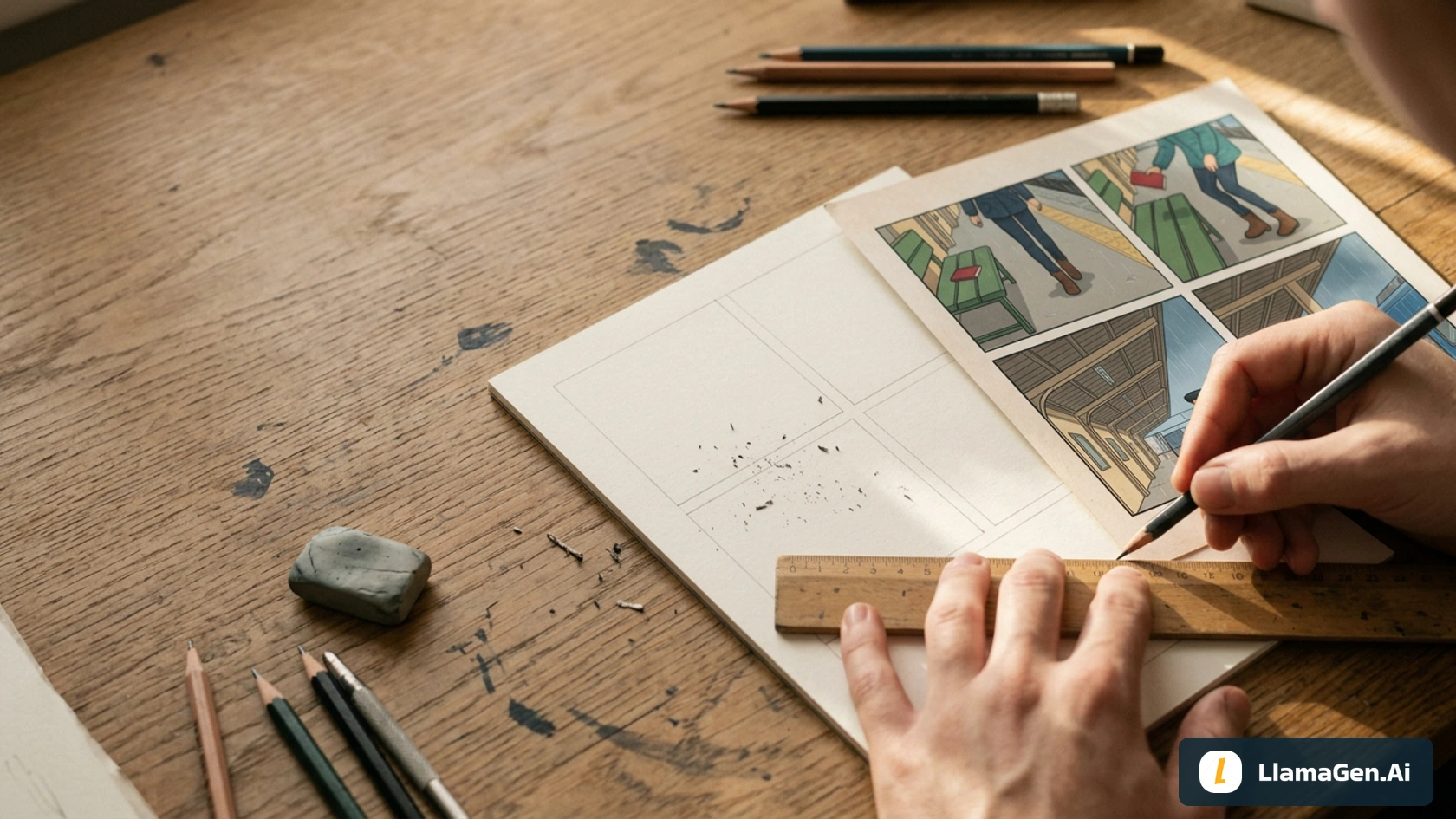
A comic page is not just a grid of images. It is a reading path.
A good panel layout answers four questions:
Where does the reader look first?
What changes in each panel?
Where can text sit without covering the story?
How fast should the reader move?
For a manga page layout, start with a short beat plan, choose a template, and then use the LlamaGen.AI Manga Generator to develop the art. Keep the intended reading direction explicit from the start.
Why beginners struggle with panels
Many early comic pages fail for practical reasons:
Every panel is the same size, so nothing feels important.
The page has no establishing shot.
Close-ups appear before the reader understands the location.
Dialogue bubbles cover faces or action.
The reader cannot tell which panel comes next.
The page shows six images but only two real story changes.
The fix is usually not more detail or decoration. It is a clearer layout plan.
Example scope and materials
Updated November 12, 2026. The Nia / Moon Gate Delivery scene below is a fictional teaching example. Its recovered planning diagrams illustrate layout decisions; they are not newly measured product outputs. Earlier active-time and elapsed-time figures are omitted because this update does not include their original receipts.
A separate Maya exercise below contains three actual image API outputs and one whole-page revision. It uses LlamaGen.AI's image playground with Vertex Nano Banana 2.1. The public template page was inspected in an anonymous browser; its download buttons did not produce a file in that check. Independently exported blank PNGs are provided below. No signed-in Studio generation, native export, or reader study is claimed.
Source scene
Use this fictional scene for the planning steps:
Nia, a bicycle courier, reaches an abandoned train station after midnight.

She carries a sealed silver envelope. A stray station cat follows her through the ticket gate. The platform is empty, but the old arrival board turns on by itself.

The board does not show a train. It shows Nia's name and the word "Tomorrow."

Nia looks at the envelope. The seal has changed into the same symbol as the board.
This is enough for one page. The layout decides what the reader discovers first.
Step 1: Choose the format
Pick the format before you pick the panel count.
更新日誌
點燃年輕人的夢想 讓數百萬個故事活靈活現
彙整最新的 LlamaGen 功能發布、產品強化、設計更新與重要錯誤修正。
✦
✧
✦
✧
全新的媒介,為了 故事創作
用靈感在幾秒內創作無限的故事、漫畫、動畫、遊戲等內容,打動現代觀眾
Format
Best for
Beginner layout
4-panel strip
Short joke, simple twist, social post
2x2 grid or vertical stack
6-panel page
Short scene with setup and reveal
Mixed panel sizes with one wide establishing shot
Manga page
Dramatic pacing and close-ups
Strong black-and-white rhythm, varied panel scale
Webtoon episode
Scroll rhythm and emotional pauses
Vertical panels with breathing space
Storyboard
Planning before comic or video
One beat per frame, clear camera notes
For the Nia teaching scene, use a six-panel page. It is long enough for atmosphere, action, and reveal, but short enough for beginners to control.
Step 2: Turn prose into beats
Do not split by sentence. Split by story change.
Convert this scene into 6 comic beats.

For each beat include:
- what the reader sees
- what changes
- camera distance
- text need
- whether the beat needs a large, medium, or small panel
Output example:
Beat
What the reader sees
Size
1
Abandoned station exterior at midnight, Nia arrives by bicycle.
Large wide panel
2
Nia holds the silver envelope near the locked ticket gate.
Medium panel
3
Cat slips through the gate first.
Small panel
4
Moonlit platform appears where the station should be empty.
Large panel
5
Arrival board turns on with Nia facing it.
Medium close-up
6
Envelope seal changes to match the board.
Small dramatic insert
Each panel should change one thing. That keeps the page readable.
Step 3: Make a thumbnail layout
A thumbnail is a rough layout plan. It does not need finished art.
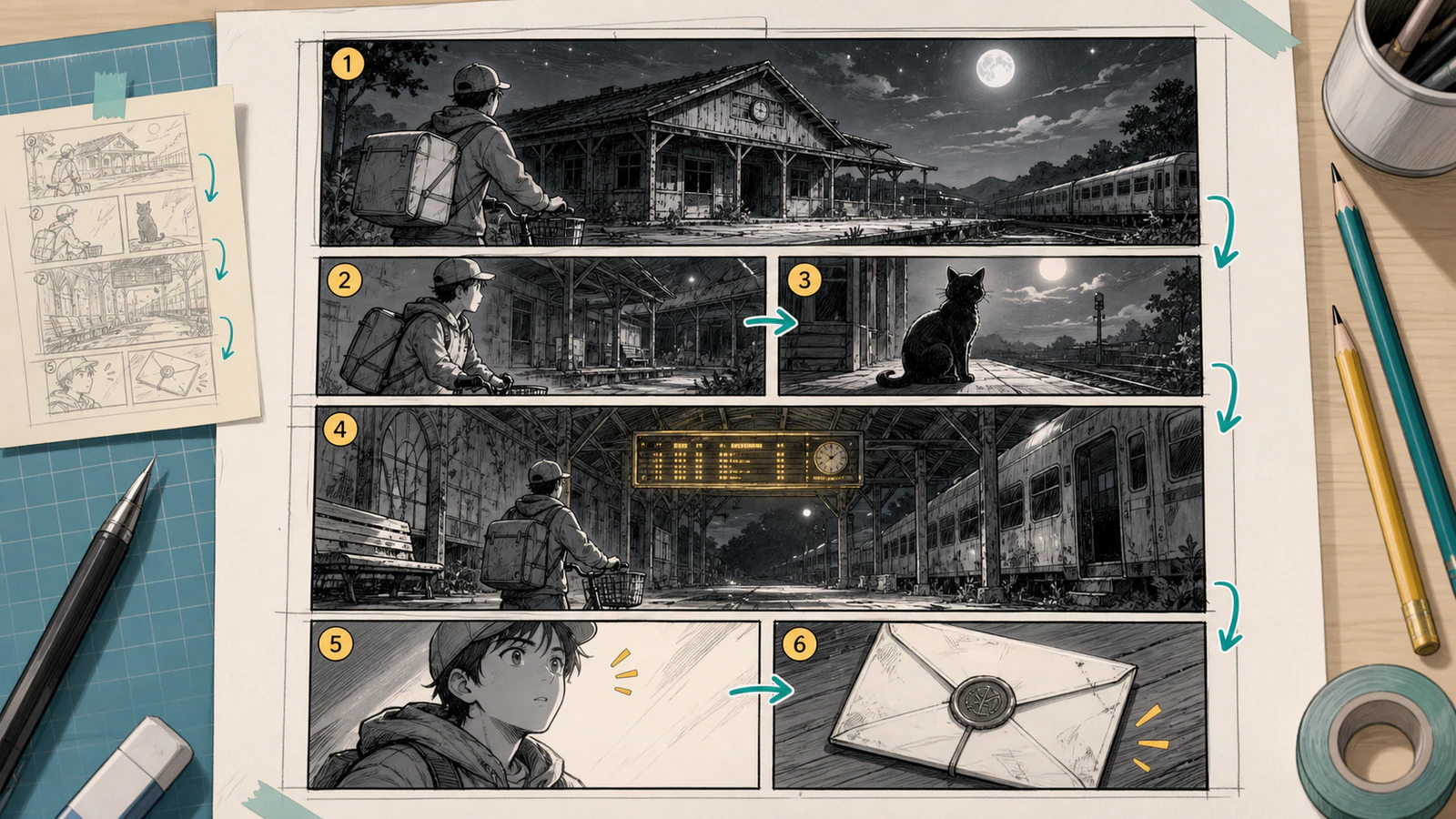
For a left-to-right web comic page, the first layout was:
That rhythm is easier to read than six equal boxes.
The layout works because panel size carries story weight: setup, object, motion, reveal, reaction, and clue each have different jobs.
Step 4: Reserve speech bubble space
A page can fail even when the panel order is correct. Text placement can still break the flow.
Before generating final art, decide the text job for each panel.
Panel
Text job
Space to reserve
1
Short caption
Top-left sky or station sign area
2
No dialogue
Keep focus on envelope
3
Small sound effect or no text
Open corner near the gate
4
No dialogue
Let the reveal breathe
5
One reaction line
Above shoulder, not over face
6
No text
Let the visual clue end the page
Beginners often overwrite comics. If the image already carries the beat, use less text.
Step 5: Prompt the layout before the art
Use a storyboard or layout prompt first.
Create a rough 6-panel comic layout plan for this scene.

Scene:
Nia, a bicycle courier, arrives at an abandoned train station after midnight with a sealed silver envelope. A stray station cat slips through the ticket gate. The platform becomes moonlit and impossible. The arrival board turns on and shows Nia's name with the word "Tomorrow." The silver envelope seal changes to match the board.

Layout rules:
- Panel 1 should be a wide establishing shot.
- Panel 4 should be the biggest reveal panel.
- Panel 6 should be a small dramatic insert of the envelope seal.
- Keep reader flow left-to-right and top-to-bottom.
- Reserve clean areas for captions or bubbles.
- Do not generate readable text inside the image.

Return:
1. Panel order.
2. Panel size.
3. Camera angle.
4. Main visual focus.
5. Text space note.
6. What changes from the previous panel.
This prompt helps the comic become a page before it becomes finished art.
Step 6: Generate the comic page
Once the layout is approved, generate the page:
Create a clean manga-style 6-panel comic page.

Main character:
Nia is a 17-year-old bicycle courier with short athletic build, black chin-length bob haircut, two small silver hair clips on the right side, small bandage on left cheek, teal courier jacket over cream hoodie, compact backpack, dark shorts over leggings, yellow sneakers. She carries a silver envelope and rides a red bicycle.

Panel layout:
1. Full-width top establishing panel: abandoned station at midnight, Nia arrives by bicycle.
2. Middle-left panel: Nia holds the silver envelope near the locked ticket gate.
3. Middle-right small panel: a stray cat slips through the gate.
4. Wide lower-middle reveal panel: moonlit platform appears beyond the gate.
5. Bottom-left reaction panel: arrival board glows behind Nia.
6. Bottom-right insert panel: the envelope seal changes to match the board symbol.

Style:
Clean manga linework, clear panel borders, readable left-to-right flow, cozy mystery atmosphere, strong lighting contrast.

Important:
Reserve areas for later captions and speech bubbles. Do not create readable text, logos, watermarks, or fake letters.
The failure case
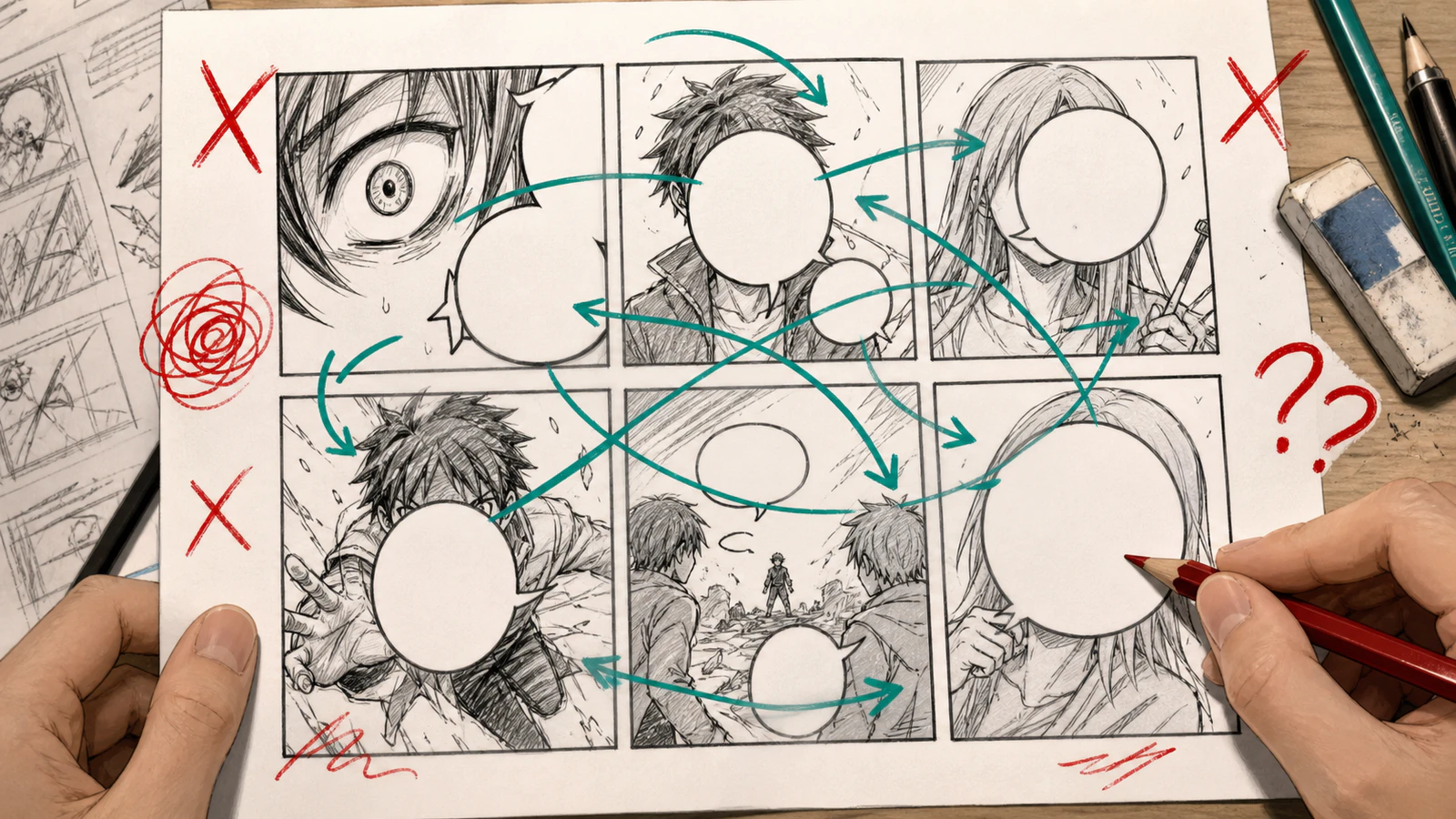
The constructed failure diagram combines four layout problems:
Problem
What happened
Fix
No establishing shot
The page opened with a close-up envelope.
Make panel 1 a wide station shot.
Equal panel sizes
Every beat felt equally important.
Make panel 4 the largest reveal.
Confusing order
The cat panel visually pulled the eye before panel 2.
Move the small action panel to the right of panel 2.
No text room
Faces and props filled every corner.
Add negative space notes to panels 1 and 5.
In this teaching example, dramatic framing competes with the intended reading path. That is exactly why layout needs its own pass.
This is the failure mode to avoid: the page has images, but the reader path and bubble space fight against the story.
Repair prompt
Use a targeted layout repair:
Repair the layout only.

Keep the same scene, character, style, and six story beats.

Required changes:
- Panel 1 must be a full-width establishing shot of the abandoned station.
- Panel 4 must be the largest reveal panel showing the moonlit platform.
- Panel 6 must be a small insert of the envelope seal.
- Keep reader flow left-to-right and top-to-bottom.
- Add clean negative space for one caption in panel 1 and one small reaction bubble in panel 5.

Do not add readable text. Do not redesign Nia. Do not change the story order.
This works better than saying "make it better." It tells the system which part of the page is broken.
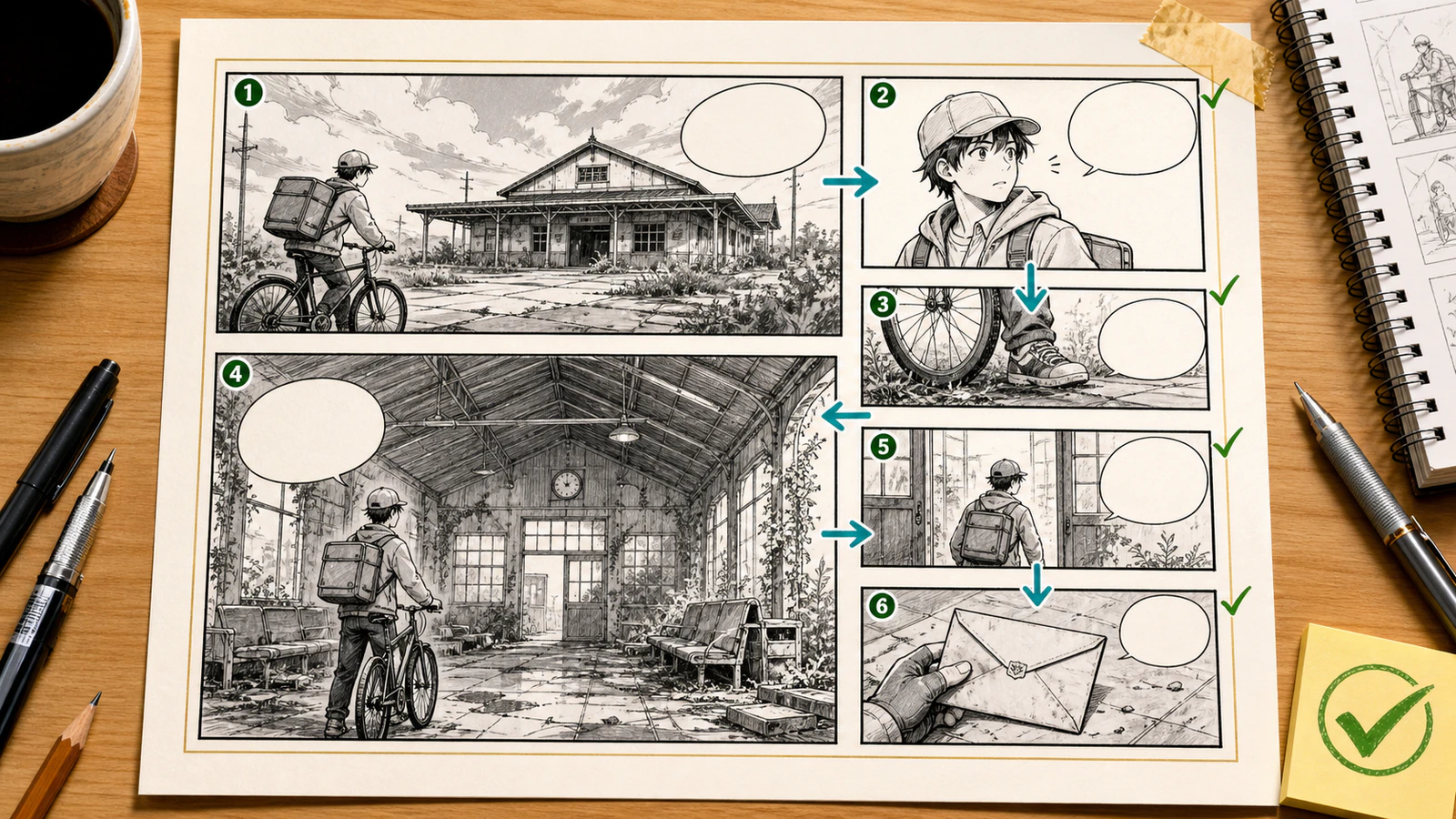
The conceptual repaired diagram gives the reader one route through the page and keeps text space away from faces, props, and the final clue.
Beginner layout checklist
Use this before publishing:
Check
Pass
First panel orients the reader
Location, time, and main character are clear.
Each panel changes something
No duplicate reaction panels unless pacing needs silence.
Important beat is largest
Reveal, action, or emotional turn gets visual weight.
Reader path is obvious
Eye moves in the intended order.
Text has room
Bubbles do not cover faces, hands, or clues.
Close-ups have context
Reader knows where the character is before tight shots.
Final panel lands
The last image creates a joke, question, clue, or turn.
Mobile size works
The page is readable on a phone without zooming too much.
Panel size guide
Panel size
Use when
Avoid when
Wide
Establishing location, reveal, transition
The beat is only a small reaction
Tall
Height, falling, vertical webtoon rhythm
The action moves sideways
Small
Insert, sound beat, quick reaction
The reader needs to inspect details
Close-up
Emotion, clue, decision
The reader does not know the setting yet
Silent panel
Tension, comedy pause, emotional breath
You are hiding missing story logic
Panel size creates meaning. Use it deliberately.
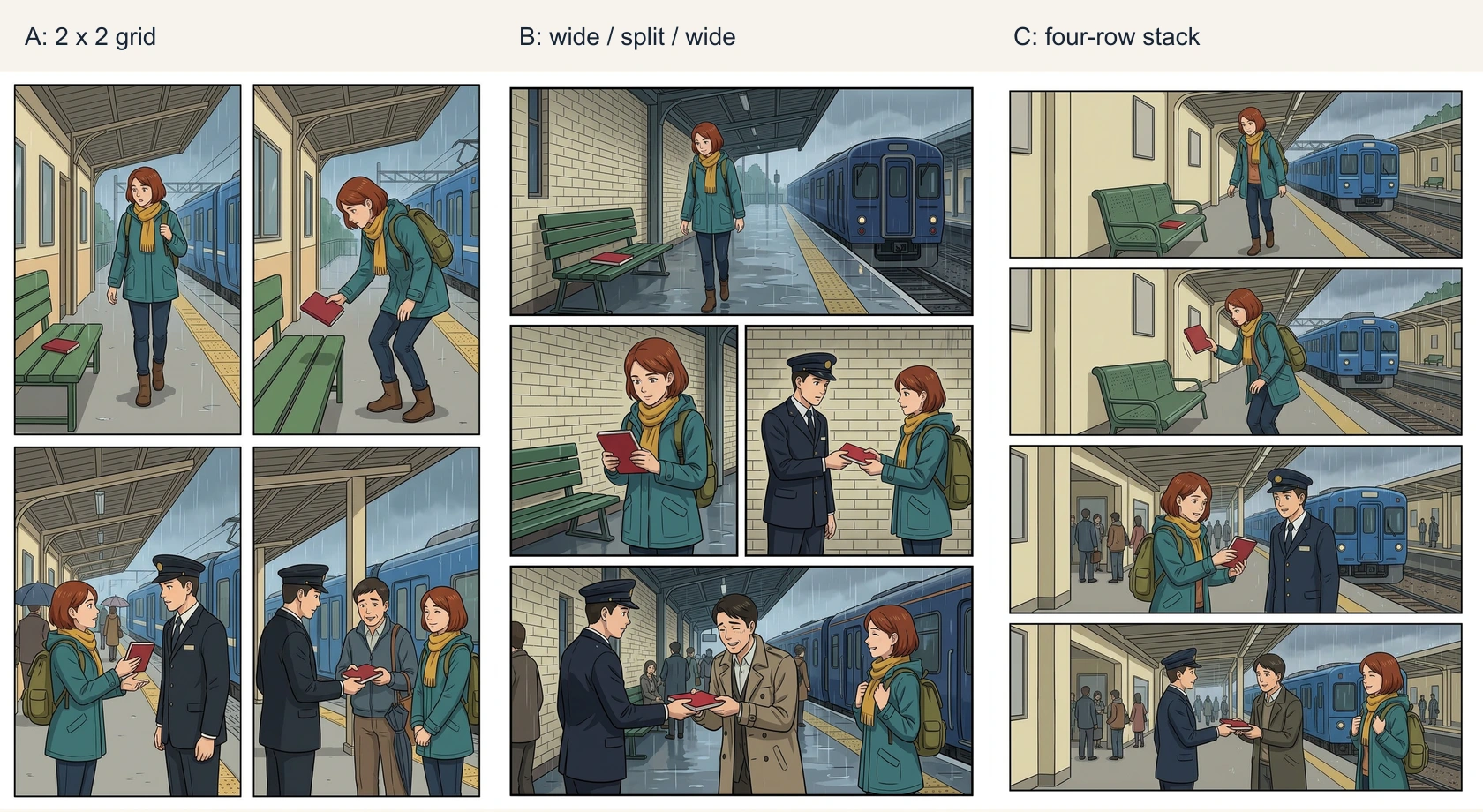
Three manga panel layouts from one four-beat scene
A manga panel template is useful when it serves the scene. The existing free manga templates offer several geometries and reading-direction previews. This article explains how to choose among shapes; the template page remains the download and format reference.
For the new exercise, Maya finds a red notebook on a station bench, lifts it, asks an attendant for help, and watches it return to its owner. All three requests used the same owned reference sheet, the same four event descriptions, and the same requested model. The geometry changed. The images were generated separately, so background staging, the owner, and smaller costume details also vary. This is an editorial comparison, not a controlled layout-only benchmark.
Layout
What it emphasizes
What to check
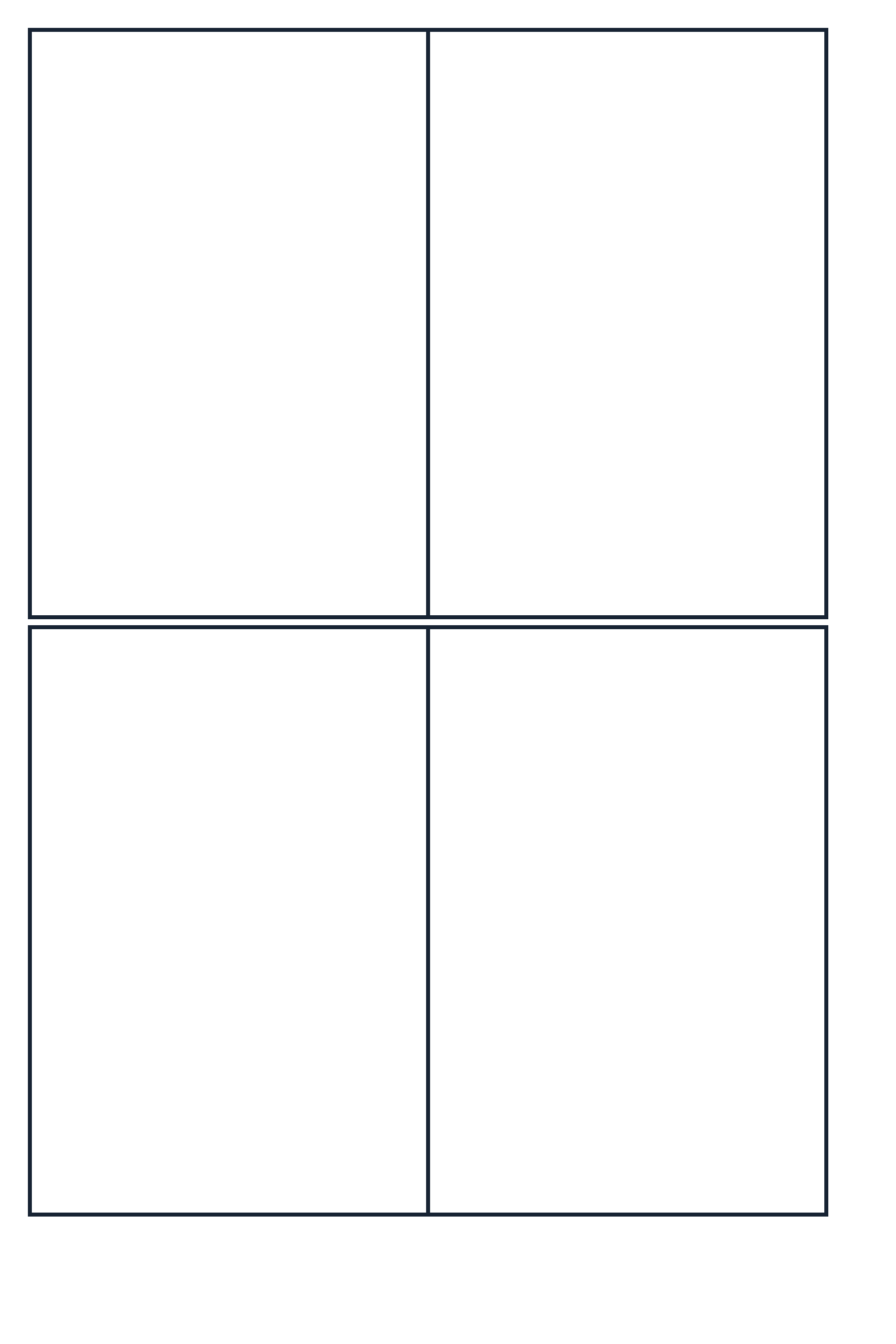
A: equal 2-by-2 grid
Four similarly weighted exchanges
The eye crosses each row before moving down
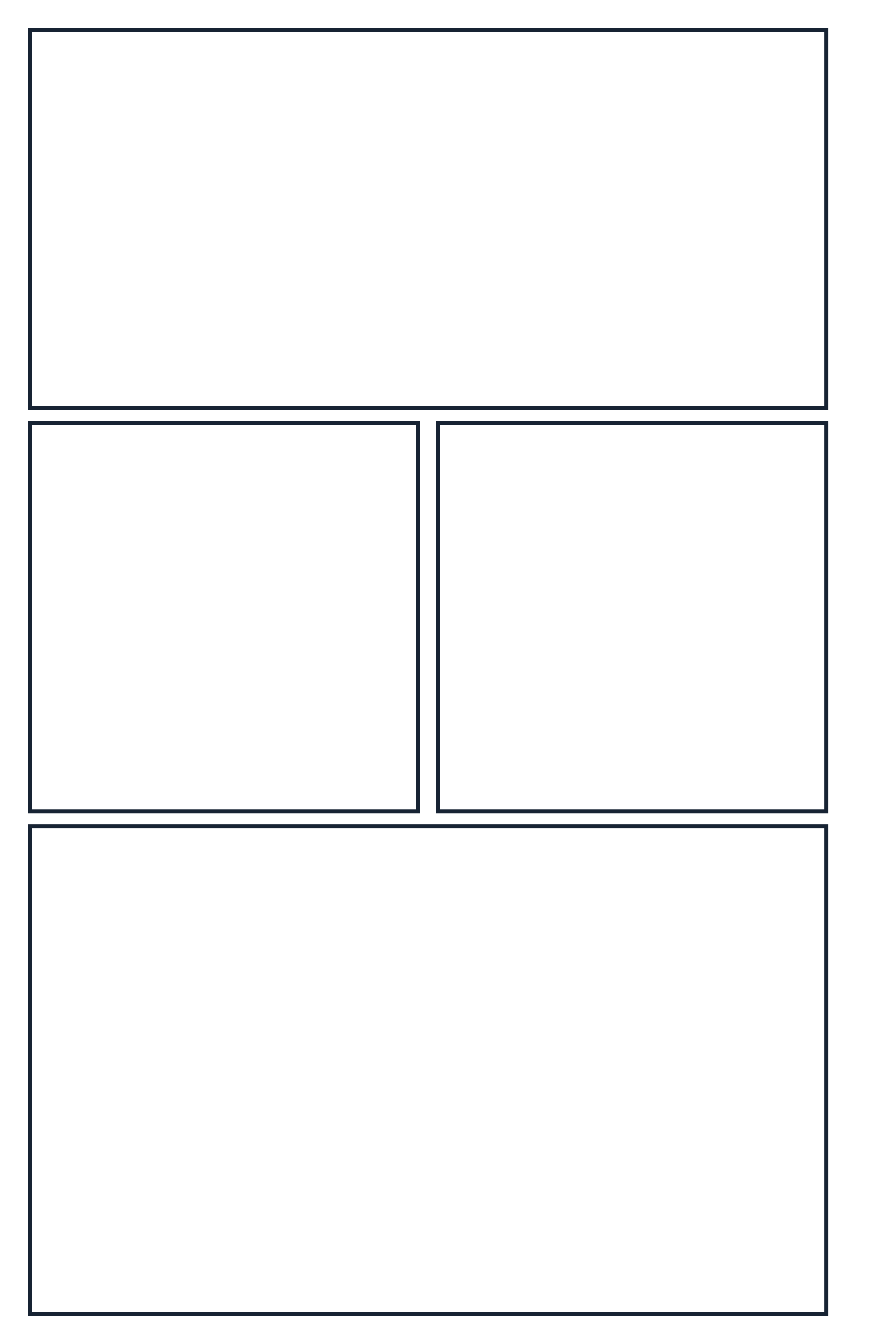
B: wide opening, two middle panels, wide ending
Location, action, then a shared resolution
The split middle row must remain unambiguous
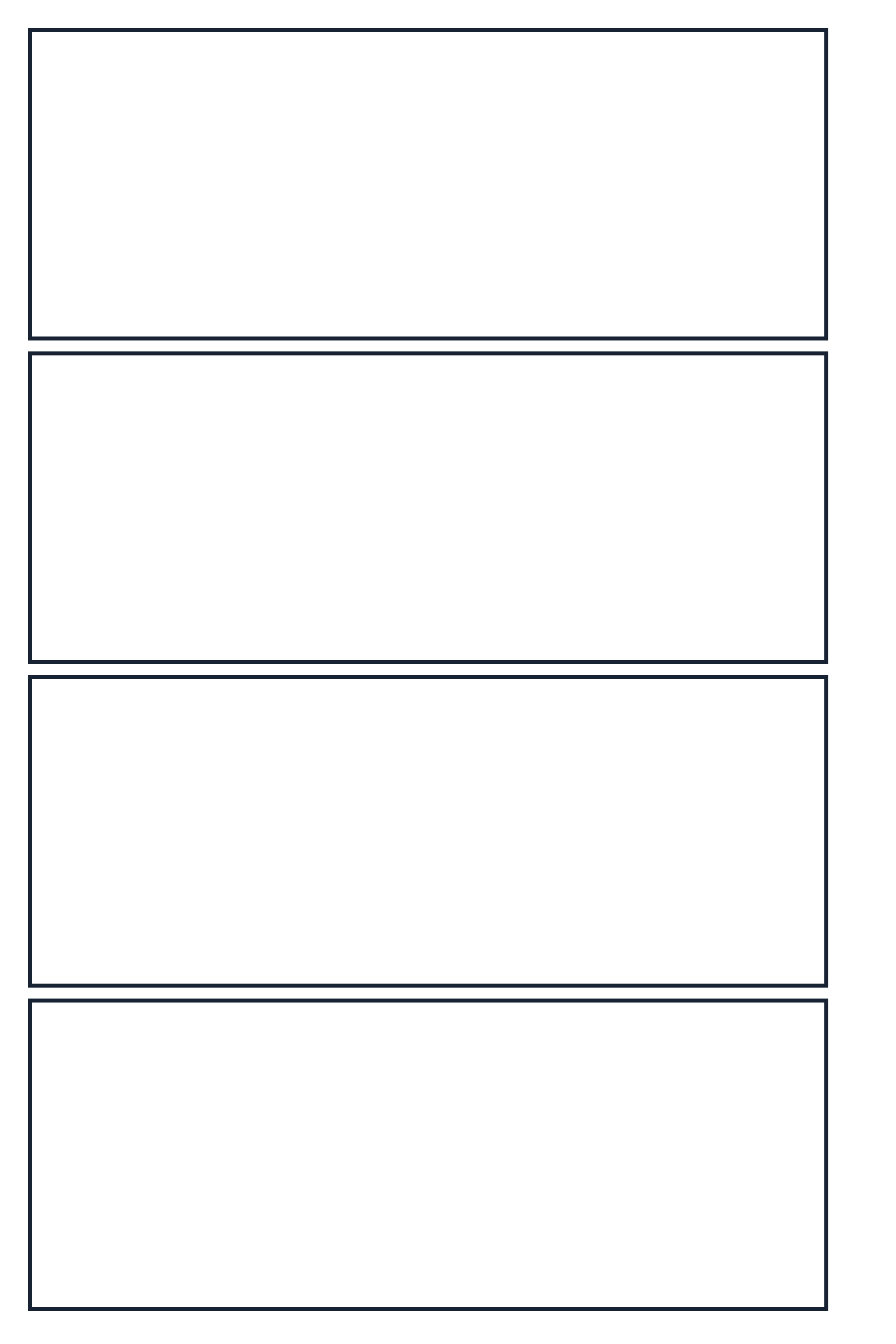
C: four full-width rows
One event at a time in a vertical sequence
A page stack still needs spacing work for scroll presentation
All three first outputs contain the requested four principal panels. That count does not establish complete continuity: in C, Maya's raincoat opens and reveals a brown shirt. The later Webtoon pilot uses a whole-page revision asking for the coat to stay closed. Other pixels can change in that operation; it is not a native panel-lock demonstration.
The grid is an understandable starting point for this small exchange because the story gives each step similar weight. The cinematic arrangement gives the first location and final return more area. The stack makes the sequence easy to reflow, but putting the same four rectangles one above another does not by itself set the scroll timing.
Choose by the scene's dominant job
For dialogue, start with predictable speaker positions and enough room above the eye line. Equal boxes can be useful when a back-and-forth exchange needs consistent emphasis. Reserve the lettering before polishing the faces.
For action, separate preparation, movement, and consequence. A large image is useful only if the reader can tell what moved and where. Avoid placing two different moments in one box merely to keep a template's panel count.
For a reveal, decide what the reader should know before seeing the important image. A wider final panel can give the reveal room, while a smaller preceding insert establishes its cause. In a webtoon, vertical distance can help delay the reveal; in a page comic, the whole page is often visible at once.
Right-to-left is a composition choice
Traditional Japanese manga commonly reads right to left; many English-language comics read left to right. Neither direction follows automatically from black-and-white art. State it in the brief, thumbnail the sequence in that direction, and place balloons accordingly.
The Maya outputs shown here use left-to-right rows or a single top-to-bottom column. To make an intended right-to-left version, reassign the first and second events within a shared row and revisit poses, gaze, and balloons. Flipping a finished image can reverse signs, props, and handedness; it is not a complete adaptation method.
Public page captured November 12. The page describes SVG/PNG exports and a reading-order preview. The download action did not finish in our automated browser check, so it is not counted as a verified downloaded asset.
File-checked blank PNGs for this exercise
These are separate original editorial templates, exported locally at 1800 × 2700 pixels, with white backgrounds and unnumbered panel borders. Open and save the full PNG, then use it as a drawing guide. They are not printer-specific trim-and-bleed masters, and they are not files downloaded from the public template widget.
For a PDF workflow, the separate printable template library explains its own formats. Check the actual saved file's dimensions and your printer's requirements before delivery.
Use a five-second reading check as a review technique: hide the script and ask a reader to identify the first panel, the changed action, and the ending. This update did not conduct that reader study. A clear planned route is something to test with readers, not a measured result from looking at arrows.
How this connects to character consistency
Layout and character consistency support each other.
If you create character notes first, the layout prompt can focus on story flow. If you skip character notes, the layout prompt has to solve too many problems at once.
How many panels should a beginner comic page have?
Start with 4 to 6 panels. That is enough for setup, action, reaction, and reveal without overwhelming the page.
Should every panel have dialogue?
No. Many strong comic pages use silent panels for atmosphere, reaction, or timing. Add text only when it changes what the reader understands.
Is a storyboard different from a comic layout?
Yes. A storyboard plans visual beats and camera decisions. A comic layout also has to handle page rhythm, panel borders, bubbles, captions, and reading order.