
LlamaGen.AI 1.0.45: Story Production and Shot Planning | v1.0.45 - LlamaGen Release
LlamaGen logoLlamaGen brand
Log InSubscribe Now20% Off
  1. Home
Create comics with AI
LlamaGen.AI 1.0.45: Story Production and Shot Planning
All posts

LlamaGen 1.0.45: LlamaGen.AI 1.0.45: Story Production and Shot Planning

Jay
Jay
November 19th, 2026
Copy link
  • LlamaGen.AI 1.0.45: Story Production and Shot Planning
  • Build the story before making the chapter
  • Find a useful reference for the next shot
  • Present a storyboard as an editable pitch
  • Get oriented on the first visit
elevate-your-comics.png
Elevate your Comics with LlamaGen

LlamaGen.AI 1.0.45: Story Production and Shot Planning

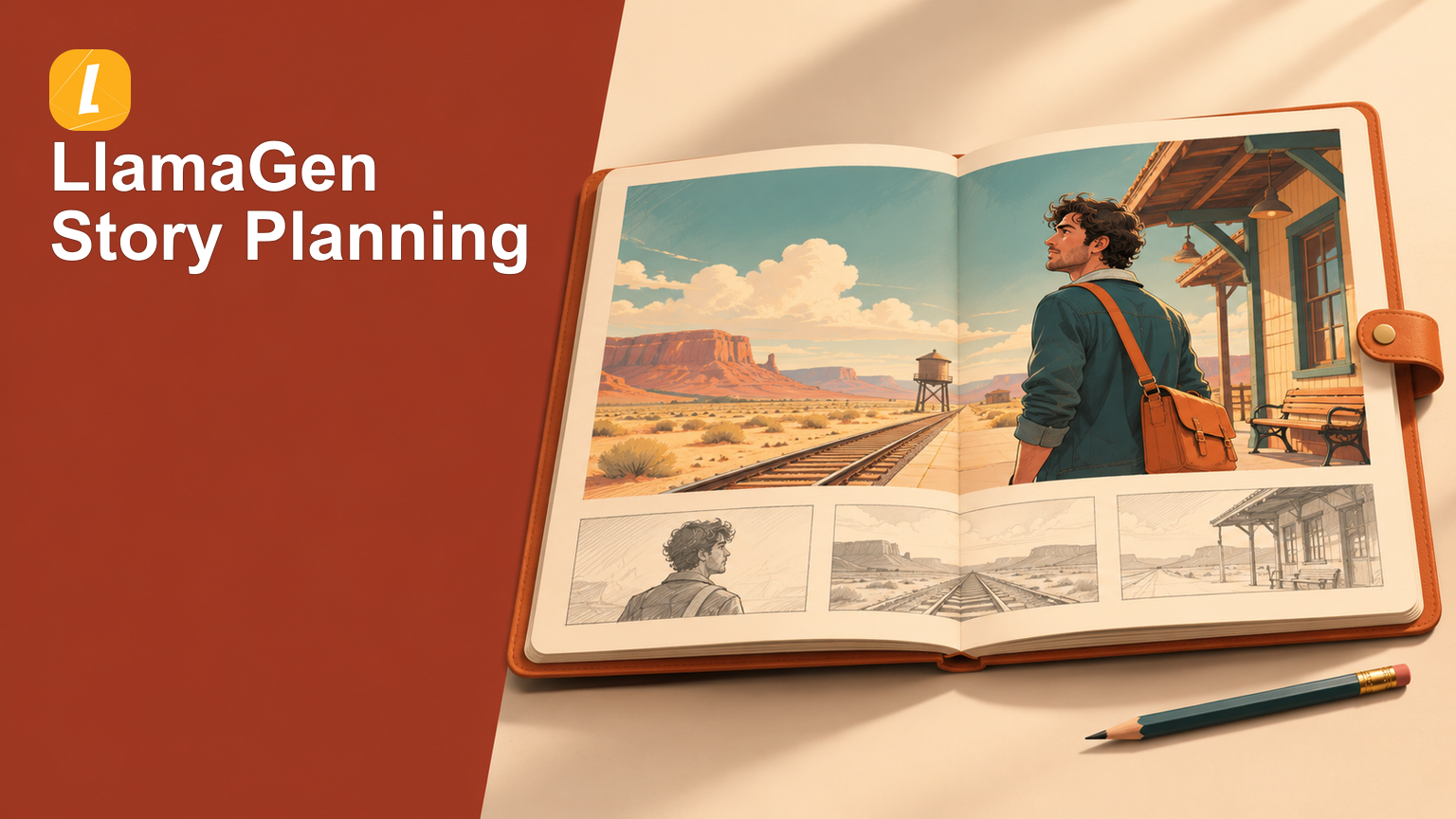
Before a finished comic comes a series of smaller decisions: what happens, who appears, where the scene takes place, and how each moment should be framed. This release brings those planning steps into a clearer production flow and adds ways to explore shot references and present an existing storyboard.

Build the story before making the chapter

The comic production flow moves through Story, Cast & world, and Generate & read. Begin with your written story or an uploaded script, review the screenplay, and revise it before preparing the visual references.

In Cast & world, review the characters, locations, and props the story needs. Edit their details, add or generate reference images, and reuse suitable characters from your existing collection. Keeping those references beside the story makes it easier to settle the cast and setting before moving on to page creation.

Then choose Webtoon, Manga, or Comic, review the chapter's page count, panels, and proportions, and confirm generation when the plan is ready. The flow carries the same project from preparation into reading, with a handoff to the editor and export tools for the next round of work. Saving and reviewing the story gives you time to prepare; generation starts after the creation confirmation.
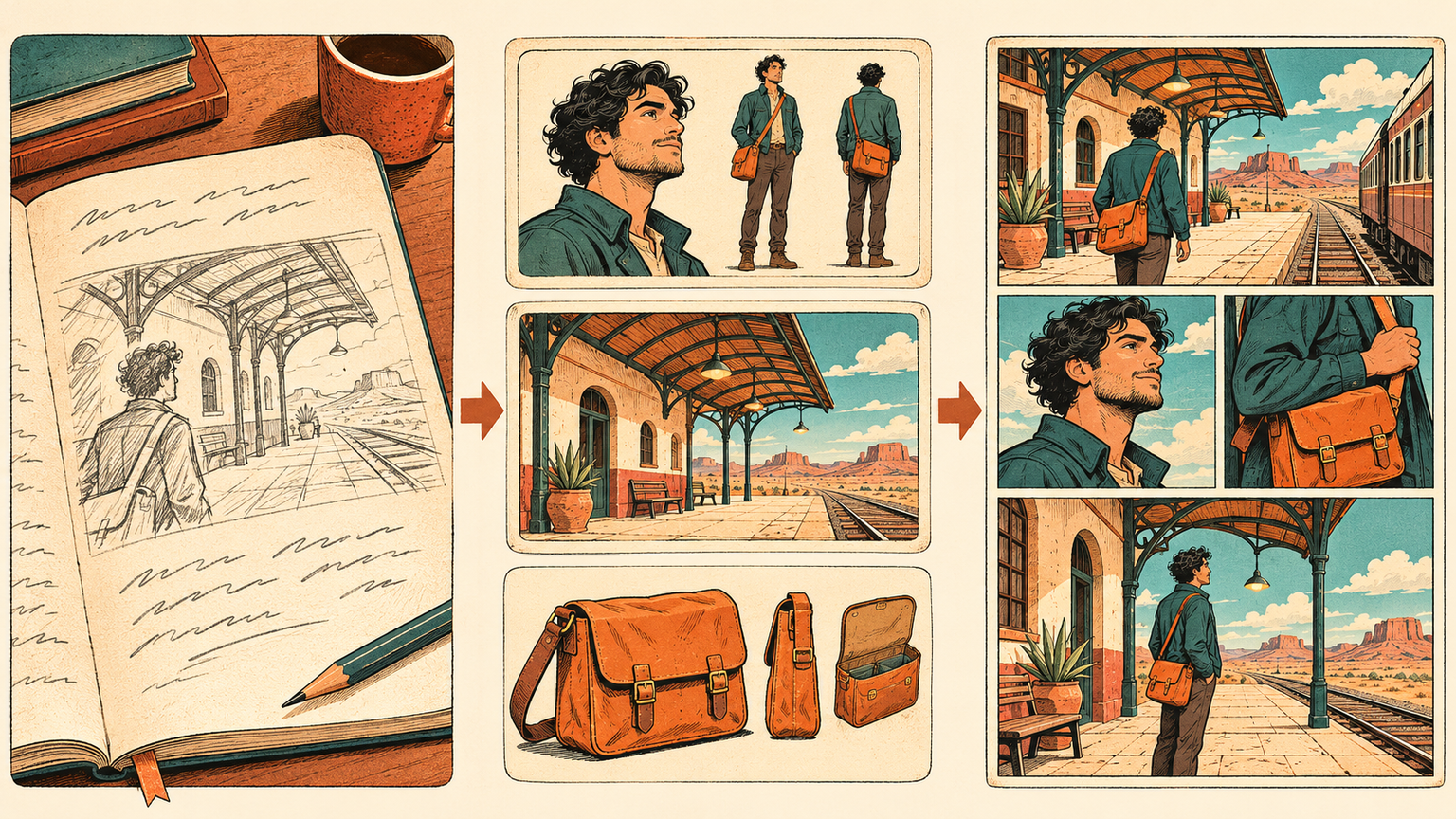
Shape the story, prepare the cast, then make the pages

Find a useful reference for the next shot

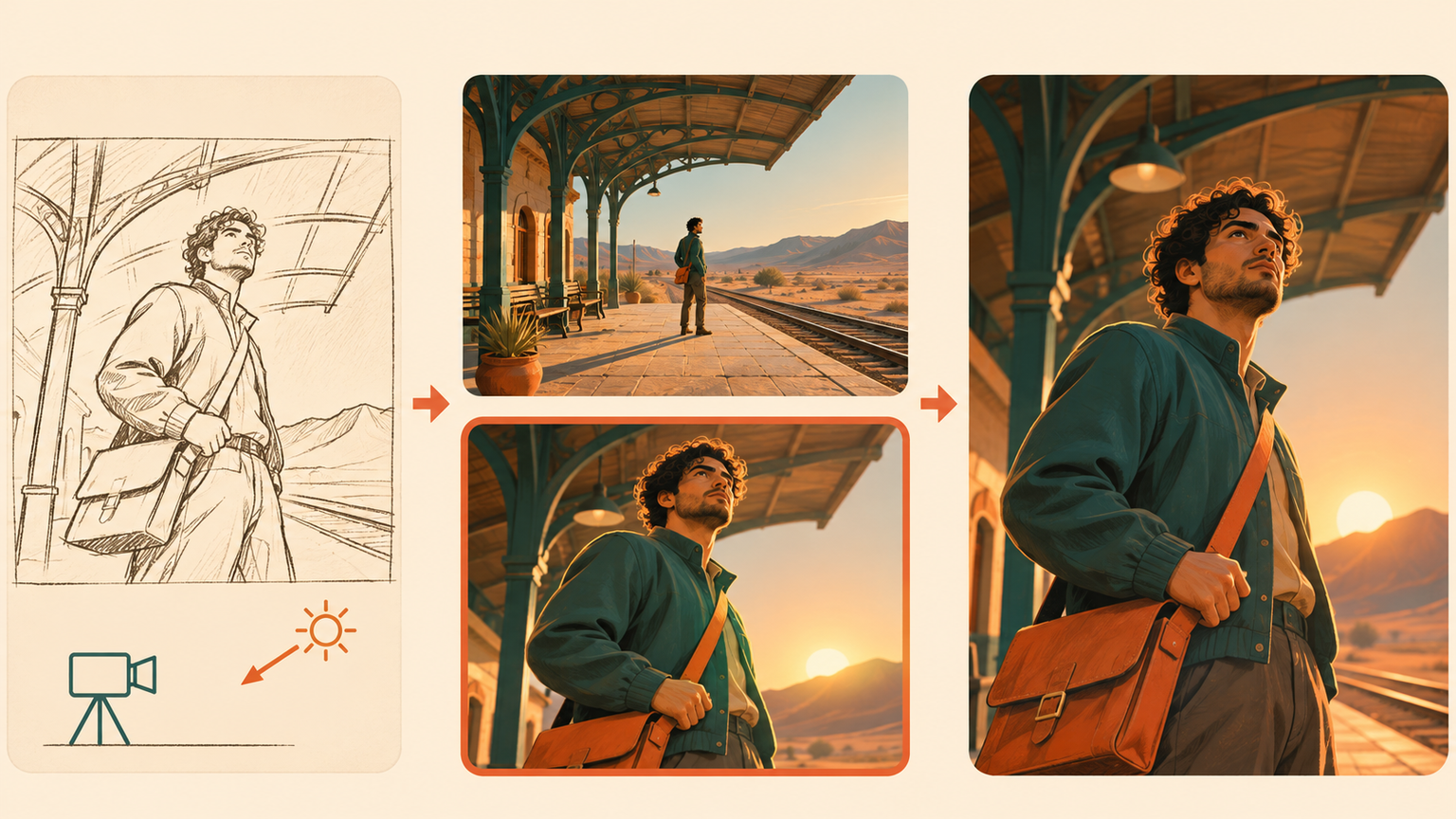
Open Shot Search to browse cinematic references or describe the shot you want to explore. Camera, framing, lighting, color, and scene filters help narrow the search when a general mood is not specific enough. Compare a wide establishing shot with a closer reaction, or explore how different light changes the same kind of scene.

Open a result for a closer look and use Find Similar to continue exploring nearby visual directions. The collection uses . These images provide material for studying a shot and communicating its direction before creating your own scene.

Changelog

Spark dreams for the young
Where millions of stories come alive

A rundown of the latest LlamaGen feature releases, product enhancements, design updates, and important bug fixes.
✦
✧
✦
✧

A new medium for Storytelling

Vibe creating unlimited stories, comics, animations, games, and more—in seconds that resonate with modern audiences

original synthetic references
Find a reference for the shot you have in mind

Present a storyboard as an editable pitch

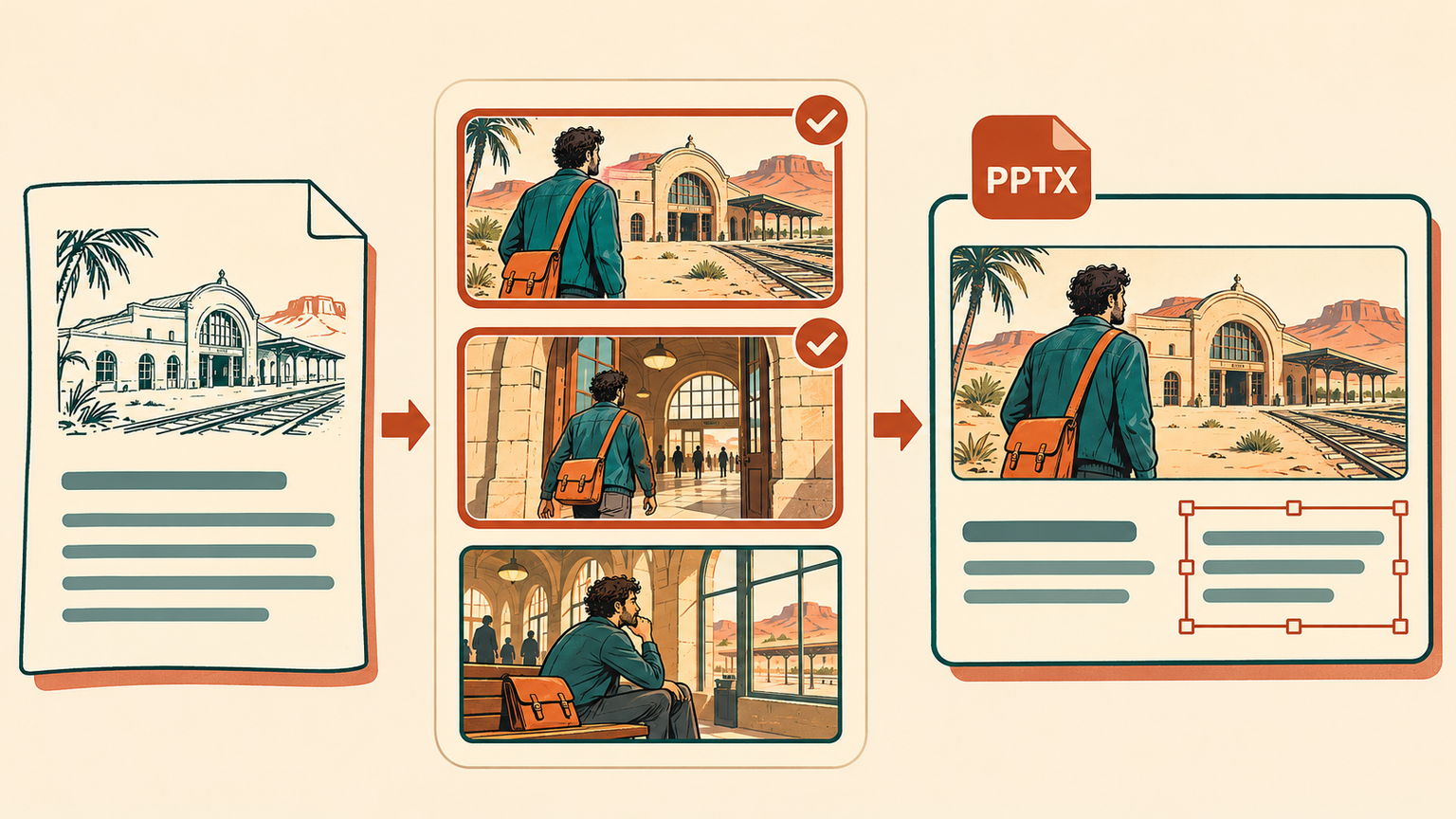
From a Storyboard detail page, open Pitch Deck to turn an existing project into a presentation. First review the title, logline, synopsis, audience, and character details. Then choose up to eight existing still-image frames to support the story you want to present.

Export an editable 16:9 PowerPoint (.pptx) with the selected images and editable text. Adjust the wording and presentation after download, using the frames you already have to explain the idea to collaborators or a prospective audience. Pitch Deck export requires an eligible paid plan.

Turn existing storyboard frames into an editable pitch

Get oriented on the first visit

New first-use guides point out the main creation choices in Mangaka and the comic upload flow, including story input, page and style choices, and optional character references. You can skip or close a guide, then return through Quick tour when you want another look.

Completing a tour leaves you in control of the next action. Review the story, references, and creation settings, then start the work when you are ready.

Related hot tags

comic-creation

Popular creator tools

Turn inspiration into your next story

Create comics, storyboards and stylized photos with LlamaGen.

01

AI Comic Generator

Turn an idea into polished comic strips in minutes.

Create comics with AI
02

AI Manga Generator

Create expressive manga art and multi-panel stories.

Create manga with AI
03

AI Storyboard Generator

Visualize every scene before production starts.

Create storyboards with AI
04

Turn Picture into Comic

Transform any photo into a comic-style illustration.

Create comics from pictures with AI
05

AI Comic Strips Maker

Build shareable strips with characters that stay consistent.

Create comic strips with AI

LlamaGen community

checkmark

Get hands-on help with your comics

checkmark

Showcase your comics to fellow LlamaGen creators

checkmark

Participate in special events to win gifts

Previous releases

LlamaGen.AI 1.0.45: Story Production and Shot Planning

LlamaGen 1.0.45: LlamaGen.AI 1.0.45: Story Production and Shot Planning

Develop a story through cast and world preparation into comic production, find cinematic shot refere

Jay
Jay
November 19th, 2026
LlamaGen.AI 1.0.44: Mangaka, Immersive Reading and Chapter Exports

LlamaGen 1.0.44: LlamaGen.AI 1.0.44: Mangaka, Immersive Reading and Chapter Exports

Keep Comics and Manga together in Mangaka, choose the page count before creating, read with fewer di

Jay
Jay
November 12th, 2026
LlamaGen.AI 1.0.43: Scene Library and Sketch References

LlamaGen 1.0.43: LlamaGen.AI 1.0.43: Scene Library and Sketch References

Explore a larger scene library, carry selected backgrounds into comics and storyboards, and draw a q

Jay
Jay
November 5th, 2026
LlamaGen.AI 1.0.42: Layouts, Page Reuse and Export Updates

LlamaGen 1.0.42: LlamaGen.AI 1.0.42: Layouts, Page Reuse and Export Updates

Find the right comic layout, browse clearer creation categories, reuse selected pages in an independ

Jay
Jay
October 29th, 2026
See all releases
LlamaGen logo
  • United States
  • Español
  • Français (France)
  • 日本語
  • 한국어
  • Deutsch
  • 繁體中文 (台灣)
  • 繁體中文 (香港)
  • 简体中文
  • Português
  • Italiano
  • Español (México)
  • العربية
  • Русский
  • Português (Brasil)
  • Tiếng Việt

Leading the Future of AI Comic Generation

  • 24/7 support
  • Weekly updates
  • Secure and compliant
  • 99.9% uptime

Download LlamaGen for free

AndroidiOSDesktop

Product

  • Latest launches
  • Features
  • Comic strip maker
  • Comic StoresNew
  • Manga StudioNew
  • Turn Picture Into Comic
  • Comic To Video
  • AI Comic Factory
  • Comic Agent
  • iOS & Android
  • Mac & Windows
  • Download
  • Comic ZapNew
  • AI Comic Generator
  • AI Cartoon Generator
  • AI Webtoon Generator
  • Comic Strip Maker
  • Turn Picture Into Comic
  • AI Manga Generator
  • Manga Translator
  • Photo to Anime
  • Image to Prompt
  • Anime to Real Life
  • Manga Colorizer
  • Anime Character Generator
  • Pixel game asset tools
  • AI sprite sheet generator
  • Best pixel game tools 2026
  • Photo Comic Maker
  • Comic Life Alternative

Sister products

  • LlamaGen family
  • CineoBoardNew
  • Comics API

Plans

  • Pricing
  • Starter
  • Pro

Community

  • Creators
  • Affiliates
  • Partner

AI Models

  • GPT Image 2.6 Flare
  • GPT Image 2.6 Sunburst
  • Grok Imagine Image 2.0
  • Wan 3.0
LinkedInX (Twitter)
  • Home
  • Articles
  • Blog
  • Create
  • Pricing
  • API
  • Affiliate ProgramNEW

Ask AI about LlamaGen

  • Comic Zap
  • Velika
  • Enterprise
  • Education
  • Comic API
  • Contact Sales
  • Education Plans
  • Teachers
  • Students
  • Teachers and Students
  • Startups
  • Educational Discounts
  • Company

    • Talk to Our Founder
    • About
    • Product Roadmap

    Help

    • Help Center
    • Trust
    • Safe AI
    Testimonials
  • Wall of Love
  • LlamaGen MCPNew
  • LlamaGen Developer
  • Resources

    • Changelog
    • Blog
    • Guides

    Tools

    • AI Logo Generator
    • Grokbot Style Character Generator
    • PNG to Comic
  • Wan 3.0 Prime
  • Seedance 2.5
  • MiniMax H3
  • Nano Banana 2.1
  • Nano Banana 2 Lite
  • Seedream 5.0 Flash
  • Seedream 5.0 Pro
  • Seedance 2.0 Mini
  • Kling 3.0 Turbo
  • Nano Banana 2
  • GPT Image 2
  • Gemini Omni Flash
  • All AI Models
  • AI Tools

    • AI Outfit Extractor
    • AI Hairstyle Changer
    • AI Manga Hairstyle Changer
    Instagram
    YouTube
    Facebook group
    Reddit
    Discord
    Email support
    PrivacyTermsSitemap
    Download Brand Assets
    © 2026 LlamaGen.Ai All rights reservedAll services are online
    Careers
  • Email us
  • Our Mascot World
  • Media Kit
  • KOL Partnership
  • Content
  • Professional Services
  • FAQ
  • Security
  • Accessibility
  • Video Tutorial
  • Contact us
  • Sitemap
  • Personalized Comics
  • Features
  • Alternatives
  • Best AI Apps
  • GPT-6 Manga Coloring Guide
  • Claude Comic Book Skill
  • Gemini AI Comic Guide
  • Comic That
  • Educational Discounts
  • Student discount
  • Text to Comic
  • PDF to Comic
  • Script to Comic
  • Book to Comic
  • Turn Picture Into Comic
  • AI Pixel Art Generator
  • Educational Comics
  • AI Video Generator
  • Gemini AI Video Generator
  • Free Faceless AI Video Generator
  • Comic To Video
  • Make Storyboard Software
  • AI Storyboard Generator
  • Screenwriting Software
  • Screenplay Editor
  • Story AI
  • AI Story Generator
  • Storybook Generator
  • AI Image Generator
  • AI Layer Splitter
  • AI Camera Angle Control
  • AI Pixel Art Generator
  • Pixel game asset tools
  • AI sprite sheet generator
  • Sprite sheet slicer
  • Best pixel game tools 2026
  • Animation API
  • ChatGPT/Codex Plugin
  • ChatGPT Install Guide
  • Claude Code Plugin
  • Claude Code Install Guide
  • AI Wind Effect Generator
  • AI Depth Map Generator
  • AI White Background
  • AI Object Remover
  • AI Virtual Try-On
  • AI Unblur Images
  • AI Denoise
  • AI Photo Restoration
  • AI Product Shadows
  • AI Background Generator
  • AI Headshot Generator
  • AI Emoji Maker
  • AI Background Changer
  • AI Open Eyes
  • AI Beauty
  • AI Product Photography