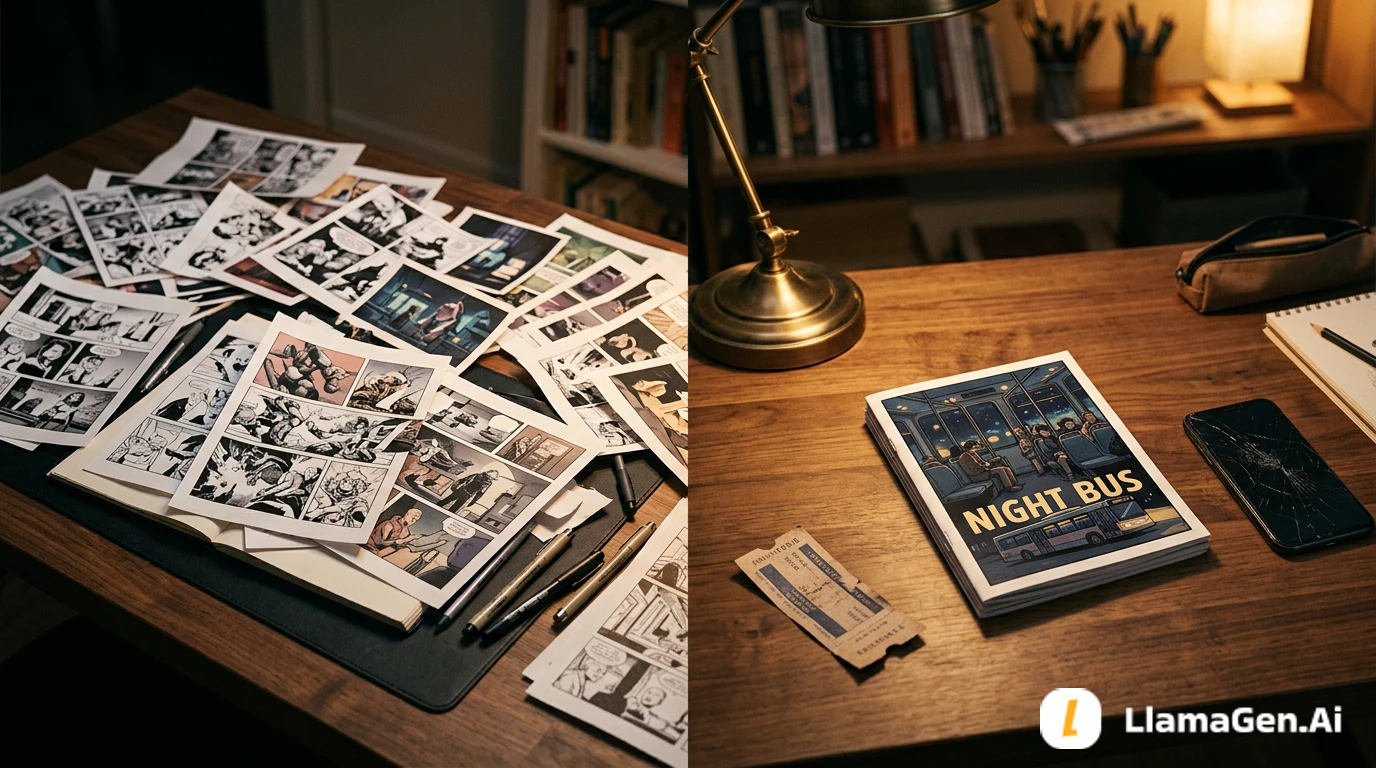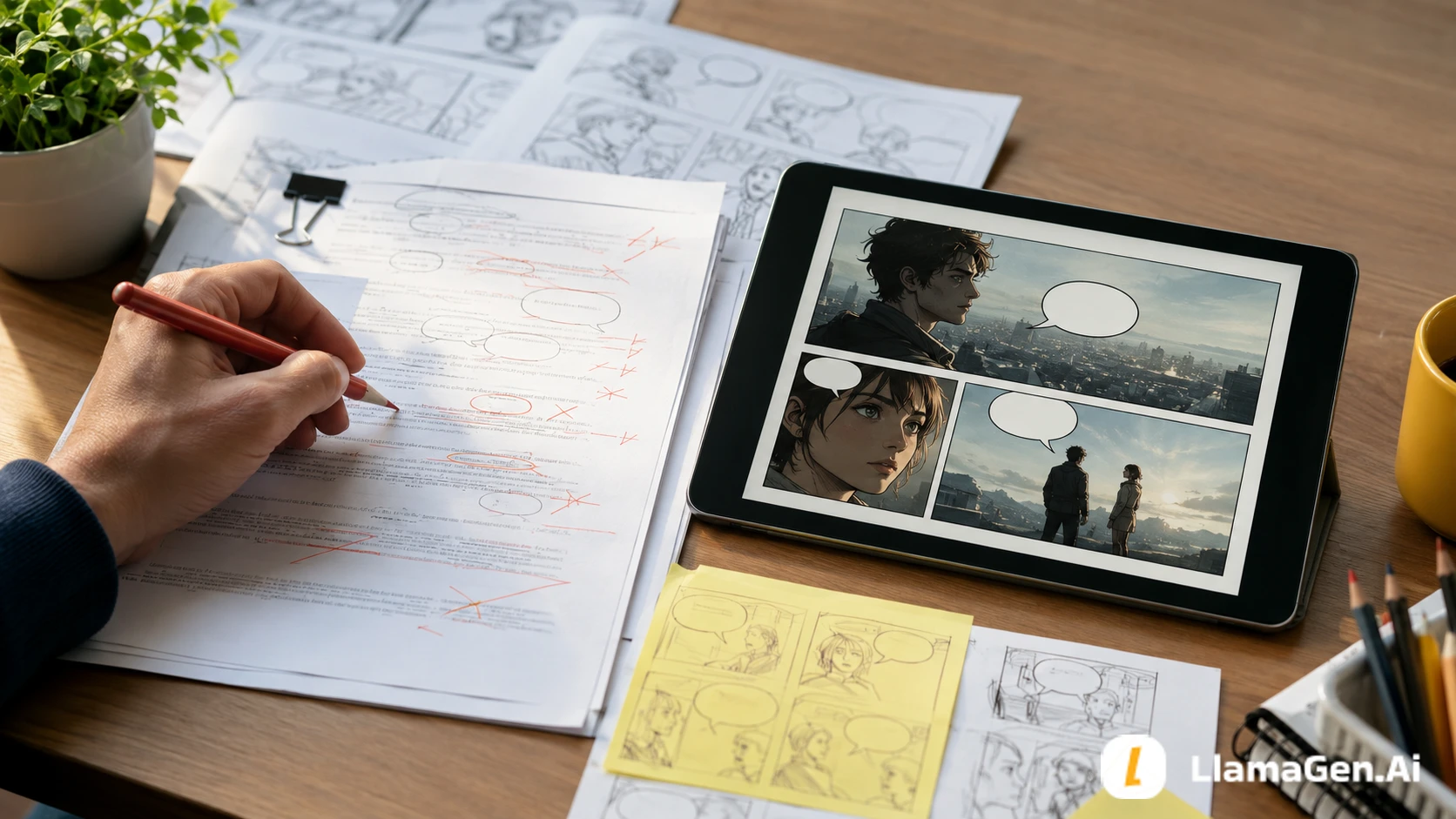

A comic thumbnail is a tiny rough version of the page.
It is not supposed to be beautiful. It is supposed to answer the page's most important questions before you spend time drawing:
What is the first thing the reader sees?
Which beat deserves the biggest panel?
Where does the eye move next?
Where can dialogue sit without covering faces or clues?
Does the final panel land?
If you are using AI, thumbnailing matters even more. A clear thumbnail gives the model a page plan instead of asking it to invent composition, pacing, text space, and story logic at the same time.
Start with the LlamaGen.AI AI Storyboard Generator, turn your scene into beats, approve the thumbnail, then move into comic page generation.
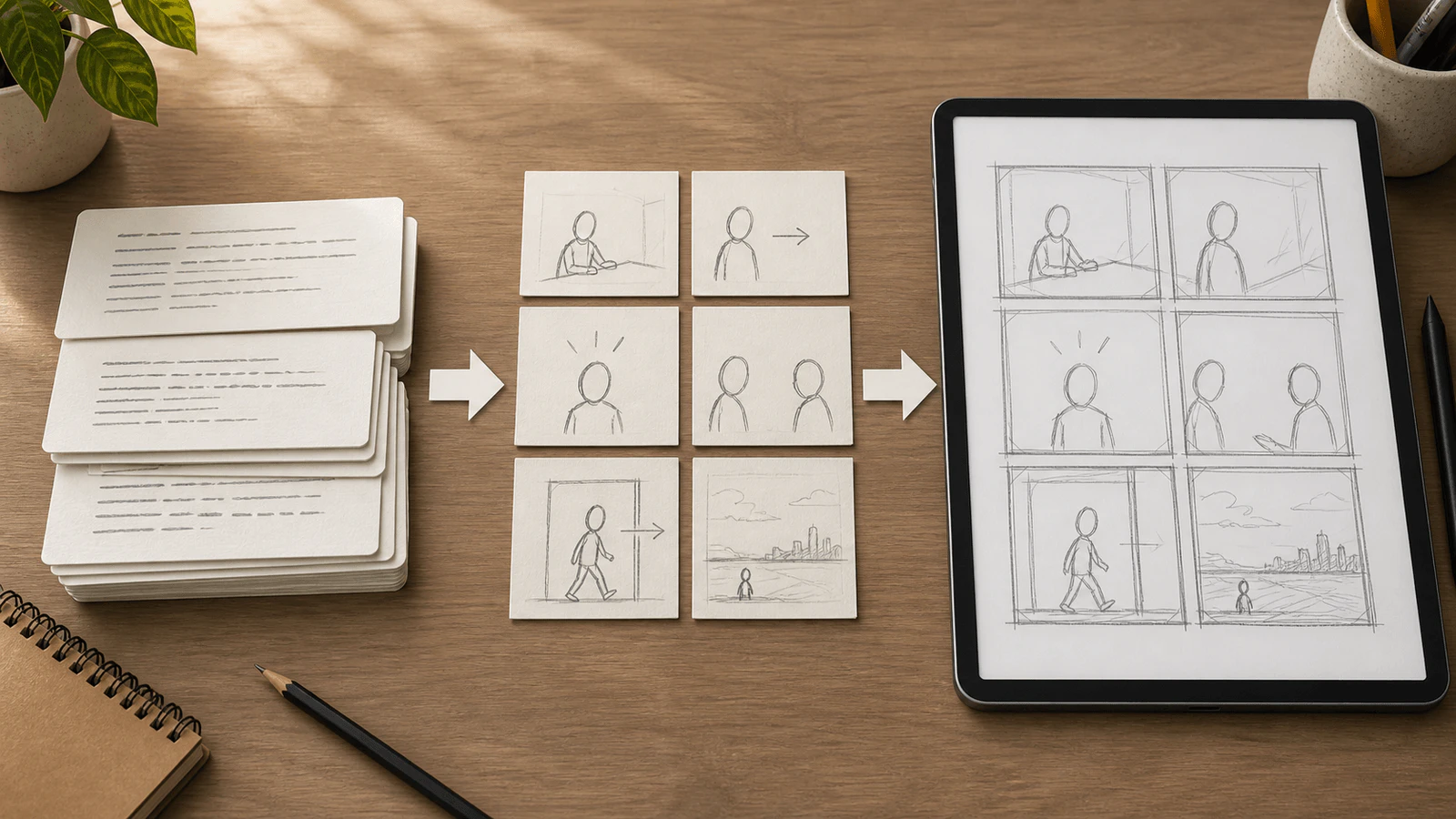
The useful sequence is simple: script cards first, beat cards second, page thumbnail third. Final art comes after the page already reads.
Beginners often skip thumbnails because rough boxes feel less exciting than finished art.
That is understandable, but it creates expensive mistakes:
Thumbnailing catches those problems while the page is still cheap to change.
For writers, thumbnailing also makes the story visual. It forces you to decide what the reader can see, not just what the prose explains.
This tutorial uses the same short comic project from the recent LlamaGen.AI comic workflow series.
| Test item | Setup |
|---|---|
| Date tested | August 11, 2026 |
| Project | Moon Gate Delivery |
| Source input | 1 short scene, 1 main character, 1 mystery object |
| Creator stage | Before final drawing or AI comic generation |
| Target output | Beat map, thumbnail page, reader flow, bubble space, repair prompt |
| Active editing time | About 14 minutes |
| Total elapsed time | About 31 minutes including one failed thumbnail pass |
| Editorial note | Codex drafted and checked the workflow; product model and credit cost can vary by workspace settings and output type |
| Credits / cost note | Treat this as a workflow test, not a pricing benchmark |
These product surfaces are useful for the workflow:
彙整最新的 LlamaGen 功能發布、產品強化、設計更新與重要錯誤修正。
The test question was:
Can a beginner turn a scene into a readable comic page plan before drawing final panels?
Here is the scene we need to thumbnail:
Nia, a bicycle courier, arrives at an abandoned train station after midnight.

She carries a sealed silver envelope. A stray station cat slips through the ticket gate. The platform beyond the gate should be empty, but moonlit grass and impossible stone arches appear where the rails should be.

The old arrival board turns on by itself. It does not show a train. It shows the word "Tomorrow."

Nia looks down at the envelope. The wax seal has changed into the same symbol as the board.
That is enough story for one page. The job is not to draw everything. The job is to choose the six visual beats that make the reader understand the mystery.
Before drawing boxes, write one sentence that explains what the page must do.
This page shows Nia entering a strange station, noticing that reality has changed, and ending on a clue that connects the envelope to the arrival board.
That sentence is useful because it tells you what not to draw.
You do not need:
You need arrival, object, movement, reveal, reaction, and clue.
A thumbnail starts with beats, not panels.
Use this prompt in LlamaGen.AI or your planning document:
Convert this comic scene into 6 visual beats.

For each beat include:
- what the reader sees
- what changes from the previous beat
- the camera distance
- whether it needs a large, medium, or small panel
- what space should be saved for captions or speech bubbles
Output example:
| Beat | What the reader sees | Size |
|---|---|---|
| 1 | Nia arrives at the abandoned station with her bicycle. | Large wide panel |
| 2 | Close view of the sealed silver envelope in her hand. | Medium panel |
| 3 | The cat slips through the ticket gate first. | Small action panel |
| 4 | The empty platform becomes a moonlit garden of arches. | Largest reveal panel |
| 5 | Nia turns toward the glowing arrival board. | Medium reaction panel |
| 6 | The envelope seal changes to match the board symbol. | Small insert panel |
Each beat should change one thing. If two panels do the same job, combine them.
Now make the thumbnail.
Keep it small. A sticky note, phone screen, or tiny canvas is enough. If the thumbnail is too large, you will start polishing faces too early.
For a left-to-right comic page, the first readable arrangement is:
| Panel | Thumbnail choice | Why |
|---|---|---|
| 1 | Full-width top panel | Establishes the station, bike, time, and mood. |
| 2 | Middle-left panel | Moves attention from place to object. |
| 3 | Middle-right small panel | Gives the cat a quick action beat. |
| 4 | Wide lower-middle panel | Makes the supernatural platform feel important. |
| 5 | Bottom-left panel | Gives Nia a reaction and keeps the board visible. |
| 6 | Bottom-right insert | Ends on the changed seal. |
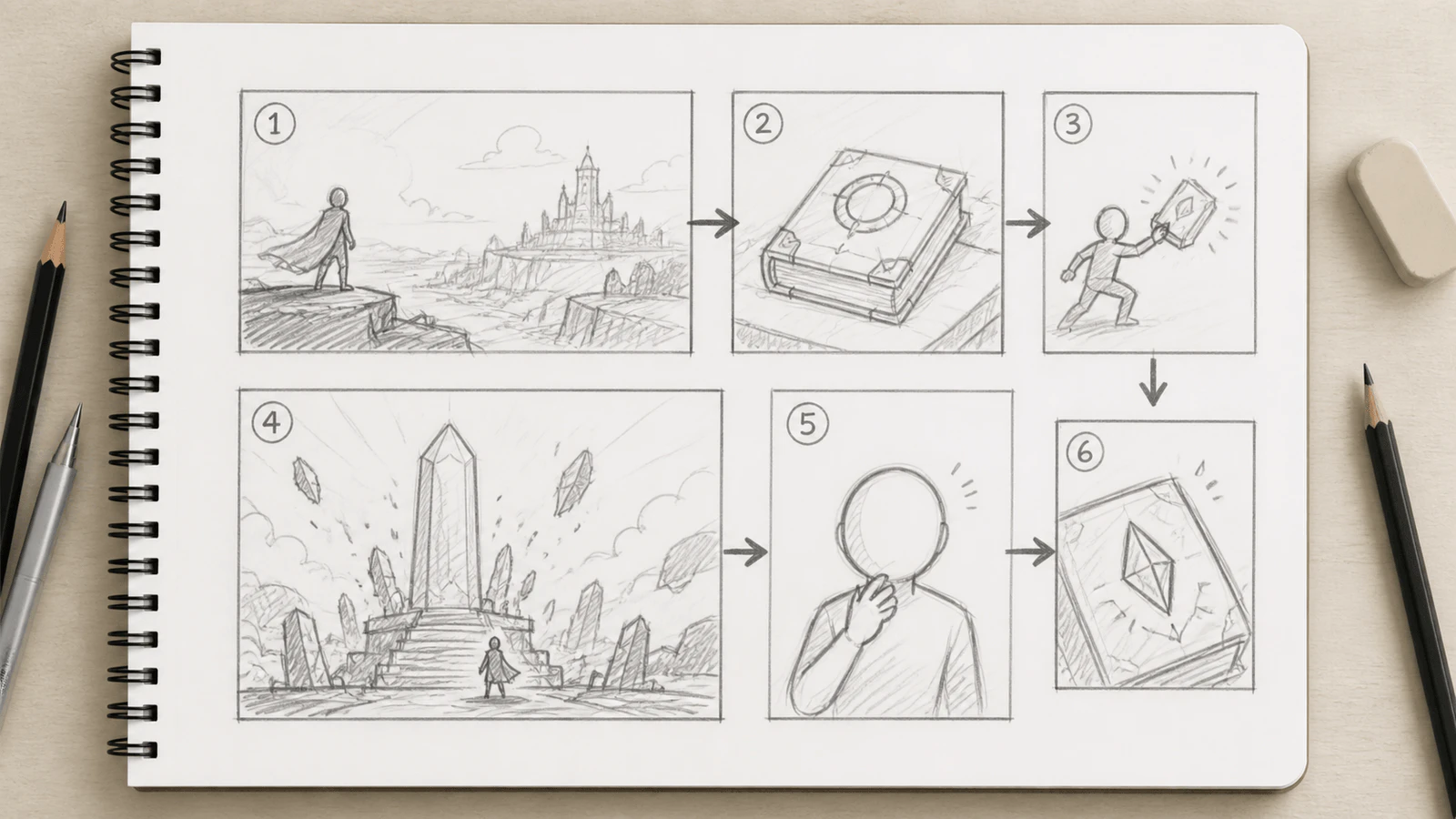
This is the right level of detail for a thumbnail. The reader path is clear, the largest panel carries the reveal, and the final insert is easy to identify.
After drawing the boxes, mark the eye path.
Use arrows if needed:
1 -> 2 -> 3
      |
      v
4 -> 5 -> 6
If the arrows cross too much, the layout is probably fighting the reader.
Check these questions:
| Flow check | Pass question |
|---|---|
| Start | Does the top or first panel clearly tell the reader where to begin? |
| Direction | Does the eye move in the intended reading direction? |
| Scale | Does the biggest panel contain the biggest story change? |
| Rest | Is there breathing room before or after the reveal? |
| Ending | Does the last panel create a question, clue, joke, or emotional beat? |
This is where thumbnailing saves time. Moving a rough box takes seconds. Reworking a finished page can take hours.
Do not add finished dialogue yet. Just reserve space.
For this page:
| Panel | Text need | Thumbnail note |
|---|---|---|
| 1 | Short caption | Keep open sky or sign area. |
| 2 | No dialogue | Let the envelope carry the beat. |
| 3 | Tiny sound effect or no text | Keep corner open near the gate. |
| 4 | No dialogue | Let the reveal breathe. |
| 5 | One reaction line | Save space above Nia's shoulder, not over her face. |
| 6 | No text | End on the object clue. |
If the text space is not planned now, final art often fills every corner. Then the lettering has nowhere good to go.
Once the thumbnail works, use it as a prompt structure.
Create a rough 6-panel comic page thumbnail for this scene.

Scene:
Nia, a bicycle courier, reaches an abandoned train station after midnight with a sealed silver envelope. A stray station cat slips through the ticket gate. The platform becomes a moonlit garden of arches. The arrival board turns on and shows "Tomorrow." The envelope seal changes to match the board symbol.

Thumbnail rules:
- Keep the art rough and readable, like pencil planning thumbnails.
- Panel 1 is a full-width establishing shot.
- Panel 4 is the largest reveal panel.
- Panel 6 is a small insert of the envelope seal.
- Keep reader flow left-to-right and top-to-bottom.
- Leave clean space for captions or speech bubbles.
- Do not generate finished art.
- Do not generate readable text inside the image.

Return:
1. Panel order.
2. Panel size.
3. Camera distance.
4. Main visual focus.
5. Text space note.
6. What changes from the previous panel.
This prompt is useful because it asks for a page plan, not a finished comic.
The first failed thumbnail looked dramatic, but it did not read well.
| Problem | What happened | Repair |
|---|---|---|
| Equal panels | Every beat had the same size. | Enlarge the reveal and shrink the insert. |
| Bad opening | The page started on the envelope. | Start with the station exterior. |
| Confusing path | The reader eye jumped across the page. | Rebuild the flow in reading order. |
| No bubble space | Faces and props filled every corner. | Mark empty space before final art. |
| Weak ending | The last panel repeated Nia reacting. | End on the changed seal. |
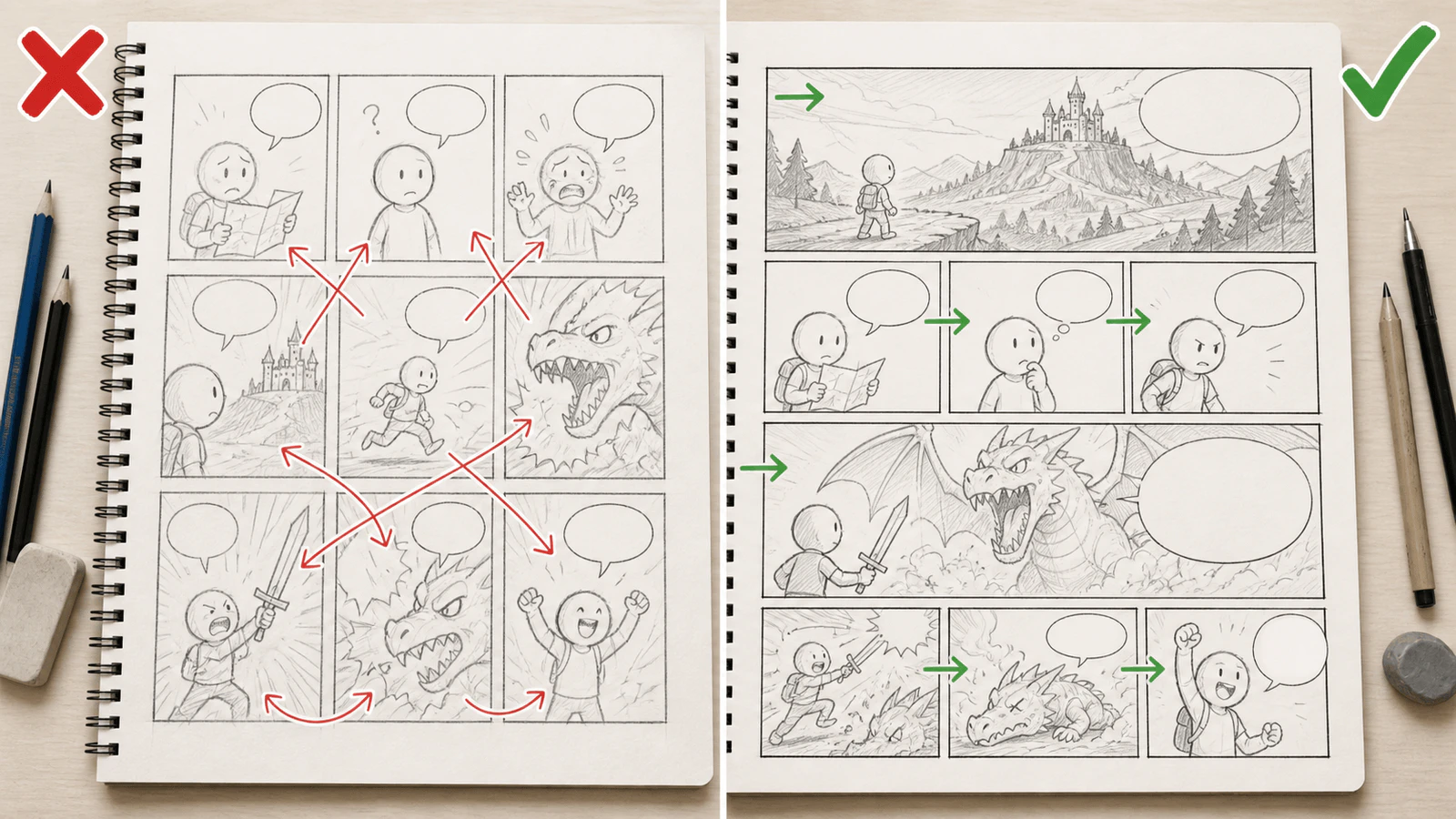
The repaired version is not just neater. It gives the reader one route through the page and assigns visual weight to the reveal.
Use a targeted repair prompt:
Repair the thumbnail layout only.

Keep the same six story beats and rough pencil thumbnail style.

Required changes:
- Make panel 1 a wide establishing shot of the abandoned station.
- Make panel 4 the largest panel and use it for the moonlit platform reveal.
- Make panel 6 a small final insert of the changed envelope seal.
- Keep the reader path left-to-right and top-to-bottom.
- Reduce repeated reaction panels.
- Reserve empty space for one caption in panel 1 and one small reaction bubble in panel 5.

Do not add readable text. Do not create finished comic art. Do not change the story.
This works better than "make the layout better" because it says which part is broken.
Use this before moving to final drawing or AI comic generation:
| Check | Pass |
|---|---|
| Page job is clear | You can explain the page in one sentence. |
| Every panel changes something | No duplicate beats unless silence is intentional. |
| Biggest panel carries the biggest change | The reveal, action, or emotional turn has visual weight. |
| Reader flow is obvious | The eye does not jump or backtrack. |
| Text space exists | Bubbles and captions have planned empty areas. |
| Character appears at useful scale | Close-ups and wide shots are balanced. |
| Final panel lands | The page ends with a clue, turn, joke, or question. |
| Mobile readability works | Small panels still read on a phone. |
If the thumbnail fails two or more checks, fix the thumbnail before generating final art.
LlamaGen.AI is useful at three points in this workflow:
| Stage | What to do |
|---|---|
| Beat planning | Paste the scene and ask for 4 to 8 visual beats. |
| Thumbnail pass | Ask for a rough page plan with panel sizes, camera distance, and text space. |
| Final comic generation | Move the approved layout into LlamaGen.AI comic generation after the thumbnail reads. |
The important idea is sequencing. Do not ask one prompt to solve everything.
Use:
scene -> beat map -> thumbnail -> layout repair -> final comic page
That keeps the workflow controllable.
Only detailed enough to show panel size, reader flow, character placement, important props, and text space. If you are drawing eyes, fingers, or fabric folds, you are probably polishing too early.
Either works. Paper is fast and low pressure. Digital thumbnails are easier to duplicate, rearrange, and turn into prompts for AI-assisted workflows.
Make at least two. The first version usually copies the scene order too literally. The second version is where pacing and panel size improve.
They overlap, but they are not identical. Storyboarding focuses on sequential shots. Comic thumbnailing also has to solve page shape, panel borders, reader flow, and lettering space.
Start with the LlamaGen.AI AI Storyboard Generator. Use it to turn the scene into beats, approve the thumbnail layout, then generate the final comic page only after the rough page reads.
Use this repeatable chain:
page job -> visual beats -> ugly boxes -> reader arrows -> text space -> repair -> final art
A thumbnail is not a lesser version of the comic. It is the decision layer that protects the final page from beautiful confusion.
Visualize every scene before production starts.
© 2026 LlamaGen.Ai 版權所有
引領 AI 漫畫生成的未來