

Nano Banana 2.1 workflows
Make a character reference sheet you can actually review
A reference sheet should make one original character easier to recognize across future images. Choose the identifying details and a simple set of views, then check that the sheet itself does not introduce conflicting designs.
What you will make
A reference sheet for one original adult character, plus a checklist for using it in later scenes.
Nano Banana 2.1 requires a paid LlamaGen plan. Check the current credit charge and export choices before generating. Direct Google Cloud API billing is separate. Plans and credits
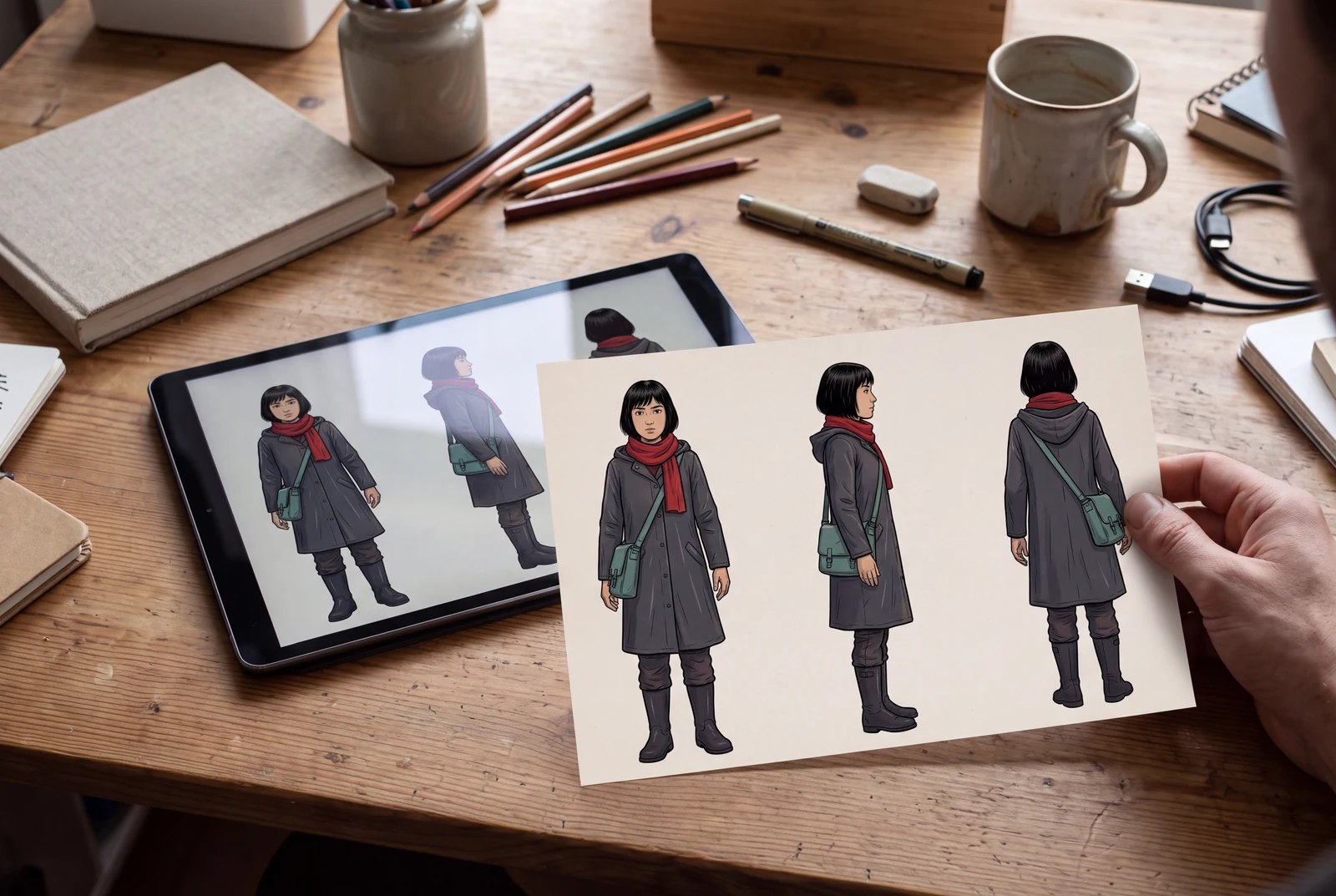
The hero is an AI-generated presentation concept showing a finished result in context. It is not a customer photograph, application screenshot or a separate test of the model’s performance.
Content reviewed:
Inspect a generated example
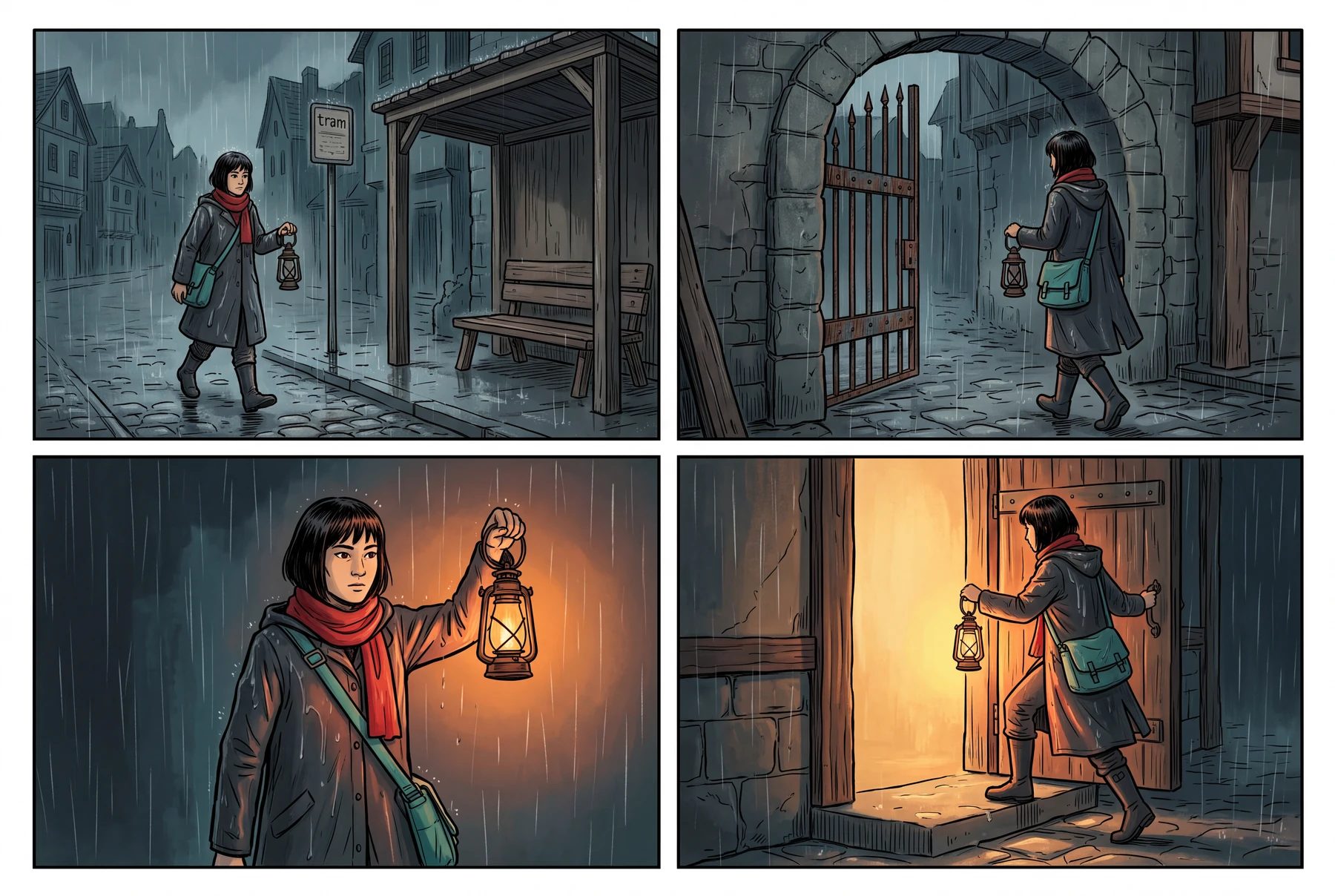
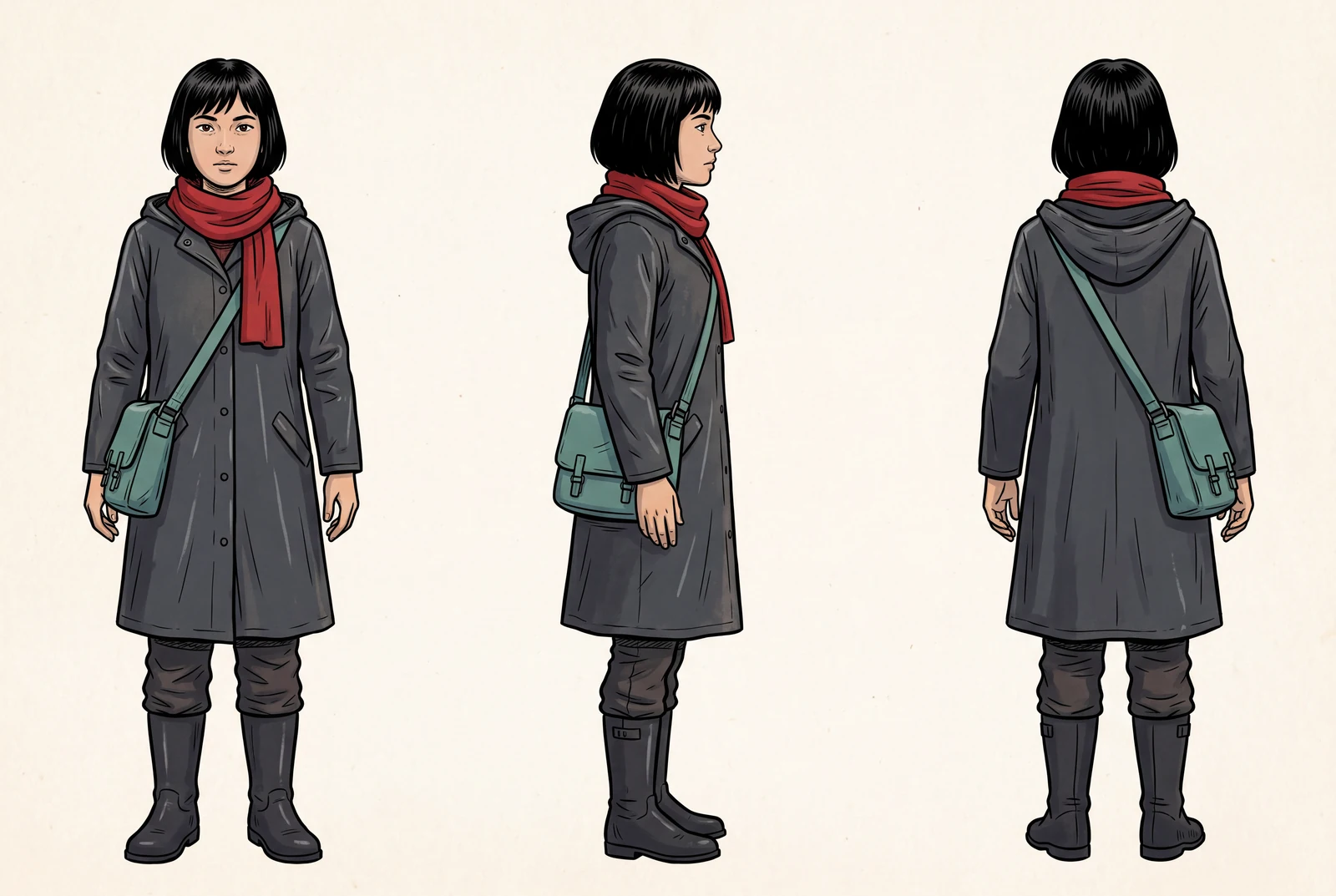
The example below is a direct model output from our documented generation workflow. Review the actual image, rather than assuming the model followed every instruction.
Reference images used in the generation workflow
These are owned, fictional reference assets. Their inclusion does not guarantee exact identity or product detail in the output.
Choose the details that define the character
Start with one original adult character and a reference image you can use. Write a short identity brief covering the face, hairstyle, clothing silhouette, colors and a small number of important accessories.
A long list of tiny details can be difficult to inspect. Keep the anchors visually clear and relevant to the story. Distinguish a changeable expression or pose from a feature you want to remain consistent.
- Use one character as the first reference-sheet task.
- State the costume and any key prop clearly.
- Avoid adding unrelated references with conflicting designs.
Use views that help the next scene
Ask for the views you need rather than a decorative collage. A small set of separated views can reveal whether the model has changed the face, costume or proportions between poses.
The sheet is a candidate design artifact. If its views disagree, do not use it as an unquestioned source for later images; fix or select a coherent reference first.
- Keep views clearly separated and comparable.
- Inspect hair, face shape, costume construction and key objects.
- Keep enough visual space to distinguish silhouettes and accessories.
Carry the reference into a new scene
Google documents multi-reference image generation and improved character consistency, but does not guarantee identical identity in every output. Supply the chosen reference again when it matters, alongside a concise scene brief.
Evaluate the new scene against the reference rather than against a remembered impression of the character. Record the accepted source and the actual scene output together so that later revisions have a stable starting point.
- Keep the accepted sheet and the original identity brief.
- Check the character at the final viewing size.
- Review new poses, hands and perspectives for fresh deviations.
Inspect a sheet before reusing it
A sheet that looks polished can still contain inconsistent character information.
| Anchor | What the sheet should clarify | What to reject or correct |
|---|---|---|
| Face and hair | Recognizable identifying features across views | A different face or hairstyle in another view |
| Costume | A coherent silhouette, palette and construction | Conflicting collars, fastenings or accessories |
| Proportions | A consistent character design across poses | Unexplained changes in body or head proportions |
| Story prop | A recognizable object when it is shown | A prop whose shape or handling changes the character design |
A practical workflow
A reusable original-character brief
Use a fictional adult character you own. Ask for a compact reference sheet and inspect its consistency before using it in a comic or storyboard.
A starting prompt to adapt
Create a clean reference sheet for the original adult character in the supplied image. Show a small set of clearly separated views. Preserve the identifying hairstyle, facial features, costume silhouette and key prop. Use a plain background and no labels, logos or new character designs.
This brief is an adaptable recipe, not the verbatim request log for the pictured output. It does not promise identical results or a successful first generation. The generation record preserves the original request.
Try the workflow
- Choose the original identity reference and write its anchors.
- Generate a reference-sheet candidate with the views you need.
- Inspect every view and retain a coherent accepted reference for later scenes.
What to inspect
- Does each view depict the same recognizable character?
- Are costume and props coherent?
- Are hands and silhouettes clear enough for the intended workflow?
Questions before you begin
Does a reference sheet guarantee consistent characters?
No. It provides a clearer input, but each later generation still needs comparison with the accepted reference. Google lists imperfect character consistency as a known limitation.
Should I use many references at once?
Use a small, relevant set with a clear role for each image. The model’s documented maximum is an input limit, not a recommendation to use the maximum in every task.
Can I use this sheet for comics and storyboards?
Yes, as an input to a scene-planning workflow for artwork you have permission to use. It does not automatically preserve every design detail or produce an editable character rig.