User Story: Understanding the Basics of Character Editing - LlamaGen.AI Blog
Logo LlamaGenZnačka LlamaGen
Prihlásiť saPredplatiť teraz20 % zľava
  1. Domov
User Story: Understanding the Basics of Character Editing
All posts

User Story: Understanding the Basics of Character Editing

Jay
Jay
February 27th, 2026
Kopírovať odkaz
  • What is Character Editing in LlamaGen?
  • Why Do Beginners Struggle With Character Editing?
  • User Journey: From Confusion to Confidence
  • Initial User Experience
  • Collaborative Creation and Iterative Improvements
  • Achieving 100% Style Stability
  • Step-by-Step Guide: Simplifying Character Editing
  • Prerequisites
  • Step 1: Navigating the Prompts Area
  • Step 2: Using Intuitive Editing Entries
  • Step 3: Achieving Style Stability in Long Texts
  • Step 4: Collaborative Creation Workflow
  • Best Practices and Common Mistakes to Avoid
  • Best Practices
  • Common Mistakes
  • Real-World Scenarios: How Users Benefit
  • Scenario 1: New Author Creating First Comic
  • Scenario 2: Collaborative Team Project
  • Scenario 3: Maintaining Style in Long Series
  • Actionable Tips for Mastering Character Editing
  • Internal Linking: Explore Related Topics
  • FAQ: Quick Answers to Common Questions
  • Conclusion
elevate-your-comics.png
Elevate your Comics with LlamaGen

Editing comic characters can feel overwhelming, especially when you're just starting out. I remember working with a German author who faced this exact challenge. She had never edited characters before and felt lost looking at the interface. Her experience mirrors what many newcomers face. That's why we set out to simplify the character editing process and create an easy, beginner-friendly guide. In this post, I’ll share our journey, the practical solutions we implemented, and actionable tips you can use. Whether you’re a writer, artist, or developer, this tutorial will help you achieve 100% style stability and master intuitive editing with LlamaGen. Let’s dive into real user stories, best practices, and step-by-step instructions so you can confidently edit comic characters and elevate your creative workflow.

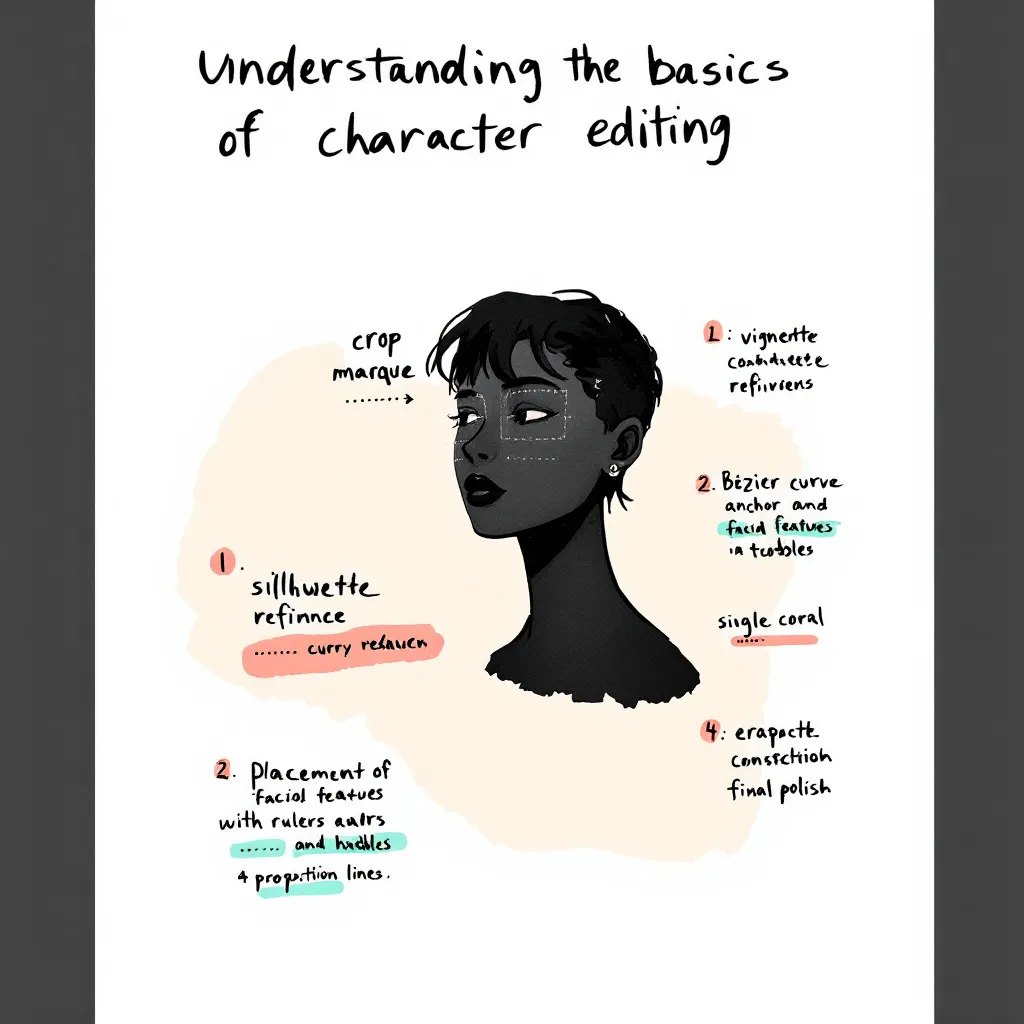
Before jumping into advanced features, it’s crucial to grasp the basics of character editing. Many authors—especially those new to digital comic creation—find this step confusing.

What is Character Editing in LlamaGen?

Character editing lets you define, customize, and refine the traits, style, and backstory of your comic characters. With LlamaGen, you can:

  • Adjust visual styles
  • Set personality traits
  • Fine-tune dialogue prompts
  • Memorize long text details for consistency

Why Do Beginners Struggle With Character Editing?

Common pain points include:

  • Unclear interface and editing entries
  • Overwhelming options and jargon
  • Difficulty maintaining style stability
  • Lack of actionable guidance

Our German author, for example, initially had no idea where to start. She struggled to find editing options and worried about losing her character’s unique style. These issues are typical for new users.

User Journey: From Confusion to Confidence

To address these challenges, we mapped out the user journey and focused on real-world application.

Initial User Experience

Our German author’s feedback was clear: she felt lost and frustrated. She needed a beginner’s guide that explained every step. Her story is common among creators exploring LlamaGen for the first time.

Collaborative Creation and Iterative Improvements

Over one week, we worked closely with the author, gathering feedback and testing solutions. This collaborative approach allowed us to:

  • Identify pain points (e.g., confusing prompts area, hidden editing entries)
Zoznam zmien

Podnecujte sny mladých
Kde ožívajú milióny príbehov

Prehľad najnovších vydaní funkcií LlamaGen, vylepšení produktu, aktualizácií dizajnu a dôležitých opráv chýb.

✦
✧
✦
✧

Nové médium pre Rozprávanie príbehov

Vytvárajte bez obmedzení príbehy, komiksy, animácie, hry a ďalší obsah—za pár sekúnd, ktorý osloví moderné publikum

  • Test solutions in real time
  • Refine features based on actual user needs
  • Achieving 100% Style Stability

    One major goal was to maintain consistent character style across long texts and multiple edits. We optimized memorization algorithms and improved prompt interactions, ensuring that style stability reached 100%.

    Step-by-Step Guide: Simplifying Character Editing

    Here’s a practical tutorial based on our experience. Follow these steps to make character editing easy and reliable.

    Prerequisites

    • Access to LlamaGen (latest version)
    • Basic understanding of comic creation
    • A character profile to edit

    Step 1: Navigating the Prompts Area

    We redesigned the prompts area for clarity. Now, when you open a character profile, you’ll see:

    • Clearly labeled prompt fields
    • Quick tips on how to use each field
    • Example inputs to guide you

    Actionable Tip: Hover over information icons for instant explanations.

    Step 2: Using Intuitive Editing Entries

    Editing entries are now visible and easy to find. Just look for the “Edit” button next to each character trait or dialogue option.

    1. Click “Edit” next to the trait you want to change.
    2. Input your new value or description.
    3. Save changes instantly—no need to navigate away.

    Example: Want to change your character’s hairstyle? Click “Edit” next to “Appearance,” select a style, and hit “Save.”

    Step 3: Achieving Style Stability in Long Texts

    Consistency matters, especially in comics. We optimized how LlamaGen memorizes character traits in long text sequences.

    • Each edit updates the memory matrix
    • Style cues are reinforced after every save
    • System checks for drift and suggests corrections

    Actionable Tip: After making several edits, review the character’s preview panel for any inconsistencies.

    Step 4: Collaborative Creation Workflow

    Working with another creator? Use the “Share & Collaborate” feature.

    1. Invite collaborators to your project
    2. Assign editing permissions
    3. Track changes with version history

    Our German author loved this feature, saying, “I finally felt confident editing and sharing my characters—no more confusion!”

    Best Practices and Common Mistakes to Avoid

    Learning from real user stories, these best practices will help you master character editing.

    Best Practices

    • Start Simple: Edit basic traits first. Build complexity over time.
    • Use Examples: Refer to sample prompts and style guides.
    • Review Regularly: Check for style consistency after each major edit.
    • Collaborate: Share feedback and work with others to spot issues.
    • Leverage Tutorials: Watch the official guide video for hands-on walkthroughs.

    Common Mistakes

    • Editing Too Many Traits at Once: This leads to style drift.
    • Ignoring Prompt Tips: Missed cues can result in inconsistent dialogue.
    • Not Saving Frequently: Unsaved edits may be lost.
    • Skipping Version History: Hard to track changes without this feature.

    Real-World Scenarios: How Users Benefit

    Here are specific use cases that highlight the value of our improvements.

    Scenario 1: New Author Creating First Comic

    Anna, a first-time comic creator, used our beginner’s guide and quickly mastered editing. She said, “The step-by-step instructions made it so easy. I was able to keep my characters consistent from start to finish.”

    Scenario 2: Collaborative Team Project

    A German author and her illustrator collaborated using the new workflow. They commented, “Editing entries are finally visible! We saved hours and avoided confusion.”

    Scenario 3: Maintaining Style in Long Series

    A webcomic team used style stability features to keep characters consistent across 50+ episodes. Their feedback: “Memorization updates and prompts checks are a game-changer for long-form storytelling.”

    Actionable Tips for Mastering Character Editing

    • Always start with a clear character profile.
    • Use the prompts area to test dialogue and personality.
    • Edit traits one at a time to avoid confusion.
    • Collaborate with others for feedback.
    • Use version history to revert unwanted changes.
    • Watch tutorials and read guides for extra help.

    Internal Linking: Explore Related Topics

    For deeper insights, check out related topics like:

    • How to Build Character Arcs in Comics
    • Improving Dialogue with AI Prompts
    • Optimizing Your Comic Creation Workflow

    These guides expand on narrative design and editing principles.

    FAQ: Quick Answers to Common Questions

    How do I access editing entries in LlamaGen?

    Click the “Edit” button next to each character trait. All entries are now visible and labeled.

    Can I collaborate with other authors?

    Yes! Use the “Share & Collaborate” feature to invite others and track edits.

    How do I keep character style consistent?

    Edit traits gradually, use prompt tips, and review the preview panel after each change.

    Where can I find more tutorials?

    Check the official YouTube guide or our help center.

    Conclusion

    Simplifying the character editing experience in LlamaGen was a journey driven by real user stories and collaborative solutions. By listening to feedback—especially from our German author—we improved the prompts area, made editing entries intuitive, and achieved unmatched style stability. Whether you’re a beginner or an experienced creator, these best practices, step-by-step instructions, and actionable tips will help you edit with confidence. Ready to create memorable comic characters? Start with our beginner’s guide, collaborate with others, and unlock the full potential of LlamaGen today.

    For more tutorials, tips, and solutions, explore our related guides or reach out for personalized support. Your next great comic character is just a few edits away!

    Related hot tags

    UserStory

    Obľúbené nástroje pre tvorcov

    Premeňte inšpiráciu na váš ďalší príbeh

    Vytvárajte komiksy, storyboardy a štýlizované fotografie s LlamaGen.

    01

    AI generátor komiksov

    Premeňte nápad na vyladené komiksové pásy za pár minút.

    Vytvárať komiksy
    02

    AI generátor mangy

    Vytvárajte expresívne manga ilustrácie a viacpanelové príbehy.

    Vytvárajte mangu
    03

    AI generátor storyboardu

    Vizualizujte si každú scénu ešte pred začiatkom produkcie.

    Vytvárajte storyboardy
    04

    Premeniť obrázok na komiks

    Premieňte akúkoľvek fotografiu na komiksovú ilustráciu.

    Vytvárajte komiksy z obrázkov
    05

    AI tvorca komiksových pásov

    Vytvárajte zdieľateľné pásy s konzistentnými postavami.

    Vytvárajte komiksové pásy

    LlamaGen community

    checkmark

    Get hands-on help with your comics

    checkmark

    Showcase your comics to fellow LlamaGen creators

    checkmark

    Participate in special events to win gifts

    Logo LlamaGen
    • United States
    • Español
    • Français (France)
    • 日本語
    • 한국어
    • Deutsch
    • 繁體中文 (台灣)
    • 繁體中文 (香港)
    • 简体中文
    • Português
    • Italiano
    • Español (México)
    • العربية
    • Русский
    • Português (Brasil)
    • Tiếng Việt
    • Slovenčina

    Určovanie budúcnosti AI generácie komiksov

    • podpora 24/7
    • Týždenné aktualizácie
    • Bezpečné a v súlade
    • 99,9% dostupnosť

    Stiahnite si LlamaGen zadarmo

    AndroidiOSPočítač

    Produkt

    • Najnovšie novinky
    • Funkcie
    • Tvorca komiksových pásov
    • Comic StoresNové
    • Štúdio na manguNové
    • Premeňte obrázok na komiks
    • Komiks na video
    • AI továreň na komiksy
    • Komiksový agent
    • iOS & Android
    • Mac & Windows
    • Stiahnuť
    • Comic ZapNové
    • AI generátor komiksov
    • AI generátor karikatúr
    • AI generátor webtoonu
    • Tvorca komiksových pásov
    • Premeňte obrázok na komiks
    • AI generátor mangy
    • Prekladač mangy
    • Fotka na anime
    • Obrázok na prompt
    • Anime do skutočného života
    • Kolorizér mangy
    • Generátor anime postáv
    • Nástroje na pixelové herné assety
    • AI generátor sprite sheetov
    • Najlepšie nástroje na pixelové hry 2026
    • Tvorca komiksov z fotografií
    • Alternatíva k Comic Life

    Spriaznené produkty

    • Rodina LlamaGen
    • CineoBoardNové
    • Comics API

    Plány

    • Cenník
    • Štartér
    • Pro

    Komunita

    • Tvorcovia
    • Partneri
    • Partner

    AI Models

    • GPT Image 2.6 Flare
    • GPT Image 2.6 Sunburst
    • Grok Imagine Image 2.0
    LinkedInX (Twitter)
    • Domov
    • Články
    • Blog
    • Vytvoriť
    • Cenník
    • API
    • Affiliate ProgramNEW

    Spýtajte sa AI na LlamaGen

  • Comic Zap
  • Velika
  • Pre podniky
  • Vzdelávanie
  • Komiksové API
  • Kontaktovať obchodné oddelenie
  • Vzdelávacie plány
  • Učitelia
  • Študenti
  • Učitelia a študenti
  • Startupy
  • Vzdelávacie zľavy
  • Spoločnosť

    • Porozprávajte sa s naším zakladateľom
    • O aplikácii
    • Plán produktu

    Pomoc

    • Centrum pomoci
    • Dôvera
    • Bezpečná AI
    Recenzie
  • Stena lásky
  • LlamaGen MCPNové
  • Vývojár LlamaGen
  • Zdroj

    • Zoznam zmien
    • Blog
    • Sprievodcovia

    Nástroje

    • AI generátor loga
    • Generátor postáv v štýle Grokbot
    • PNG na komiks
    Wan 3.0
  • Wan 3.0 Prime
  • Seedance 2.5
  • MiniMax H3
  • Nano Banana 2.1
  • Nano Banana 2 Lite
  • Seedream 5.0 Flash
  • Seedream 5.0 Pro
  • Seedance 2.0 Mini
  • Kling 3.0 Turbo
  • Nano Banana 2
  • GPT Image 2
  • Gemini Omni Flash
  • All AI Models
  • AI nástroje

    • AI extraktor outfitu
    • AI nástroj na zmenu účesu
    • AI nástroj na zmenu manga účesu
    Instagram
    YouTube
    Skupina na Facebooku
    Reddit
    Discord
    E-mailová podpora
    SúkromiePodmienkyMapa webu
    Stiahnuť značkové materiály
    © 2026 LlamaGen.Ai Všetky práva vyhradenéVšetky služby sú online

    Predchádzajúce blogy

    Animate Comic Panels into a 15-Second Video: A Worked Example

    Animate Comic Panels into a 15-Second Video: A Worked Example

    A documented 15-second comic-to-video workflow using three Maya panels, generated clips, and final e

    Jay
    Jay
    November 15th, 2026
    From a Three-Page PDF to a Four-Panel Comic: A Worked Example

    From a Three-Page PDF to a Four-Panel Comic: A Worked Example

    A transparent PDF-to-comic example with the source PDF, page-to-panel mapping, panel repair, and an

    Jay
    Jay
    November 13th, 2026
    Same OC, Six Expressions: Test Character Identity in a Dialogue Scene

    Same OC, Six Expressions: Test Character Identity in a Dialogue Scene

    Review 12 real OC expression outputs, compare identity and emotion separately, and apply the results

    Jay
    Jay
    November 13th, 2026
    How to Make an OC with AI: From an Idea to a Reusable Character

    How to Make an OC with AI: From an Idea to a Reusable Character

    Learn how to create an original character with AI, compare design directions, refine a pose, and sav

    Jay
    Jay
    November 12th, 2026
    Kariéra
  • Kontaktujte nás emailom
  • Náš maskot svet
  • Mediálny balík
  • Partnerstvo s KOL
  • Obsah
  • Profesionálne služby
  • Často kladené otázky
  • Bezpečnosť
  • Prístupnosť
  • Video návod
  • Kontaktujte nás
  • Mapa webu
  • Personalizované komiksy
  • Funkcie
  • Alternatívy
  • Najlepšie AI aplikácie
  • Sprievodca kolorovaním mangy GPT-6
  • Claude zručnosť pre komiksy
  • Sprievodca komiksom Gemini AI
  • Komiks That
  • Vzdelávacie zľavy
  • Študentská zľava
  • Text na komiks
  • PDF na komiks
  • Scenár na komiks
  • Kniha na komiks
  • Premeňte obrázok na komiks
  • AI generátor pixel artu
  • Vzdelávacie komiksy
  • AI generátor videa
  • Generátor videa Gemini AI
  • Bezplatný AI generátor videí bez tváre
  • Komiks na video
  • Softvér na tvorbu storyboardov
  • AI generátor storyboardu
  • Softvér na písanie scenárov
  • Editor scenára
  • AI pre tvorbu príbehov
  • AI generátor príbehu
  • Generátor obrázkových kníh
  • AI generátor obrázkov
  • AI rozdeľovač vrstiev
  • AI ovládanie uhla kamery
  • AI generátor pixel artu
  • Nástroje na pixelové herné assety
  • AI generátor sprite sheetov
  • Rozdeľovač sprite sheetov
  • Najlepšie nástroje na pixelové hry 2026
  • Animácia API
  • Plugin ChatGPT/Codex
  • Sprievodca inštaláciou ChatGPT
  • Plugin Claude Code
  • Sprievodca inštaláciou Claude Code
  • AI generátor veterného efektu
  • AI generátor mapy hĺbky
  • AI biele pozadie
  • AI odstraňovač objektov
  • AI virtuálne skúšanie
  • AI odšumenie obrázkov
  • AI redukcia šumu
  • AI obnova fotografií
  • AI tiene produktov
  • AI generátor pozadia
  • AI generátor portrétov
  • AI tvorca emoji
  • AI nástroj na zmenu pozadia
  • AI otvorenie očí
  • AI krása
  • AI produktová fotografia
  • Pozrite si všetky blogy