


A comic page is easier to correct when speech and artwork can be selected as separate layers. This release makes overlay balloons and panel images visible in one list while the page stays on the right.
When a forest scene already has dialogue, the next job is often to fix one balloon. Layers now groups overlays such as "Shh! Keep your voice down" above the panel images, so the spoken line can be found without clicking through every drawing.
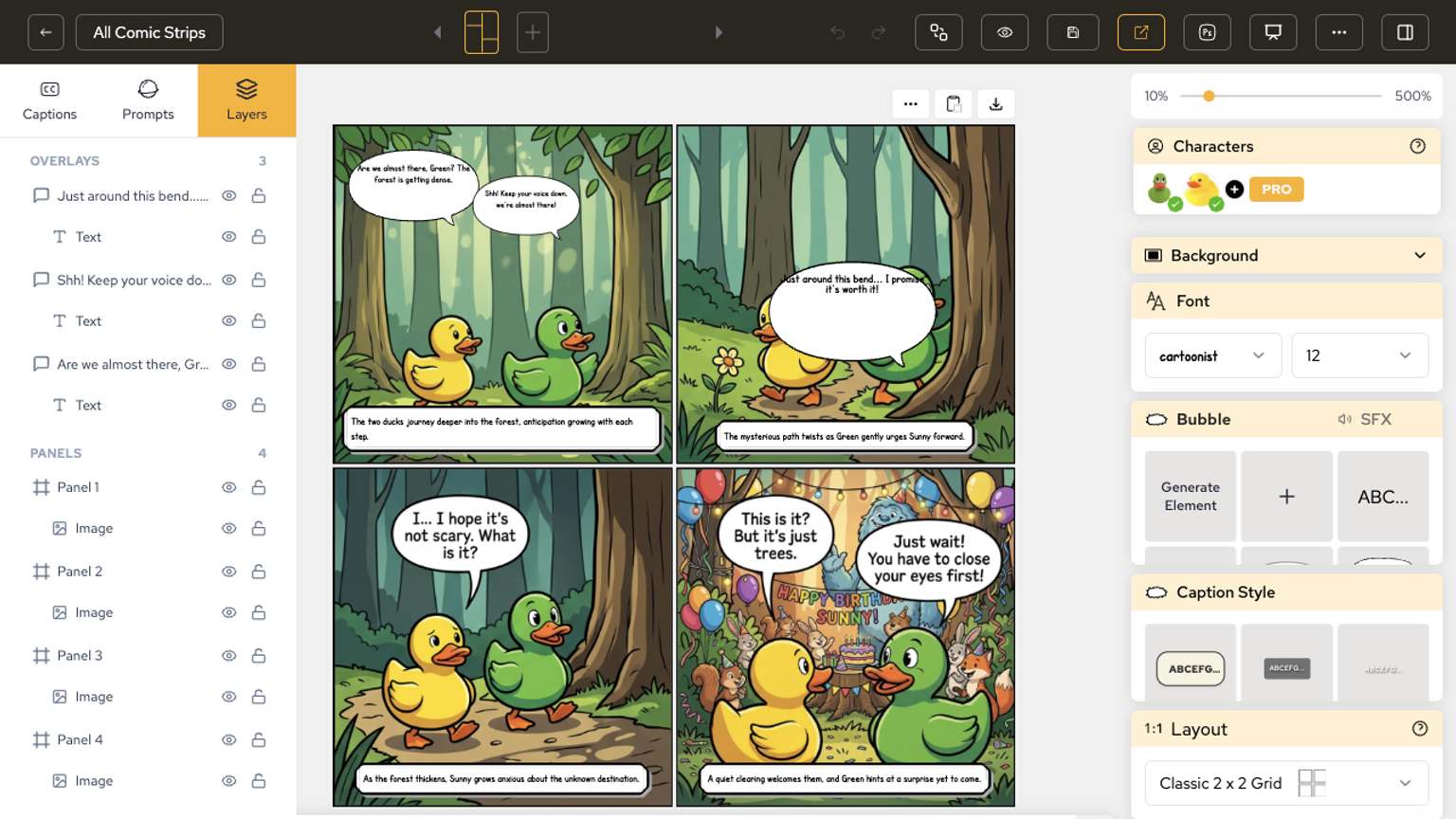
The practical win is a smaller correction loop: hide, lock, or select one balloon and leave the rest of the page alone.
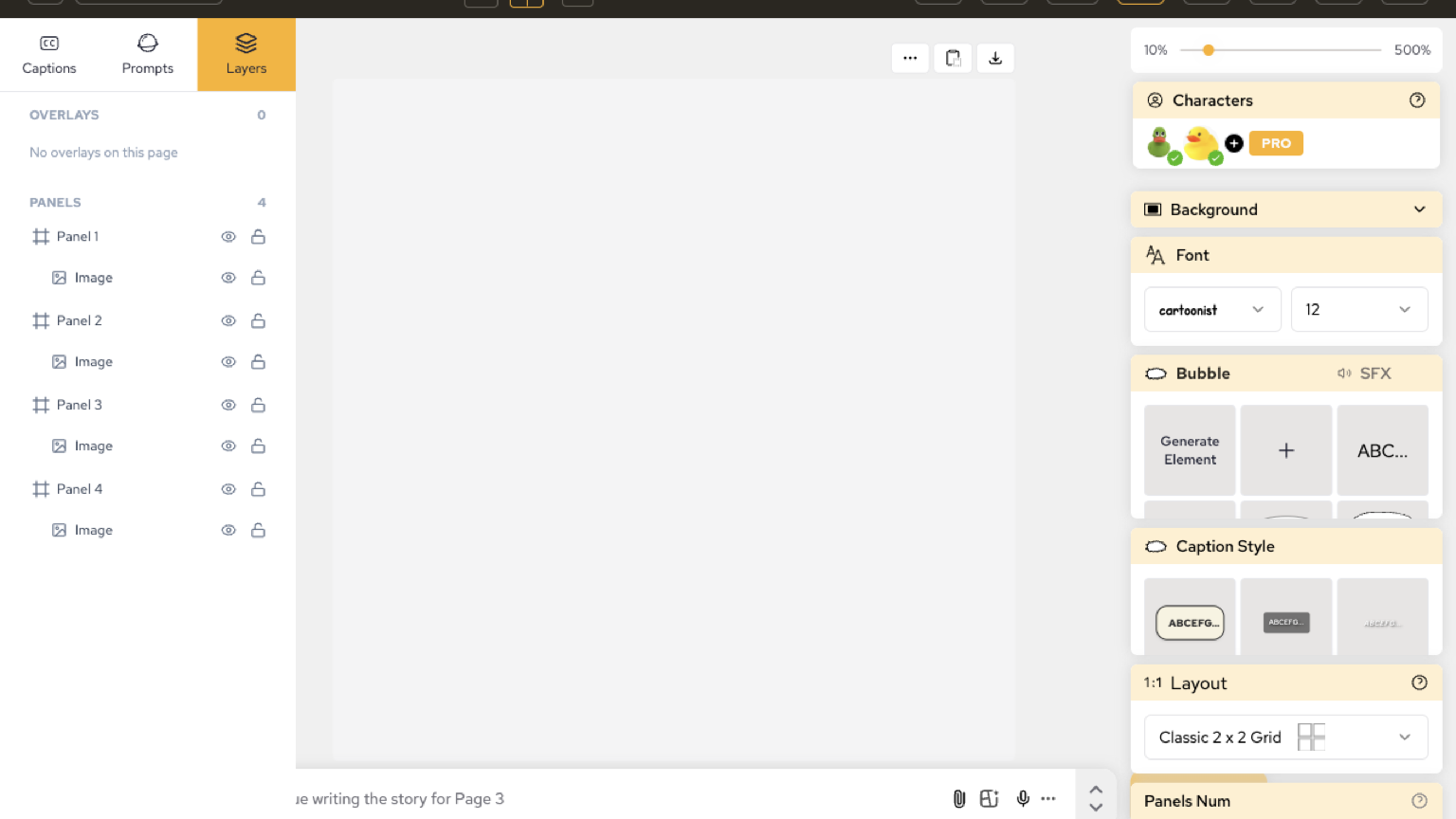
On a page that still shows empty panels, Layers still lists Panel 1 through Panel 4 with image rows. That makes it possible to confirm the stack before the drawings arrive.
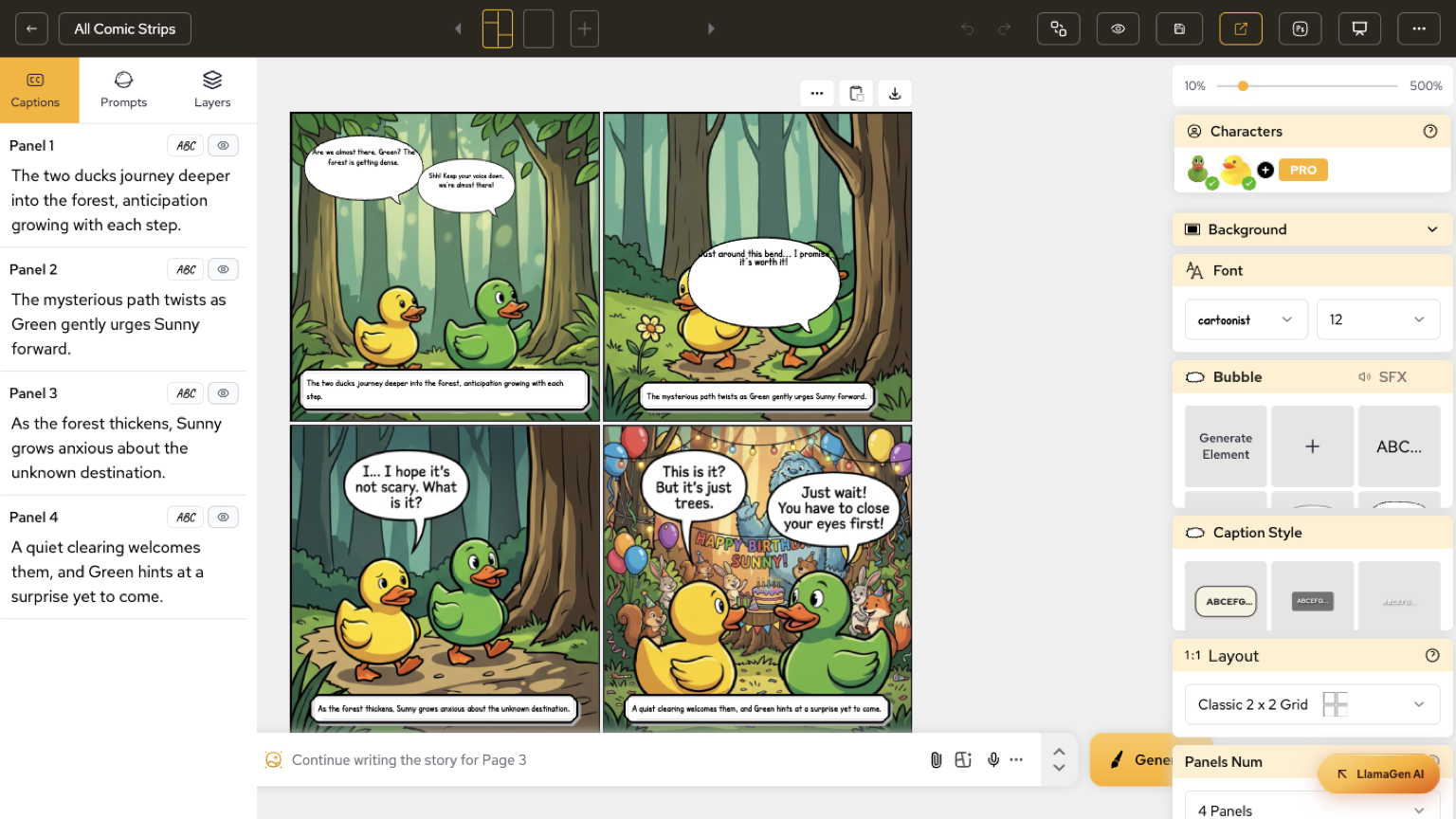
Captions and Layers stay as adjacent tabs. Writing the next line and checking which balloon sits on which panel happens in the same chrome.
En översikt över de senaste funktionssläppen i LlamaGen, produktförbättringar, designuppdateringar och viktiga buggfixar.
For more details and documentation, visit AI Comic Creation Documentation.
Popular creator tools
Go from comics and storyboards to stylized photos with LlamaGen.
Turn an idea into polished comic strips in minutes.
Create comics with AI02Create expressive manga art and multi-panel stories.
Create manga with AI03Visualize every scene before production starts.
Create storyboards with AI04Transform any photo into a comic-style illustration.
Create comics from pictures with AI05Build shareable strips with characters that stay consistent.
Create comic strips with AI
© 2026 LlamaGen.Ai Alla rättigheter förbehålls
