Logo ta’ LlamaGenMarka LlamaGen
DaħħalAbbona Issa20% Skont
  1. Dar
Storyboard-to-Video Handoff Checklist: Shots, Timing, Audio, and Continuity
All posts

Storyboard-to-Video Handoff Checklist: Shots, Timing, Audio, and Continuity

Jay
Jay
November 1st, 2026
Ikcopja l-link
  • What changes between a storyboard and a video brief?
  • Step 1: Freeze a reviewable sequence
  • Step 2: Specify the timebase and duration
  • Step 3: Describe what moves and what stays fixed
  • Step 4: Include references and audio decisions
  • Step 5: Check continuity at the cuts
  • Step 6: Send a package another person can open
  • Step 7: Approve a short motion test before scaling
  • Final handoff checklist
  • FAQ
  • Is an animatic the final video?
  • Should every storyboard frame become one video clip?
  • What should I do if a generated shot changes the character?
elevate-your-comics.png
Elevate your Comics with LlamaGen

A storyboard is ready for video when the next person can identify the approved shots, understand timing and motion, find the correct assets, and see which decisions still need approval.

Build the handoff around shot IDs, frame files, a timing sheet, motion notes, audio cues, and a revision log. You can start with LlamaGen.AI Storyboard to plan the sequence, then prepare a production package that can be reviewed independently of the creation tool.

What changes between a storyboard and a video brief?

A storyboard frame captures a moment. A video brief also needs duration, transitions, opening and closing states, and instructions for what moves.

A filmmaking discussion about prep methods shows how boards and animatics can help test staging and pacing. Different projects need different levels of detail. A quiet interview and an animated chase should not use the same handoff template without adjustment.

The Storyboard overview describes a workflow from story and scene breakdown through shots, revisions, and animatic export. Use the options available in your workspace. A planning export does not automatically guarantee compatibility with every video editor or generation model.
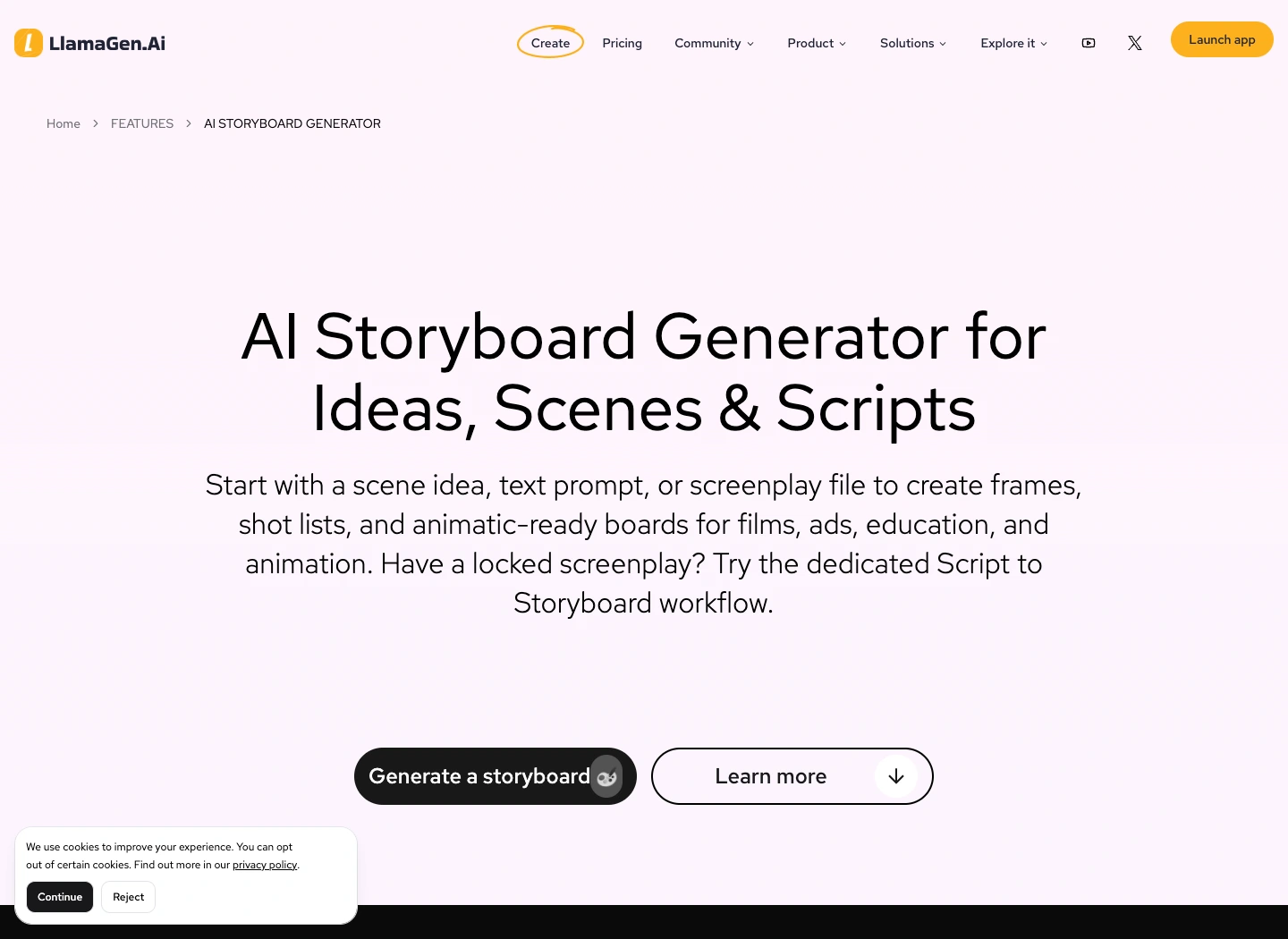
The public LlamaGen.AI storyboard feature page captured during preparation

Public product page captured November 2, 2026. The following production illustrations are conceptual examples, not screenshots of a completed video job.

Step 1: Freeze a reviewable sequence

Read the storyboard in order before preparing individual video requests. Check what the viewer knows at each point, where the scene changes, and whether each reaction has enough context.

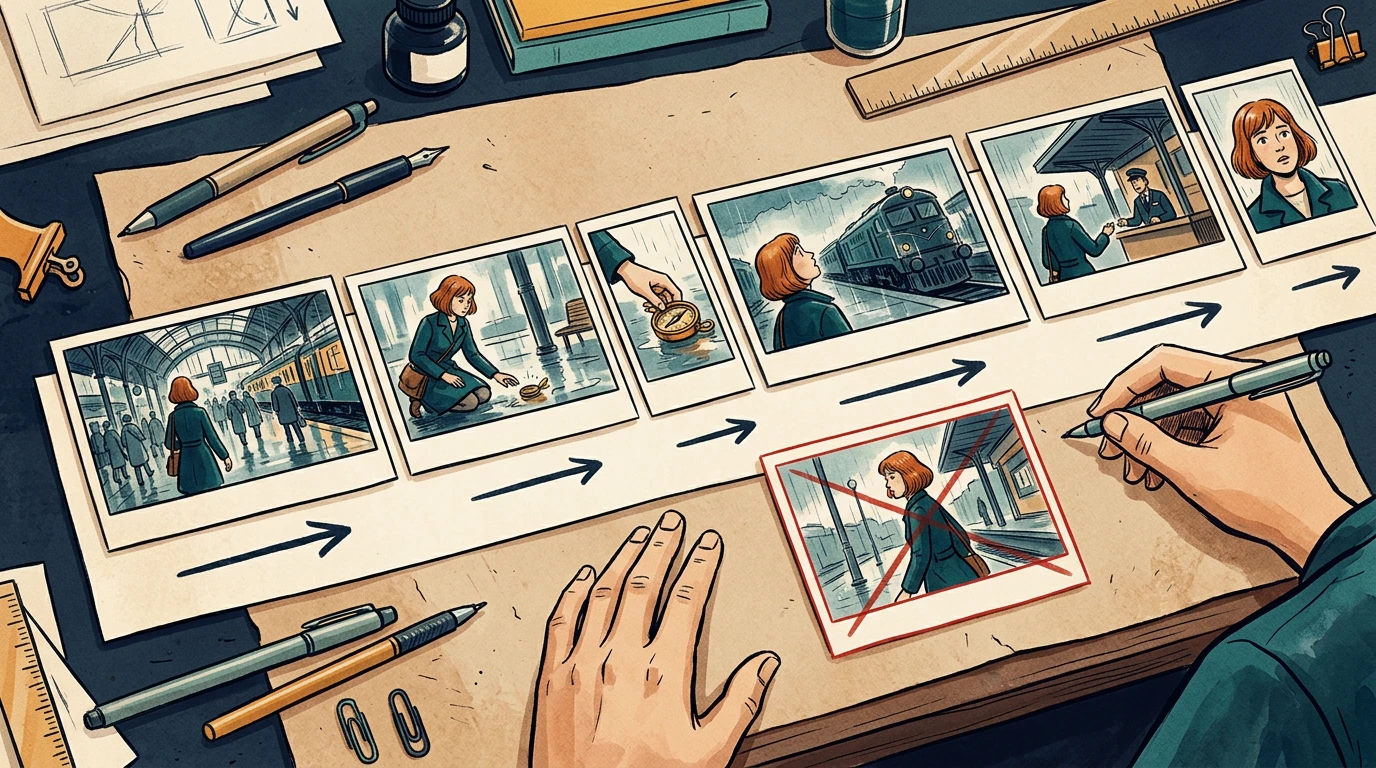
The running example is a 24-second station sequence. Mira enters, sees a compass, picks it up, notices a train, approaches an attendant, and reacts to a new clue. Her copper bob, teal coat, and brass compass remain consistent throughout.

Assign stable shot IDs such as ST01-S010. Keep those IDs when inserting or revising shots. Do not rename every later shot just because one image was added.

Step 2: Specify the timebase and duration

Confirm the delivery aspect ratio, frame dimensions, and frame rate with the editor before production starts. The example below uses 24 fps and six shots totaling 24 seconds. It is a planning example, not a claim about any model's supported clip length.

Related hot tags

Storyboard

Produzzjoni tal-Video

Production Checklist

Għodod popolari għall-kreaturi

Ibdel l-ispirazzjoni fl-istorja li jmiss tiegħek

Oħloq komiks, storyboards u ritratti stilizzati b’LlamaGen.

01

Ġeneratur tal-Komiks AI

Ibdel idea f’strippi tal-komiks lesti f’minuti.

Oħloq komiks
02

Ġeneratur Manga AI

Oħloq arti manga espressiva u stejjer b’diversi pannelli.

Oħloq manga
03

Generator ta' Storyboard AI

Viżwalizza kull xena qabel tibda l-produzzjoni.

Oħloq storyboards
04

Ibdel ritratt f’komiks

Irridajlizza kwalunkwe ritratt f’illustrazzjoni stil komiks.

Oħloq komiks minn ritratti
05

Ħolqien ta' strips tal-Komiks AI

Oħloq strippi li tista’ taqsam b’karattri konsistenti.

Oħloq strippi tal-komiks

LlamaGen community

checkmark

Get hands-on help with your comics

checkmark

Showcase your comics to fellow LlamaGen creators

checkmark

Participate in special events to win gifts

Reġistru tal-bidliet

Ixgħel il-ħolm taż-żgħażagħ
Fejn miljuni ta’ stejjer jieħdu l-ħajja

Ħarsa ġenerali lejn l-aħħar rilaxxi tal-karatteristiċi ta’ LlamaGen, titjib fil-prodott, aġġornamenti fid-disinn, u tiswijiet importanti tal-bugs.
✦
✧
✦
✧

Mezz ġdid għal Rakkont ta’ stejjer

Oħloq stejjer, comics, animazzjonijiet, logħob, u aktar bla limitu—f’sekondi li jolqtu lill-udjenzi moderni

Blogs preċedenti

Animate Comic Panels into a 15-Second Video: A Worked Example

Animate Comic Panels into a 15-Second Video: A Worked Example

A documented 15-second comic-to-video workflow using three Maya panels, generated clips, and final e

Jay
Jay
November 15th, 2026
From a Three-Page PDF to a Four-Panel Comic: A Worked Example

From a Three-Page PDF to a Four-Panel Comic: A Worked Example

A transparent PDF-to-comic example with the source PDF, page-to-panel mapping, panel repair, and an

Jay
Jay
November 13th, 2026
Same OC, Six Expressions: Test Character Identity in a Dialogue Scene

Same OC, Six Expressions: Test Character Identity in a Dialogue Scene

Review 12 real OC expression outputs, compare identity and emotion separately, and apply the results

Jay
Jay
November 13th, 2026
How to Make an OC with AI: From an Idea to a Reusable Character

How to Make an OC with AI: From an Idea to a Reusable Character

Learn how to create an original character with AI, compare design directions, refine a pose, and sav

Jay
Jay
November 12th, 2026
Ara l-blogs kollha
ShotStory beatSecondsFrames at 24 fps
S010Mira enters the station372
S020She notices the compass496
S030She picks it up372
S040A train catches her attention5120
S050She approaches the attendant496
S060She recognizes a clue5120
TotalComplete sequence24576

Use one explicit convention in the timing sheet. For example, start frames can be inclusive and end frames exclusive: S010 occupies frames 0 through 71, with an end boundary of 72.

Do not mix that convention with an editor's inclusive In/Out interpretation without converting the numbers first. Adobe's timecode documentation is a useful reference when aligning frame counts and display choices with the receiving editor.

A conceptual six-shot sequence with varied timeline widths and continuity directions

The card widths illustrate pacing. Use the timing sheet, not visual card width, as the numeric source of truth.

Step 3: Describe what moves and what stays fixed

Separate subject motion from camera motion. Phrases like "make it cinematic" leave too many decisions unresolved.

For each shot, write:

Shot: ST01-S030
Start: Mira crouches; compass rests on the wet floor.
Action: her right hand lifts the compass toward her face.
Camera: low medium shot, restrained push-in.
End: compass is held still at chest height.
Preserve: face, copper bob, teal coat, compass shape, station lighting.
Avoid: added people, extra hands, changing train direction.

A clear start and end state helps the next shot connect. If your selected video tool cannot deliver the requested camera behavior, simplify the shot or replace it with an editorial move instead of repeatedly regenerating without a clear diagnosis.

Step 4: Include references and audio decisions

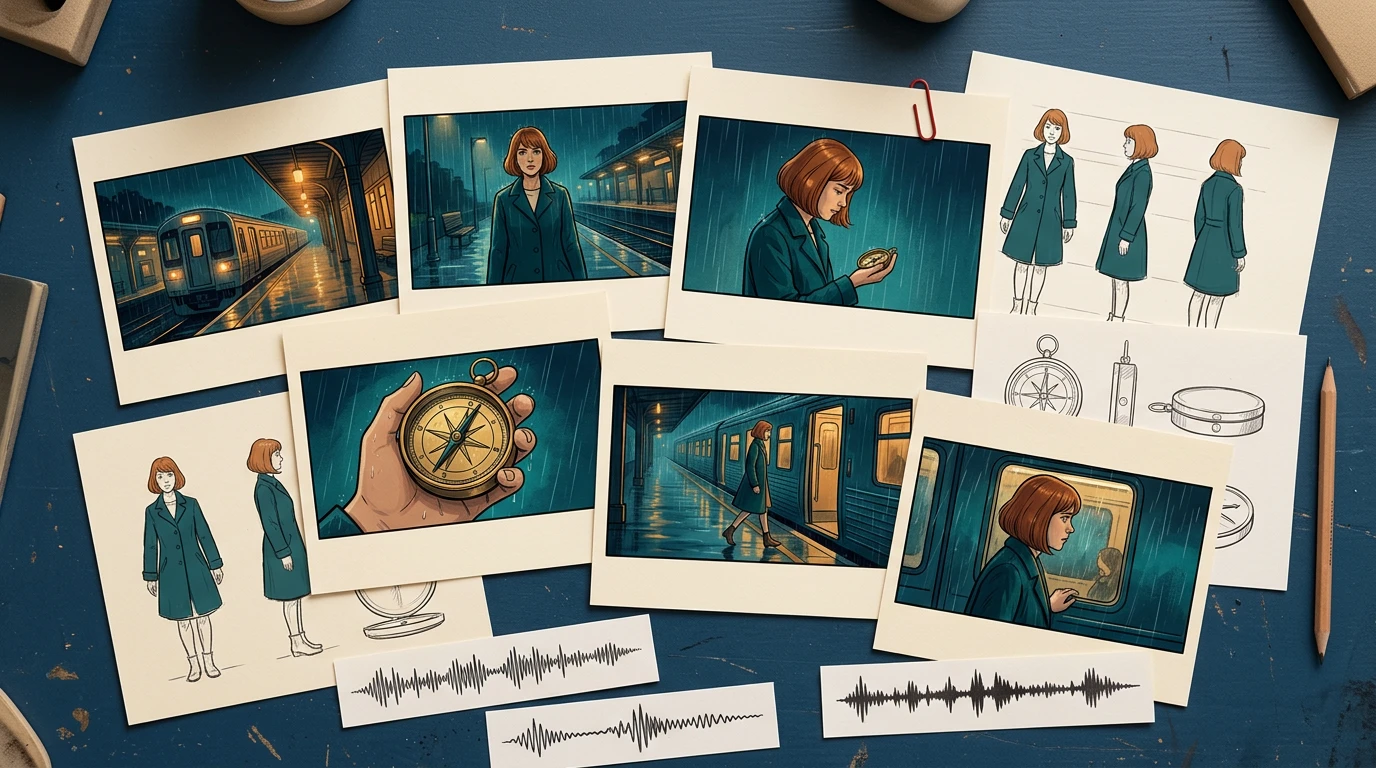
Provide the approved character reference, recurring prop reference, and location reference alongside the frames. Include only the versions the recipient should use.

For audio, distinguish final dialogue, temporary voice, sound effects, ambience, and music. Record cue positions and whether an audio file is approved for publication. Do not let a temporary track become the final soundtrack just because it was attached to the animatic.

A conceptual handoff kit with storyboard cards, character and prop references, and audio cue strips

The package should explain the scene even if the recipient has not watched earlier iterations.

Step 5: Check continuity at the cuts

Review the last useful frame of each shot beside the first useful frame of the next. Watch for changes in hand position, prop scale, screen direction, eyeline, lighting, and background geography.

In the local timing-sheet exercise, an intentionally missing S040 entry creates a 120-frame gap. The corrected sheet restores the six-shot sequence to 576 continuous frames. That validates the schedule structure; it does not validate motion quality or editorial pacing.

For visual continuity, run a separate review. A repaired timing row cannot fix a character suddenly holding the compass in the other hand.

Step 6: Send a package another person can open

A simple handoff structure is easier to inspect than a folder full of filenames containing "final."

station-sequence/
  brief-and-delivery-spec.txt
  shot-list.csv
  frames/
    ST01-S010-v03.png
    ST01-S020-v02.png
  references/
    mira-approved-v02.png
    compass-approved-v01.png
  audio/
  animatic-review-v04.mp4
  revision-log.csv

List every expected file in a manifest, including version and approval state. Use relative paths inside the package when practical. Open it from a clean folder or a second machine to catch missing references.

When exporting XML or another interchange format, test it in the receiving application before promising a seamless transfer. For a small production, a frame sequence plus CSV may be a more predictable fallback.

Step 7: Approve a short motion test before scaling

Choose one difficult representative shot: a face, a hand interacting with the compass, or a camera move across overlapping layers. Review that test before converting every frame into video.

Track preparation time, generation wait, review, revision, and assembly separately. Record the actual credits or cost reported by the selected tool. Static storyboard generation time does not predict a finished video's production budget.

Use a specific rejection reason: hand changed, compass melted, direction reversed, timing too short, or dialogue obscured. Repair the affected shot and recheck its cuts while keeping the other approved material available.

Final handoff checklist

  • Shot IDs and intended order are unambiguous.
  • Every shot points to an approved frame and reference version.
  • Duration, frame rate, aspect ratio, and frame-count convention agree.
  • Subject motion, camera motion, and start/end states are separate.
  • Screen direction, eyelines, hands, and props match across cuts.
  • Dialogue and audio cues are versioned and cleared for their intended use.
  • The animatic and manifest match the same revision.
  • Another person can open the package without missing assets.
  • Outstanding decisions have an owner and approval deadline.

Prepare your next sequence in Storyboard, then use this checklist before motion production. If the sequence still changes substantially during review, return to the storyboard-first workflow before committing more shots.

FAQ

Is an animatic the final video?

No. An animatic mainly tests sequence and timing. The final video may still require motion generation, editing, sound work, and additional quality review.

Should every storyboard frame become one video clip?

No. Match clips to the intended shots and your tool's capabilities. Several storyboard drawings can describe one shot, and one drawing may still need added start and end planning.

What should I do if a generated shot changes the character?

Compare it with the approved references, simplify conflicting motion instructions, and retest that shot. Then recheck its neighboring cuts before accepting the replacement.

Product workflow reviewed November 2, 2026. The timing exercise is a local planning check; this article does not claim that the illustrative sequence was generated as a finished video.

Logo ta’ LlamaGen
  • United States
  • Español
  • Français (France)
  • 日本語
  • 한국어
  • Deutsch
  • 繁體中文 (台灣)
  • 繁體中文 (香港)
  • 简体中文
  • Português
  • Italiano
  • Español (México)
  • العربية
  • Русский
  • Português (Brasil)
  • Tiếng Việt
  • Malti

Mexxejja tal-Futur tal-Ġenerazzjoni tal-Komiks AI

  • appoġġ 24/7
  • Aġġornamenti ta’ kull ġimgħa
  • Sigur u konformi
  • 99.9% żmien għoli

Niżżel LlamaGen b’xejn

AndroidiOSKompjuter

Staqsi lill-AI dwar LlamaGen

Prodott

  • L-aħħar tnedijiet
  • Karatteristiċi
  • Ħallieq ta’ strippi tal-komiks
  • Comic StoresĠdid
  • Studio tal-MangaĠdid
  • Biddel stampa f’comic
  • Comic għal Video
  • Fabbrika Komika AI
  • Aġent tal-Komiks
  • iOS & Android
  • Mac & Windows
  • Niżżel
  • Comic ZapĠdid
  • Ġeneratur tal-Komiks AI
  • Ġeneratur tal-Kartun AI
  • Ġeneratur Webtoon AI
  • Maker tal-Strixxi tal-Komiks
  • Biddel stampa f’comic
  • Ġeneratur Manga AI
  • Traduttur Manga
  • Ritratt għal Anime
  • Immaġni għal Prompt
  • Anime għal Ħajja Real
  • Kulurazzjoni tal-Manga
  • Ġeneratur ta’ Karattri Anime
  • Għodod għal assets ta’ pixel game
  • Ġeneratur ta’ sprite sheet bl-AI
  • L-aqwa għodod għal pixel games 2026
  • Oħloq fumetti bir-ritratti
  • Alternattiva għal Comic Life

Prodotti relatati

  • familja LlamaGen
  • CineoBoardĠdid
  • Comics API

Pjanijiet

  • Ipprezzar
  • Pakkett bażiku
  • Pro

Komunità

  • Kreaturi
  • Affiljati
  • Sieħeb

AI Models

  • GPT Image 2.6 Flare
  • GPT Image 2.6 Sunburst
  • Grok Imagine Image 2.0
LinkedInX (Twitter)
  • Dar
  • Artikli
  • Blogg
  • Oħloq
  • Ipprezzar
  • API
  • Affiliate ProgramNEW
Storyboard-to-Video Handoff Checklist: Shots, Timing, Audio, and Continuity - LlamaGen.AI Blog
  • Comic Zap
  • Velika
  • Għan-negozji
  • Edukazzjoni
  • API tal-Kummiks
  • Ikkuntattja Bejgħ
  • Pjanijiet għall-Edukazzjoni
  • Għalliema
  • Studenti
  • Għalliema u Studenti
  • Negozji ġodda
  • Skontijiet Edukattivi
  • Kumpanija

    • Kellem lill-Fundatur Tagħna
    • Dwar
    • Roadmap tal-Prodott
    • Karrieri
    • Ibgħat imejl lilna
    • Id-Dinja tal-Maskot tagħna
    • Kit tal-Media
    • Sħubija ma’ KOL
    • Kontenut

    Għajnuna

    • Ċentru ta’ Għajnuna
    • Fiduċja
    • AI Sikura
    • Servizzi Professjonali
    • FAQ
    • Sigurtà
    • Aċċessibbiltà
    • Tutorial tal-Video
    • Ikkuntattjana
    • Mappa tas-sit
    Testimonjanzi
  • Ħajt tal-Imħabba
  • LlamaGen MCPĠdid
  • Żviluppatur ta’ LlamaGen
  • Riżorsi

    • Reġistru tal-bidliet
    • Blogg
    • Gwidi
    • Komiks personalizzati
    • Karatteristiċi
    • Alternattivi
    • L-Aħjar Apps tal-AI
    • Gwida għall-Kulurazzjoni tal-Manga GPT-6
    • Ħila ta’ Claude għall-Ktieb tal-Komiks
    • Gwida għall-Komiks b’Gemini AI
    • Kummiks Dak
    • Skontijiet Edukattivi
    • Skont għat-Studenti

    Għodod

    • Ġeneratur ta’ Logo bl-AI
    • Ġeneratur ta’ Karattri Stil Grokbot
    • PNG għal Komiks
    • Text għal Comic
    • PDF għal Komiks
    • Script għal Komiks
    • Ktieb għal Komiks
    • Biddel stampa f’comic
    • Ġeneratur ta’ Pixel Art bl-AI
    • Komiks Edukattivi
    • Ġeneratur tal-Video AI
    • Ġeneratur ta’ Vidjo b’Gemini AI
    • Generator ta' Vidjows Faceless AI b'xejn
    • Comic għal Video
    • Software għall-Ħolqien ta’ Storyboards
    • Generator ta' Storyboard AI
    • Software għall-Kitba tal-Iskripts
    • Editur tal-Iskripts
    • AI għall-Istejjer
    • Ġeneratur ta' Storja AI
    • Ġeneratur ta’ Storybook
    • Ġeneratur tal-Immaġini AI
    • Splitter tal-Layer AI
    • Kontroll tal-Angolu tal-Kamera bl-AI
    • Ġeneratur ta’ Pixel Art bl-AI
    • Għodod għal assets ta’ pixel game
    • Ġeneratur ta’ sprite sheet bl-AI
    • Qatgħa ta’ sprite sheet
    • L-aqwa għodod għal pixel games 2026
    • API tal-Animazzjoni
    • Plugin ta’ ChatGPT/Codex
    • Gwida għall-Installazzjoni ta’ ChatGPT
    • Plugin ta’ Claude Code
    • Gwida għall-Installazzjoni ta’ Claude Code
    Wan 3.0
  • Wan 3.0 Prime
  • Seedance 2.5
  • MiniMax H3
  • Nano Banana 2.1
  • Nano Banana 2 Lite
  • Seedream 5.0 Flash
  • Seedream 5.0 Pro
  • Seedance 2.0 Mini
  • Kling 3.0 Turbo
  • Nano Banana 2
  • GPT Image 2
  • Gemini Omni Flash
  • All AI Models
  • Għodod AI

    • Estrattur tal-Outfits bl-AI
    • Bidla tal-Hairstyle bl-AI
    • Bidla tal-Hairstyle għall-Manga bl-AI
    • Ġeneratur tal-Effett tar-Riħ bl-AI
    • Ġeneratur tal-Mappa tal-Fond bl-AI
    • Sfond Abjad bl-AI
    • Tneħħija ta’ Oġġetti bl-AI
    • Prova Virtwali bl-AI
    • Tneħħija ta’ Ċajpra mill-Immaġini bl-AI
    • Tnaqqis tal-Ħoss bl-AI
    • Irrestawr tar-Ritratti bl-AI
    • Dellijiet tal-Prodott bl-AI
    • Ġeneratur ta’ Sfondi b’AI
    • Ġeneratur ta’ Headshots bl-AI
    • Ħallieq ta’ Emoji bl-AI
    • Bidla tal-Isfond bl-AI
    • Għajnejn Miftuħa bl-AI
    • Sbuħija bl-AI
    • Fotografija tal-Prodott bl-AI
    Instagram
    YouTube
    Grupp ta’ Facebook
    Reddit
    Discord
    Appoġġ permezz ta’ Email
    PrivatezzaTerminiMappa tas-sit
    Niżżel Assi tal-Marka
    © 2026 LlamaGen.Ai Id-drittijiet kollha miżmumaIs-servizzi kollha huma online