

Kontroll tal-Angolu tal-Kamera - Editur tal-Angolu tar-Ritratt bl-AI
Itella’ media, żomm u dragja biex tbiddel l-angolu tal-kamera, u iġġenera minn 12-il angolu l-aktar adattati. Ittrasforma l-immaġini tiegħek bl-AI Image Camera Angle Control permezz ta’ konverżazzjoni naturali u kontrolli tal-angolu orizzontali, angolu vertikali, u distanza taż-żum.
Editja permezz ta’ chat, espandi x-xeni, neħħi oġġetti, ibdel l-isfond, u iġġenera angoli ġodda tal-kamera minn ritratt wieħed b’Qwen Image Edit u workflows ta’ AIOmnigen.
Laboratorju interattiv tal-angoli
Ittella’ immaġni waħda, ibdel l-angolu, u editja permezz ta’ chat
Din l-għodda inkorporata tħallik tittrasforma l-immaġini permezz ta’ konverżazzjoni naturali. Ittella’ ritratt wieħed, imbagħad espandi, neħħi oġġetti, ibdel l-isfond, jew iġġenera angoli ġodda tal-kamera b’kontrolli interattivi tal-kamera u mudelli ta’ editjar inkluż Qwen Image Edit.
Multi-Angles
Source Reference
Upload a reference image
Use the Replace and Remove buttons above anytime.
Generated Result
Examples
Source
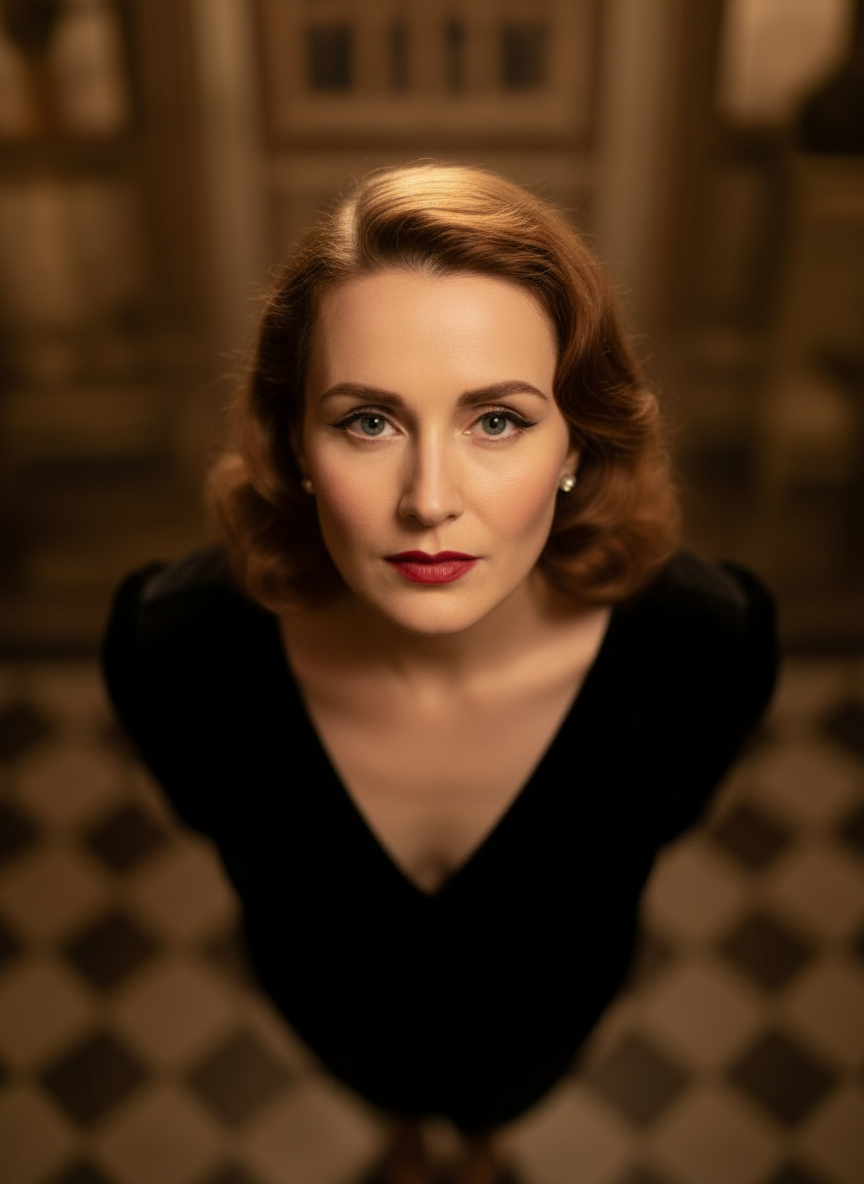
Overhead Angle
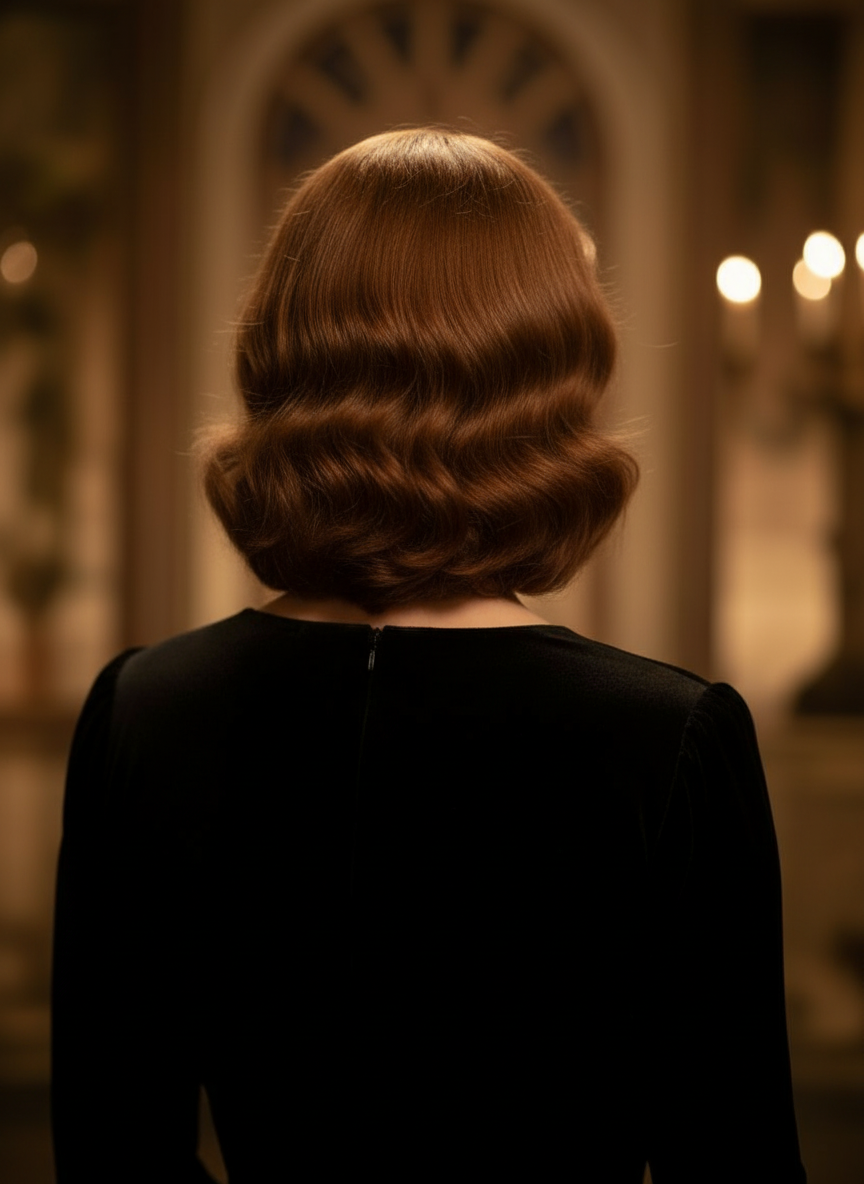
Back Angle
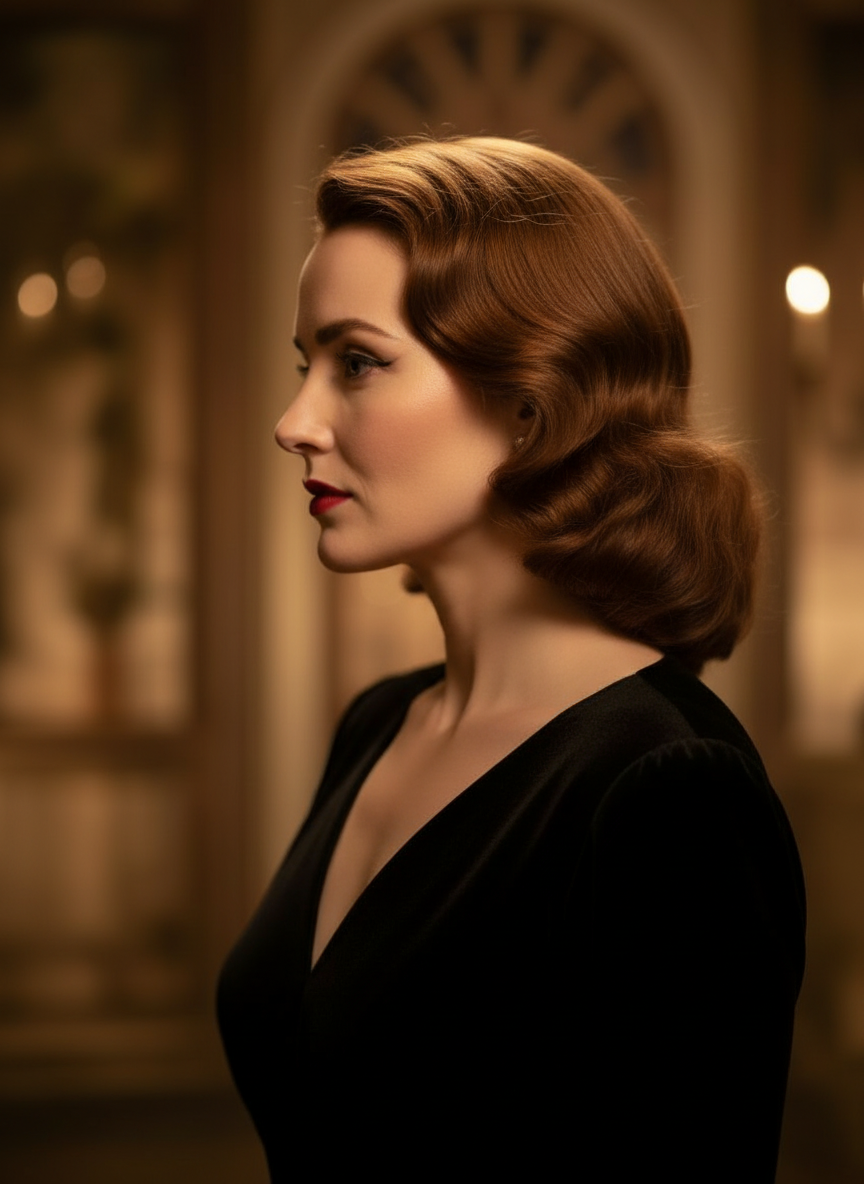
Three-Quarter Side
Ittrasforma l-immaġini tiegħek permezz ta’ konverżazzjoni naturali
Sempliċement ittella’ immaġni u ikteb biex tagħmel il-bidliet. Espandi l-qafas, neħħi oġġetti, ibdel l-isfond, u iġġenera angoli alternattivi tal-kamera mingħajr ma terġa’ tibni l-immaġni mill-bidu.
Iftaħ il-Kontroll tal-AngoluAġġusta l-angolu orizzontali, l-angolu vertikali, u d-distanza taż-żum
Żomm u dragja biex tbiddel l-angolu tal-kamera jew uża sliders intuwittivi biex taġġusta l-angolu orizzontali, l-angolu vertikali, u d-distanza taż-żum. Iġġenera varjazzjonijiet nodfa minn ritratt wieħed b’workflow aktar mgħaġġel ta’ image-camera-control.
Iġġenera angolu ġdidKif tuża l-Kontroll tal-Angolu tal-Kamera f’3 passi
Workflow sempliċi għall-editjar tar-ritratti, ir-riformulazzjoni, u l-kontroll tal-kamera bl-AI.
Ittella’ immaġni tas-suġġett
Ibda b’ritratt wieħed jew immaġni ta’ referenza li trid iżżomm konsistenti waqt l-editjar u r-riformulazzjoni.
Issettja l-pjan tal-kamera
Agħżel wieħed mit-12-il angolu l-aħjar, imbagħad żomm u dragja jew uża l-kontrolli biex taġġusta l-angolu orizzontali, l-angolu vertikali, l-inklinazzjoni, u d-distanza taż-żum.
Ikteb, irendi, u irrevedi
Iddeskrivi l-bidliet bil-lingwa naturali, iġġenera l-veduta l-ġdida, u irrevedi r-riżultat għad-disinn, il-kontenut, jew għall-għoti tal-produzzjoni.
Riżultat Reali tal-Għodda
Immaġni Input Waħda, Riżultat Wieħed Ġenerat tal-Angolu tal-Kamera
Qabbel l-immaġni tas-sors ma’ output prodott mill-workflow tal-Kontroll tal-Angolu tal-Kamera. Is-suġġett jibqa’ rikonoxxibbli waqt li l-perspettiva tinbidel għal studju ta’ angolu usa’.
Input
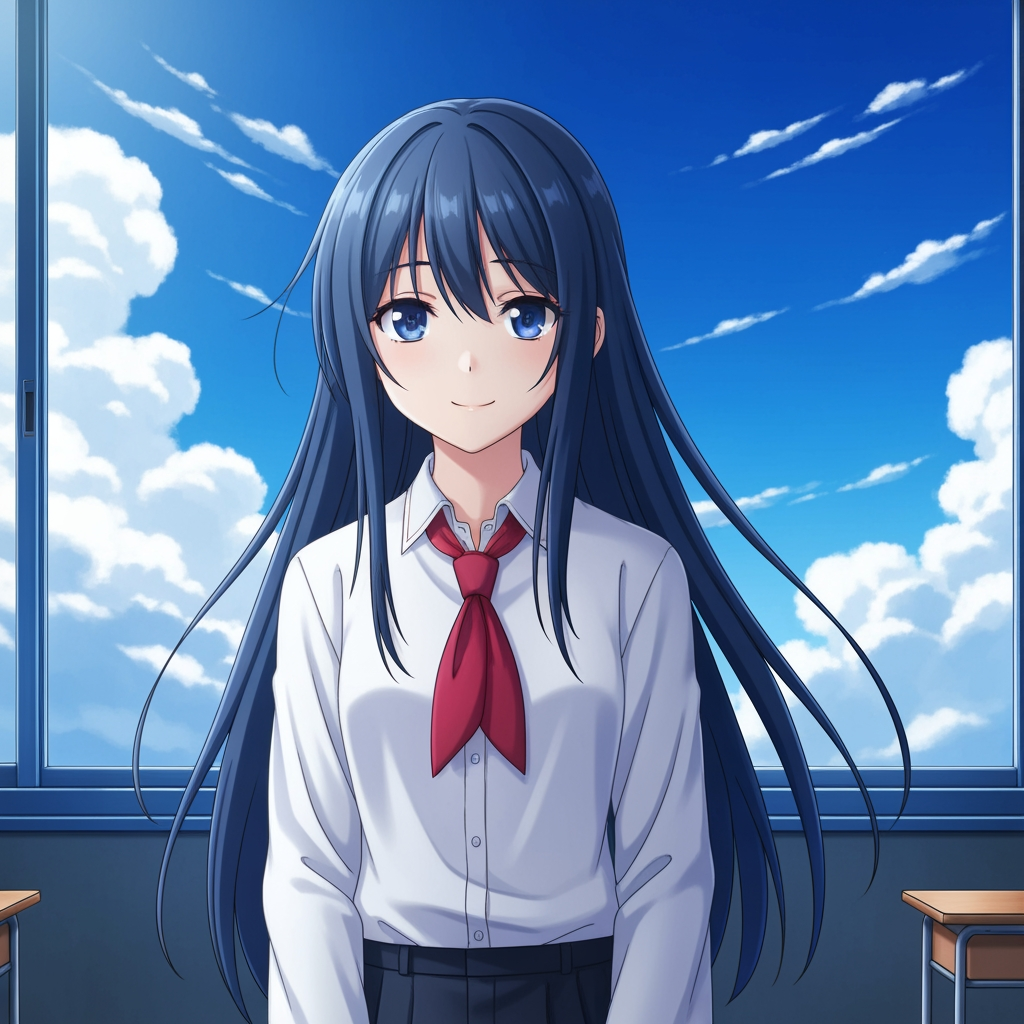
Immaġni oriġinali tas-suġġett
It-tpinġija bażika tibqa’ l-istess. Din hija l-immaġni tas-sors użata biex tikkontrolla l-pass tal-angolu tal-kamera.
- Rwol
- Referenza mtellgħa
- Suġġett
- Karattru anime wieħed
Output Ġġenerat

Riżultat tal-angolu tal-kamera riformulat
L-output ġġenerat jibdel l-istess referenza f’studju ta’ angolu usa’ għall-ippjanar tax-xena u reviżjoni viżwali.
- Rwol
- Varjazzjoni ġġenerata
- Użu
- Reviżjoni tal-angolu u l-qafas
L-immaġini hawn taħt huma par reali ta’ sors u output mill-workflow tal-għodda, mhux mockup stock. Ir-riżultati tal-AI jvarjaw skont l-immaġni tas-sors, il-mudell magħżul, l-angolu, u l-kontrolli tal-qafas.
X’inhu l-Kontroll tal-Angolu tal-Kamera?
Il-Kontroll tal-Angolu tal-Kamera huwa editur tal-angolu tar-ritratt bl-AI għal nies li jridu jittrasformaw immaġini permezz ta’ konverżazzjoni naturali. Ittella’ immaġni waħda, ikteb biex teditjaha, imbagħad aġġusta l-angolu, l-inklinazzjoni, il-qafas, u ż-żum biex tiġġenera veduti ġodda filwaqt li żżomm l-identità tas-suġġett konsistenti.
Prompt to Comic
Iġġenera minn 12-il angolu l-aħjar
Esplora angolu baxx, angolu għoli, livell mal-għajn, Dutch angle, over-the-shoulder, u presets oħra tal-kamera li jistgħu jerġgħu jintużaw qabel ma tikkonferma.
Iġġenera minn 12-il angolu l-aħjar
Esplora angolu baxx, angolu għoli, livell mal-għajn, Dutch angle, over-the-shoulder, u presets oħra tal-kamera li jistgħu jerġgħu jintużaw qabel ma tikkonferma.
Żomm suġġett wieħed konsistenti
Uża immaġni ta’ referenza biex l-għodda żżomm is-suġġett, il-loġika tad-dawl, u l-identità viżwali eqreb tar-ritratt oriġinali.
Editja u riformula f’workflow wieħed
Uża editjar tal-immaġni mmexxi miċ-chat u kontroll tal-kamera flimkien biex tespandi x-xeni, tneħħi oġġetti, tbiddel l-isfond, u tirriformula l-istess immaġni.

Għaliex it-timijiet jużawha għall-esplorazzjoni tal-angoli tal-kamera
Mibnija għall-esplorazzjoni tax-xeni, l-ippjanar tal-kopertura, u reviżjoni viżwali rapida.
Ġenerazzjoni mmexxija minn referenza
Ibda minn immaġni bażika mtellgħa minflok ma toħloq suġġett ġdid kull darba.
Presets tal-angolu li jaqblu mal-lingwa tal-produzzjoni
Ittestja malajr eye-level, angolu baxx, angolu għoli, Dutch angle, bird's-eye, u kopertura over-the-shoulder.
Utli għal previz u boards
Qabbel ideat ta’ shots qabel ma l-storyboarding, it-tqassim tal-komiks, jew ir-reviżjoni tal-animazzjoni jiġu msakkra.
Lest għall-komiks u l-kartuns
Aqleb bejn direzzjoni viżwali għall-komiks u l-kartuns mingħajr ma terġa’ tibni l-kontrolli.
Esperimenti rapidi tal-qafas
Mexxi minn close-up għal wide shot u minn tilt newtrali għal staging drammatiku f’sekondi.
Iddisinjat għal ċikli ta’ reviżjoni
Iġġenera studju ta’ angolu wieħed, iddiskutih, imbagħad irrepeti immedjatament is-setup li jmiss.
Mistoqsijiet frekwenti
X’jagħmel il-Kontroll tal-Angolu tal-Kamera?
Jittrasforma l-immaġini tiegħek permezz ta’ konverżazzjoni naturali u kontrolli interattivi tal-kamera, u jgħinek tiġġenera angoli ġodda tal-kamera, tespandi x-xeni, tneħħi oġġetti, u tbiddel l-isfond minn immaġni waħda mtellgħa.
Nista’ niġġenera angoli ġodda tal-kamera minn ritratt wieħed?
Iva. Itella’ l-media darba, imbagħad iġġenera minn 12-il angolu l-aħjar waqt li taġġusta l-angolu orizzontali, l-angolu vertikali, u d-distanza taż-żum.
Għandi bżonn itella’ immaġni ta’ referenza?
Iva. Il-workflow huwa ddisinjat fuq image to image generation sabiex il-mudell ikun jista’ jżomm is-suġġett eqreb tal-board, karattru, jew xena oriġinali tiegħek.
Liema tipi ta’ angolu tal-kamera nista’ nittestja?
Tista’ tittestja eye-level, angolu baxx, angolu għoli, over-the-shoulder, Dutch angle, bird's-eye, u presets oħra ggwidati tal-angolu, imbagħad tirfina bihom b’kontrolli drag u sliders.
Dan huwa utli għal reviżjoni ta’ storyboard u previz?
Iva. Huwa utli għal diretturi, artisti tal-storyboard, timijiet tal-komiks, u artisti previz li għandhom bżonn esplorazzjoni aktar mgħaġġla tax-xeni u tqabbil tal-angoli.
Liema mudelli jsaħħu l-editjar u l-kontroll tal-kamera?
Il-workflow huwa ddisinjat għal mudelli moderni ta’ editjar tal-immaġini inkluż Qwen Image Edit u image camera control stil AIOmnigen, skont il-passaġġ attiv tal-ġenerazzjoni.
Għandek bżonn boards li jistgħu jerġgħu jintużaw wara l-esplorazzjoni tal-angoli?
Iftaħ il-Free Storyboard Template biex taqsam il-folji tal-storyboard, tniżżel frames nodfa, u żżomm il-pakkett ta’ reviżjoni organizzat.
Mur għall-Free Storyboard TemplateLest biex tikkontrolla l-angolu li jmiss tal-immaġni tiegħek?
Ittella’ immaġni waħda, żomm u dragja biex tbiddel l-angolu tal-kamera, u iġġenera veduta ġdida fi ftit minuti.